Shopping for smart locks for front doors is not really a spec-sheet problem. The hard part is deciding which job you are hiring the lock to do. A keypad hands out codes to tenants, cleaners, and dog walkers. A fingerprint reader lets one person in without typing anything. A camera in the deadbolt watches the porch while it does the locking. Those are three different products wearing the same category label, and a lock that tries to be all three is not automatically the right answer for your door.
This roundup covers six keyless entry locks currently sold on Amazon. They range from a straightforward electronic touchpad deadbolt to a deadbolt with a camera built into it, and two of them arrive with matching handles or knobs instead of the lock alone. Some replace the deadbolt only, one puts WiFi inside the lock itself, and one is a full handle set. The point is to match the hardware to the door and to the people who walk through it, whether that is a long-term tenant, a short-term guest, or your own family carrying groceries.
Related: How to Pair a Smart Lock to a Gateway in the Right Order
Quick answer
The Kwikset SmartCode 270 Keyless Entry Electronic Touchpad Deadbolt Door Lock is the strongest fit for a front door or rental that just needs codes because the model name describes a touchpad deadbolt from a lock manufacturer, with no camera, fingerprint sensor, or network bridge complicating the setup. Choose the eufy Security Smart Lock C220 instead when fingerprint entry is the feature you actually want at the door.
Smart locks worth comparing
Three approaches are represented here. Two are keypad deadbolts. One adds fingerprint entry. One adds a camera. One is a keypad lock sold as a set with two lever handles, which matters if your door needs matching hardware rather than just a new bolt. One specifies built-in WiFi, which changes where the network connection lives.
The second dividing line is what arrives in the box. The Veise KS01B ships with two lever handles, so a door that needs the whole entry hardware package gets it in a single order. The other five are lock-first products, which is the simpler path if your door already has handles or knobs you intend to keep.
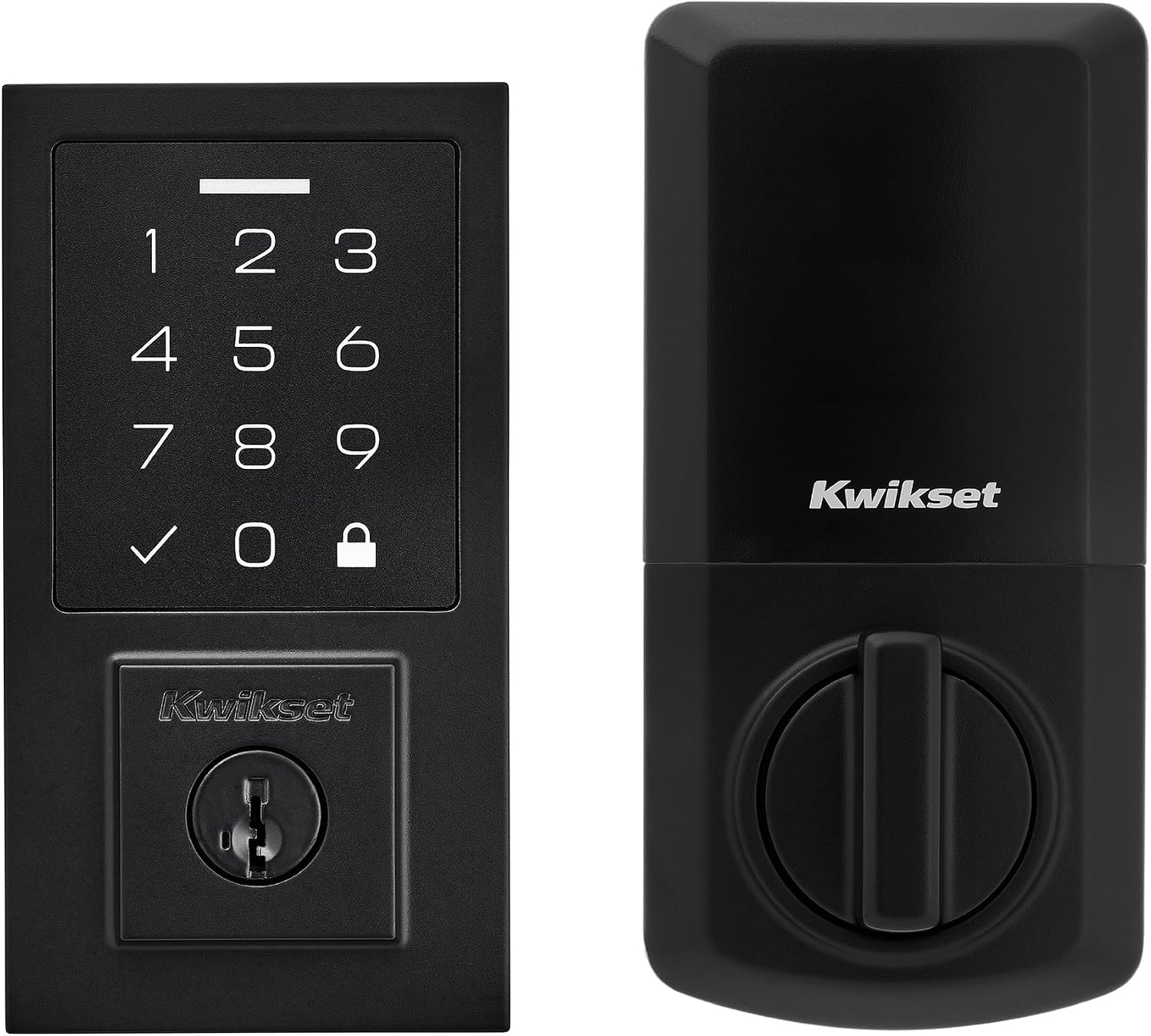
Kwikset SmartCode 270 Keyless Entry Electronic Touchpad Deadbolt Door Lock
A touchpad deadbolt from a lock company, built around keyless entry at the door rather than a camera or fingerprint reader.
Visit on Amazon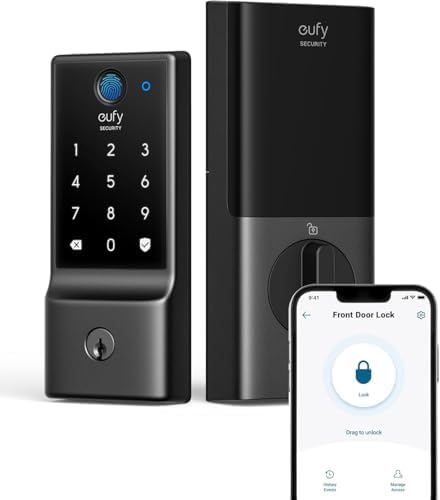
eufy Security Smart Lock C220, Fingerprint Keyless Entry Door Lock
Fingerprint keyless entry for a front door, aimed at people who would rather not type a code on the way in.
Visit on Amazon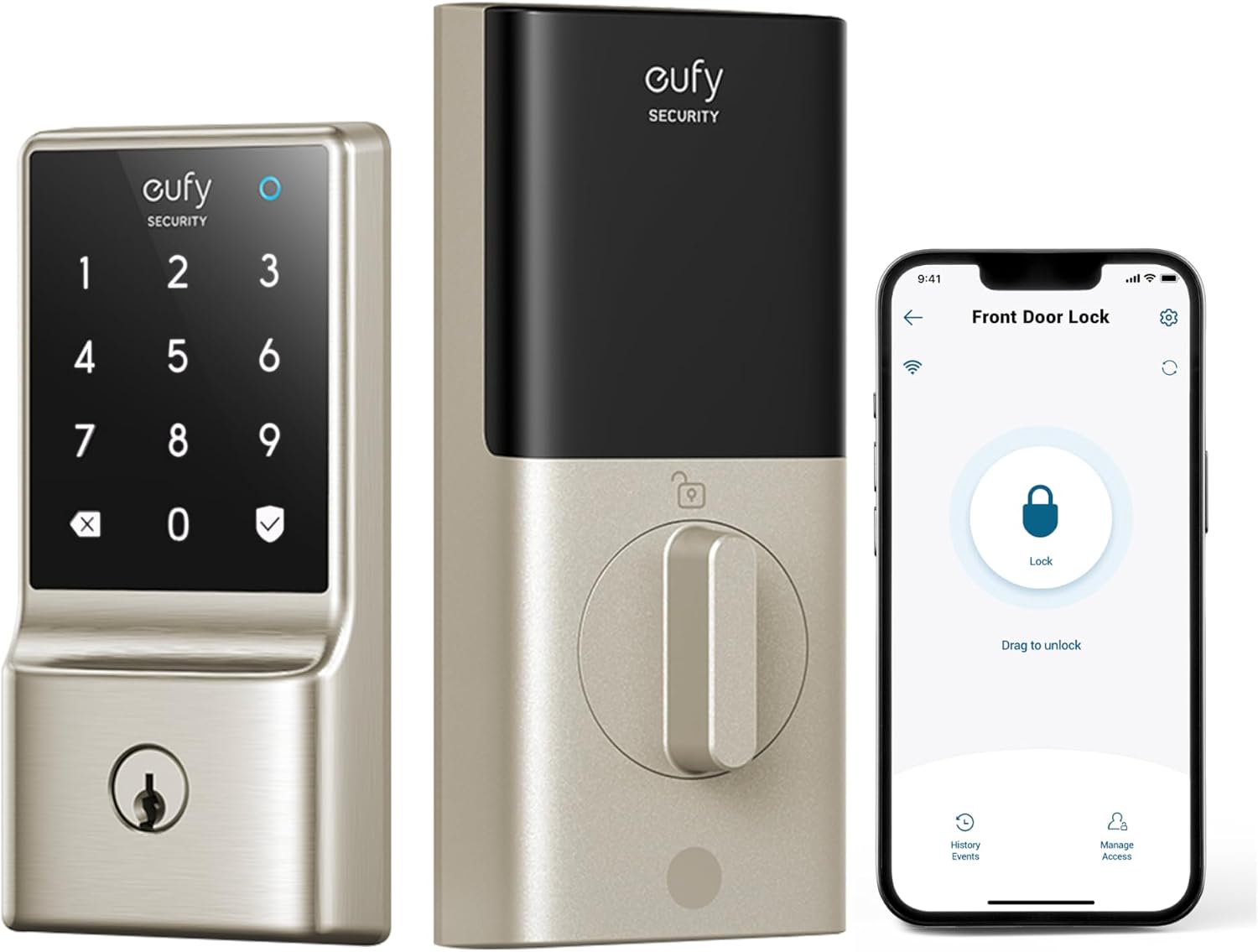
eufy Security Smart Lock C210, Keyless Entry Door Lock, Built-in WiFi
Check current Amazon price
Keyless entry with built-in WiFi, so the network connection is part of the lock itself rather than a separate bridge.
Visit on Amazon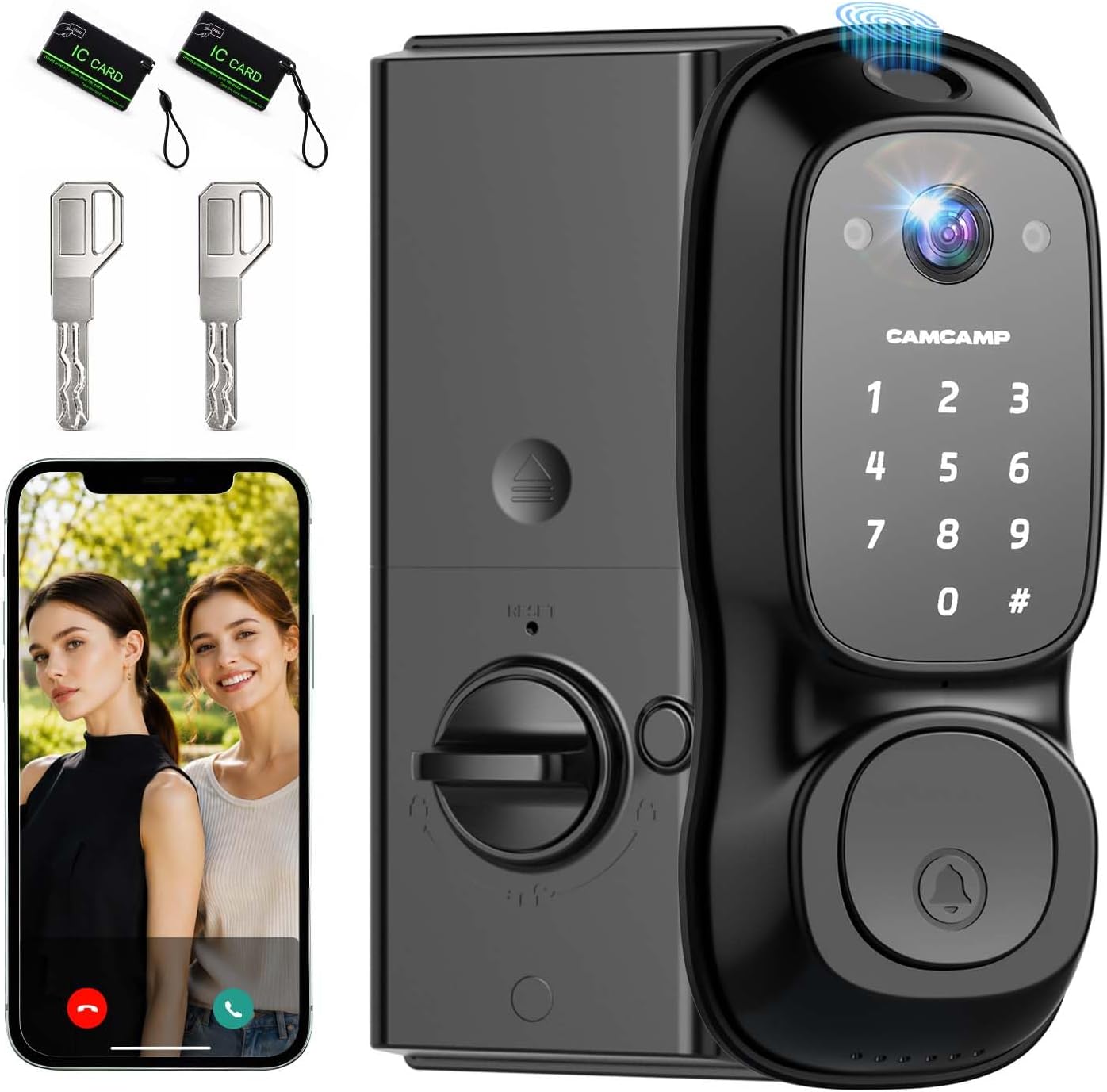
Video Smart Lock with Camera, 3-in-1 Smart Deadbolt for Front Door
A 3-in-1 deadbolt with a camera, combining the lock and the porch view in one piece of front door hardware.
Visit on Amazon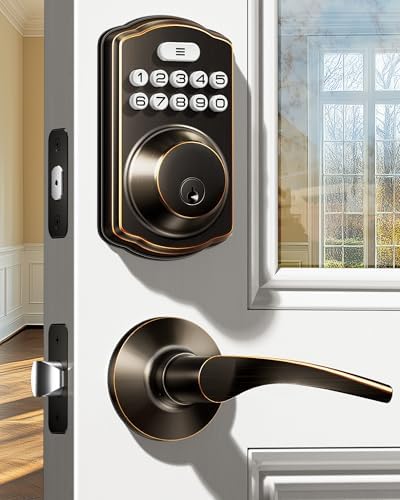
Veise KS01B Keypad Door Lock with 2 Lever Handles Set, Satin Nickel
A keypad door lock sold as a set with two lever handles, so the code entry and the handles arrive together in satin nickel.
Visit on Amazon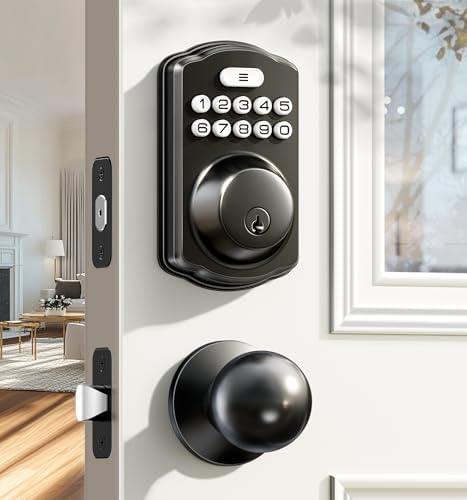
Veise KS01C Keyless Entry Deadbolt Door Lock with Knobs, Matte Black
A keyless entry deadbolt with knobs in matte black, for doors where the knob style matters as much as the code.
Visit on AmazonPrices and availability may change. Check the retailer for current details.
How these products were compared
This guide compares entry method, deadbolt versus full handle set, whether the model name specifies a network connection or a hub, the finish and hardware included in the box, and how much setup sits between you and a working door. Product names, images, and retailer links are matched to the same product so that every card points to what the card shows.
The comparison sticks to what each product is described as. It does not assume a lock is easier or harder to install than its description suggests, and it does not assume a camera, sensor, or radio does anything the listing does not claim. Use the link on each card to confirm the current details before you buy.
How to choose the right smart lock
Start with the entry method, because that is the difference you will feel every day. A touchpad deadbolt such as the Kwikset SmartCode 270 is a code-first product: you type, the bolt moves. The eufy Security Smart Lock C220 is described as fingerprint keyless entry, which puts a reader at the door for the people who live there. The eufy Security Smart Lock C210 specifies built-in WiFi, which matters if you want the lock to be the network device rather than pairing it to a separate bridge. None of those three is strictly better than the others. They simply ask different things of the person standing on the porch.
Next, decide whether you are replacing a deadbolt or the whole entry set. The Veise KS01B arrives with two lever handles, and the Veise KS01C arrives with knobs, both in named finishes. If your existing handles are fine, a lock-only product keeps the job smaller. If you are changing the finish anyway, buying the set in one order avoids the classic mismatch where the new deadbolt is a slightly different shade than the handle six inches below it. For more on that, see matching a lock finish to the rest of your door hardware.
Then think about the door itself. Deadbolt replacements depend on the bore hole and backset already cut into your door, and a handle set depends on the same measurements plus the spacing of the existing holes. Measuring before you order takes two minutes and prevents the return.
Finally, separate the lock from the extras. A camera in the deadbolt, as on the Video Smart Lock, means one device covering two jobs, which is attractive on a front door with no room for a separate doorbell. It also means one device to power and one device to troubleshoot. If porch video is not something you will actually review, a camera lock is hardware you paid for and never use.
Kwikset SmartCode 270 Keyless Entry Electronic Touchpad Deadbolt Door Lock
The Kwikset SmartCode 270 is a keyless entry electronic touchpad deadbolt, and that description is the whole case for it. It is a deadbolt first, made by a company whose business is locks, and the entry method is a touchpad rather than a sensor or a lens. For a rental where the requirement is "the tenant gets a code and the door locks," that narrowness is a feature. There is no fingerprint reader to degrade and no camera feed to review.
The trade-off is equally clear. The model name does not describe WiFi, a fingerprint reader, or video, so if any of those are on your list, this is not the product that delivers them. It is the pick for the door that needs codes and nothing more, and the alternatives below cover the rest.
Alternatives to consider
The eufy Security Smart Lock C220 is better suited to a household where the same two or three people come and go constantly and would rather touch a reader than a keypad, while the eufy Security Smart Lock C210 is a stronger fit when built-in WiFi is the priority and you would rather not add a separate bridge to the setup.
The Veise KS01B, the Veise KS01C, and the Video Smart Lock cover the rest of the field. The KS01B brings a keypad plus two lever handles in satin nickel, and the KS01C brings a keyless entry deadbolt with knobs in matte black, so both are worth a look when the finish and the handles are part of the decision rather than an afterthought. The Video Smart Lock is the one to consider when you want the deadbolt and the camera to be a single piece of hardware on the front door.
Day-to-day use and maintenance
Every lock in this roundup is an electronic device on an exterior door, which shapes the maintenance routine. Batteries are the first thing to track. Replace them on a schedule rather than waiting for the low-battery warning, and keep a mechanical key or a second entry method available, because a dead battery on a keyless lock is the most common way people get locked out of their own house.
Touchpads and fingerprint readers both collect whatever is on your hands. A fingerprint reader in particular is sensitive to wet, cold, or dirty fingers, which is worth knowing before you rely on it as the only way in for a guest who has never used one. Wipe the surface periodically with a soft cloth and avoid abrasive cleaners on the finish.
On the mechanical side, check the deadbolt throw after installation and again after a few weeks of use. The bolt should extend fully into the strike plate without binding. If the door swells with the seasons and the bolt drags, the lock will work harder and batteries will drain faster. A smart lock is only as secure as the door and frame it is mounted on, so a strike plate held by short screws is the weak point no electronics can fix.
For any model that connects to your network, remember that most smart locks and bridges speak the 2.4GHz band. If your router broadcasts only 5GHz or splits the bands under separate names, the lock will not find the network, and the fix is a router setting rather than a return.
Buying checklist
- Measure your door thickness, bore hole, and backset before ordering.
- Decide between keypad, fingerprint, and camera entry based on daily use, not on the longest feature list.
- Confirm whether the model needs a separate hub or bridge, and check that your router has a 2.4GHz band if it connects to WiFi.
- Check what is in the box: lock only, or lock plus handles or knobs.
- Match the finish to the hardware already on the door, or replace both together.
- Verify the current retailer price, availability, and return terms before you commit.
Final recommendation
Choose the Kwikset SmartCode 270 Keyless Entry Electronic Touchpad Deadbolt Door Lock when the door needs reliable code entry and you would rather not maintain a fingerprint reader or a camera. Choose the eufy Security Smart Lock C220 when fingerprint entry is the point, the eufy Security Smart Lock C210 when built-in WiFi is the point, and the Video Smart Lock when you want the porch covered by the same device that throws the bolt. If handles or knobs are part of the project, the Veise KS01B and KS01C sets put the code entry and the hardware in one box.