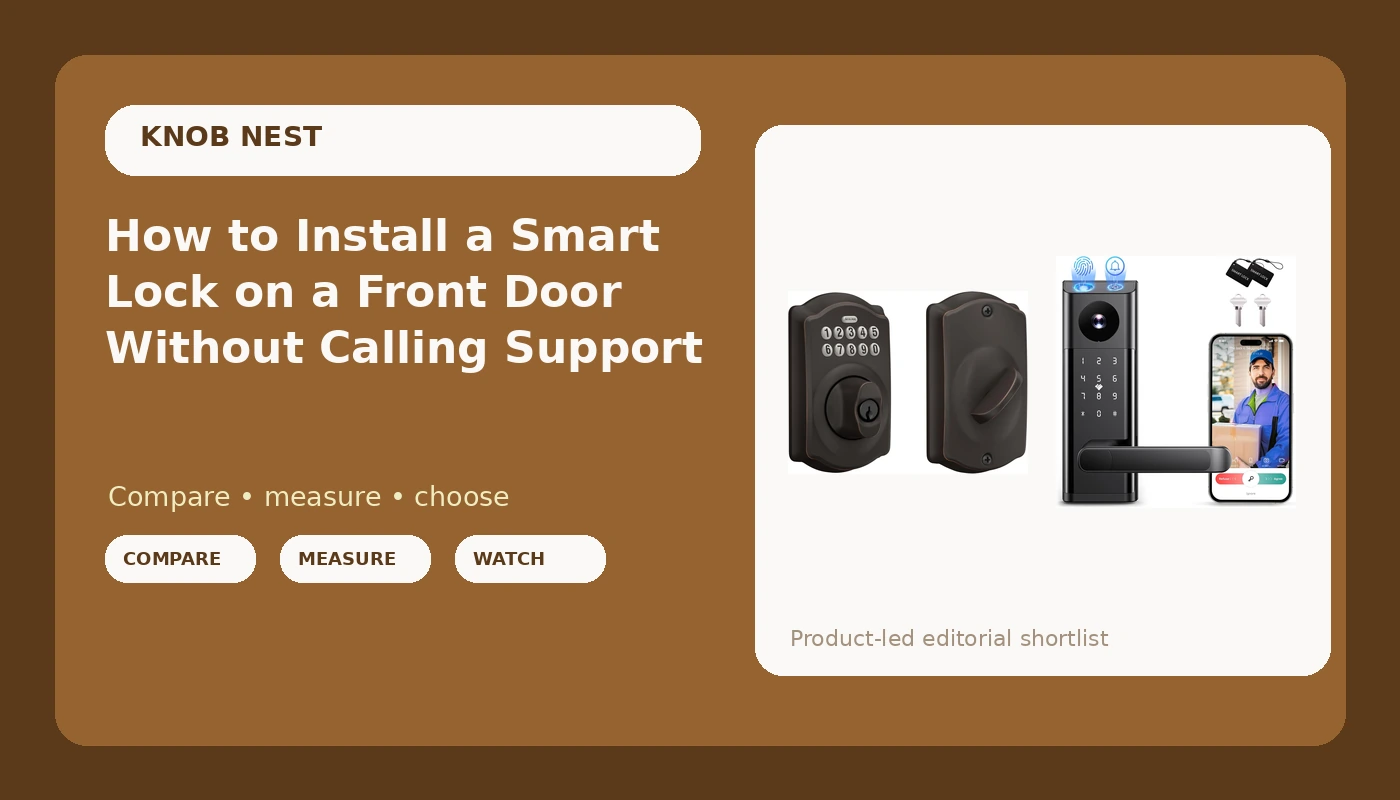
Most smart lock installation problems I get called about are not electrical. They are mechanical and procedural: a deadbolt that never fully throws, an app paired in the wrong order, and a router broadcasting on the wrong band. Fix those three and the job is twenty minutes with a Phillips screwdriver.
I spent five years as a working locksmith in Columbus, Ohio, rekeying deadbolts for landlords and drilling out seized cylinders at seven in the morning. Around 2021 the calls changed. Landlords stopped asking for spare keys and started asking whether the door could just open with a code, so nobody had to drive across town to hand one over. I bought my first smart lock for $89 to stop hiding a key under a rock for Airbnb guests, and that install broke something loose. Since then I have installed more than 300 smart locks and doorbells, two on my own doors and the rest for landlords, hosts, and rental properties around central Ohio.
This is the setup order I use on every door. Smart lock installation is a hardware job first and a networking job second, and most of the frustration people blame on the lock is really the order they did things in.
Why you should trust me
Nobody sponsors these pages and I am not a tech journalist. I show up with a drill, a rekey kit, and a chisel, and I get paid when the door locks correctly at the end of the visit. That means I care about two things more than any spec sheet: how long the install takes on a real door, and whether the lock still works in month seven.
I have a lock on a rental right now that I know is glitchy, and I keep it because replacing it means rekeying the whole building. I have a keypad-only deadbolt on my own front door with no app at all, because it is the one thing in my house that has never needed a reboot. That tension is the honest version of this category, and it is why I separate what I recommend for a rental from what I recommend for the door you actually live behind.
How I picked what is worth installing
I run every lock through the same four questions before it goes on a door.
Can I install it on a real door in about twenty minutes without calling support? Will it pair on the first try on a normal 2.4GHz network, in the right order? Does it have a keypad or a physical key as a backup for when the app or the fingerprint reader fails? And what does it cost per door when a landlord buys six of them for one building, including any subscription?
The two locks below sit at opposite ends of that test, and both of them earn their place.
The two locks I would put on a front door
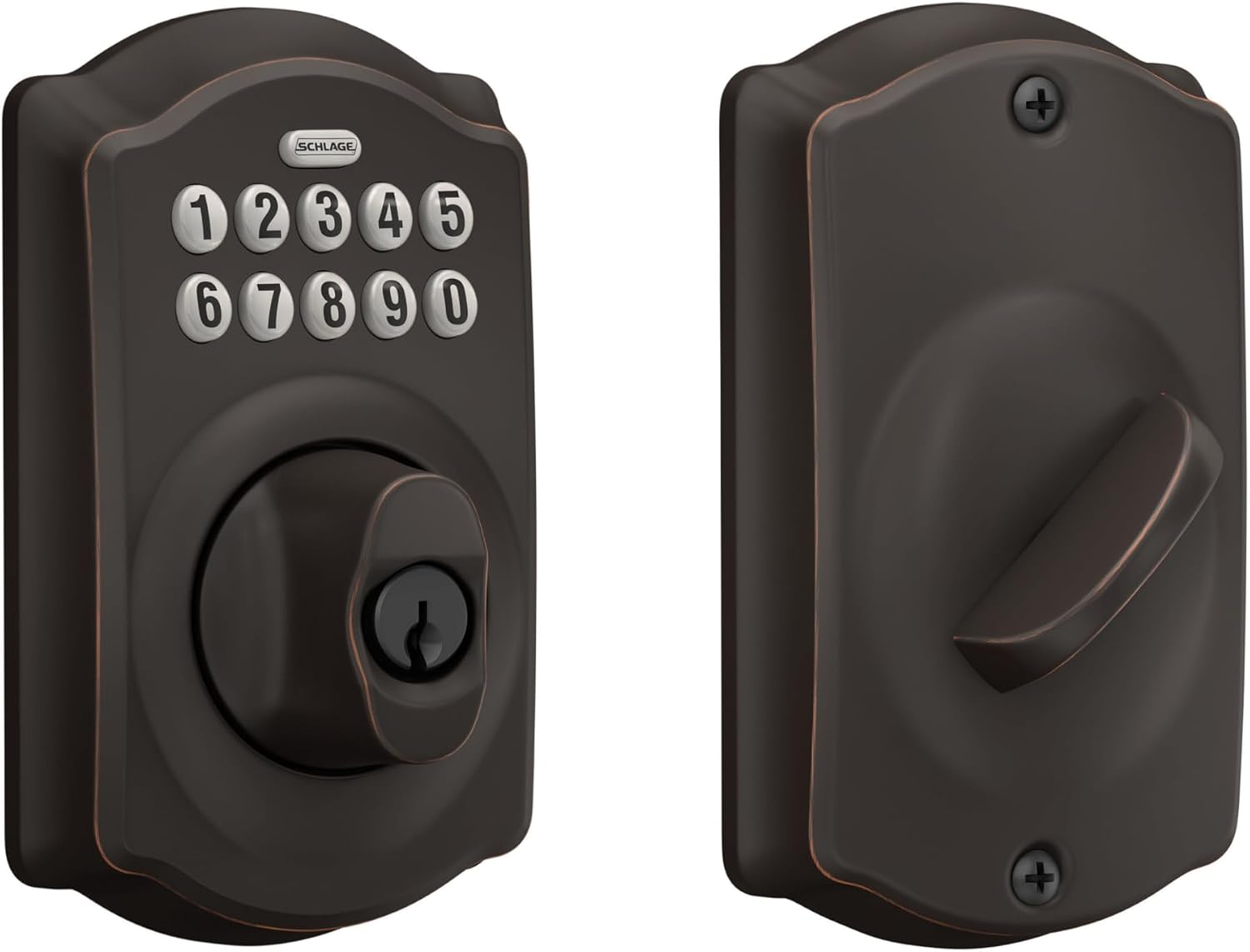
Keypad-only pick: Schlage Electronic Keypad Deadbolt Lock, Camelot Trim, Aged Bronze
 Visit on Amazon →
This is the lock I put on a door when the person on the other end does not want an app. It is a keypad deadbolt: you program codes at the keypad, hand a code to a tenant or a cleaner, and delete that code when they move on. There is no gateway to pair, no WiFi band to argue with, no account to create, and no firmware update that can strand you at the curb at 11 p.m. That is the entire pitch, and for a lot of doors it is the right one.
The Camelot trim is the decorative side of it, and the aged bronze finish is the version that does not scream rental. If your hinges and handle are oil-rubbed bronze or another dark finish, this matches. If your house is brushed nickel or chrome, buy the trim that matches, because a mismatched finish is the first thing a tenant notices.
Install is a straight deadbolt swap: same cross bore, same backset, same two screws, assuming the old deadbolt was installed correctly in the first place. On a door that has never had a deadbolt you are drilling a fresh cross bore and edge bore, which is a different job and not one I would start without a jig.
Flaws but not dealbreakers: No app means no remote control. You cannot unlock this door from your phone in another state, and you cannot pull a log of who came in and when. If you need either of those, this is not your lock. If you need a door that still works during a power outage and an internet outage, it is exactly your lock.
Landlords, long-term rentals, and anyone who wants codes without an account should look here first.
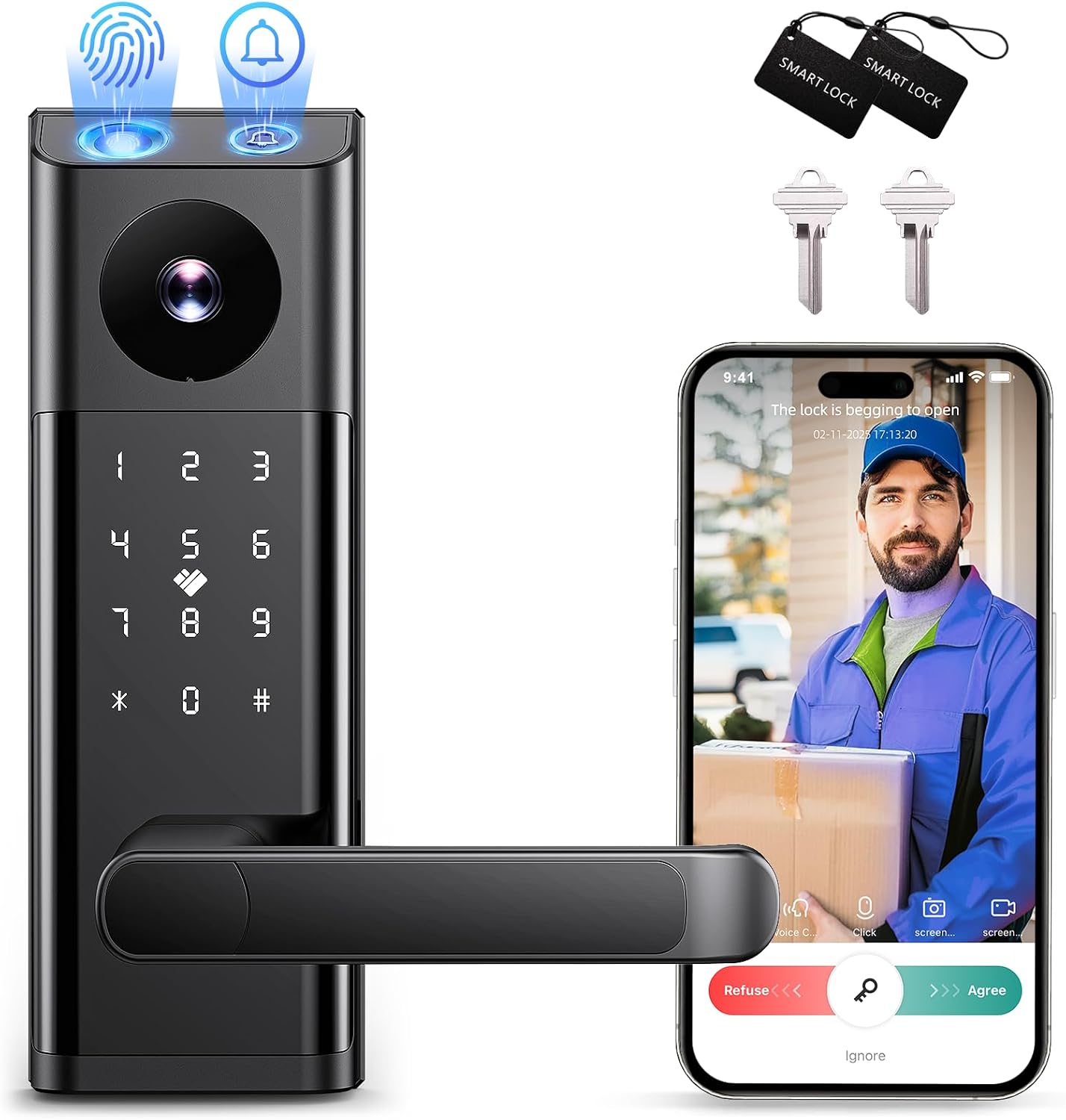
Camera-and-code pick: Smart Lock with Camera & Doorbell, 3-in-1 Keyless Entry Door Lock with Handle, Built-in WiFi Camera Smart Lock for Front Door, Fingerprint, Keypad Code, App Control, Auto Lock
 Visit on Amazon →
This one is a different animal. It replaces the handle and the deadbolt together, and it bundles three jobs into one piece of hardware: keyless entry, a doorbell, and a camera watching the porch. For a front door that gets real guest turnover, that consolidation is the appeal. You are not buying a lock, then drilling a separate doorbell beside it, then hunting for another place to plug something in.
Because it replaces the whole lockset, the measurement step matters more here than anywhere else in this guide. You are matching the handle spacing on your existing door, not just the deadbolt bore. Measure the center-to-center distance between the handle and the deadbolt holes before you order, and measure door thickness while the tape is out.
The fingerprint reader and the keypad give you two ways in that do not depend on a phone, which is the failure I see most: the guest's phone is dead, the app will not load, and the guest is standing on the porch. Auto lock is the feature I would pay for by itself on a rental, because it ends the "tenant forgot to lock up" call permanently.
Flaws but not dealbreakers: Anything with a camera and WiFi inside it has more that can go wrong than a plain keypad deadbolt, and anything that talks to an app will eventually want a firmware update. Check the listing for what the remote features require before you buy, because a monthly fee to unlock a door you already own is the worst deal in this category. Plan on a 2.4GHz network, not a 5GHz one, and read the next section before you install it.
Hosts, short-term rentals, and anyone who wants the porch camera and the lock in a single install will get the most out of this one.
The install, step by step
Step one: measure before you open the box
Backset is the distance from the edge of the door to the center of the deadbolt hole, and it is almost always either 2-3/8 inches or 2-3/4 inches. Measure it. Measure door thickness too. Measure the handle spacing if you bought a combo unit that replaces the whole lockset. Every return I have ever seen started with somebody skipping this step because the box looked right.
Step two: pull the old hardware and check the bore
Two screws on the interior plate, two on the exterior, and the deadbolt slides out of the edge bore. Look inside the hole. If the previous installer chiseled it out with a screwdriver and a bad attitude, clean it up now with a rasp before the new bolt goes in, not after.
Step three: mount the deadbolt and test the throw
This is the step everybody rushes and it is the one that actually matters. With the door open, throw the bolt and watch it. Then close the door and throw it again. The bolt has to extend fully into the strike plate. If it only goes halfway, the door looks locked and opens with a credit card. If it binds, file the strike plate opening slightly or adjust the plate position until the bolt drops in with a click and no force.
A lock's job is to let the right people in and keep everyone else out. Every smart feature on top of that is decoration until the deadbolt actually throws.
Step four: pair the lock to the app before you touch the gateway
App first, gateway second. Always. If you added the gateway first, you will be doing a factory reset, and that wipes every code you have set. This is the single most common support call in the category and the manual buries it on a foldout page nobody reads.
Step five: set auto lock and build your codes
Turn auto lock on with a delay that makes sense for your door. Fifteen to thirty seconds is right for most people. Then add codes one at a time and label them in the app by who holds them, so you can delete the cleaner's code without deleting the tenant's.
Step six: test it like a guest would
Wet hands, gloves, a dead phone, and a code you have never used before. If the fingerprint reader only works when your hands are dry and warm, you need the keypad as the primary and the fingerprint as the convenience. That is a fine arrangement, but you have to know it before your guest discovers it.
Pairing order, and the 2.4GHz problem
Pair the lock to the app first. Then add the gateway. Then check that your router is broadcasting a 2.4GHz network that the lock can actually see. Most smart locks and gateways do not speak 5GHz, and a router set to a single merged band name will sometimes hide the 2.4GHz side well enough that the lock never connects. If yours will not pair and the app gives you a generic failure, split the bands in the router settings and try again before you return anything.
Auto lock and guest codes
Auto lock is the most underrated feature in this whole category. It is the difference between a host who checks the app at midnight and a host who sleeps. Set it, then set a separate one-time or time-limited code for every guest and delete it after checkout.
What goes wrong and what it actually means
- The handle turns but the bolt does not engage. On cheap lever locks this is usually a design quirk, not a defect. The manual never explains it, so people think the lock is broken.
- The app cannot find the lock. You are not in pairing mode. On a lot of budget hardware that is an undocumented button combination, and it is worth searching the exact phrase from the manual.
- The lock shows offline but the keypad works. That is a network problem, not a lock problem. Go back to the 2.4GHz question.
- The fingerprint misses on the first try. Wet hands and worn fingers are the usual cause. Keep the keypad as your backup and re-enroll the finger.
- The door will not latch at all. That is a strike plate alignment issue, and it existed before you bought the lock.
What this all costs
The keypad deadbolt and the camera-and-code combo sit in the same rough price band, so the decision is not really about money, it is about what you want the door to do. A keypad deadbolt is a lock. A lock with a camera, a doorbell, a fingerprint reader, and an app is a small piece of infrastructure, and infrastructure needs a network, a firmware update now and then, and a little patience on install day.
Neither one is a subscription decision until you decide it is, so check the listing before you buy and know what the remote features require.
Whichever you pick, the install order is the same, and it is the part you control. Measure, mount, test the throw, pair the app before the gateway, then set auto lock and hand out codes. Do it in that order and you will never be the person on support chat at 11 p.m. wondering why a brand new lock will not talk to a phone.