Most smart lock support tickets get opened for the same reason, and it is almost never the hardware. The buyer paired the gateway before the lock. Or tried to join a 5GHz network. Or enrolled a fingerprint on a dry hand in January and then blamed the reader. The deadbolt was fine the whole time.
A smart video door lock setup is not difficult. It is sequential, and the sequence is buried on page 14 of a foldout that nobody reads. I have done this on rental doors around Columbus with numb fingers and a headlamp, and the version that works takes about 20 minutes once you know the order.
What follows is that order, the two locks I would put on a front door this year, and the specific mistakes that turn a 20-minute install into a factory reset and an hour on support chat.
Why you should trust me
I spent five years as a working locksmith before smart locks were anything but a trade show novelty. I rekeyed deadbolts for landlords, drilled out seized cylinders at 7 a.m., and cut keys for tenants who had lost theirs again. The calls changed around 2021, when a landlord who had just paid me to rekey 40 units asked whether codes could replace keys so he could stop driving across town to hand them over. That question is why I own a drill, a rekey kit, and a phone full of gateway pairing notes.
Since then I have installed over 300 smart locks and doorbells. Two on my own doors, a dozen for friends, and the rest for landlords, Airbnb hosts, and rental properties around Columbus. I read manuals cover to cover. I still get stuck on gateway pairing. I have spent an hour on support chat more than once, and I write down what fixed it so the next person does not have to.
Two disclosures. I am not sponsored, and the Amazon links below pay me a small commission if you buy. And I have not mounted these two specific locks on my own doors, so I am not going to pretend I have. What I can tell you is exactly what I check before I recommend anything, and why these two are the ones on the shortlist.
What actually matters before you buy
Forget the spec sheet for a minute. On a real door, in real weather, five things decide whether you will like a smart video door lock or hate it.
Built-in WiFi versus a gateway. A lock with its own WiFi radio talks to your router directly, which removes an entire failure mode. A Bluetooth-only lock needs a gateway to reach your phone from anywhere, and the gateway is where most setups die, because the order matters and the manual does not say so.
The 2.4GHz band. Almost every smart lock and gateway speaks 2.4GHz only. If your router broadcasts one merged network name or pushes everything to 5GHz, the lock will never connect, and nothing on the box will tell you that. Split the bands or make a 2.4GHz-only SSID before you start.
Deadbolt throw. This is the one that separates a lock from a decoration. If the bolt does not fully extend into the strike plate, the door looks locked and opens with a credit card. You check it with your eyes, on a closed door, after every install.
Fingerprint plus keypad. Fingerprint readers are fantastic for six months. Then wet hands, cold hands, and worn ridges start causing misses, and the reader that worked perfectly in July is a coin flip in February. A keypad backup is not a luxury. It is the difference between a five-second entry and a locksmith call.
No subscription for basic remote access. Paying a monthly fee to open a door you already bought is the worst deal in smart home. Video recording plans are a separate conversation, but locking and unlocking should never sit behind a paywall.
The two locks I would start with
Both of these solve the front door problem, and the difference between them is mostly about traffic and who is coming through the door.
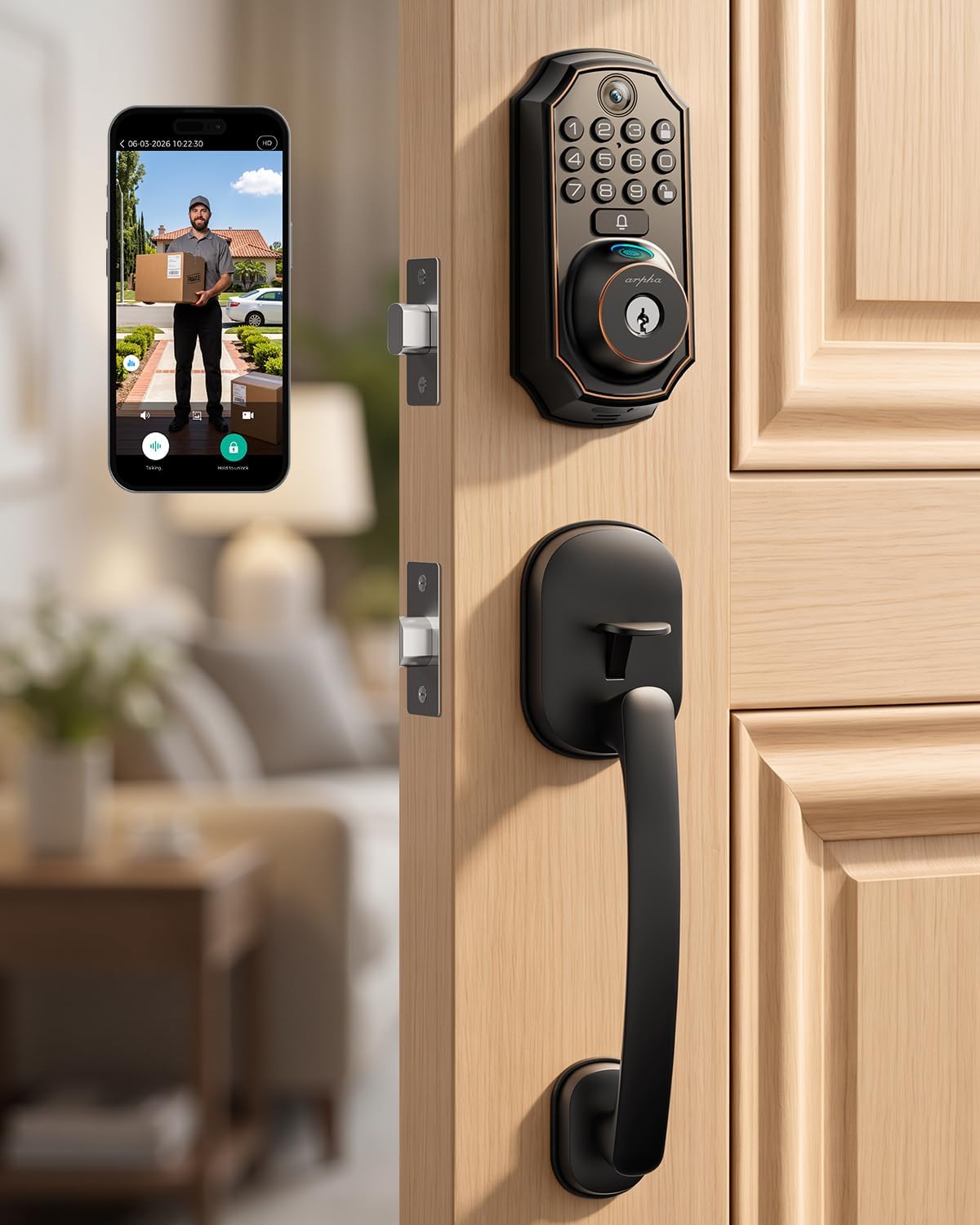
Our pick: WiFi Video Smart Lock with Handle, 5-in-1 Keyless Deadbolt for Front Door
 Visit on Amazon →
This is the one I would put on a front door that gets real traffic. The appeal is that the handle and the deadbolt are one unit, so you are not buying a separate handle set or patching an extra hole in a door that already has a deadbolt bore. The WiFi is built in, which means no gateway in the chain and one less thing to pair in the wrong order. The 5-in-1 keyless part matters for one reason: redundancy. When one entry method quits, and eventually one will, you still have others.
The video piece is what makes this a front door lock rather than a back door lock. A camera at the door catches the delivery, the guest, and the teenager who forgot the code, all in the same device.
Flaws but not dealbreakers: A handle-integrated lock is less forgiving than a bare deadbolt if your existing bores are slightly off-center or your door has been patched before. Measure first, and be ready to enlarge a hole rather than force a plate. Check current Amazon price.
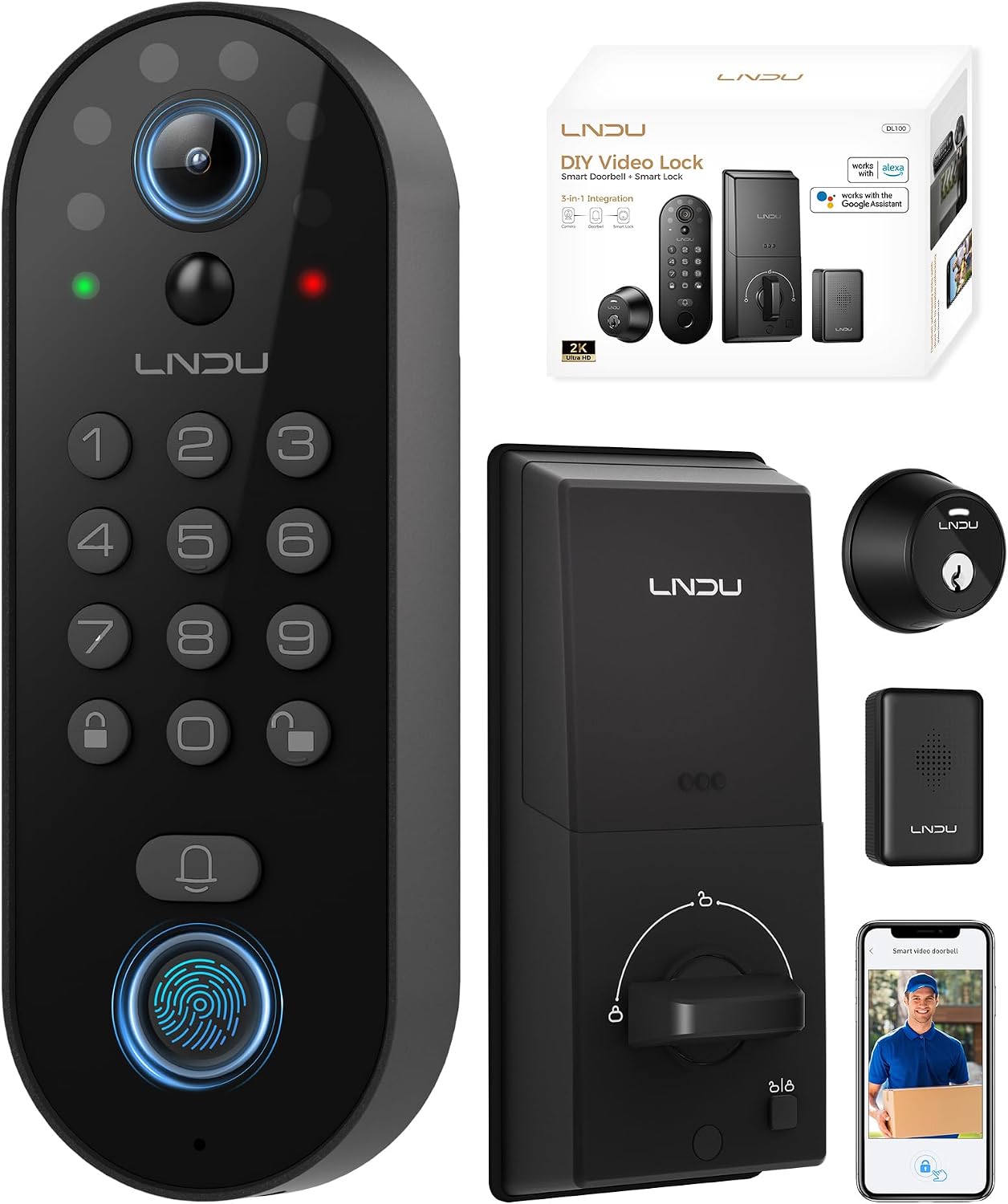
Budget pick: Smart Video Door Lock with 2K Camera, Fingerprint & Keypad
 Visit on Amazon →
This is the one for a rental, a second door, or a homeowner who wants the fingerprint and the camera without a full handle assembly. The combination of fingerprint and keypad is exactly what I insist on, because the keypad is what saves you at month seven when the reader starts missing on cold or wet fingers. The 2K camera is a real step up in detail for a porch, though resolution is not the whole story. Field of view matters more than pixel count, and a 2K camera aimed at the mailbox misses the person standing at the door.
For a rental, this is the lock I would hand to a tenant, because the entry methods are simple enough that nobody calls at 11 p.m. asking how to get in. Check current Amazon price.
The install sequence that works
Do these in order. The order is the whole article.
Step one: measure the door before you open the box. Standard bore is 2-1/8 inches, standard backsets are 2-3/8 and 2-3/4 inches, and standard door thickness runs 1-3/8 to 1-3/4 inches. Write the numbers down. If your door has an unusual backset or a wrap plate, you want to know now, not with the old lock already in your hand.
Step two: power the lock and leave the door open. Batteries in, keypad awake, door propped. You cannot troubleshoot a lock that is mounted on a closed door.
Step three: create the app account before you touch hardware. Download the app, make the account, verify the email. Every failed setup I have watched started with somebody trying to do this step with the lock already screwed to the door and a phone still on guest WiFi.
Step four: pair the lock to the app first. Put the lock in pairing mode with the door open and the phone within a few feet. Bluetooth first, then WiFi credentials. On some locks the pairing combo is undocumented, often a hold on two buttons, so give it a full 10 seconds before you decide it is broken.
Step five: add the gateway second, if there is one. Never the other way around. Pairing the gateway first is the most common reason people end up doing a factory reset, and that reset wipes every code you have set.
Step six: mount the hardware and hand-tighten. Exterior assembly first, then the interior plate. Snug, not gorilla tight. If the plates bind or the door needs a shoulder to close, stop and shim rather than crank.
Step seven: test the deadbolt throw with the door open, then closed. Watch the bolt extend. Then close the door and look at how far it enters the strike plate. If it does not fully throw, adjust the strike plate or deepen the hole. This is the step people skip, and it is the step that decides whether your door is actually locked.
Step eight: enroll fingerprints clean and dry, twice per finger. Same finger, two angles, then a second finger, then a second person in the house. Enrollment on a dry winter hand is how you end up with a reader that only works in summer.
Step nine: set auto-lock and turn on the anti-peeping PIN. For a rental, 30 to 60 seconds. Auto-lock ends the "the tenant forgot to lock up" phone call forever, and the anti-peeping PIN keeps the person standing behind you in line from learning your code.
Step ten: test from outside the house on cellular. Stand in the driveway with WiFi off and unlock the door from the app. If that works, the setup is real. If it only works from your couch, you have a gateway or network problem, not a lock problem.
The mistakes that cost you a factory reset
- Pairing the gateway before the lock. This is the big one, and it is almost always a setup-order problem rather than a bad unit.
- Leaving the router on one merged network name. Split 2.4GHz and 5GHz, or make a dedicated 2.4GHz SSID for smart home gear.
- Walking away mid-pairing with the lock in your hand. Stay within a few feet until the app says connected.
- Deleting the lock from the app before removing it from the hub. Do it in the other order and you will be resetting both.
- Handing out the admin code instead of a guest code. Guests should never hold the code that can add and delete users.
- Trusting the app. The app saying "locked" is not the same as the bolt being thrown. Look at the bolt.
- Buying a lock that gates remote access behind a subscription. Check that before you buy, not after.
What this costs over two years
Skip the sticker math for a second and think about the phone calls. A rekey after a tenant loses a key is a service call. A lockout at 11 p.m. is a service call. A landlord driving across town to hand over keys is an hour of somebody's life, every turnover. A lock with codes and auto-lock deletes those line items permanently, which is why landlords are the ones buying these things first.
The other number that matters is the subscription. A lock with no monthly fee costs whatever it costs, once. A lock that charges a fee for basic remote access charges it every month for as long as you live there. Run that math on a five-year horizon before you pick, because two years in, a cheap lock with a plan can cost more than the lock did.
Both locks above sit in the range I trust for a front door, and both avoid the subscription trap. Check current Amazon price.
The short version
- Measure the door first: bore, backset, thickness.
- App account, then lock pairing, then gateway. In that order, always.
- 2.4GHz only. Split your bands.
- Test the deadbolt throw with the door closed, not just open.
- Fingerprint plus keypad, never fingerprint alone.
- Turn on auto-lock and change the default code before you hand anything out.
- Test from the driveway with WiFi off. That is the only test that counts.
Get the order right and the hardware disappears into the background, which is what you want from a door. Get it wrong and you will spend a Saturday on support chat with a screwdriver in your hand. I have done both. The order is cheaper.