Two kinds of people end up shopping for a smart lock. There is the landlord who is done driving across town to hand over a key, and there is the homeowner who is tired of walking back downstairs to check the door. The smart locks for rentals that survive real turnover are rarely the ones with the longest feature list. They are the ones that mount on the door you already own, hand out codes you can delete on a Sunday night, and still open without a monthly fee attached.
I rekeyed deadbolts for landlords around Columbus for five years before I started installing these, and the questions have not changed much: will it fit my door, will it pair on the first try, and what does it cost per door when a landlord buys six of them. The five locks below cover the range that actually matters, from a keypad handle set up to a deadbolt with a camera built into it. Every feature claim here comes from what the product listing states, and every card points to the product it describes.
Related: Smart Lock Setup Order: Pair the App Before the Gateway
Quick answer
The Schlage Encode Smart WiFi Deadbolt Lock with Century Trim, Satin Nickel is the strongest fit for a main front door on a rental or a home you live in because it is a WiFi deadbolt that does not need a separate bridge sitting in a hallway outlet. Choose the ULTRALOQ U-Bolt Pro WiFi Fingerprint Smart Lock with Handle, Remote Access instead when you want fingerprint entry and a handle set in the same piece of hardware.
Smart locks worth comparing
The gap between a $70 lock and a $400 lock is not usually build quality. It is what the lock has to talk to. Some of these connect straight to your router over WiFi, which means one less device to pair, one less outlet to find, and one less thing to factory reset when the pairing goes sideways. Others are handle sets, meaning they replace the whole lower half of your door hardware instead of just the deadbolt above it. A few add entry methods beyond a code, including fingerprints and a physical key, and one puts a camera and a doorbell in the same unit as the lock.
What separates them in daily use comes down to five things worth lining up side by side: the form factor and whether it matches the prep already on your door, how the lock connects to your network, how many ways it lets a person in, whether it includes camera or doorbell hardware, and what finish and trim show up in the box. Everything else, including app polish, is a distant second to whether the thing installs and stays connected.
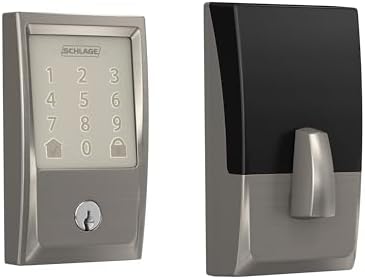
Schlage Encode Smart WiFi Deadbolt Lock with Century Trim, Satin Nickel
A WiFi deadbolt with Century trim in a satin nickel finish. Because the WiFi is built into the lock itself, there is no separate bridge to pair or power. The deadbolt form factor means it mounts where your existing deadbolt sits rather than replacing a handle set.
Visit on Amazon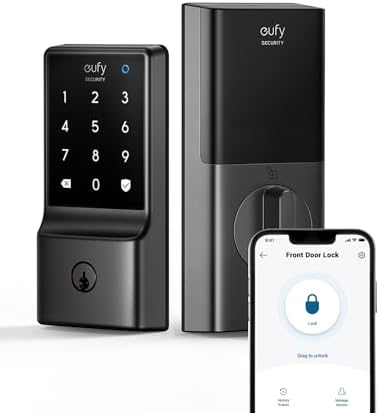
eufy Security Smart Lock C210, Keyless Entry Door Lock, Built-in Wi-Fi
Keyless entry with WiFi built into the lock, so it talks to your router directly instead of through a hub. A code-first design for anyone who wants app access without adding another device to the hallway.
Visit on Amazon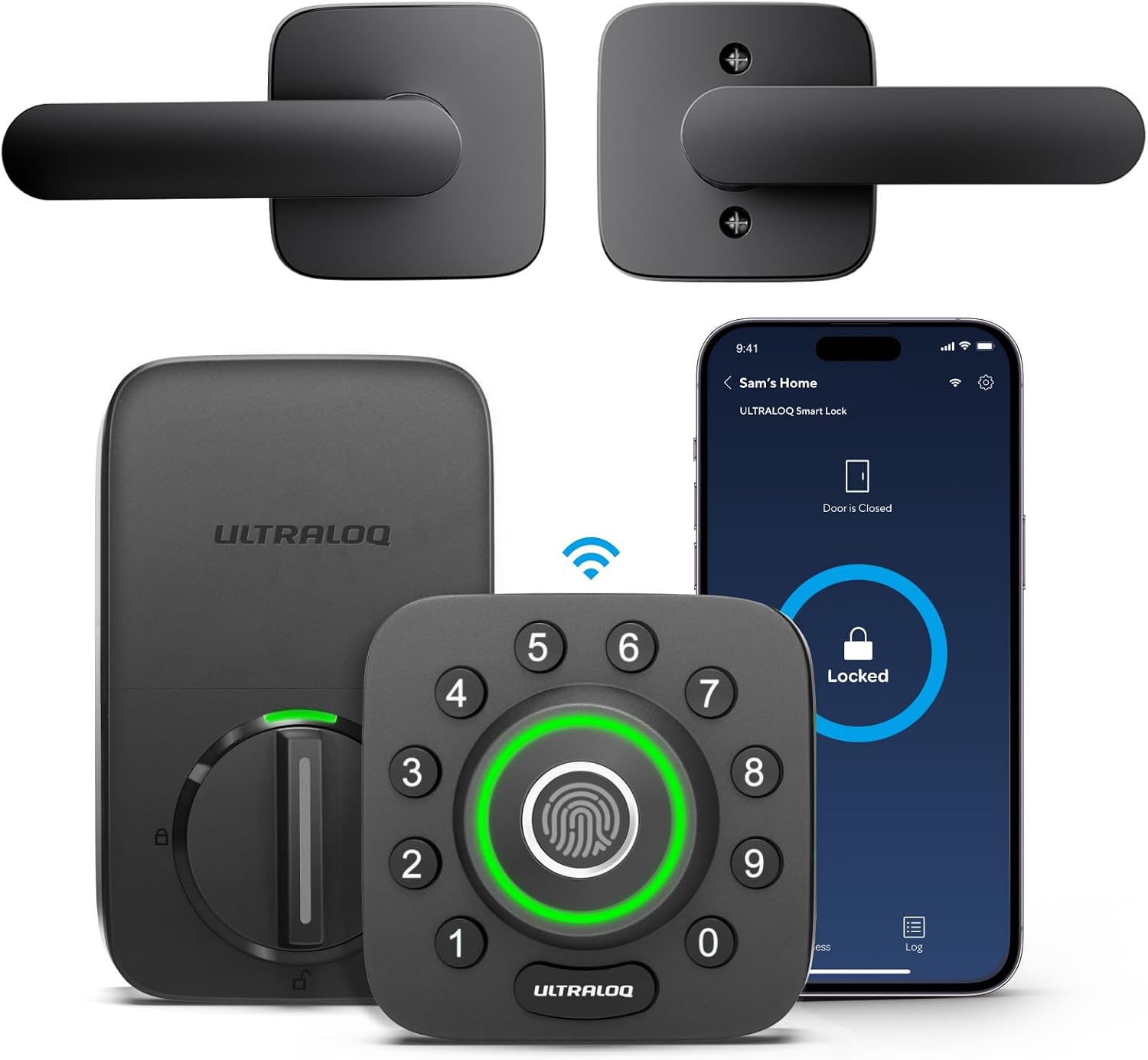
ULTRALOQ U-Bolt Pro WiFi Fingerprint Smart Lock with Handle, Remote Access
Fingerprint entry and a handle in one unit, with WiFi for remote access. The reader is the headline feature, and the handle means this replaces the lower hardware on the door rather than sitting above it.
Visit on Amazon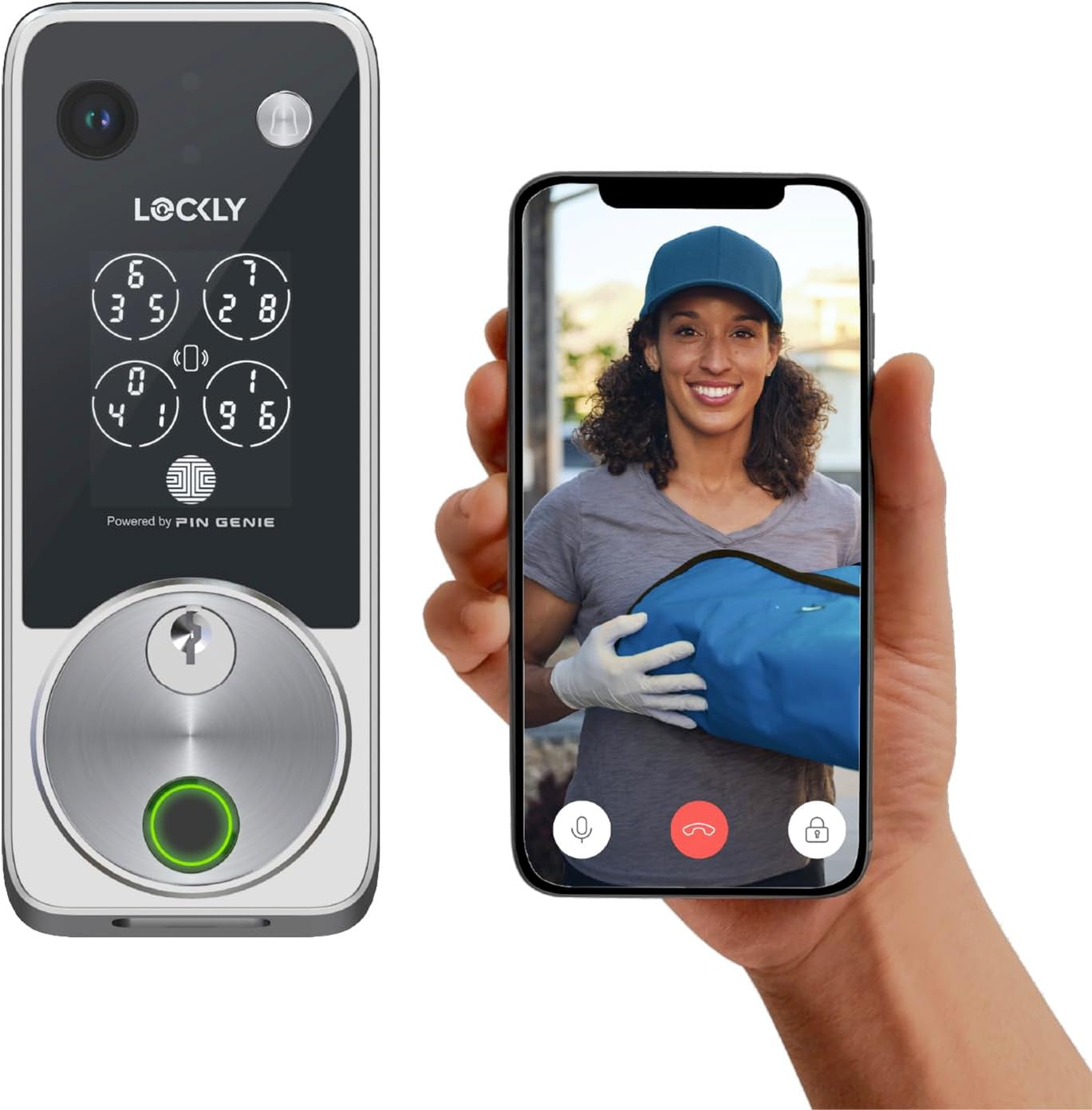
Lockly Vision Zeno Smart Lock with Video Doorbell Camera/Apple Home Key
Puts a video doorbell camera and a smart lock in the same unit, and lists Apple Home Key support. One device covers the door and the porch view, which is the most feature-dense option in this group.
Visit on Amazon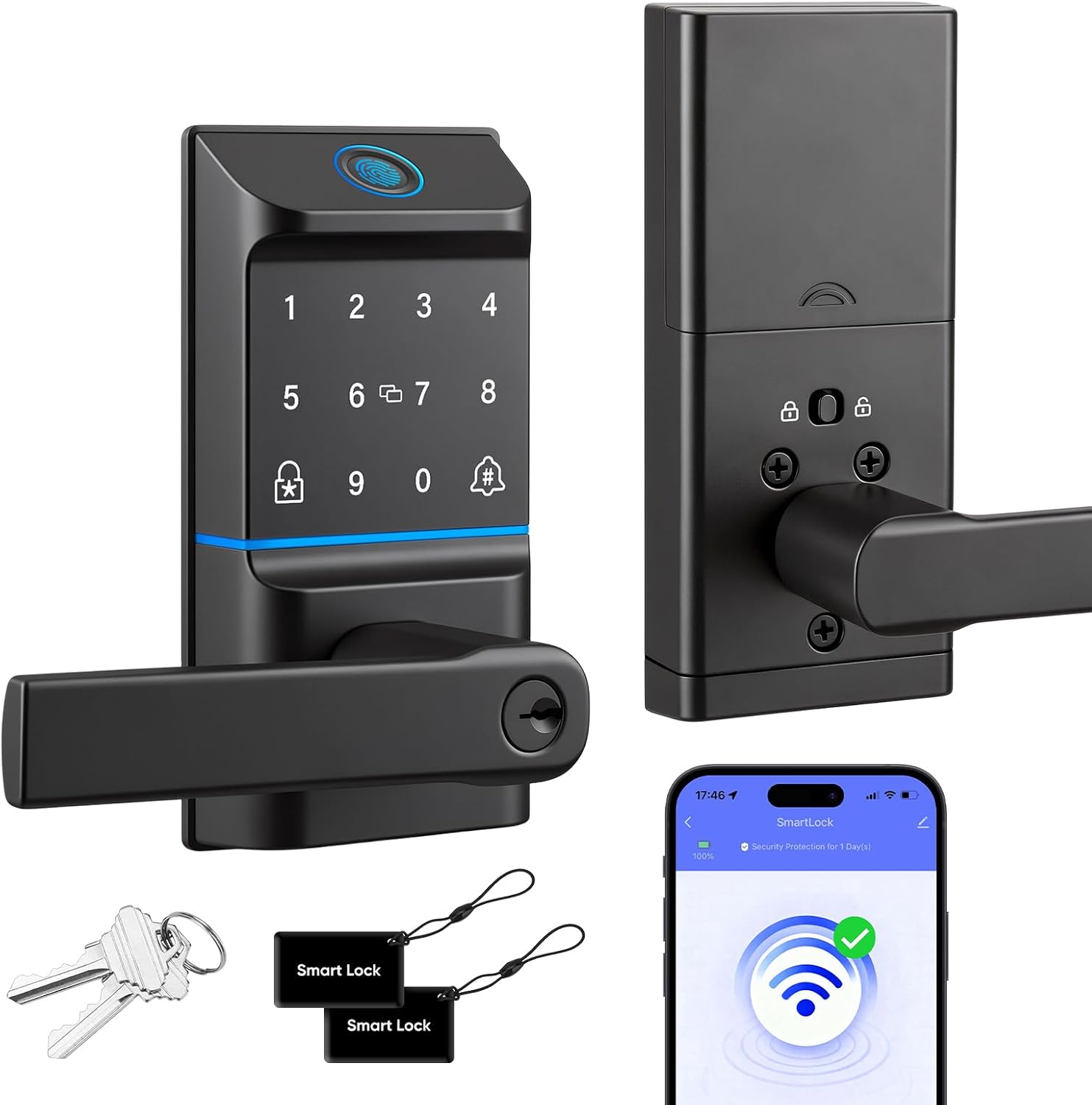
WiFi Smart Keypad Door Lock with Handle, 6 Ways Unlock with Doorbell Knob
A keypad handle set that lists six ways to unlock, with a doorbell knob built into the handle. The simplest hardware swap in this group and the lowest-cost way to hand out codes instead of keys.
Visit on AmazonPrices and availability may change. Check the retailer for current details.
How these products were compared
This guide compares form factor and door prep, how each lock connects to a network, the entry methods it offers, whether camera or doorbell hardware is built in, and the finish and trim that arrive in the box. Product names, images, and retailer links are matched to the same product so that every card points to the product shown.
The comparisons here are based on what the product listings state and on general installation practice, not on bench measurements or on a claim that I lived with each of these five locks for a season. Where a difference is not supported by the listing, this guide does not invent one. Prices move constantly, so use the link on each card to confirm the current price, availability, and return terms before you commit.
How to choose the right smart lock
Start with the door, not the app. Walk outside and look at what is currently mounted. If you have a separate deadbolt above and a knob or handle below, you can choose either a deadbolt replacement or a full handle set, and the handle set will usually replace the lower hardware entirely. If your door already has an integrated handle and lock plate, a standalone deadbolt is not a straight swap. Measure the door thickness and the backset, which is the distance from the edge of the door to the center of the hole, and check whether the existing bore holes match what the new hardware expects. This is the step that turns a twenty minute install into a trip to the hardware store, and it takes about two minutes to check.
Then decide how the lock gets online. Built-in WiFi means the lock connects to your router on its own, which removes a device and a power outlet from the equation. A lock that pairs through a separate bridge or gateway can work well, but the setup order matters enormously: pair the lock to the app first, then add the gateway. Do it backwards and you are looking at a factory reset before you have set a single code. Most locks and bridges speak only to the 2.4GHz band, so if your router broadcasts a single merged network name or a 5GHz-only network, that is the first thing to check when a lock refuses to connect. The setup order guide linked above walks through the sequence.
Entry methods are the third decision, and this is where people overspend. A keypad code covers a tenant, a cleaner, a dog walker, and a guest, and it is the method that never fails because of a wet thumb. A fingerprint reader is genuinely convenient for the two or three people who live in the house, but it is the first feature to degrade with worn, wet, or gloved hands, so buy one only if there is a keypad or a physical key as a backup. Apple Home Key and app-based unlocking are nice additions for the person who carries a phone everywhere, not replacements for a code. And check whether remote access or camera features require a paid plan, because paying monthly to open a door you already own is the worst deal in this category.
Schlage Encode Smart WiFi Deadbolt Lock with Century Trim, Satin Nickel
The Schlage Encode is a WiFi deadbolt with the Century trim in satin nickel, which makes it the most straightforward pick for a front door that already has a deadbolt above the handle. The connectivity is inside the lock, so there is no bridge to pair, no extra outlet to find, and one fewer device that can drop off the network at 11pm. That matters more than it sounds, because the majority of pairing problems I get called about are gateway problems, not lock problems. Schlage is also one of the two brands landlords ask me about by name, and the Century trim is a plain, standard look that does not announce itself as smart hardware.
The trade-off is scope. This is a deadbolt only, so it does not replace your handle, and it does not include a camera or a doorbell. If your lower hardware is fine and your priority is a reliable WiFi deadbolt with a familiar name on it, that is exactly the point. If you want one device to handle the lock, the handle, and the porch, keep reading.
Alternatives to consider
The eufy Security Smart Lock C210 is better suited to someone who wants keyless code entry and built-in WiFi without a bridge in the hallway, while the ULTRALOQ U-Bolt Pro WiFi Fingerprint Smart Lock with Handle, Remote Access is a stronger fit when fingerprint entry and a matching handle in one unit are the priority.
The Lockly Vision Zeno Smart Lock with Video Doorbell Camera/Apple Home Key, the WiFi Smart Keypad Door Lock with Handle, 6 Ways Unlock with Doorbell Knob, and the Schlage Encode cover three different budgets and three different jobs. The Lockly is the one to look at when you want the camera and the lock combined and you use Apple Home Key. The unbranded keypad handle set is the choice for a back door, a garage entry, or a first rental where you want codes without spending much. The Schlage sits in the middle as the plain, deadbolt-only workhorse.
Day-to-day use and maintenance
Once a lock is on the door, most of the work is battery management and habit. Set auto-lock on every rental property. It is the single feature that ends the "the tenant forgot to lock up" phone call, and it costs nothing to enable. On a lock you own, auto-lock is a matter of taste, but a 30 second delay is long enough to get inside with groceries and short enough to be useful. Log your battery changes somewhere you will actually look, because the low-battery warning on most of these shows up in an app nobody opens until the keypad stops responding.
Clean the keypad with a dry or barely damp cloth and skip the solvents, since the finish on a satin nickel deadbolt will show every aggressive cleaning product. If your lock has a fingerprint reader, expect it to work best with clean, dry hands, and plan on the keypad being the fallback you use in winter. After any firmware update, test a code and test the physical key before you trust it, because an update is the most common moment for something to quietly stop working. Finally, check the deadbolt throw after every install and after every season change. If the bolt does not extend fully into the strike plate, the door looks locked and opens with a credit card, and no app on your phone will tell you that.
If you rent rather than own, read your lease before you buy hardware, and ask whether you can swap the existing lock and store the original. In a building with a shared entry door, a smart lock on your unit door is usually fine and a smart lock on the shared door is usually not.
Buying checklist
- Measure the door thickness and backset, and confirm the form factor matches your existing prep.
- Choose built-in WiFi or a bridge based on how much setup you want to manage, not on the box copy.
- Confirm that the exact model includes the entry method you will actually use daily, plus a keypad or key as backup.
- Check whether remote access or camera features need a paid plan before you buy.
- Keep a physical key somewhere off the door, and recheck the deadbolt throw after installation.
- Verify the current retailer price, availability, and return terms before ordering.
Final recommendation
Choose the Schlage Encode Smart WiFi Deadbolt Lock with Century Trim, Satin Nickel when you want a WiFi deadbolt that connects without a bridge and mounts where your existing deadbolt already sits. Choose the ULTRALOQ U-Bolt Pro WiFi Fingerprint Smart Lock with Handle, Remote Access when fingerprint entry and a handle set in one unit matter more than keeping the hardware you have. If you want the lock and the porch camera in one device, look at the Lockly Vision Zeno Smart Lock with Video Doorbell Camera/Apple Home Key, and if you just need codes on a door without spending much, the WiFi Smart Keypad Door Lock with Handle, 6 Ways Unlock with Doorbell Knob covers that job. Match the lock to the door you actually have, and the install will take an afternoon instead of a weekend.