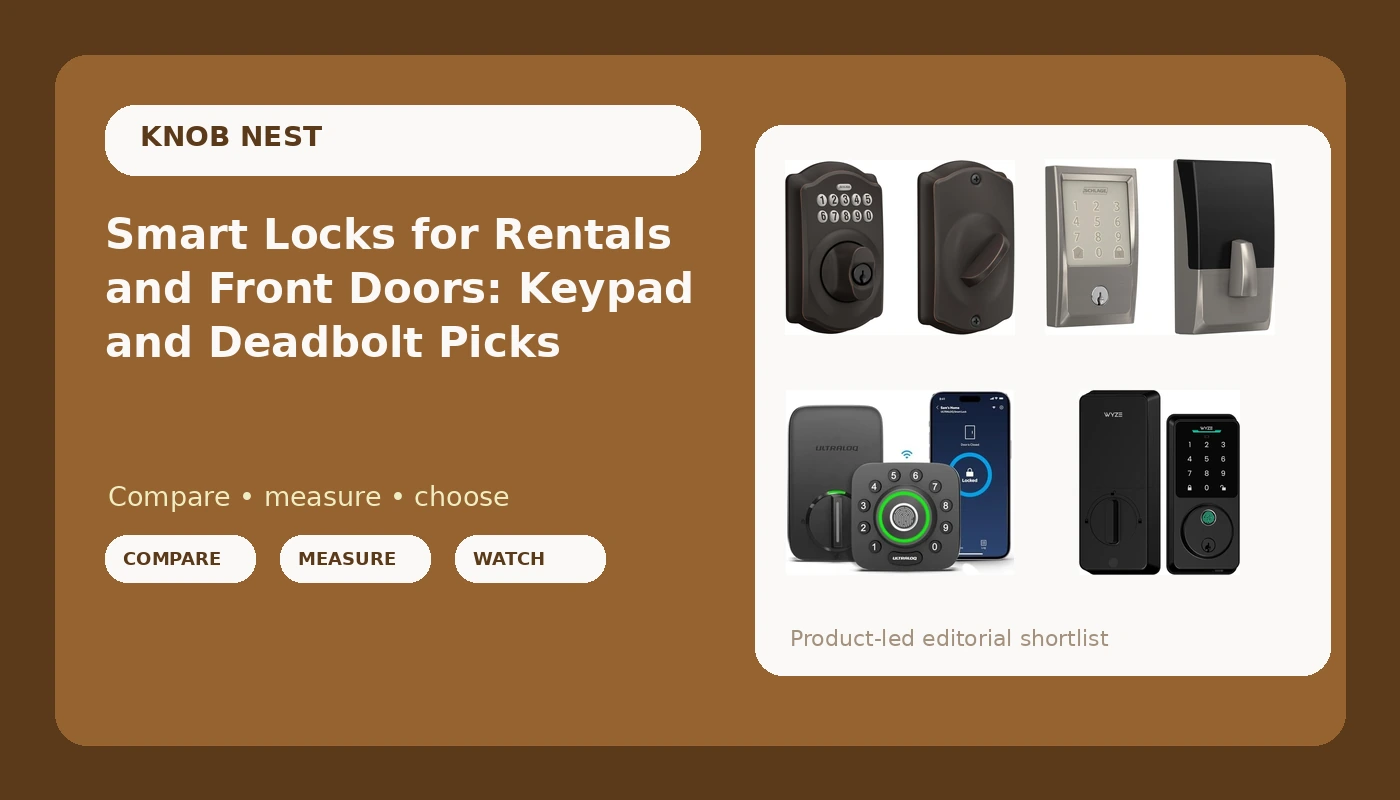
Most people who start shopping for a smart lock are not shopping for a gadget. They are trying to stop handing out brass keys, to tenants, cleaners, dog walkers, and Airbnb guests who text at 11pm asking how to get in. I spent five years as a working locksmith in Columbus rekeying deadbolts for landlords, and the calls changed once landlords figured out that a code could replace a key handoff. This guide compares six keyless deadbolts that come up again and again in that conversation, from a plain keypad deadbolt with no app at all to a single unit that also carries a camera and a doorbell. If you want smart locks for rentals and front doors that still open on the third try in February, the differences that matter are not the ones printed on the box.
Related: Smart Lock Gateway Pairing Order: What to Do First
Quick answer
The Schlage Encode Smart WiFi Deadbolt Lock with Century Trim, Satin Nickel is the strongest fit for landlords and hosts who hand codes to other people, because the WiFi radio is built into the deadbolt itself, so there is no gateway to add and no pairing order to get wrong. Choose the Wyze Auto-Lock Bolt v2 instead when fingerprint entry, auto-lock, and a keypad backup matter more to you than trim options.
Smart locks worth comparing
Six locks, six different answers to the same problem. What separates them is not brand prestige, it is how the lock connects and who has to get through the door.
Two of these are keypad deadbolts that lean on codes and a physical key, with app control handled differently depending on the model. Four connect over WiFi, which is what lets you add or kill a guest code from a parking lot instead of driving across town. One adds a camera and doorbell to the same housing. One includes a handle, which changes the install completely if you are replacing a whole lockset rather than just a deadbolt. Match the lock to the door you actually have, and most of the decision makes itself.
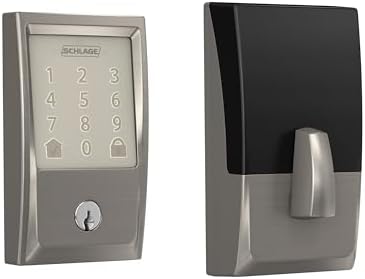
Schlage Encode Smart WiFi Deadbolt Lock with Century Trim, Satin Nickel
Built-in WiFi means there is no gateway to add and no pairing order to get wrong. The Century trim and satin nickel finish suit a standard residential door, and the deadbolt is the whole product: no handle, no fingerprint reader, no camera, just codes and app control.
Visit on Amazon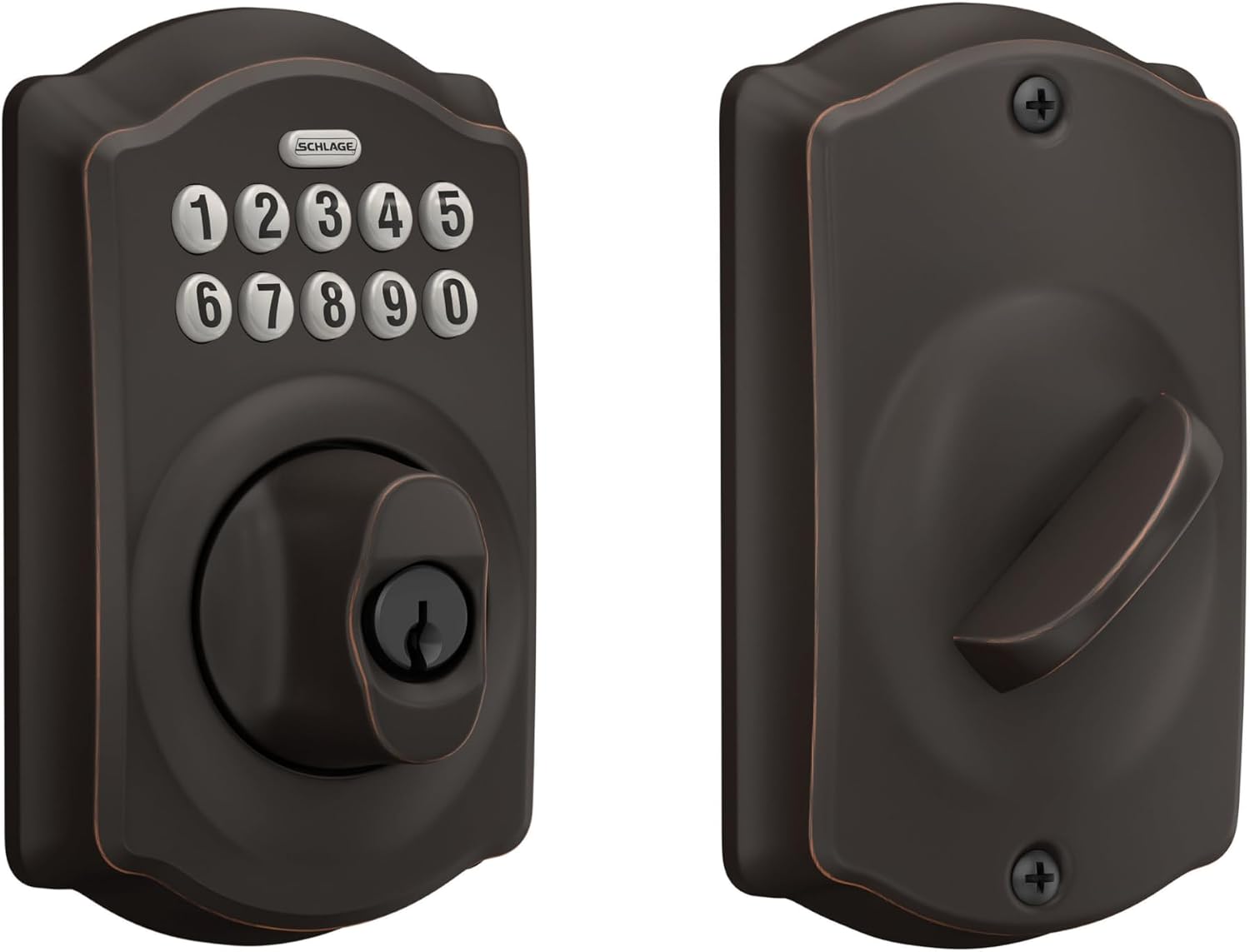
Schlage Electronic Keypad Deadbolt Lock, Camelot Trim, Aged Bronze
A keypad deadbolt with no network to manage and nothing to pair. Camelot trim in aged bronze matches traditional hardware, and the lock does one job well: a code gets you in, and a key still works when the battery does not.
Visit on Amazon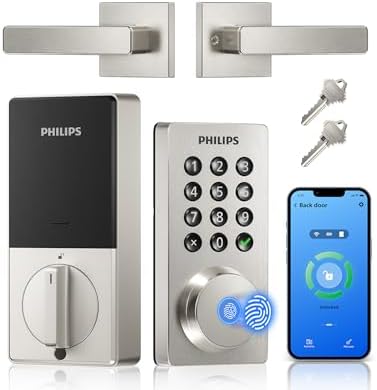
Philips WiFi Keypad Door Lock with Handle, Built-in WiFi, APP Remote Control, Voice & Fingerprint Unlock, Smart Locks for Front Door with Auto Lock, Keyless Entry Deadbolt, Satin Nickel
Built-in WiFi and app remote control, plus voice and fingerprint unlock and an auto-lock setting. The handle is included, which matters when you are replacing a whole lockset rather than a bare deadbolt.
Visit on Amazon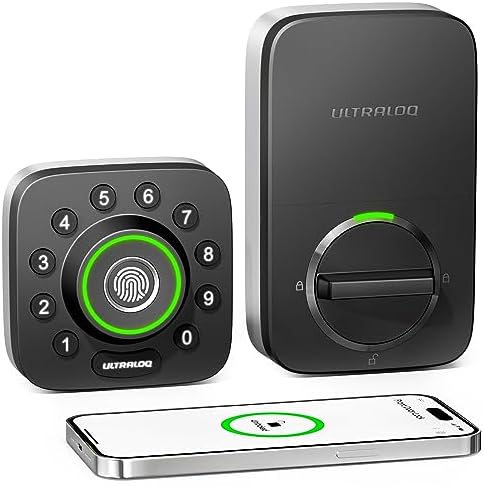
ULTRALOQ U-Bolt Pro WiFi Smart Lock with Door Sensor, App Remote Control
WiFi connectivity and app remote control, with a door sensor added to the usual keypad and app entry. A reasonable pick when you want to know the state of the door, not just the state of the bolt.
Visit on Amazon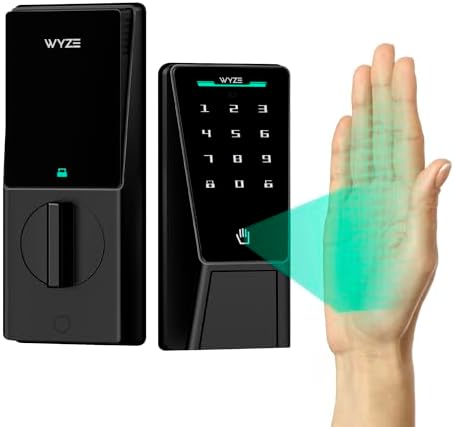
Wyze Auto-Lock Bolt v2, Fingerprint Keyless Entry Smart Lock, AI Learning Scanner with Wi-Fi Front Door Lock Deadbolt, Auto-Lock, 8 Months Battery, BHMA2, IP53, Anti-Peep Keypad, Backup Keys
Fingerprint entry with an AI learning scanner, auto-lock, an anti-peep keypad, and backup keys, with a listed 8 month battery figure plus BHMA2 and IP53 ratings. The keypad is the safety net when a finger is wet or worn.
Visit on Amazon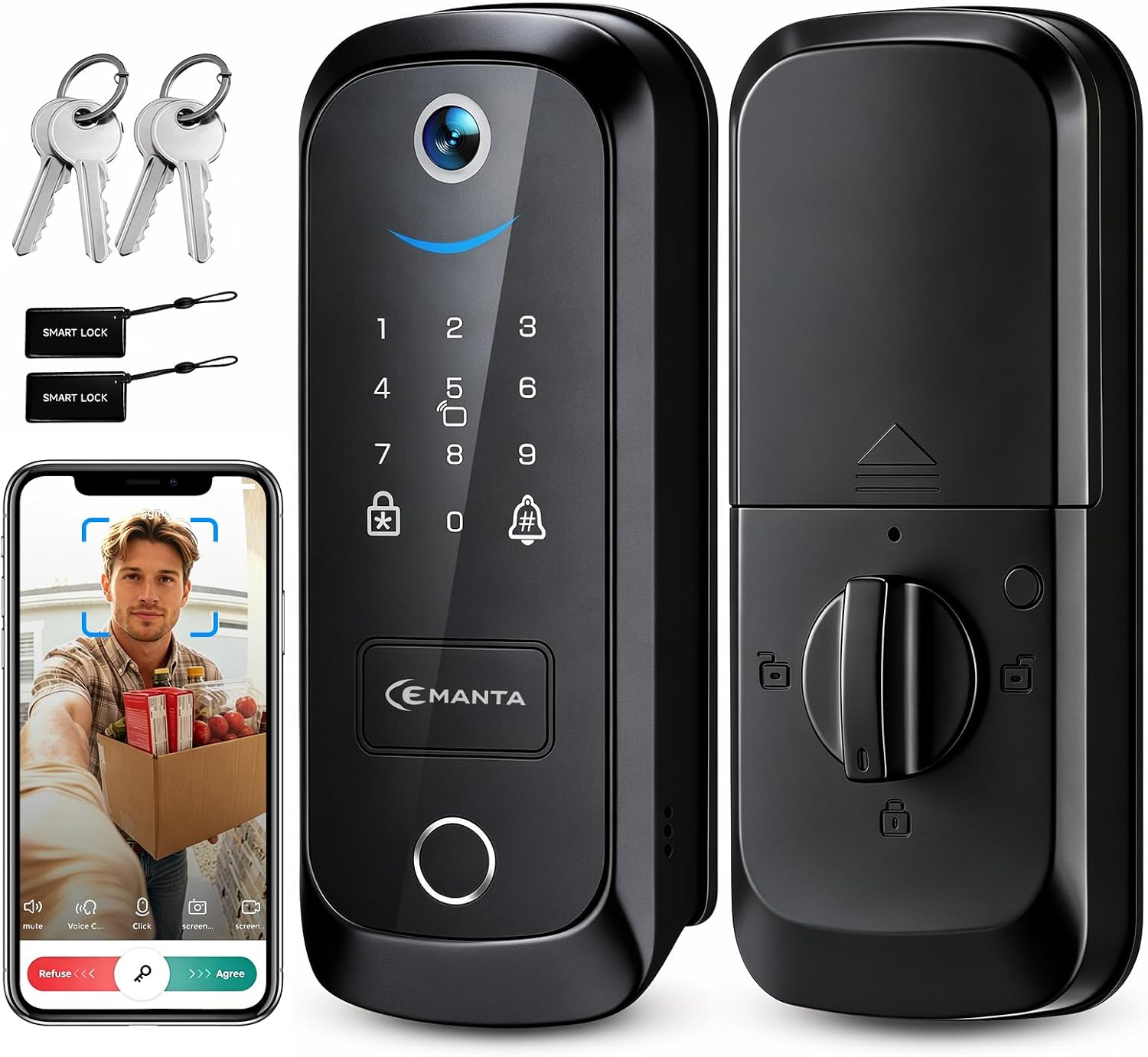
5 in 1 Smart Lock with Camera & Doorbell, Keyless Entry Deadbolt,WiFi Secure Electronic Lock for Home
Combines a keyless entry deadbolt with a camera and doorbell in one unit, connected over WiFi. The appeal is fewer devices on the door: one install covers entry and a view of the porch.
Visit on AmazonPrices and availability may change. Check the retailer for current details.
How these products were compared
This guide compares the entry methods each lock offers (keypad, fingerprint, app, or physical key), how each one reaches your network, whether auto-lock is part of the design, what is actually in the box (deadbolt only or a full handle set, backup keys or not), and how the finish and trim will look against the hardware already on your door.
Every detail below comes from the manufacturer's product data on the listing, not from a bench test in a workshop, and prices are deliberately left out because they move. Product names, images, and retailer links are matched so that every card points to the product shown. Where a product name does not state a feature, this guide does not assume that feature exists. That is why you will not see claims here about app quality, hub compatibility, or battery drain on models whose listings simply do not say.
How to choose the right smart lock
Start with the door, not the lock. Measure the backset, the distance from the edge of the door to the center of the bore hole, and note whether you have a separate deadbolt above a separate handle or a single combined lockset. If your door already has a deadbolt cutout, a deadbolt-only lock drops into the same holes, which is most of this list. If you are replacing the entire lockset, the Philips model includes the handle, so you are not shopping for a separate passage set afterward. Check the cross bore diameter too, because a lock that does not cover the existing hole leaves you patching and painting.
Then look at how the lock connects, because that is where installs go wrong. Built-in WiFi means the radio lives inside the lock and there is no hub to add, which is the simplest path for a single door. Locks that rely on an app plus a separate bridge still work fine, but they add a setup step and a device that needs its own power and its own spot on your network. Whatever you buy, confirm it speaks the 2.4GHz band. A router broadcasting 5GHz only, or one that splits bands under separate names, will leave a lock that never finishes connecting, and the manual usually buries that detail. If you have already been through a failed pairing, our walkthrough on smart lock gateway pairing order covers the sequence that avoids a factory reset.
Once the hardware fits, decide who gets in. If codes go to tenants, cleaners, and guests, you want app control and auto-lock, because auto-lock ends the "I forgot to lock up" phone call permanently. If the door is for family and you are tired of typing, a fingerprint reader is genuinely convenient, but insist on a keypad and a physical key as backups, because readers do not love wet hands or worn fingers. After that it is trim: aged bronze and satin nickel do not blend, so buy the finish that matches the rest of your hardware rather than the finish that is on sale.
Schlage Encode Smart WiFi Deadbolt Lock with Century Trim, Satin Nickel
The Schlage Encode is the top pick here because it removes the most common failure point in a smart lock install. The WiFi is built into the deadbolt, so there is no gateway, no bridge, and no setup order to get backwards. You mount the deadbolt, pair it, and you are managing codes from your phone. For a landlord or a host who needs to add a temporary code for a cleaner and delete it an hour later, that is the whole feature set that matters.
The Century trim is a clean, modern shape and the satin nickel finish is the safe choice for a door with brushed nickel or chrome hardware. As a deadbolt-only unit it works with an existing handle, and there is nothing on it to confuse a guest: a keypad, a keyway, and an app.
The trade-offs are real. It is the most expensive lock in this comparison, and it is the least feature-dense per dollar. There is no fingerprint reader, no camera, no doorbell, and no handle in the box. If you want any of those, the Wyze and Philips options below cover them, and the combined camera unit covers entry and porch video in one housing. It is also not a match for aged bronze hardware, so if your door is traditional brass or bronze, the Camelot trim keypad deadbolt is the better visual fit. What you are paying for is the simplest install and the most predictable day to day behavior.
Alternatives to consider
The Wyze Auto-Lock Bolt v2 is better suited to a front door where you want every entry method in one place, since it stacks fingerprint entry, a keypad with an anti-peep option, auto-lock, WiFi, and backup keys, with a listed 8 month battery figure and BHMA2 and IP53 ratings. The Philips WiFi Keypad Door Lock with Handle is a stronger fit when you are replacing the entire lockset, because the handle is included along with built-in WiFi, app remote control, voice and fingerprint unlock, and an auto-lock setting in a satin nickel finish.
The Schlage Electronic Keypad Deadbolt Lock, Camelot Trim, Aged Bronze is the right answer for a door that should not be on the network at all, and for anyone who wants a code and a key with no app, no firmware, and no rebooting. The ULTRALOQ U-Bolt Pro WiFi Smart Lock covers the case where the door sensor is the feature you care about, since it pairs WiFi and app remote control with door state reporting. The 5 in 1 Smart Lock with Camera & Doorbell covers the door where you want one device doing entry and porch video instead of a lock plus a separate doorbell.
Day-to-day use and maintenance
Battery life is the spec nobody tests honestly. One model here lists 8 months, which is a manufacturer figure and not a promise for your door; a front door that gets opened 20 times a day will drain faster than a back door used twice a week. Use the battery type the manual specifies, because rechargeable cells run at lower voltage and many locks misread them as low. Watch for the low battery warning in the app and change the cells when it appears, not after the keypad starts flashing.
Keep the keypad clean and the codes tidy. Wipe the keypad with a damp cloth rather than a solvent, and delete guest codes when a stay ends instead of leaving them live for months. If the lock supports an anti-peep code, use it on a street facing door. Keep a physical key somewhere other than inside the lock's own keyway cover, and give one to a neighbor you trust rather than hiding one under the mat.
After every install, close the door and check the deadbolt throw. If the bolt does not fully extend into the strike plate, the door looks locked and can be slipped open with a card, and no app will tell you that. If the bolt binds, adjust the strike plate rather than forcing the motor. Check the finish once a season for scratches and moisture, especially on an exposed door, and take advantage of firmware updates when the app offers them, since they are usually pairing and battery fixes.
Buying checklist
- Measure the backset and the cross bore diameter before you buy.
- Note whether you need a deadbolt only or a full lockset with a handle.
- Confirm the lock speaks 2.4GHz WiFi if you want remote access.
- Choose built-in WiFi if you do not want to manage a gateway.
- Check that auto-lock is included if the door is a rental or a guest door.
- Confirm backup keys and a keypad are included if the lock has a fingerprint reader.
- Match the finish and trim to the hardware already on the door.
- Verify the current retailer price, availability, and return terms before ordering.
Final recommendation
Choose the Schlage Encode Smart WiFi Deadbolt Lock with Century Trim, Satin Nickel when you want the fewest moving parts and a lock you can hand a code to without explaining anything, especially on a rental where you will not be standing there to help. Choose the Wyze Auto-Lock Bolt v2 when you want fingerprint entry, auto-lock, and backup keys at the front door, and choose the Philips WiFi Keypad Door Lock with Handle when the handle is part of the replacement. If the door never needs to be on a network, the Camelot trim keypad deadbolt is the honest answer, and it will still be working the year the app store changes.