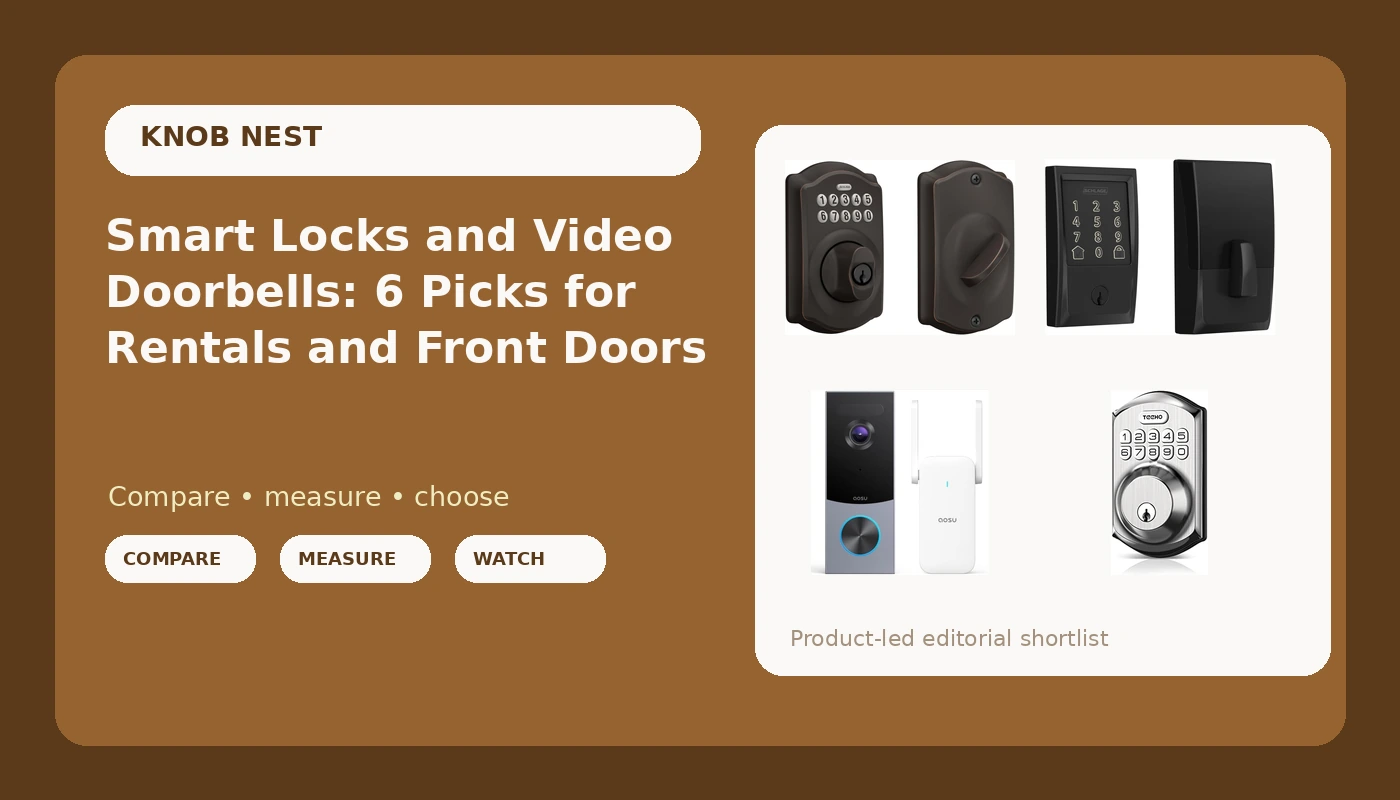
Most people who start shopping for smart locks and video doorbells are not chasing a spec sheet. They are trying to stop handing out keys, stop driving across town to let a tenant in, or stop wondering who was standing on the porch at 11pm. Those are three different problems, and they do not all point at the same product.
This guide covers six options: four keypad or WiFi deadbolts and two camera doorbells. They run from a keypad-only deadbolt that never touches your network to a smart lock with a video doorbell built into the same unit. What separates them is not the marketing copy. It is whether the lock needs a separate gateway to get online, whether you keep a key as backup, what trim and finish the door ends up wearing, and whether the camera is doing the job you actually need it to do.
Related: Smart Lock Setup Order: Pair the App Before the Gateway
Quick answer
The Schlage Encode Smart WiFi Deadbolt Lock with Century Trim, Matte Black is the strongest fit for landlords, Airbnb hosts, and anyone who wants one deadbolt to manage without adding hardware, because its WiFi is built into the lock itself, so there is no separate gateway to pair in the right order. Choose the Lockly Vision Smart Lock with HD Video Doorbell instead when you want the keypad and the camera on the same door and would rather not run two devices and two apps to cover one entry.
Smart locks and doorbells worth comparing
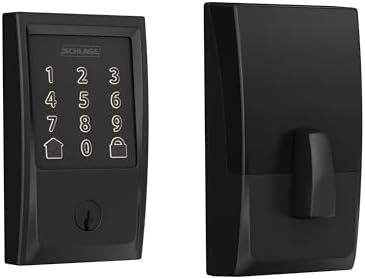
Schlage Encode Smart WiFi Deadbolt Lock with Century Trim, Matte Black
A deadbolt with WiFi built in, so it joins your network directly rather than through a separate hub. Century trim and a matte black finish on a standard deadbolt footprint.
Visit on Amazon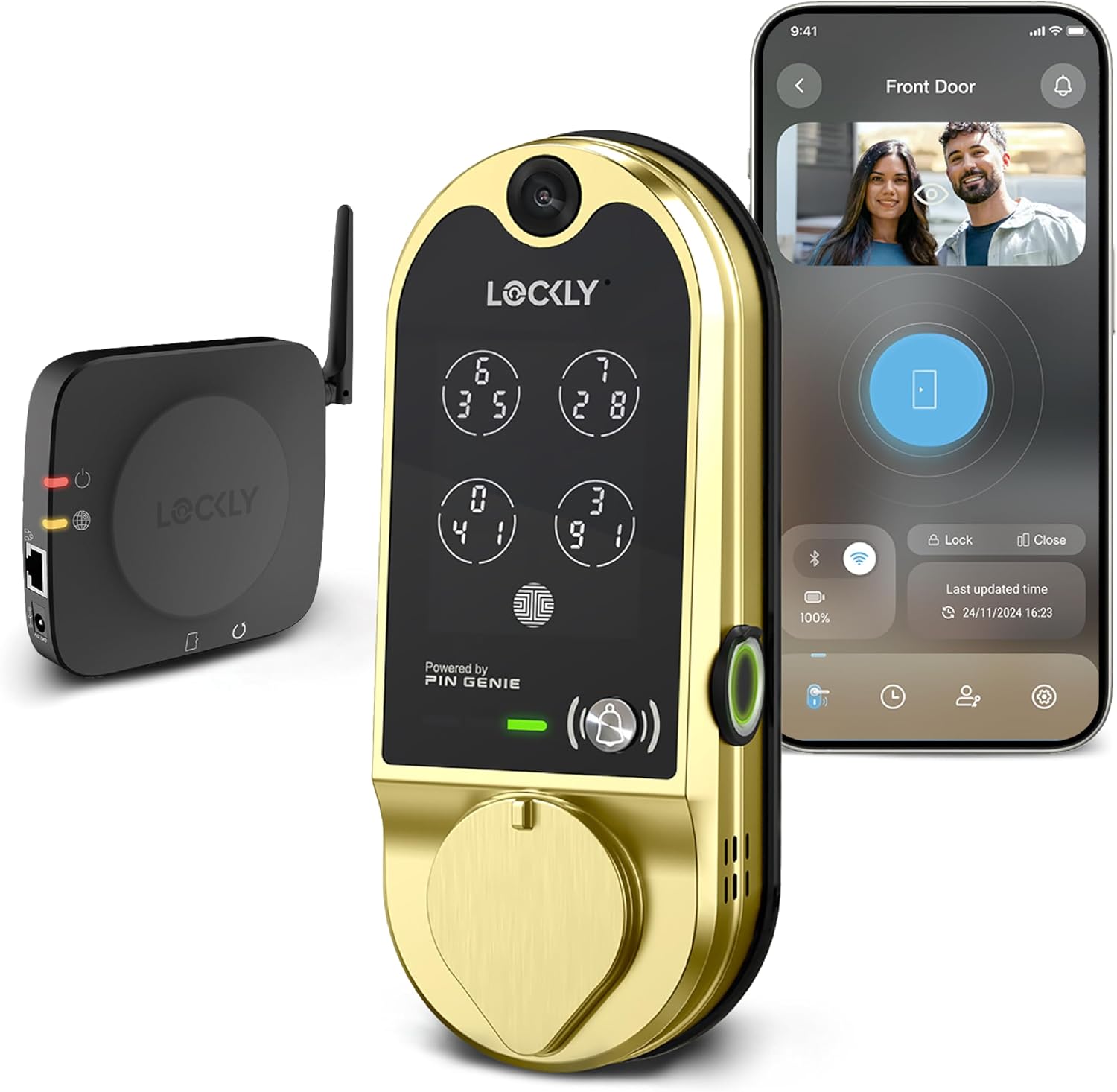
Lockly Vision Smart Lock with HD Video Doorbell
A keypad smart lock and an HD video doorbell combined into one unit at the door, so the lock and the camera share a single piece of hardware instead of two.
Visit on Amazon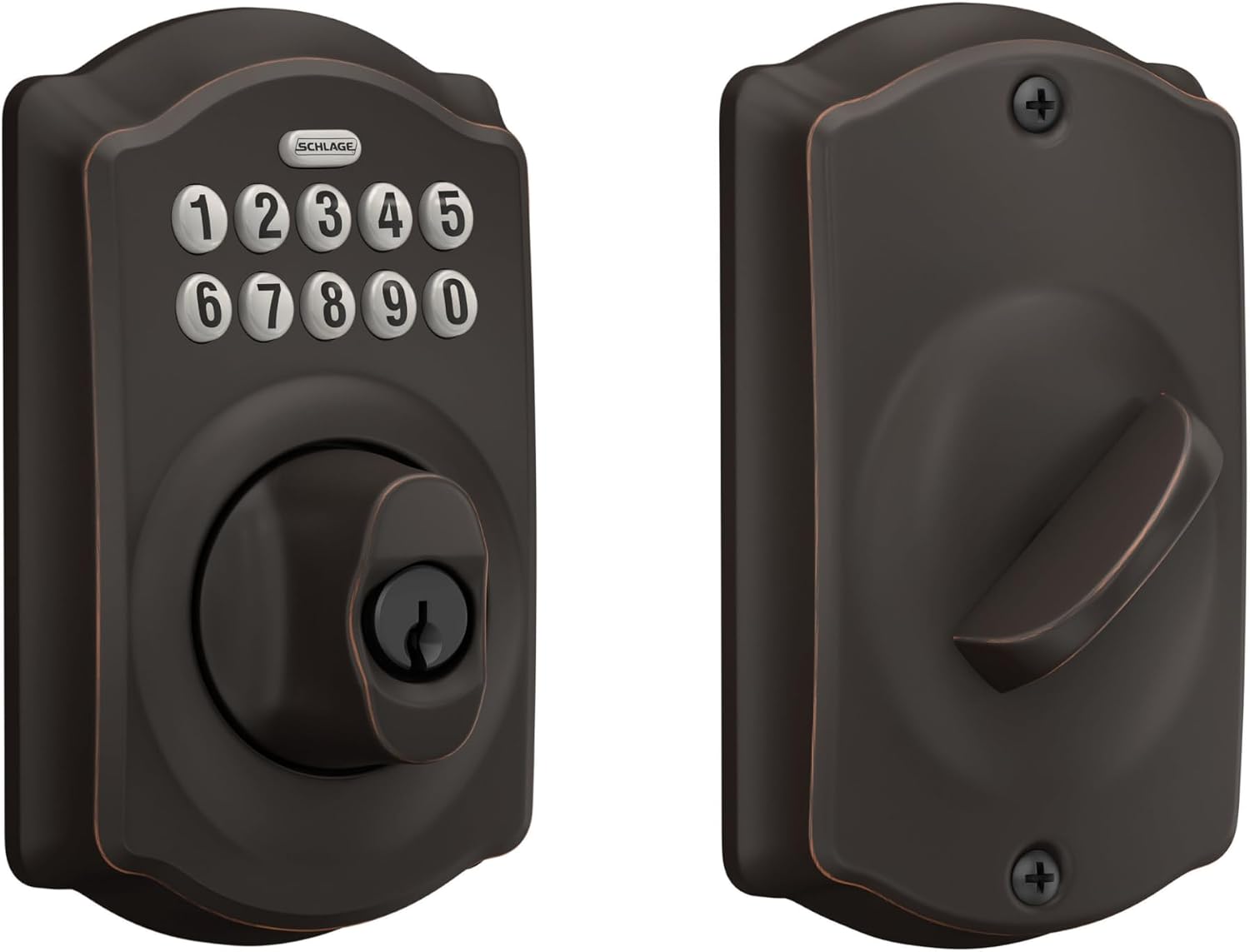
Schlage Electronic Keypad Deadbolt Lock, Camelot Trim, Aged Bronze
An electronic keypad deadbolt in the Camelot decorative trim with an aged bronze finish. This is the code-first end of the list rather than the app-controlled end.
Visit on Amazon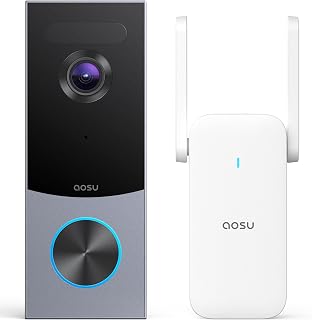
aosu 5MP Ultra HD Wireless & Wired Video Doorbell Camera
A doorbell camera listed at 5MP ultra HD that supports both wireless and wired installation, which matters when existing doorbell wiring or a lease limits what you can mount.
Visit on Amazon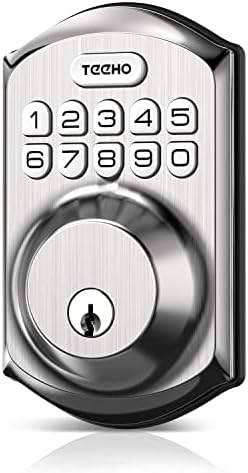
TEEHO TE001 Keyless Entry Deadbolt with Keypad for Front Door, Satin Nickel
A keyless entry deadbolt with a keypad, finished in satin nickel, for a front door where the priority is a code at the door rather than a long feature list.
Visit on Amazon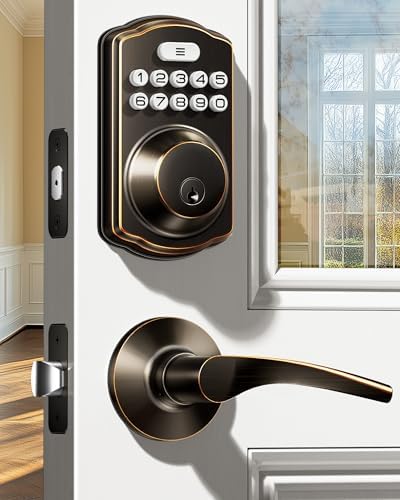
Veise KS01B Keypad Door Lock with 2 Lever Handles Set, Satin Nickel
A keypad lock sold with a set of two lever handles in satin nickel, which makes it a fit when the whole handle set is being replaced rather than just the deadbolt.
Visit on AmazonPrices and availability may change. Check the retailer for current details.
How these products were compared
This guide compares installation and fit on a standard deadbolt door, how each lock reaches the network (built-in WiFi, a separate gateway, or no network connection at all), the entry methods described by the manufacturer, what hardware ships with the lock for the door, and how each doorbell is designed to be mounted and powered. Product names, images, and retailer links are matched by ASIN so that every card points to the product shown.
Nothing here is presented as a lab test, a durability score, or a long-term battery log. Where a product's own name states a feature, such as a 5MP sensor or an included lever handle set, the card reflects that and nothing more. Everything else is general guidance about the category. Confirm current price and availability through the retailer link rather than trusting a number printed in an article, including this one.
How to choose the right smart lock
Start with one question: does this door need to be online at all? A keypad-only deadbolt gives you codes and a physical key, and it keeps working when the WiFi is down. If the only goal is letting a cleaner, a dog walker, or a tenant in without copying a key, that is often the whole job, and it removes an entire class of problems that arrives with pairing.
If you do want remote access, look at how the lock gets to the network. A lock with built-in WiFi skips the gateway entirely, which is one less device to power and one less setup order to get right. A Bluetooth lock that leans on a separate hub means an extra purchase, an extra app step, and a pairing sequence where doing it backwards usually means a factory reset. That is also where the 2.4GHz band matters. Most locks and hubs speak only the 2.4GHz band, and a router that broadcasts a single merged network or a 5GHz-only network is a common reason a lock never finishes connecting. If the box says WiFi and the setup stalls, that is the first thing to check.
Finish and trim decide whether the install looks finished or looks like an add-on. The Camelot trim and aged bronze on one option here suit a traditional door, while Century trim in matte black and satin nickel finishes lean modern. Match the rest of the hardware on the door, and measure before you order: door thickness and backset are the two numbers that decide whether a deadbolt drops in or turns into a Saturday project. If you are swapping the handle as well as the deadbolt, a set that includes lever handles saves a second trip.
Doorbells are a separate decision with a separate set of constraints. Check whether your existing chime wiring is usable and whether your lease allows mounting anything at all, because that alone decides between a wired unit and a battery one. Then decide what you need the camera to do. Seeing the whole porch and recognizing a face are different jobs, and a camera pointed at the wrong part of the walkway is a camera that misses the delivery either way.
Schlage Encode Smart WiFi Deadbolt Lock with Century Trim, Matte Black
The Schlage Encode is the pick here because it removes the step that causes the most trouble in this category. Its WiFi is built into the lock, so there is no gateway to buy, no hub to power, and no app-before-gateway sequence to get right or redo. It is a deadbolt first, which means it replaces the same hardware a locksmith would be rekeying, and it wears Century trim in matte black.
The trade-off is honest and simple. It is a lock and not a camera, so if you want eyes on the porch you are buying a second device and running a second app. It also sits above the keypad-only options on this list, and if you never plan to open the app while you are away from home, you are paying for a radio you will not use. For a rental or a hosted property, that radio is the feature that pays for itself the first time you issue a code from a parking lot instead of driving over with a key.
Alternatives to consider
The Lockly Vision Smart Lock with HD Video Doorbell is better suited to a front door where you want the camera and the keypad at the same spot, since it combines both into one unit instead of two devices competing for the same trim. The Schlage Electronic Keypad Deadbolt Lock, Camelot Trim, Aged Bronze is a stronger fit when codes are the entire requirement, the door has traditional trim, and you would rather not add a network device to the entry at all.
The aosu 5MP Ultra HD Wireless & Wired Video Doorbell Camera, the TEEHO TE001 Keyless Entry Deadbolt with Keypad for Front Door, Satin Nickel, and the Veise KS01B Keypad Door Lock with 2 Lever Handles Set, Satin Nickel cover the rest of the practical ground. The aosu is the camera-only route for a porch that needs coverage, and its wireless and wired mounting options are the reason it stays in the conversation for renters. The TEEHO is the straightforward keypad deadbolt for a front door in a satin nickel finish. The Veise goes a step further and includes two lever handles, which is the one to look at when the handle and the deadbolt are both being replaced.
Day-to-day use and maintenance
Plan on batteries. Keypad deadbolts and camera doorbells both run on them, and cold weather is what shortens the interval, not heavy use. Columbus winters taught me that the hard way on rental doors: a lock that reports healthy in October can be complaining in January. Keep a spare set on hand and change them on a schedule rather than waiting for the low battery warning, because a dead keypad on a rental door is a phone call at the worst possible time.
Clean the keypad with a dry or lightly damp cloth and skip solvents, which cloud the finish and can smear the numbers you actually want to read. Wipe the doorbell lens the same way, since a film of pollen and road dust is a quiet reason night footage looks worse than it should. Update the app and firmware when prompted, and re-check the deadbolt throw after any season change, because a door that swells in humid weather can keep the bolt from fully seating. If the bolt does not throw all the way, the door is not locked, no matter what the app says.
When a tenant or guest leaves, change the code rather than the lock. That is the entire advantage of a keypad, and it is also the reason to keep the manual and the master code somewhere you will find them again.
Buying checklist
- Measure door thickness and backset before ordering.
- Decide whether the lock needs to be online, or whether a keypad-only deadbolt is enough.
- Choose built-in WiFi if you want to avoid a gateway and its pairing order.
- Confirm that the exact model includes the trim, finish, and handle hardware you want.
- Check the doorbell's mounting and power requirements against your wiring and your lease.
- Read the cleaning and maintenance instructions, and keep the manual with the master code.
- Verify current retailer price, availability, and return terms.
Final recommendation
Choose the Schlage Encode Smart WiFi Deadbolt Lock with Century Trim, Matte Black when you want one deadbolt with built-in WiFi, no hub to pair, and codes you can hand out and revoke from anywhere. Choose the Lockly Vision Smart Lock with HD Video Doorbell when the door needs both a keypad and a camera and you would rather buy one unit than manage two. If codes alone are the goal, the keypad-only options here do that job without a network, and the doorbell camera belongs on whichever porch you actually need to watch.