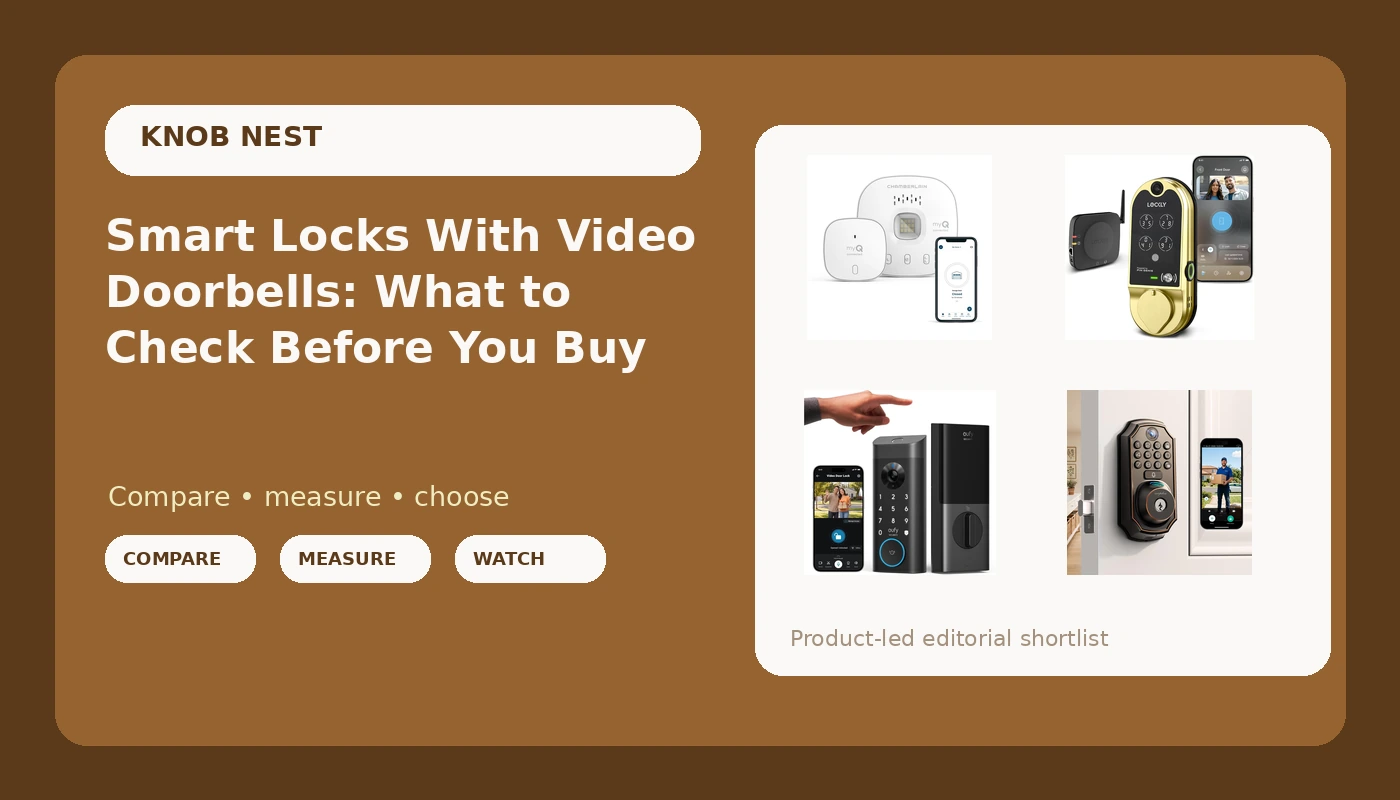
A smart lock and a video doorbell used to be two purchases, two installs, and two apps. The current crop of video smart locks collapses all of that into one fixture at the front door, and that is exactly where the shopping gets muddy: you stop comparing locks to locks and start comparing a deadbolt replacement to a garage controller that turned up in the same search results. If you are shopping for smart locks with video doorbell hardware built in, the real questions are which door you want covered, how the unit gets power, and what the app keeps doing after the novelty wears off. Here is a plain look at four options and the checks that matter before you spend anything.
Related: Smart Lock Setup Order: Pairing the App Before the Gateway →
Quick answer
A video smart lock replaces the deadbolt on the door you use every day, so the camera sees whoever walks up and the keypad or fingerprint reader handles entry. That is the right purchase when the front door is the problem. The CHAMBERLAIN Smart Garage Control sits in a different category: it talks to an existing garage door opener instead of replacing a deadbolt, so it fits when the garage is the door your household actually uses. Within the door locks themselves, the practical split is fingerprint-first versus video-first, plus whether WiFi lives inside the lock or in a separate bridge. None of these is the right choice for every door; the answer depends on your door, your router, and whether you want a subscription in your life.
Four useful options
| Model | Best fit | What stands out |
|---|---|---|
| eufy Security Video Smart Lock E330, Fingerprint Keyless Entry Door Lock | Front doors where fingerprint entry becomes the daily habit | Fingerprint keyless entry and video combined in one deadbolt replacement |
| Lockly Vision Smart Lock with HD Video Doorbell | Buyers who want the camera spec called out as HD | A video doorbell built into the same housing as the lock |
| WiFi Video Smart Lock, 5-in-1 Keyless Entry for Front Door | A first video lock on a tighter budget | WiFi is in the product name, plus a 5-in-1 keyless entry claim |
| CHAMBERLAIN Smart Garage Control - Wireless Garage Hub and Sensor with Wifi & Bluetooth - Smartphone Controlled, White | Homes where the garage is the everyday entry | Garage hub and sensor with WiFi and Bluetooth, controlled from a phone |
The fingerprint-first pick: eufy Security Video Smart Lock E330
Fingerprint readers are the feature that sells this category and the feature most likely to frustrate you later. A reader that works on a dry, clean finger in a showroom is not the same as a reader on a cold morning with damp hands or a worn print. That is not a reason to skip it. It is a reason to buy a lock that also gives you a keypad or a mechanical key as a fallback, and to test the reader yourself inside the return window rather than assuming it behaves the same at month seven as it did at week one. Video built into the lock body also puts the camera at deadbolt height, which is worth thinking about if your porch has steps or a railing in the sightline.
The video-first pick: Lockly Vision Smart Lock with HD Video Doorbell
A camera inside a lock housing is a compromise, and it helps to know that going in. The lens sits where the deadbolt sits, not at the height a dedicated doorbell would be, so the angle it sees depends entirely on your door and your porch. Before buying anything with the camera built in, stand at your door and picture where a lens at that height would point. If it aims at a railing, a storm door frame, or the top of a hedge, a separate doorbell may serve you better. Ask about storage and remote viewing too, because video is where subscription plans quietly appear.
The value all-in-one: WiFi Video Smart Lock, 5-in-1 Keyless Entry for Front Door
This is the category where setup order matters most. Locks that lean on WiFi and a companion app are the ones that punish a wrong first step, and the punishment is usually a factory reset that wipes every code you have entered. If you buy here, read the setup section before you take the old deadbolt off the door, confirm your router is broadcasting a 2.4GHz network, and give yourself an evening rather than ten minutes. A cheaper lock installed patiently beats a more expensive lock installed in a hurry and paired in the wrong order.
The non-door option: CHAMBERLAIN Smart Garage Control
Think about which door your household actually walks through. For a lot of homes it is the garage, and a front door lock with a camera does nothing for the door that gets opened four times a day. The hub approach also keeps the install off the front door entirely, which is a genuine advantage if you rent, if your front door has an unusual backset, or if you already have a good deadbolt you do not want to replace. The trade-off is that the garage stays a garage: you get status and control, not video of who pulled in.
Prices and availability may change. Product images, names, and retailer links are matched to verified listings. No current price, rating, stock status, or measured result is stated here without current evidence.
What a video smart lock actually replaces
Most video smart locks in this range are deadbolt replacements, not retrofits, and the install is the part you remember. A replacement means pulling the existing deadbolt, checking that the new bolt lines up with the strike plate, and confirming the bolt throws fully into the frame when the door is closed. A bolt that only half extends looks locked and is not. That single check causes more callbacks than any app problem.
Measure before you buy. Door thickness, backset (the distance from the door edge to the center of the bore hole), and bore width all decide whether a lock drops in or turns into a Saturday project. Note whether your current deadbolt is keyed on one side or both, because some smart locks assume a particular setup.
Power is the second decision. Battery-powered locks install without an electrician and suit most renters, but you trade an outlet for a battery schedule you have to respect. Hardwired options avoid that at the cost of wiring at the door.
Finally, decide how you feel about subscriptions before you buy. Video, remote access, and cloud clips are where monthly fees appear in this category, and the fee structure is rarely the headline on the box.
Setup order: the part that decides whether it works
Almost every failed install is a sequencing problem, not a hardware problem. The manual buries the order on a foldout page, and by the time you find it you have already paired things backwards and you are on hold with support. This is the order that saves the factory reset.
- Check your router before you touch the door. Most locks and hubs speak only the 2.4GHz band, and a router that broadcasts 5GHz only, or splits the bands into separate names, will never let the lock connect. The box says WiFi; the fine print says 2.4GHz.
- Install the hardware and verify the deadbolt throw by hand, with the door open and again with it closed, before you power anything on.
- Create the app account and pair the lock to the app first. This is the step people skip.
- Add the gateway, bridge, or garage hub second, then test remote access from cellular data with WiFi turned off on your phone.
- Set auto-lock, add every code and fingerprint, and test a keypad code or mechanical key before you put the screwdriver away.
Practical guidance before you buy
- Measure your door and existing deadbolt first: thickness, backset, bore width. A lock that does not fit is not a deal at any price.
- Confirm your WiFi band. 2.4GHz is the requirement in this category and the most common reason a lock never connects.
- Check what works without a plan. Subscription-free operation is a feature worth verifying before purchase, not after.
- Keep a fallback: a keypad code, a mechanical key, or both. Fingerprint readers are convenient, not guaranteed.
- If you manage more than one property, buy matching models so guest codes, app habits, and spare parts carry over between doors.
- Log battery behavior in the first month on a door that actually gets used. That is the only way to know what you bought.
Which option should you choose?
Choose the eufy Security Video Smart Lock E330 when fingerprint entry is the habit you want at the front door and you want the camera in the same fixture. Choose the Lockly Vision Smart Lock with HD Video Doorbell when the camera is the priority and the HD video specification in the listing is what you are shopping for. Choose the WiFi Video Smart Lock, 5-in-1 Keyless Entry for Front Door when you want WiFi and multiple entry methods in one unit and you are willing to do the setup carefully. Choose the CHAMBERLAIN Smart Garage Control when the garage is the door your household uses and the front door is already handled.
Two things to hold onto. None of this substitutes for reading the current listing, since fit, power, and app features can change between revisions of the same product name. And features like auto-lock, code sharing, and remote access vary by model and app version, so confirm the specific behavior you need rather than assuming it carries across the whole category.
The bottom line
A video smart lock is a deadbolt replacement first and a camera second, so judge it that way: does it fit your door, does it throw its bolt fully, and will it still be useful after the return window closes. If the front door is your problem, pick between fingerprint-first and video-first and make sure you have a keypad or key fallback. If the garage is the door everyone actually uses, the CHAMBERLAIN Smart Garage Control solves a different problem with far less effort. Either way, check the current Amazon price and the current listing details before you commit, and do the setup in the right order.