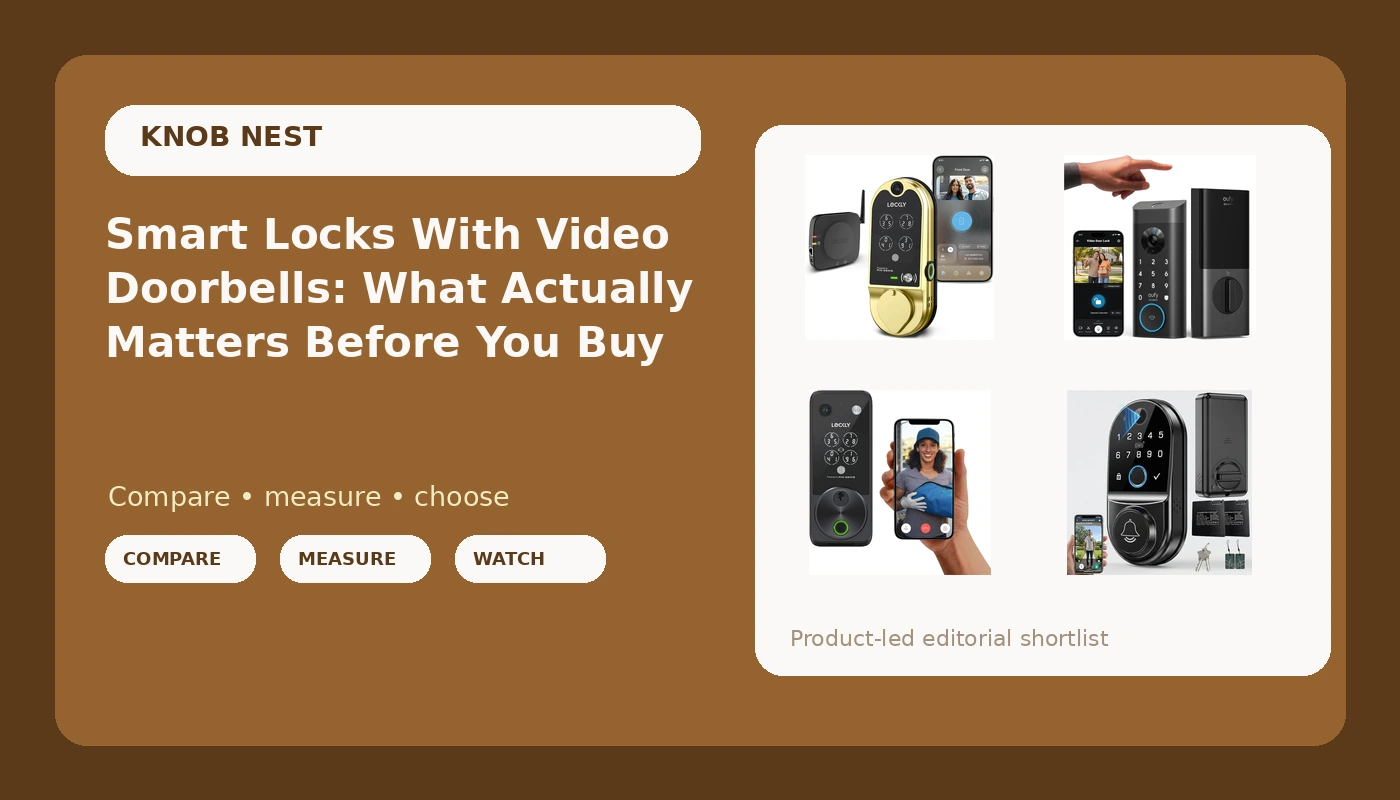
A smart lock with video doorbell is the obvious two-for-one: one device on the door, one app on your phone, one thing to remember to charge. In practice the two halves of that combo fail in completely different ways. The camera half lives or dies on field of view and night vision. The lock half lives or dies on whether the deadbolt throws all the way and whether the gateway pairs on the first try. I spent five years rekeying deadbolts around Columbus before smart locks took over my calls, and I have installed more than 300 of them since for landlords, Airbnb hosts, and renters. The pattern never changes: people buy on the camera number and then get stuck on the setup order. Here is what each of the four models below is actually for, and the order to do things in so you are not factory resetting at midnight.
Related: How to Install a Smart Lock Without Calling Support →
Quick answer
The right pick depends on your door and your access problem, not on the biggest camera number. If you want keypad codes and a camera in one device, the Lockly Vision Smart Lock with HD Video Doorbell is built for exactly that. If your household lives on iPhone, the Lockly Vision Zeno adds Apple Home Key to the same formula. If fingerprint entry is the habit you actually want, the eufy Security Video Smart Lock E330 makes the reader the headline feature and keeps a keypad as backup. If you are buying your first camera lock and want the simplest feature set, the generic WiFi and camera model covers the basics, and it is also the one that depends most on careful 2.4GHz setup. For all four: pair the lock to the app first, add a gateway second, and confirm the bolt fully reaches the strike plate.
Four useful options
| Model | Best fit | What stands out |
|---|---|---|
| Lockly Vision Smart Lock with HD Video Doorbell | Front doors that need codes and a camera in one unit | HD video doorbell built into the lock body, per the listing |
| Lockly Vision Zeno Smart Lock with Video Doorbell Camera/Apple Home Key | iPhone and Apple Watch households | Apple Home Key support named alongside the video doorbell camera |
| eufy Security Video Smart Lock E330, Fingerprint Keyless Entry Door Lock | Homes where fingerprints are the daily entry method | Fingerprint reader as the primary access method, with keypad entry listed |
| Smart Door Lock for Front Door: WiFi & Camera with 1080p HD Night Vision | First camera lock with a simple feature set | 1080p HD night vision camera and WiFi named in the listing |
The all-in-one pick: Lockly Vision Smart Lock with HD Video Doorbell
The trade-off with any lock that carries a camera is power. The camera wakes up every time someone walks up your steps, and that is the same battery that has to throw a deadbolt. Whatever the listing claims about battery life, plan on charging more often than you would with a keypad-only lock, and keep a mechanical key or a second entry method in the plan. Check the bolt throw after install, too. If the bolt does not reach fully into the strike plate, the door looks locked and is not. I check that on every install before I hand the app over to the owner.
The Apple Home Key pick: Lockly Vision Zeno Smart Lock with Video Doorbell Camera/Apple Home Key
Here is the honest limit on Home Key: it is a convenience for the people who already live there, not an access system for guests. Your cleaner, your dog walker, and your Airbnb guest still need a code, and if the reader or the phone battery fails, the keypad is what saves the day. Buy this one for your own household, not for the turnover. And if you are the only iPhone in a house full of Android phones, you are paying for a feature half your family cannot use.
The fingerprint-first pick: eufy Security Video Smart Lock E330, Fingerprint Keyless Entry Door Lock
Fingerprint readers are fantastic for six months and then they start missing on wet or worn fingers. That is not a knock on this model specifically, it is the category. So the question to ask before you buy is not how well the reader works on day one, it is whether you have a keypad and a mechanical key to fall back on when the reader gets fussy in February. This listing names a keypad, which is what you want. Also check on the listing whether the camera records locally or needs a subscription for anything you consider basic, because paying monthly to open your own door is the worst deal in smart home.
The entry-level pick: Smart Door Lock for Front Door: WiFi & Camera with 1080p HD Night Vision
Generic locks are usually fine hardware with an ugly app, and I say that as someone who has installed plenty of them. The pain is everything around the hardware. The manual may skip the pairing order. The pairing mode may be an undocumented button combo. The WiFi requirement is 2.4GHz only, and the box will not tell you that in large print. If you buy this one, budget an evening for setup, read the instructions twice, and know where the factory reset is before you need it.
Prices and availability may change. Product images, names, and retailer links are matched to verified listings. No current price, rating, stock status, or measured result is stated here without current evidence.
Pairing order and the 2.4GHz trap
Almost every "my smart lock is broken" call I have taken was a setup order problem, not a hardware problem. Here is why. A lock talks Bluetooth to your phone. A gateway is the little hub that bridges that Bluetooth to your WiFi so you can check the door from work. The correct order is: install the lock, pair the lock to the app, then add the gateway. Do it backwards and the app cannot see the lock through the gateway, and the fix is a factory reset that wipes every code you already programmed.
Two more things that catch people. First, most locks and gateways speak only the 2.4GHz band. If your router broadcasts one merged network name or a 5GHz-only signal, the lock will never connect, and the manual will not explain why. Split the bands or make a dedicated 2.4GHz network before you start. Second, pairing mode is often hidden behind a button combination on the interior panel, and it times out. Find that combination in the manual, hold the lock in pairing mode, and finish the app step before the window closes.
How to choose in five steps
Camera specs get all the marketing attention, but the lock is what has to work at 11pm with an arm full of groceries. Rank the features in this order and the decision gets easy.
- Match the lock to the door. Measure the backset and check whether you have a deadbolt or a mortise setup. A lock that does not fit is a return, no matter how good the camera is.
- Decide how guests get in. If you rent or host, keypad codes are non-negotiable. Fingerprints and Home Key are for the household, not the turnover.
- Verify the fallback. Every electronic entry method needs a mechanical key or a keypad behind it. Readers fail, phones die, and batteries quit in the cold.
- Check the app and the band. Confirm the lock works on 2.4GHz and find out whether the app is the brand's own or a generic smart home app before you buy.
- Confirm the bolt throws. After install, watch the bolt extend into the strike plate. If it stops short, adjust the strike plate before you trust the lock.
What to check before you buy
- Read the setup order in the manual before you mount anything, because the app comes first and the gateway second.
- Look for auto-lock in the feature list. It re-locks the door after a delay, which ends the "somebody forgot to lock up" problem for good.
- Check whether the camera needs a subscription for the features you care about, or whether local storage is available.
- Look at field of view, not just resolution. A 1080p camera that sees the whole porch beats a sharper one that sees a hat.
- Confirm the box includes the strike plate and mounting hardware, because hunting for parts at Home Depot on install day is a bad time.
Which option should you choose?
Choose the Lockly Vision Smart Lock with HD Video Doorbell when you want keypad codes and a camera in one unit and you would rather mount one device than two. Choose the Lockly Vision Zeno Smart Lock with Video Doorbell Camera/Apple Home Key when your household is on iPhone and tapping to unlock is worth the step up in the lineup. Choose the eufy Security Video Smart Lock E330, Fingerprint Keyless Entry Door Lock when fingerprint entry is the daily habit you want and you are comfortable relying on the keypad as the backup. Choose the Smart Door Lock for Front Door: WiFi & Camera with 1080p HD Night Vision when you want a simple camera lock and you are willing to spend an evening on setup.
One caveat applies to all four: I have not logged 30 days of fingerprint success, battery drain, or night vision clips on these specific units, so treat the feature lists above as what the listings state rather than measured results. Verify the current details on each listing, especially subscription terms and app requirements, before you commit.
The bottom line
Every one of these locks will open your door. The difference is what happens in month seven, when the battery has been through a Columbus winter, the fingerprint reader has seen a thousand wet fingers, and your guest is standing on the porch at night. Buy the one whose entry method matches how people actually use your door, keep a keypad and a mechanical key as your fallback, and spend the extra twenty minutes doing the app pairing in the right order. A lock that installs cleanly and re-locks itself is worth more than a spec sheet with a bigger number on it.