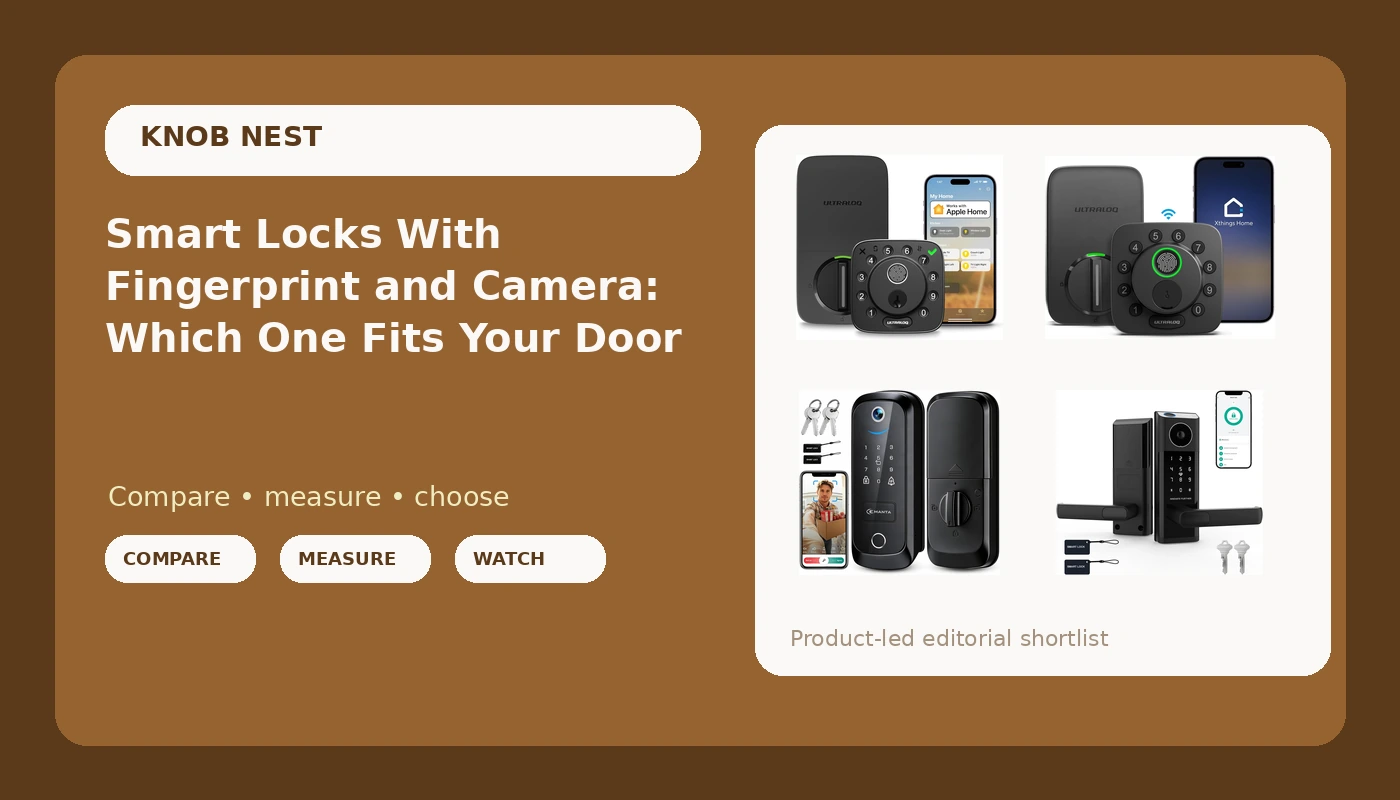
A smart lock with camera and fingerprint sounds like the obvious answer to two problems at once: getting in without hunting for keys, and knowing who walked up to the porch while you were at work. The feature list is the easy part. What actually decides whether the thing works is duller: which WiFi band your router broadcasts, whether you pair the app before the hub, and whether the bolt throws all the way into the strike plate. I spent five years rekeying deadbolts around Columbus before I ever touched a smart lock, and the calls that come back are almost never about the camera. They are about setup order.
Related: Smart Lock Setup Order: Pair the App Before the Gateway →
Quick answer
If you want one device to cover both the lock and the porch, the 5 in 1 Smart Lock with Camera & Doorbell bundles a camera, a doorbell, and a keyless deadbolt into a single WiFi unit. If you already have a doorbell and want the lock itself to do more, the ULTRALOQ Bolt Fingerprint adds a fingerprint reader and a door sensor with remote access, while the ULTRALOQ Bolt SE keeps the app control and swaps the reader for Matter over Thread. The Smart Door Lock with Video Doorbell & Fingerprint sits between those two ideas, putting video and fingerprint entry on the same front door lock. Which one you buy depends less on the feature list than on your wiring, your router, and whether you want one device or two.
Four useful options
| Model | Best fit | What stands out |
|---|---|---|
| 5 in 1 Smart Lock with Camera & Doorbell, Keyless Entry Deadbolt,WiFi Secure Electronic Lock for Home | One device covering entry and the porch | Camera, doorbell, and keyless deadbolt combined in a WiFi lock |
| ULTRALOQ Bolt Fingerprint WiFi Smart Lock with Door Sensor, Remote Access | Fingerprint entry with a door sensor | Fingerprint reader, door sensor, and remote access over WiFi |
| ULTRALOQ Bolt SE Wi-Fi Smart Lock, Matter Over Thread, App Remote Access | Matter and Thread households | Matter over Thread support with app remote access |
| Smart Door Lock with Video Doorbell & Fingerprint,Security Front Door Locks | Video and fingerprint on one lock | Video doorbell and fingerprint reader built into a front door lock |
The all in one: 5 in 1 Smart Lock with Camera & Doorbell, Keyless Entry Deadbolt,WiFi Secure Electronic Lock for Home
The trade off is that one device means one point of failure. If the camera module acts up, you are not swapping a $60 doorbell, you are pulling the lock off the door and rekeying your life around a replacement. It also means one power source and one app for everything, which is genuinely simpler for a rental where nobody wants to manage two logins. Before ordering, check that your door has the depth for a camera housing above the deadbolt, because a lock with a lens in it is thicker than a plain cylinder.
The fingerprint pick: ULTRALOQ Bolt Fingerprint WiFi Smart Lock with Door Sensor, Remote Access
A fingerprint reader is the feature I warn people about most, and not because it fails on day one. It fails quietly. Readers that work perfectly in month one start asking for a second and third try around month six or seven, especially with wet hands or hands that have been in a truck all day. The fix is not a better reader, it is a backup path. Any fingerprint lock you buy should also have a keypad code or a physical key, so a stubborn reader is an inconvenience instead of a lockout. The door sensor on this one is the underrated part, because it tells you the difference between a door that is locked and a door that is standing open.
The Matter option: ULTRALOQ Bolt SE Wi-Fi Smart Lock, Matter Over Thread, App Remote Access
Matter over Thread is the part worth understanding before you buy, because it changes what else has to be in the house. Thread is a low power mesh, and Matter is the language on top of it. If you already own a hub or speaker that acts as a Thread border router, this lock slots into that ecosystem and you get the benefit of a local mesh instead of a device fighting your router. If you do not own one, you are buying a lock and a hub, and the setup becomes a two device project. That is not a reason to avoid it. It is a reason to know which box you are opening.
The video and fingerprint combo: Smart Door Lock with Video Doorbell & Fingerprint,Security Front Door Locks
Combining video and fingerprint is appealing for the same reason the all in one is: fewer devices, fewer apps, fewer batteries to remember. The thing to think about is where the camera points. A camera mounted in the lock body sits lower than a doorbell camera mounted at chest height, so the angle it gets on a face depends on your porch and your step. If your door is recessed or your porch is deep, a lock mounted camera can end up filming a wall of brick. Walk out your front door and look at where a lens at deadbolt height would actually see before you commit.
Prices and availability may change. Product images, names, and retailer links are matched to verified listings. No current price, rating, stock status, or measured result is stated here without current evidence.
What the spec sheet leaves out
The box says WiFi. The fine print says 2.4GHz, and that single detail causes more returns than any hardware defect in this category. Most smart locks and their gateways speak only the 2.4GHz band, and plenty of modern routers ship with a single network name that quietly steers devices to 5GHz. The lock tries, fails, and the app says something unhelpful like "connection timed out." If your router has a combined network, split the bands or set up a 2.4GHz guest network before the lock arrives. This is not a lock problem and no amount of factory resetting fixes it.
The second thing the spec sheet leaves out is how far the bolt travels. A deadbolt throw is the distance the bolt extends into the strike plate in the door frame. If it does not fully extend, the door looks locked, the app says locked, and a credit card can still pop it open. After any install, close the door, lock it, and push on the door. If there is play, the strike plate needs to move or the bore hole needs to be adjusted. I have seen more doors defeated by a lazy strike plate than by any picked cylinder.
The third is auto-lock. It is the least glamorous feature on the list and the one that changes daily life the most, because it removes the human step from the process entirely. A door that relocks itself after a set delay does not care whether a tenant, a guest, or a kid on the way to the bus remembered to lock up. If you manage a rental, auto-lock is worth more than any camera on this page. The fourth is subscriptions. Some locks charge a monthly fee for remote access, and paying rent on a door you already own is the worst deal in smart home. Read the listing carefully for what works without a plan.
The setup order that prevents a factory reset
Do this in order and you skip the part where you call support and get told to start over.
- Install the lock on the door first, with batteries in, before you open any app. Pairing a lock that is sitting on a table and then moving it is how you end up redoing the whole thing.
- Download the manufacturer's app and create the account before the lock is powered into pairing mode, because account creation sometimes needs a verification email and you do not want the lock timing out while you wait.
- Pair the lock to the app over Bluetooth while you are standing at the door. The phone should be within a few feet, and the lock needs to be in its pairing state, which is often a button combination the manual buries on a foldout page.
- Add the gateway or hub second, never first, and only after the lock shows up in the app. Doing it backwards is the single most common cause of a factory reset, because the hub has nothing to bridge to.
- Set auto-lock, add your codes, then test the deadbolt throw with the door closed, and test one code and one fingerprint before you put the tools away.
If you skipped a step and the app cannot find the lock, factory reset and run the list again from the top. Resetting wipes your codes, which is annoying, but it is faster than fighting a half paired device for an hour.
Practical guidance for real doors
- Measure the door before you order: thickness, backset, and the width of the existing bore hole. Most locks fit standard doors, and the ones that do not are the ones that get returned.
- Check whether your router broadcasts a 2.4GHz network, and split the bands if it does not. This is the step people skip and then blame the lock for.
- If you buy a fingerprint lock, make sure it also has a keypad or a physical key. A reader that works today is not a promise about month seven.
- Test the fingerprint reader on day one with dry hands, wet hands, and cold hands, then test it again a few weeks later. Early degradation is easier to catch than to prove.
- Read the listing for subscription requirements before you buy. Remote access should not cost money every month on hardware you already paid for.
- For rentals, buy the same model for every door you manage. Codes, app screens, and guest instructions carry over, and you only learn one setup sequence.
Which option should you choose?
Choose the 5 in 1 Smart Lock with Camera & Doorbell, Keyless Entry Deadbolt,WiFi Secure Electronic Lock for Home when the door has nothing on it and you want one device handling entry and the porch. Choose the ULTRALOQ Bolt Fingerprint WiFi Smart Lock with Door Sensor, Remote Access when fingerprint entry is the priority and you also want to know whether the door is open or closed. Choose the ULTRALOQ Bolt SE Wi-Fi Smart Lock, Matter Over Thread, App Remote Access when you already run a Matter controller or Thread border router and want the lock to join that ecosystem. Choose the Smart Door Lock with Video Doorbell & Fingerprint,Security Front Door Locks when you want video and fingerprint together and your porch angle actually gives a lock mounted camera something worth filming.
There is a caveat on all four. Everything above comes from what the listings describe and from how this category generally behaves on real doors. Compatibility with your specific door, your router, and your existing hub is the part no article can confirm for you, so check the listing details and the manufacturer's compatibility notes before you order, and keep the packaging until the install is finished and tested.
The bottom line
The camera and the fingerprint reader are the features that sell these locks, and neither one is what makes them work. A lock is only as good as the door it is mounted on, the network it can actually reach, and the setup order you followed. Pick the model that matches the door you have and the ecosystem you already own, install it in the right sequence, and verify the bolt throws all the way before you trust it. Do that and any of these four will do the job. Skip it and the most expensive lock on the page will still leave your front door standing open.