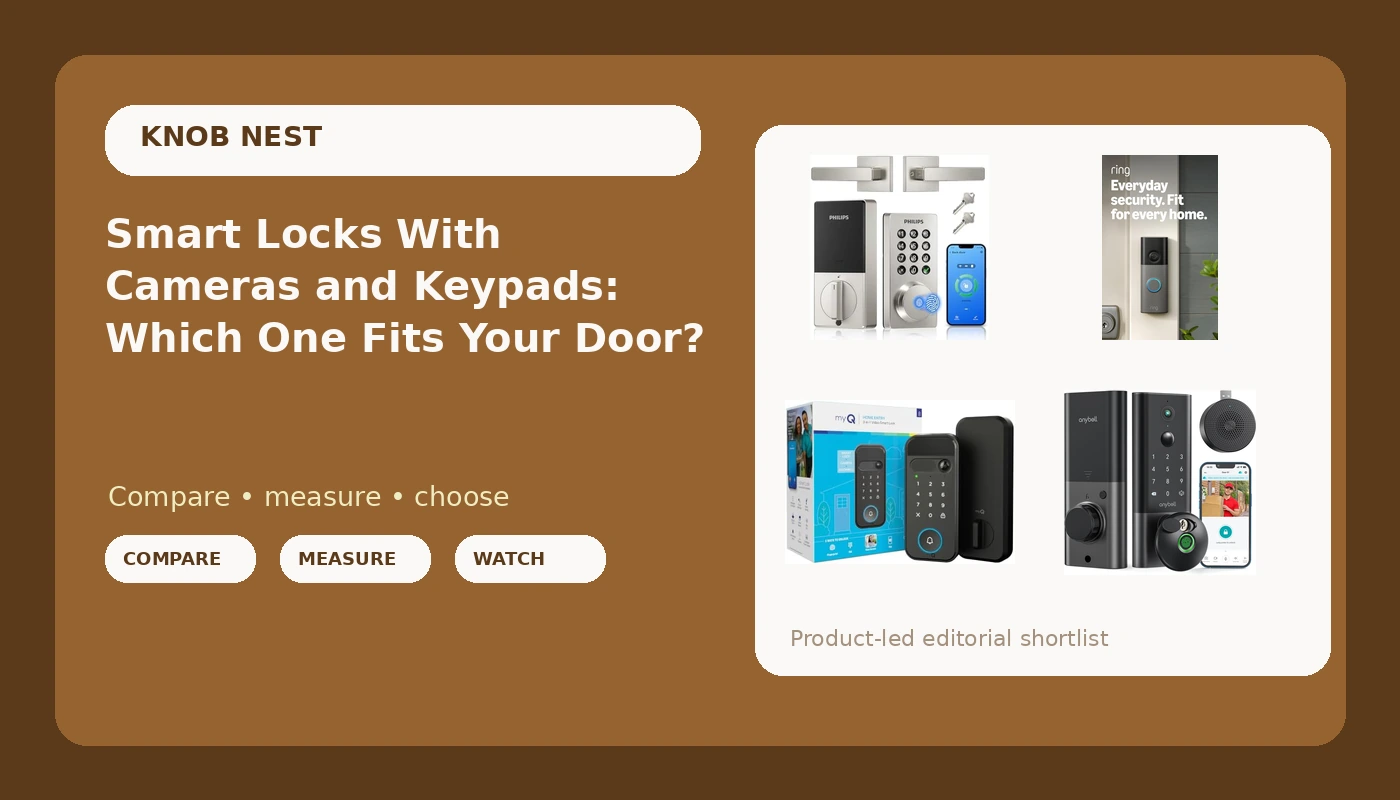
Most people shopping for a smart lock with camera and keypad are trying to solve two problems at once. They want the door to lock itself when someone forgets, and they want to see who walked onto the porch while they were at work. Those are different jobs. Entry control lives in the deadbolt. Video lives in the camera. A few devices put both in one housing, and that choice decides whether your Saturday involves a chisel and a drill or a bracket and two screws.
The other thing nobody mentions at checkout: the lock is only half the install. The other half is the network. A keypad deadbolt that never joins your WiFi is a very expensive keypad, and pairing order is where most of these setups go wrong. So the real question is not which device has the longest feature list. It is which device matches your door, your lease, and the way you actually come home.
Related: Pair the Lock to the App Before the Gateway →
Quick answer
If you can replace the deadbolt and want one device handling both entry and video, look at the myQ Secure View 3-in-1 or the ANYBELL fingerprint deadbolt. If you cannot touch the lock because you rent, the Ring Battery Doorbell 2K adds porch video without rekeying anything. If you want codes and app control with no camera on the door at all, the Philips WiFi Keypad Deadbolt with Handle is the cleanest swap. Match the device to the job first, then compare features, because a camera you are not allowed to mount is worth nothing.
Four useful options
| Model | Best fit | What stands out |
|---|---|---|
| Philips WiFi Keypad Deadbolt with Handle, Built-in WiFi, APP Remote Control | A full handleset replacement with codes and no camera | Built-in WiFi, so there is no separate gateway to pair |
| Ring Battery Doorbell 2K (newest model) Retinal 2K with wide-angle video, up to 6x Enhanced Zoom, Two-Way Talk, and Built-In Battery, Matte Mocha | Renters and anyone who cannot replace the lock | Battery powered, 2K wide-angle video, up to 6x enhanced zoom |
| myQ Secure View 3-in-1 Smart Lock with 2K HDR Video Doorbell Camera, Face Access, Fingerprint Access, PIN & App Control, Intelligent Entry with Built-in Camera, Color Night Vision & Two-Way Audio | One housing for entry and video at the front door | Face, fingerprint, PIN, and app entry with a 2K HDR camera |
| Fingerprint Smart Door Lock, ANYBELL Keyless Entry Door Lock with Camera, Built-in Wi-Fi Deadbolt for Front Door, Auto Lock, Cloudege App Control, Night Vision & Two-Way Audio, Home Security | Keyless entry with auto lock and a camera | Fingerprint and keyless entry with built-in WiFi and auto lock |
The keypad-first option: Philips WiFi Keypad Deadbolt with Handle
The trade-off here is straightforward: no camera, no fingerprint, no video history. What you get instead is fewer things to break and fewer things to configure. Because this is a handleset rather than a bare deadbolt, you are replacing more of the door hardware, which means measuring before you order. Check the backset of your existing bore, the door thickness, and whether your door is already drilled for a handle below the deadbolt. A handleset swap on a door with unusual prep is the install that turns into a trip to the hardware store. On a standard prep, it is the least fussy version of keyless entry. The built-in WiFi also means one less box and one less app step, which matters more than people expect on the day the lock refuses to connect.
The no-drill video option: Ring Battery Doorbell 2K
This is the pick for anyone whose lease says no to lock replacement, and it is also the pick for anyone who simply does not want to touch a working deadbolt. Mounting height is the whole game with a doorbell. Too high and you get foreheads and hats; too low and you get a lovely view of the sidewalk. Roughly chest height on the hinge side of the door, angled slightly across the walkway, is the standard starting point. Because it is battery powered, plan on a charging routine, and remember that a doorbell sees the most traffic of any camera you own, so battery life is a function of how busy your street is. One general note that applies to every camera-based device here: check what the free tier covers before you buy, because video storage plans are a separate decision from the hardware.
The all-in-one option: myQ Secure View 3-in-1 Smart Lock with 2K HDR Video Doorbell Camera
The honest trade-off with a camera-in-the-lock design is camera position. The lens sits at lock height, roughly waist to chest level on most doors, not at eye level. That framing is genuinely useful for packages on the mat and for hands at the handle, and less useful for faces in a hat. It is a different angle than a doorbell gives you, not a better or worse one, and knowing which view you need is half the decision. The other half is configuration load. Four entry methods means four things to set up, four things to keep current, and four ways a guest can get confused. On the plus side, one housing means one battery, one app, and one device mounted on the door instead of two, which is a real advantage on a narrow sidelight-free entry where a doorbell has nowhere clean to sit.
The fingerprint deadbolt option: ANYBELL Keyless Entry Door Lock with Camera
Auto lock is the feature I would keep if I could only keep one. It ends the most common phone call in property management, the one where a tenant swears they locked up and nobody can prove otherwise. Fingerprint entry is the feature I would treat with the most caution. Readers are wonderful in month one and can get fussy with wet hands, cold hands, gloves, and worn skin later on. Before you commit to any fingerprint lock, test the reader with damp fingers and with the actual people who live there, and make sure a PIN or keypad code exists as a backup so a missed read is an inconvenience instead of a lockout. This one keeps a camera and night vision in the same housing, so the same camera-position caveat from the all-in-one pick applies here too. The app is a third-party one, which is normal in this price class and fine as long as you read the setup steps in order.
Prices and availability may change. Product images, names, and retailer links are matched to verified listings. No current price, rating, stock status, or measured result is stated here without current evidence.
Why the deadbolt throw matters more than the feature list
Every feature on these devices is decoration until the bolt actually extends into the strike plate. I have drilled out enough seized cylinders at 7 a.m. to have strong feelings about this. A deadbolt that only partially throws looks locked from the outside and can be slipped with a credit card or a shim in seconds. Door frames sag, weatherstripping compresses, and a door that fit perfectly in July can sit differently in January. After any install, close the door, lock it, and look at the gap. If the bolt is not fully seated in the strike, you have three fixes: adjust the strike plate, deepen the strike mortise, or shim the plate out. None of them take more than ten minutes. Skipping them means you installed a keypad on a door that does not lock.
The second security habit worth building is code hygiene. Give every person their own code, delete it when they leave, and use an anti-peeping pattern if the lock supports one, where you enter random digits before your real code so a watcher over your shoulder sees noise. Landlords should never hand out a shared code for a building, because the day a unit turns over you have no idea who still has it.
Setup order: pair the lock before the gateway
This is the section that saves the return. Most smart locks and their bridges speak only to the 2.4GHz band. If your router broadcasts 5GHz only, or if your phone is sitting on a 5GHz network during setup, the lock will never find the network and the manual will not explain why. Beyond that, order matters more than anything else.
- Read the pairing instructions before you mount anything, and find the pairing button or the button combination while the lock is still in your hand.
- Put your phone on the 2.4GHz network, or temporarily disable the 5GHz band, before you open the app.
- Pair the lock to the app first, on its own, and confirm it responds to a lock and unlock command.
- Add the gateway or bridge second, if the lock uses one, and only after the lock shows as connected in the app.
- If you did it backwards, factory reset and start over. A reset wipes every code you have entered, so do the reset before you hand codes to guests, not after.
If a lock uses a third-party app, expect the interface to look dated. That is normal and not a sign the hardware is bad. Ugly app, solid bolt, as the saying goes.
What to check before you buy
- Measure the door first: backset, door thickness, and whether the existing bore is a standard prep or something a previous owner improvised.
- Confirm your WiFi situation, including whether your router splits 2.4GHz and 5GHz into separate names or hides the band behind one SSID.
- Decide whether you want video at all, because a camera on the door changes both the install and the ongoing cost picture.
- For rentals, prioritize auto lock and per-person codes over video, since guest turnover is the problem you are actually solving.
- Keep a physical key or a keypad backup in the plan. Any single entry method, fingerprint included, is one failure away from a locksmith call.
- Check the box for the small parts: strike plates, mounting screws, and cover plates. Missing hardware is a category-wide annoyance, and a hardware store run turns a 20 minute install into an afternoon.
Which option should you choose?
Choose the Philips WiFi Keypad Deadbolt with Handle, Built-in WiFi, APP Remote Control when you want codes and app control with no camera on the door, and you are comfortable replacing the whole handleset. Choose the Ring Battery Doorbell 2K when the lock stays as it is and you only need to see and talk to the porch. Choose the myQ Secure View 3-in-1 Smart Lock with 2K HDR Video Doorbell Camera when you want entry and video in a single housing and you like having face, fingerprint, PIN, and app options. Choose the ANYBELL Keyless Entry Door Lock with Camera when keyless entry with auto lock is the priority and you want the camera along for the ride.
One caveat that applies to all four: nothing here is a substitute for a door that fits its frame and a strike plate that holds. If the frame is soft, the trim is loose, or the door has been kicked before, fix the door first. The lock is the easy part.
The bottom line
Buy for the job, not the feature list. If you rent, the Ring Battery Doorbell 2K gets you porch awareness without touching the deadbolt. If you own the door and want one device doing entry and video, the myQ Secure View 3-in-1 is the all-in-one route, and the ANYBELL fingerprint deadbolt covers similar ground with auto lock at the center of the pitch. If you want the simplest possible keyless setup, the Philips WiFi Keypad Deadbolt with Handle removes the gateway step entirely. Whichever you pick, install it in the right order, check that the bolt fully throws, and keep a backup way in. A lock's job is to let the right people in and keep everyone else out, and no app has ever changed that.