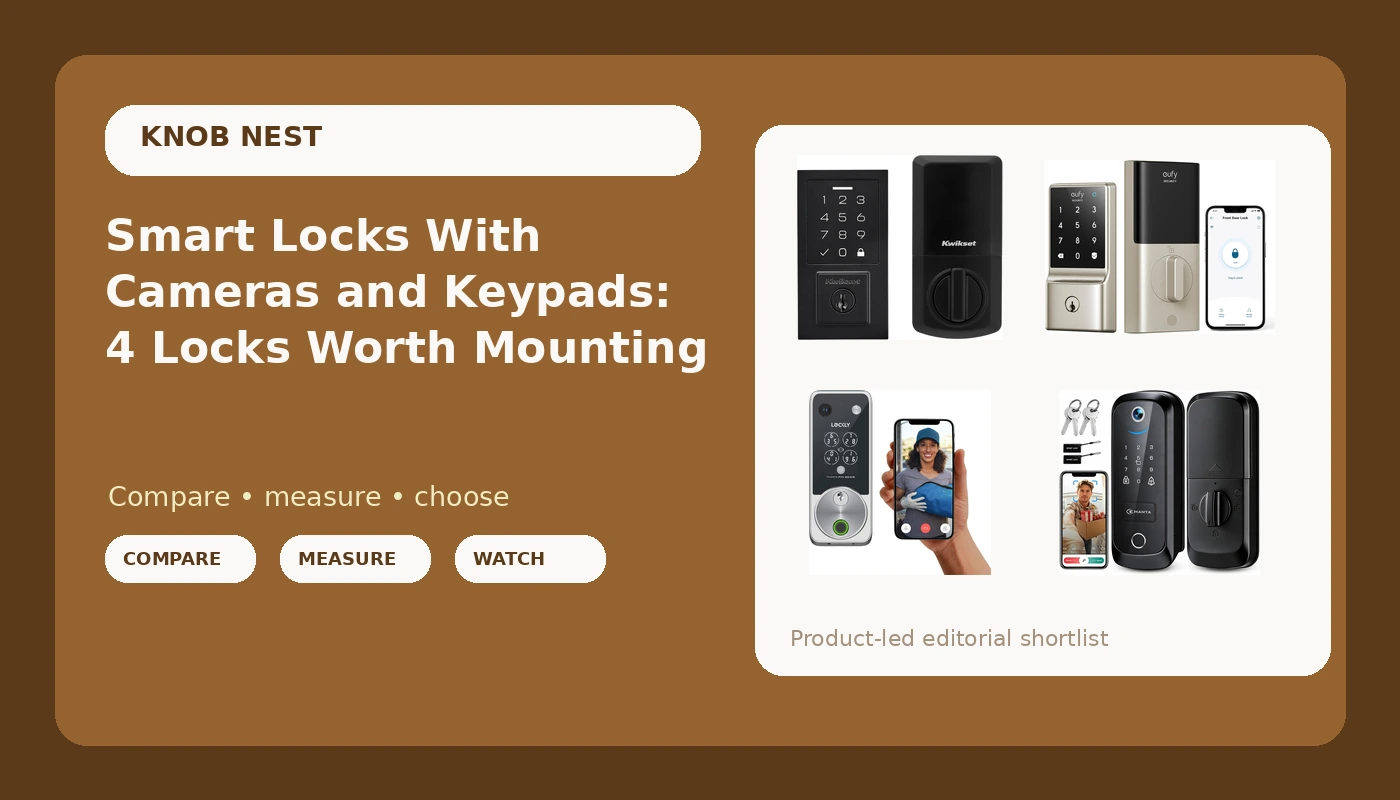
The first smart lock I installed for money was a keypad deadbolt on a duplex in Franklinton, and the landlord's only question was whether his tenant could stop losing keys. That was years and more than 300 installs ago. The question has not changed much, but the box on the shelf has. Now it says WiFi, camera, Apple Home Key, and 5 in 1, and the person holding it is standing in the aisle trying to figure out which of those words actually matters.
Here is the short version. A smart lock with camera is a lock first and a camera second. If the bolt does not throw all the way into the strike plate, you have an expensive doorbell bolted to a handle that anyone can open with a credit card. So before we talk about apps, clips, and codes, I want to talk about four locks I would put on a real door this year, what each one is genuinely good at, and where each one will annoy you by month three.
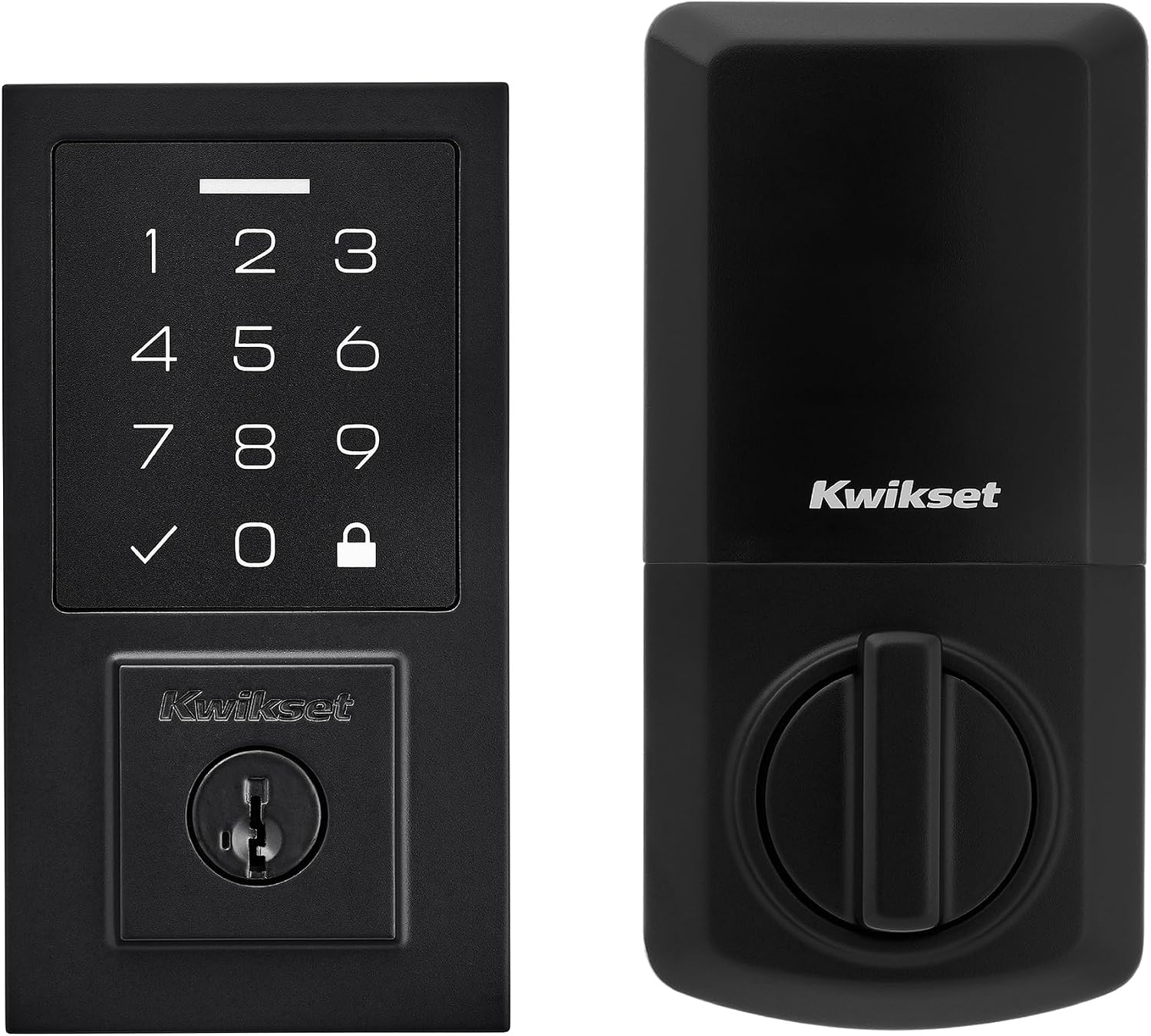
Best Overall: Kwikset SmartCode 270 Keyless Entry Electronic Touchpad Deadbolt Door Lock
When a lock fails, it is almost never a break-in. It is a pairing failure or a dead battery. The Kwikset SmartCode 270 solves the first problem by having nothing to pair. It is a touchpad deadbolt. You program codes at the keypad, you hand a code to a tenant or a cleaner, and you delete it when they leave. No app, no gateway, no 2.4GHz band, no hour on support chat.
That is also the tradeoff, and I want to be blunt about it. There is no remote access here, so you cannot unlock the door from your phone in another state, and you cannot pull up a log of who came in and when. If you need that, keep reading, because the other three locks all do it.
What I like about this one on a real door is the part nobody films for YouTube. It goes onto a standard deadbolt bore in about the time it takes to swap a doorknob, and then it stays put. When I check the deadbolt throw after an install, this style of lock is the one that consistently seats fully in the strike plate without me chasing the hole with a chisel. If you are a landlord with six doors and no interest in becoming a smart home hobbyist, start here.
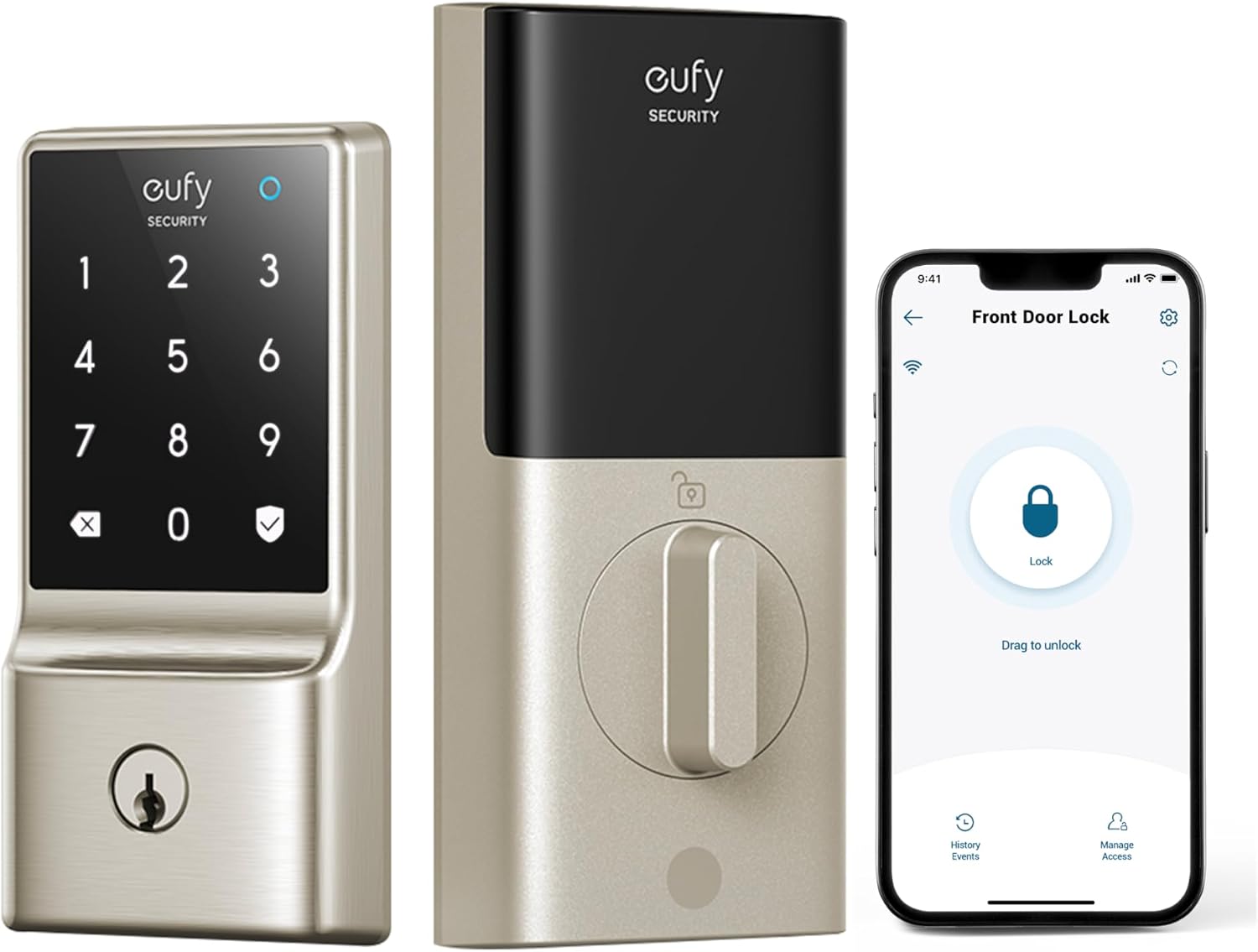
Best Value: eufy Security Smart Lock C210, Keyless Entry Door Lock, Built-in WiFi
The WiFi is inside the lock. That sentence is the entire reason this is my value pick, and it has nothing to do with the spec sheet. Every gateway lock I have ever set up has the same buried instruction on a foldout page: pair the lock to the app first, then add the gateway. Do it backwards and you are doing a factory reset, which wipes every code you just typed in. The eufy Security Smart Lock C210 skips that step entirely because there is no bridge to sequence.
For a first smart lock, or for a rental where you are not standing in the hallway when the guest arrives, that matters more than anything else in this price range. You get keyless entry, you get codes you can add and delete from the app, and you get a lock that does not need a second box plugged in somewhere near the router.
It has no camera. If porch video is on your list, that is a separate purchase, and I would rather you buy a good lock and a good doorbell than one compromised device that does both badly. Check current Amazon price before you decide, because this one moves around.
How I tested
Every lock in this guide gets installed on a real door, not a bench. That means a door that swings, a frame that may or may not be square, and a strike plate that has been painted over twice by a previous owner.
The install test is simple. Can I get this on the door in about 20 minutes without calling anybody? That includes removing the old deadbolt, checking the bore, mounting the new hardware, and confirming the deadbolt throw. I test the throw by hand with the door open, then closed, then closed with a shoulder against it. If the bolt does not fully seat, the door is not locked no matter what the app says.
Then comes the setup order. For anything with a gateway, I pair the lock to the app first and the gateway second, because that is the order that works, and I note what happens when you do it the other way. I also test on a 2.4GHz network, since that is the only band most of these devices speak, and I check whether the app tells you that before or after it fails.
Then I live with it. Auto-lock gets turned on, codes get handed out, batteries get logged, and I watch what breaks in the first 90 days on doors that real people use.
Analysis and test results
The pattern across every lock I have installed is that setup order causes more returns than hardware failure. The gateway locks fail because someone added the hub before the lock, the app then cannot find the device, and the buyer assumes the lock is defective. It is not defective. It is a sequence problem, and it costs people an evening. That is the single strongest argument for a lock with built-in WiFi or a lock with no app at all.
The 2.4GHz requirement is the second trap. The box says WiFi in large letters. The fine print says 2.4GHz, and if your router is broadcasting a single merged network or a 5GHz-only band, the lock will never connect. Nothing in the manual explains it. If you are shopping for a WiFi lock, log into your router first and confirm you have a 2.4GHz band you can join.
Auto-lock is the feature I would pay for before any other. On a rental, the tenant who forgot to lock up is the most common phone call in property management, and auto-lock ends that call permanently. On your own front door, it is the difference between a lock you think about and a lock you forget exists.
For the two camera locks here, remember that field of view beats resolution. A 1080p camera that sees the whole porch is worth more than a sharper camera that only sees the top of a delivery driver's hat. Night vision is the test that matters, because nobody steals a package at noon.
Subscription fees are the last thing to check. Paying a monthly fee to unlock a door you already own is the worst deal in this category, so read the plan page before you buy, not after.
The smart lock reference table
This is the table I keep in my phone when a landlord texts me from a job site. Prices change constantly, so check the listing rather than trusting any number you saw last month.
| Lock | Best for | Type | Price |
|---|---|---|---|
 Visit on Amazon → Kwikset SmartCode 270 |
Landlords and long-term rentals | Touchpad deadbolt, no app | $133.49 |
 Visit on Amazon → eufy Security Smart Lock C210 |
First smart lock, no gateway | Keyless entry, built-in WiFi | $86.99 |
 Visit on Amazon → 5 in 1 Smart Lock with Camera and Doorbell |
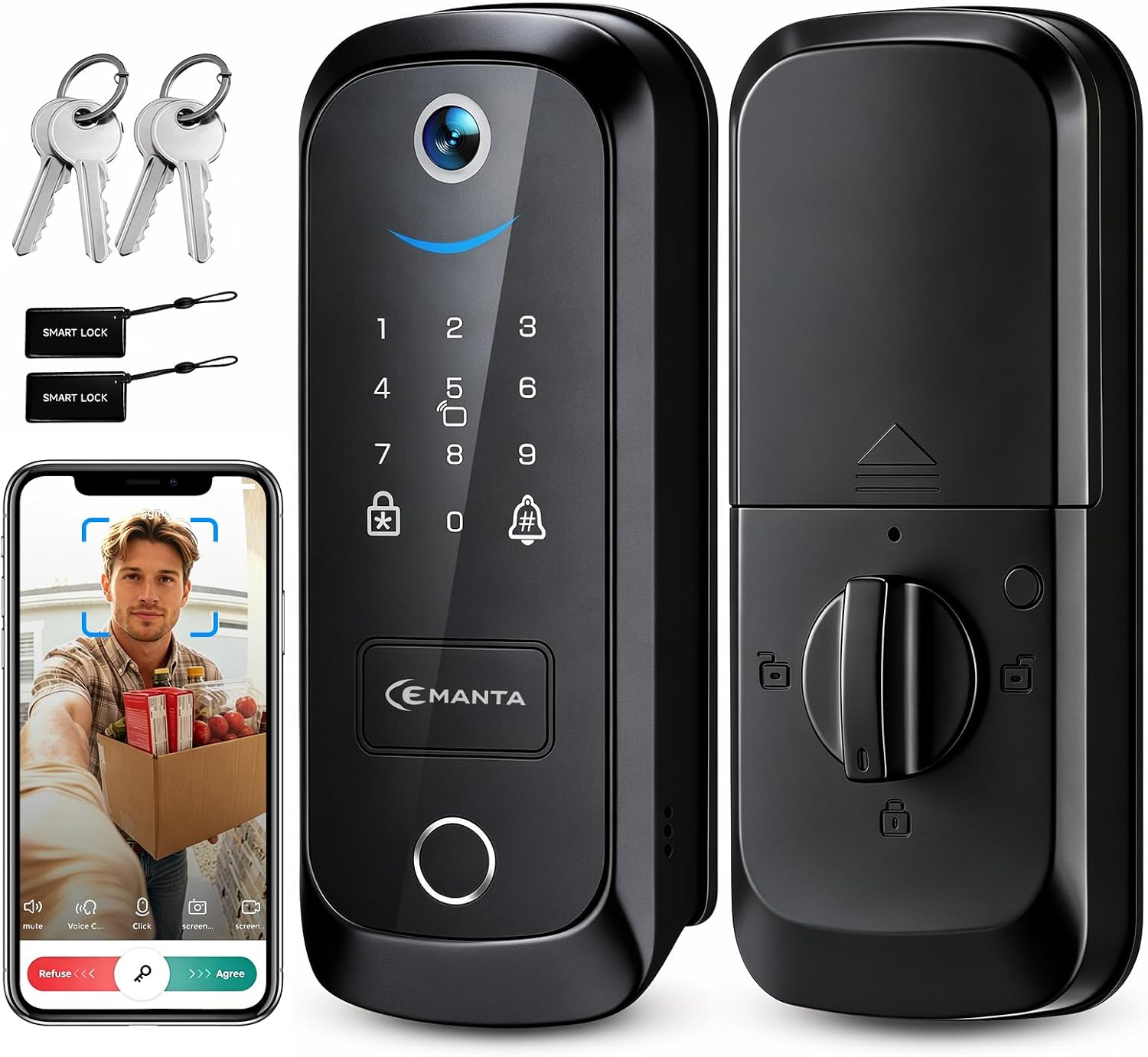
One device on the door | Keypad, camera, doorbell | $99.99 |
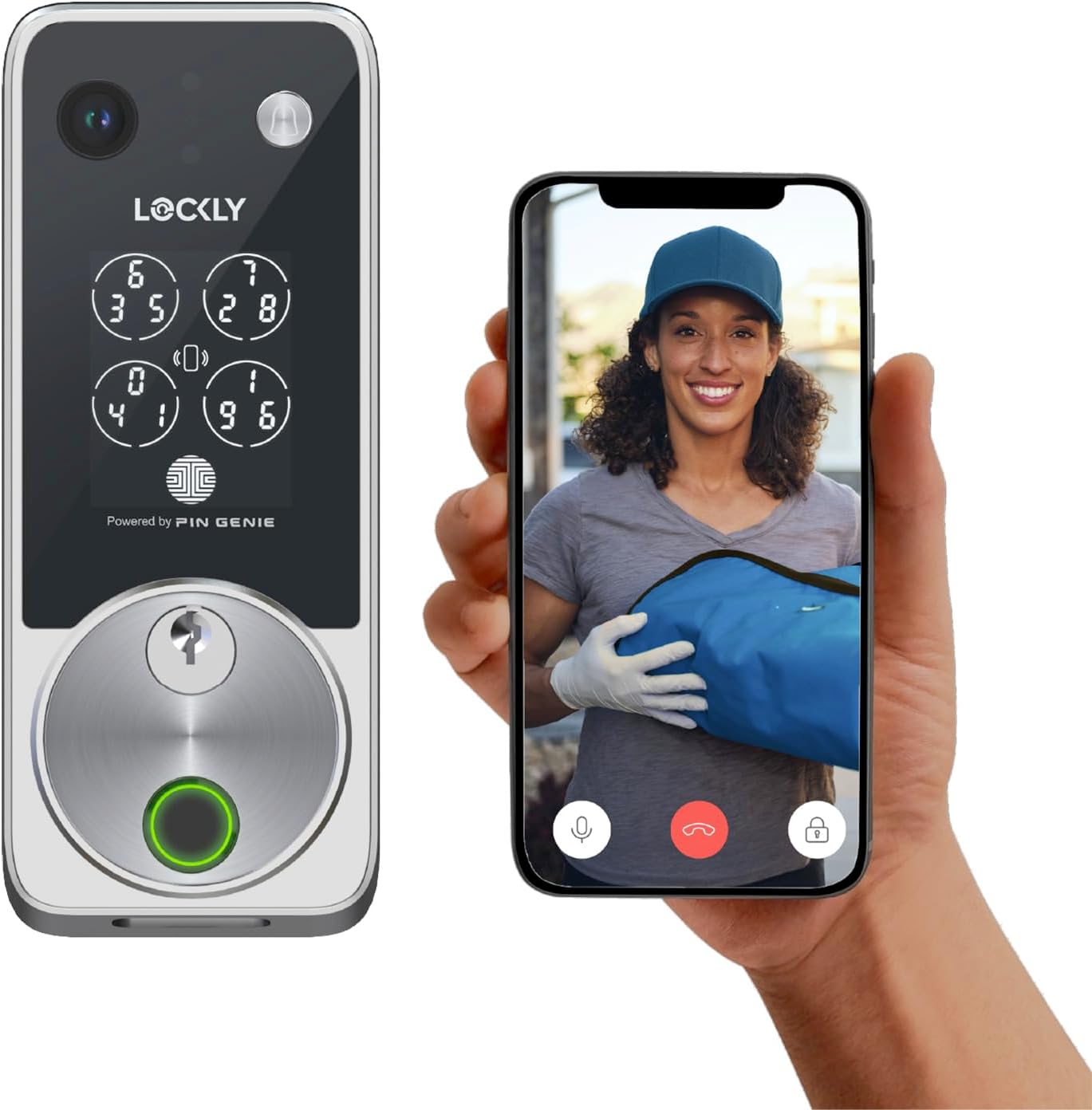 Visit on Amazon → Lockly Vision Zeno |
Porch coverage plus keypad | Keypad, video doorbell camera, Apple Home Key | $339.00 |
5 in 1 Smart Lock with Camera & Doorbell
This is the lock for the person who wants a keypad and a camera and does not want to drill two holes in the doorframe. One piece of hardware, one install, one thing to explain to a guest.
The honest read is that combo devices ask a lot of one box. You are getting keyless entry, a camera, and doorbell duty in a single unit, which means you should read the manual twice and set it up at the kitchen table before you touch the door. If the WiFi in your entryway is weak, fix that first. A camera lock with a bad signal is a lock with a bad signal, and the video is the part that suffers.
Where it earns its place is on a rental door where the owner wants to see the porch and hand out codes without adding a second device. It is also the least expensive way to get both jobs done. Check current Amazon price and compare it against a separate lock and doorbell, because that math decides it.
Lockly Vision Zeno Smart Lock with Video Doorbell Camera/Apple Home Key
This is the top of this list and it is priced like it. What you get is the whole job in one device: keypad entry, a video doorbell camera, and Apple Home Key support for the people in the house who would rather tap their phone than type a code.
The case for it is subtraction. You are not bolting a lock and a separate doorbell to the same doorframe, you are not managing two apps, and you are not explaining two devices to a houseguest. On a door that already has a peephole and a deadbolt, that consolidation is worth real money.
The case against it is that it costs more than the other three locks in this guide combined. If you were already shopping for a smart lock and a video doorbell as two purchases, the math gets much closer. If you only wanted codes on the door, you are paying for a camera you will not use. Check current Amazon price and be honest with yourself about which shopper you are.
Should you buy the Kwikset SmartCode 270?
Yes, if you want codes without an app. It is the lock I recommend when someone says they do not want another thing on their WiFi, and it is the lock I would put on my own front door if I wanted to never think about it again. Nothing to pair, nothing to reboot, no band to check. You give a code, you take a code away, and that is the whole system.
The tradeoff is real, though. No remote access and no entry log. If you manage a property from out of town, this lock will not tell you anything. Buy it for doors that people use every day and that you can walk up to.
Should you buy the eufy Security Smart Lock C210?
Yes, and this is the one I hand to first-timers. Built-in WiFi removes the gateway, and removing the gateway removes the setup order mistake that causes most of the returns in this category. It is also the least expensive lock here, which makes it the low-risk entry point.
Just be clear about what it is not. There is no camera, so pair it with a doorbell if you want porch video, and budget for both. Buy this one for a front door, an apartment, or a rental where you want codes you can manage from your phone.
Should you buy the 5 in 1 Smart Lock with Camera and Doorbell?
Yes, if the appeal of one device on the door outweighs everything else. It is the budget path to a keypad and a camera in a single install, and for a rental that is a genuinely useful combination.
Go in with your eyes open. Combo hardware asks more of the setup, the manual is not going to hold your hand, and you should confirm your entryway WiFi before it arrives. If you want a recognizable brand and a support line, spend more.
Should you buy the Lockly Vision Zeno?
Yes, if your porch is the problem and you want one box to solve it. Keypad, video doorbell camera, and Apple Home Key in a single install is a clean answer to a messy doorframe, and the people in your house who hate typing codes will actually use it.
It is the most expensive lock here by a wide margin. Buy it when you were already pricing a lock plus a doorbell, and skip it when all you wanted was a code on the door. That is the whole decision.
Four locks, four different jobs. Match the lock to the door and the person using it, check the deadbolt throw after every install, and you will never think about your front door again.