Related: Smart Lock Pairing Order: App First, Then Gateway
I have mounted more than 300 smart locks and doorbells on real doors around Columbus, most of them for landlords and Airbnb hosts who got tired of driving across town to hand over a key. When someone asks me to compare smart locks for rentals, I give them the same short list of questions I use on every install: does the deadbolt actually throw, does it pair on the first try on a 2.4GHz network, and will the fingerprint reader still read a wet thumb at month seven.
This is a guide, not a spec sheet. Every lock below earns its spot for a specific kind of door and a specific kind of person. None of them are here because of a feature list. They are here because of what happens on install day and what happens three months later when the novelty is gone and a tenant is standing on the porch with groceries.
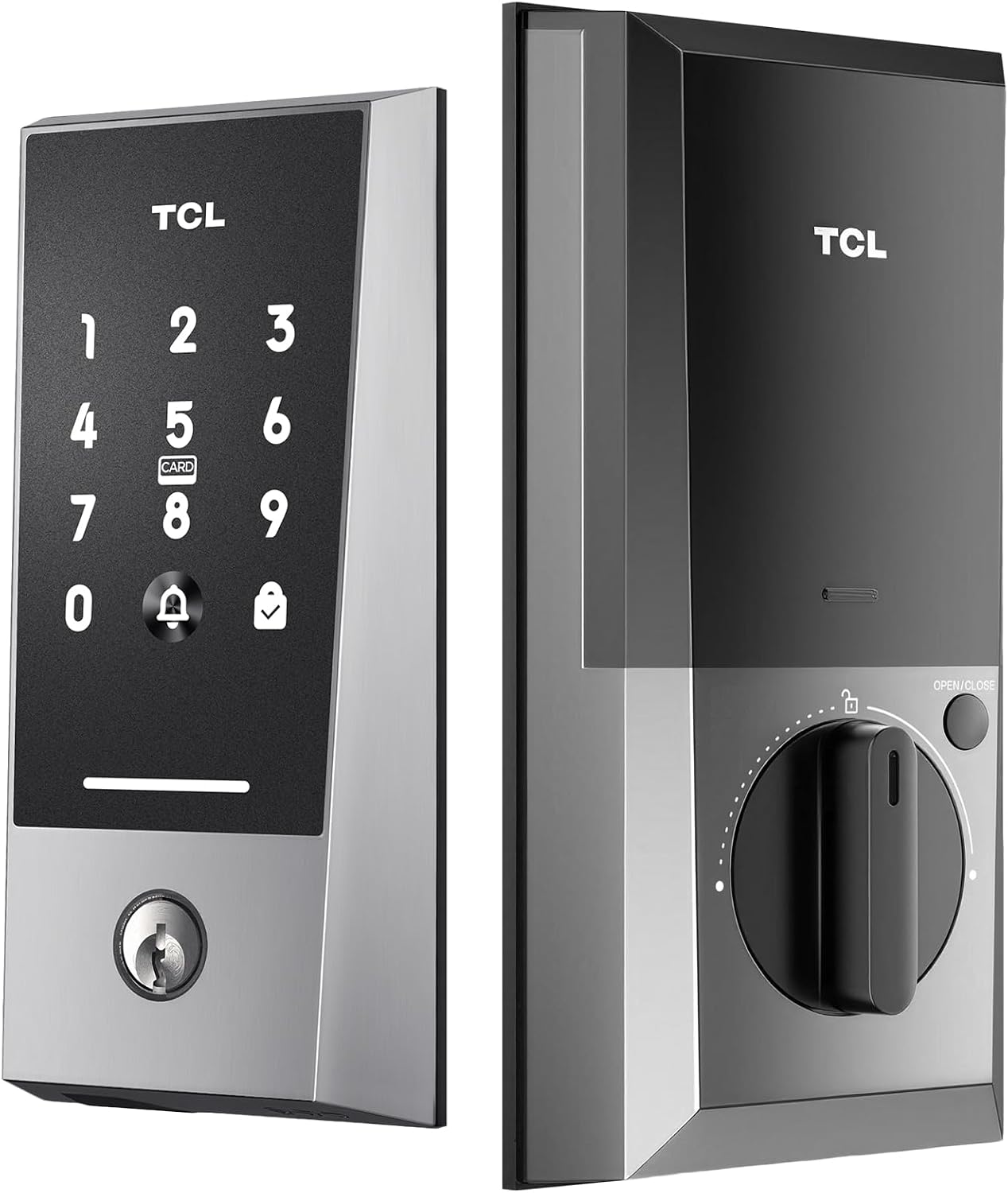
Best No-Bridge Pick: TCL Wi-Fi Smart Lock D2
This is the one I point at when someone says they do not want another hub, another box on the shelf, and another pairing step they will get wrong. The D2 is a WiFi deadbolt that lists no bridge required, and in plain terms that means one less device to power and one less order-of-operations mistake to make. There is a touchscreen keypad for the people who type codes, a key fob for the person in the house who refuses to install anything, and a built-in doorbell so you are not buying a separate chime for the same door.
App remote control and auto lock round it out, and auto lock is the feature that ends the "the tenant forgot to lock up" phone call forever. For a rental door, that is worth more than any camera. The install is listed as easy, which on a standard deadbolt prep usually means the existing holes line up and you are done with a screwdriver.
Check the deadbolt throw after you close it. Mark the bolt, shut the door, and make sure it seats fully into the strike plate. If it does not throw all the way, the door looks locked and opens with a credit card. And before you buy, know your router. Most locks and gateways only speak 2.4GHz, and a 5GHz-only network is why a brand new lock will never connect.
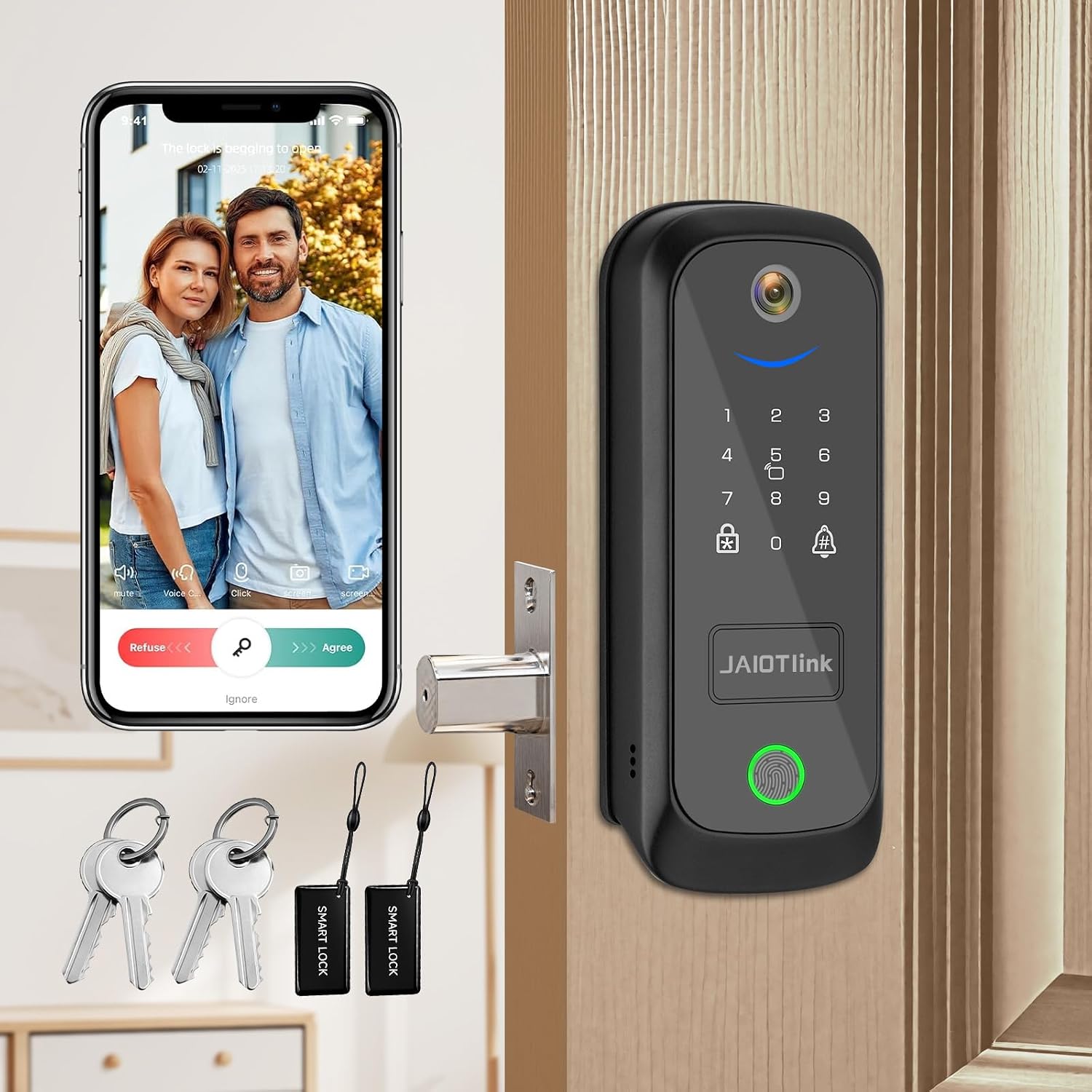
Best All-in-One: JAIOTlink 5 in 1 Smart Lock
The JAIOTlink is the all-in-one answer: lock, camera, doorbell, fingerprint reader, keypad, and voice changer in a single deadbolt, plus Alexa compatibility. If you have one hole in the door and one spot on the frame, this is how you get a camera and a lock without two installs and two apps fighting each other.
The fingerprint reader is the fast way in, and the keypad is the backup that keeps the reader from becoming a single point of failure. That matters, because a fingerprint reader that works at month one means nothing if it degrades by month seven, especially with wet hands or worn fingers. I have watched that exact failure strand a guest at 11pm.
Voice changer sounds like a gimmick until you live alone and someone you do not know is on the porch. If you are going to use Alexa with it, pair it and actually test a voice lock and unlock before you trust it with your front door. And do the setup with the door open and your phone on the 2.4GHz band. Half the pairing calls I get are people who did it in the wrong order with the door already shut.
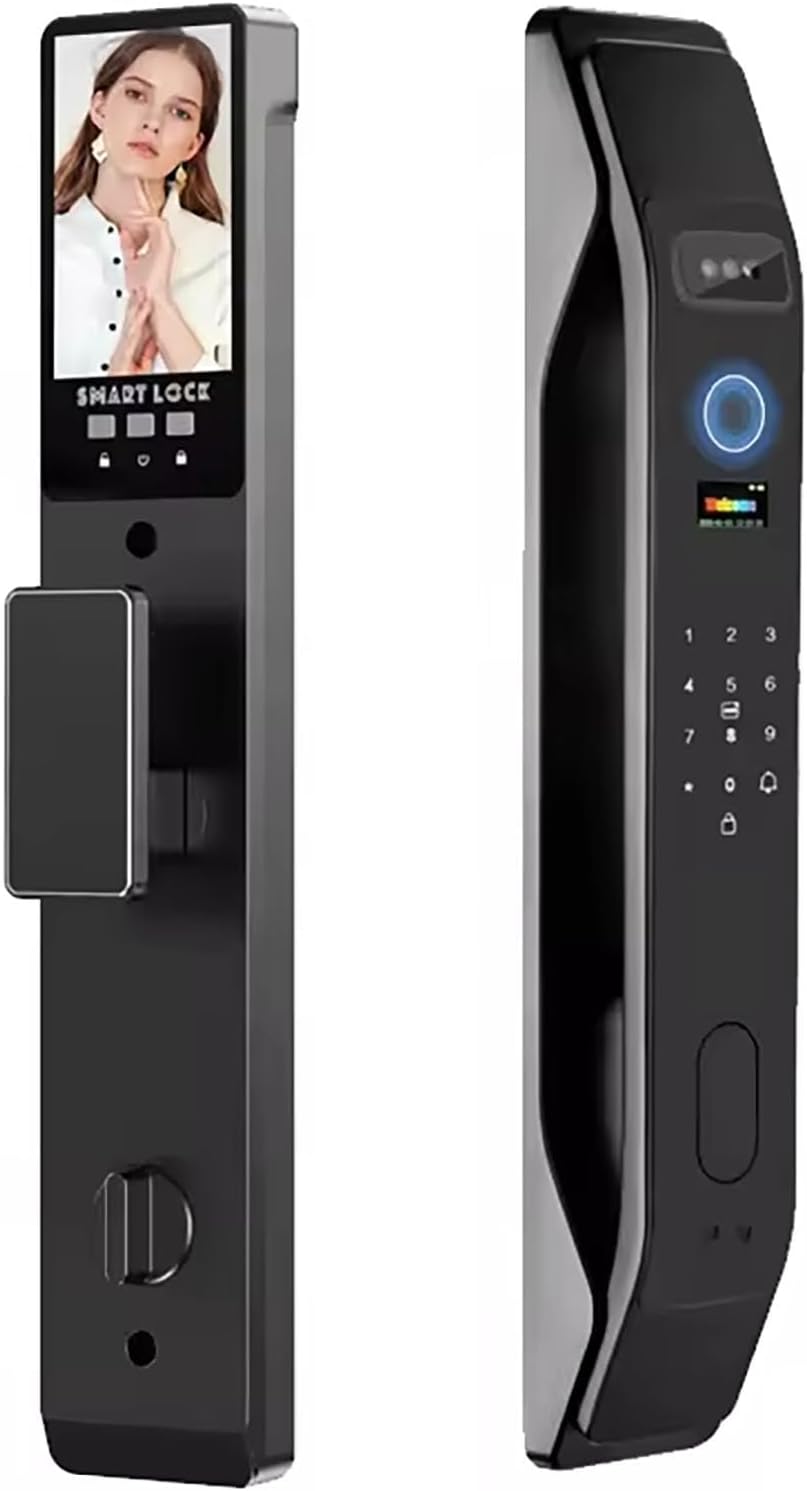
Best for Full Hands: HIFAM Face Recognition Smart Door Lock
Face recognition is the feature people laugh at until their hands are full of groceries. The HIFAM lock lists face unlock plus fingerprint, key, IC card, and app access, which is five ways through the same door. That redundancy is why it lands on this list for busy households and short-term rentals.
The IC card is the underrated part. It is the access method you hand to a cleaner, a dog walker, or a tenant who will not install an app on their phone, and you take it back when they leave. A physical key stays in the plan as the last resort, because every electronic lock on the market has a battery story, and the story always ends with a key.
Face unlock has a real limitation the listing will not spell out. It wants a clear look at your face, so hoods, hats, sunglasses, and a dark porch slow it down. Treat the fingerprint reader and the keypad as the everyday paths and face as the convenience. Set that expectation with your family before you install, or you will be the one standing in the rain waiting for a camera to recognize you.
Best for iPhone Households: Aqara UWB Smart Lock U400
The U400 is the premium pick, and the reason is Apple Home Key. If you carry an iPhone or an Apple Watch, Home Key lets you tap the lock the way you tap a transit gate, with no app open, no code typed, and no fingerprint reader involved. The listing also covers UWB, the ultra-wideband radio that lets a phone know exactly where it is, plus a fingerprint deadbolt for everyone who is not carrying an Apple device.
For an iPhone household, this is the lock that makes a smart home feel less like a hobby. For a house full of Android phones, you are paying for a radio your phones cannot use, and I would send you back to the TCL or the JAIOTlink instead.
Think about who actually lives at the address before you buy. The black finish is the only color listed, which matters if your door hardware is bronze or brass. Check the throw, check the app, and keep the key.
How I judge a smart lock before it goes on a door
Every lock I recommend goes through the same list, and none of it is a bench test with the lock sitting on a table.
First, install time on a real door. A standard deadbolt prep should be a screwdriver job. If it turns into a chisel job, that is a strike against the lock, not the door, because the buyer at 11pm needs a lock that fits the hole they already have.
Second, pairing order. The lock goes into the app first, the gateway second. Do it backwards and you are looking at a factory reset that wipes every code you set. The no-bridge locks skip that step entirely, and that is a genuine advantage for anyone who has ever spent an hour on support chat.
Third, the fingerprint reader. I log first-try success over 30 days and note how it behaves with wet hands, gloves, and a reader that has seen some miles.
Fourth, battery drain on a door that actually gets used, logged by week instead of trusting the percentage on the app.
Fifth, deadbolt throw and strike plate alignment after the install, with the credit card test. If the bolt does not fully seat, the door is not locked, no matter what the app says.
What the 90-day rental turnover test looks like
My current spreadsheet runs 10 locks and 4 doorbells through a 90-day turnover test: three Airbnbs and two long-term rentals, each with real guest turnover, real tenant forgetfulness, and a Columbus winter.
What breaks first is almost never the hardware people worried about. It is the setup order, the WiFi band, and the battery. Cold weather drops battery voltage, so a lock that reads 60 percent in October can be complaining by January. Guest codes get shared and reused, so a lock that makes temporary access easy scores better than one with a longer feature list. Auto lock gets tested every single day, because the tenant who forgot to lock up is the most common phone call in property management.
I also run at least one factory reset on every lock before it earns a recommendation. You should know how the nuclear option feels before you need it at 11pm with a guest on the porch.
The smart lock comparison table
This is the table I keep open when a landlord asks which one to buy. Read the middle two columns first, then the setup notes.
| Lock | Best for | Access methods | Setup notes |
|---|---|---|---|
 Visit on Amazon → TCL Wi-Fi Smart Lock D2 Visit on Amazon → |
Front doors with no hub on the shelf | Keypad, key fob, app, built-in doorbell | No bridge required, pair in the app first |
 Visit on Amazon → JAIOTlink 5 in 1 Smart Lock Visit on Amazon → |
One device for the lock and the porch camera | Fingerprint, keypad, camera, doorbell, app | Test Alexa voice lock and unlock before trusting it |
 Visit on Amazon → HIFAM Face Recognition Smart Door Lock Visit on Amazon → |
Full hands, shared doors, cleaner and walker access | Face, fingerprint, key, IC card, app | Keep the card and key as the backups for face unlock |
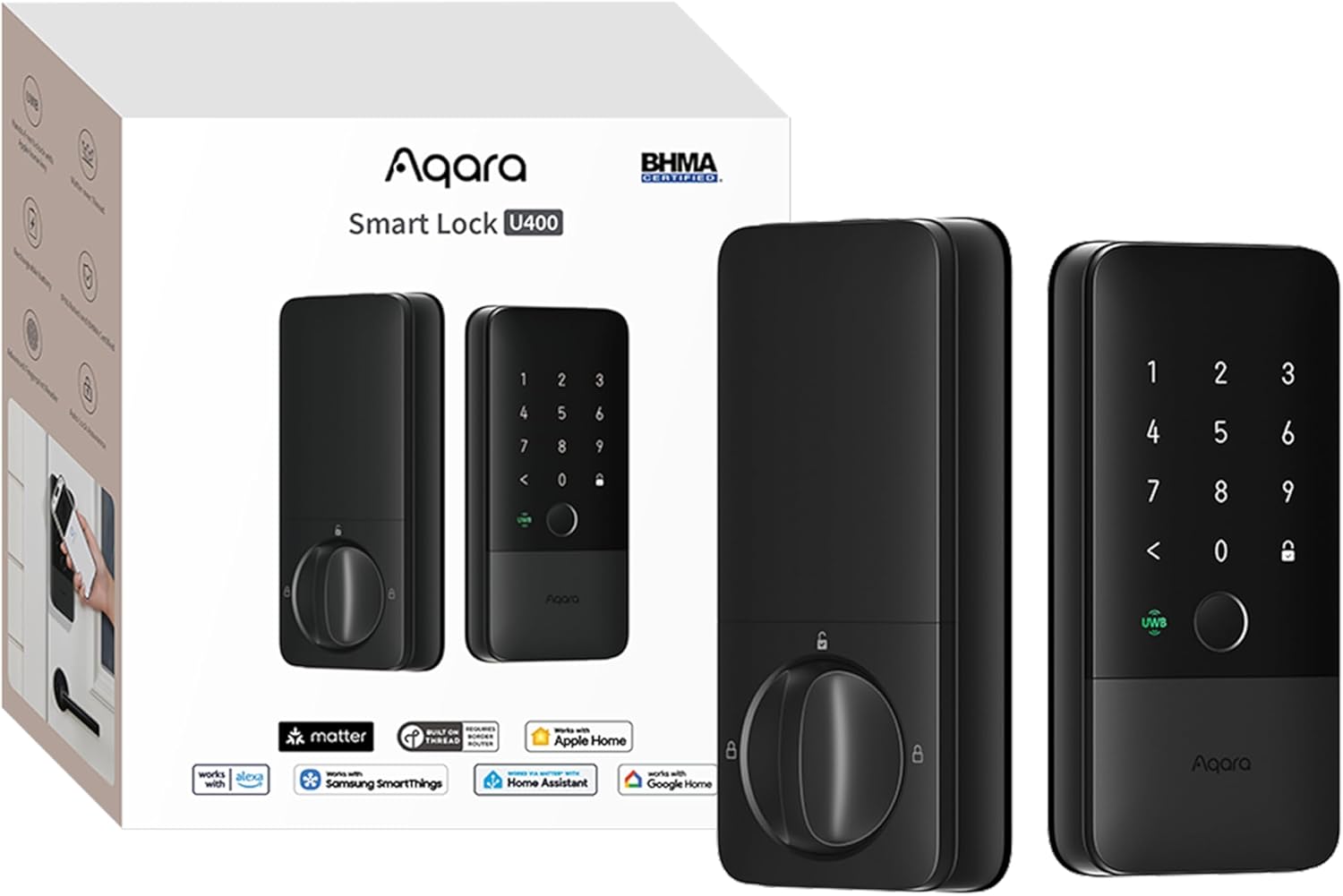 Visit on Amazon → Aqara UWB Smart Lock U400 Visit on Amazon → |
iPhone and Apple Watch households | Apple Home Key, UWB, fingerprint, app | Pointless if nobody in the house carries an Apple device |
Should you buy the TCL Wi-Fi Smart Lock D2?
Yes, if you want the fewest moving parts. No bridge, a keypad, a key fob for the person who hates apps, a built-in doorbell, and auto lock that ends the forgotten-door call. It is the lock I would hand a first-time landlord, because there is no gateway order to get wrong. Check the throw after you install, confirm your router broadcasts 2.4GHz, and set auto lock before the first guest arrives.
Should you buy the JAIOTlink 5 in 1 Smart Lock?
If you were going to buy a lock and a doorbell anyway, this collapses two purchases and two installs into one deadbolt. Fingerprint for speed, keypad for backup, camera and doorbell for the porch, voice changer for the 9pm knock. Set it up with the door open, on 2.4GHz, and test the Alexa voice commands before you rely on them. It is the busiest lock on this list, and busy is exactly what a rental front door is.
Should you buy the HIFAM Face Recognition Smart Door Lock?
Buy it if your hands are always full or you hand out access often. Five ways in means a guest is never stuck, and the IC card is the cleanest way to give a cleaner or dog walker temporary access and take it back. Do not buy it expecting face unlock to work through a hood in the dark. Plan on fingerprint and card as the everyday paths, and keep the key on your ring.
Should you buy the Aqara UWB Smart Lock U400?
Yes for an iPhone household that wants the tap-and-go experience of Apple Home Key with a fingerprint deadbolt as the fallback. It is the premium pick and the one that feels least like a gadget bolted to a door. If your house is all Android, skip it and put the money toward the JAIOTlink instead. The right lock is the one everyone in the house can actually get through.