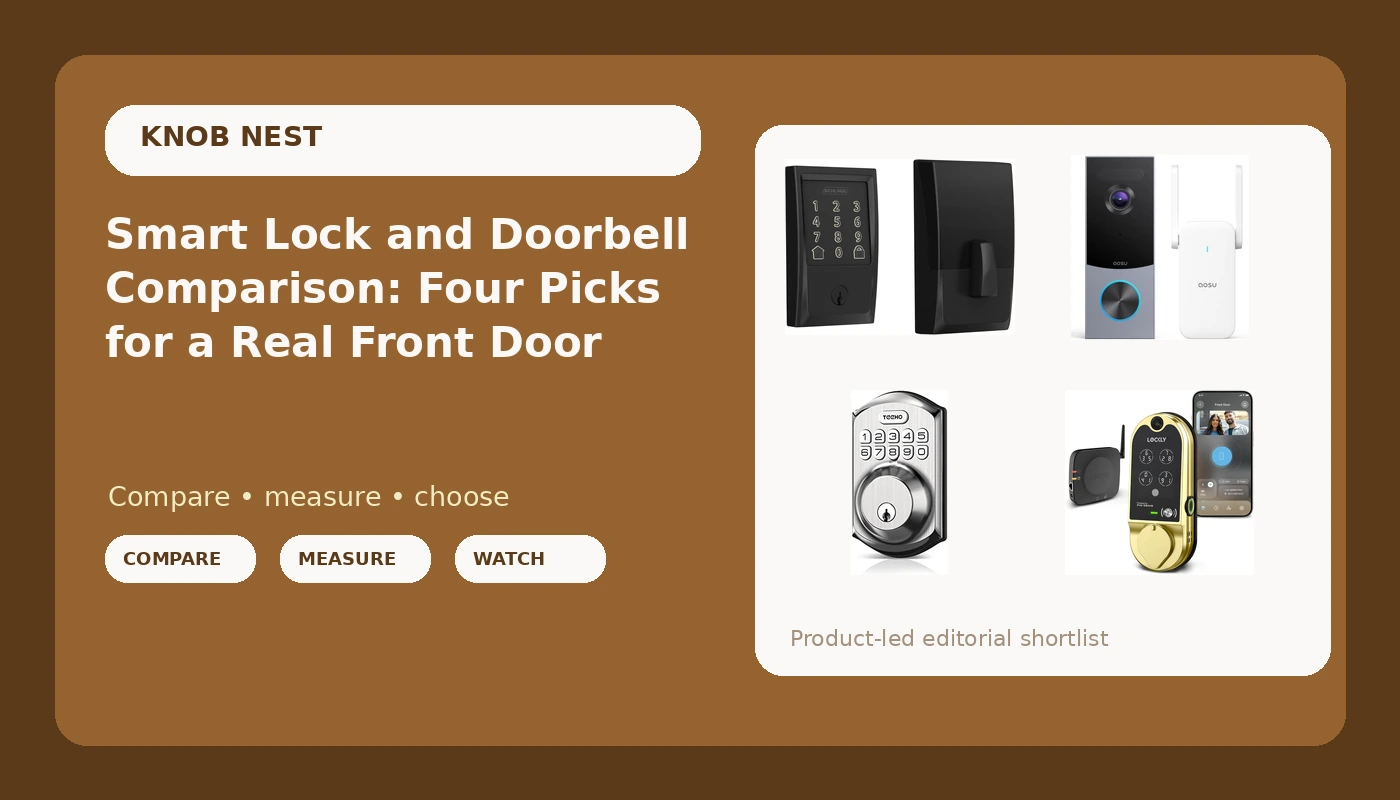
I spent five years rekeying deadbolts for landlords around Columbus before I ever touched a smart lock. The calls started changing around 2021. Instead of "can you cut a spare key," it became "can you make the door open with a code so I stop driving across town to hand one over." I've installed over 300 smart locks and doorbells since, most of them for Airbnb hosts, long-term rentals, and duplex owners who buy six at a time. This smart lock and doorbell comparison is the version of the answer I give when someone asks me on a job site which of these four belongs on their front door.
The short answer: if you want one deadbolt that handles codes over WiFi with no hub in the picture, the Schlage Encode is the safest money in this group. If you want the camera built into the lock so you install one device instead of two, the Lockly Vision is the pick. If you just want codes and nothing else to break, the TEEHO TE001 is the cheap lock that behaves. And if your lock is fine and it's the porch you can't see, the aosu doorbell is the piece you're actually missing.
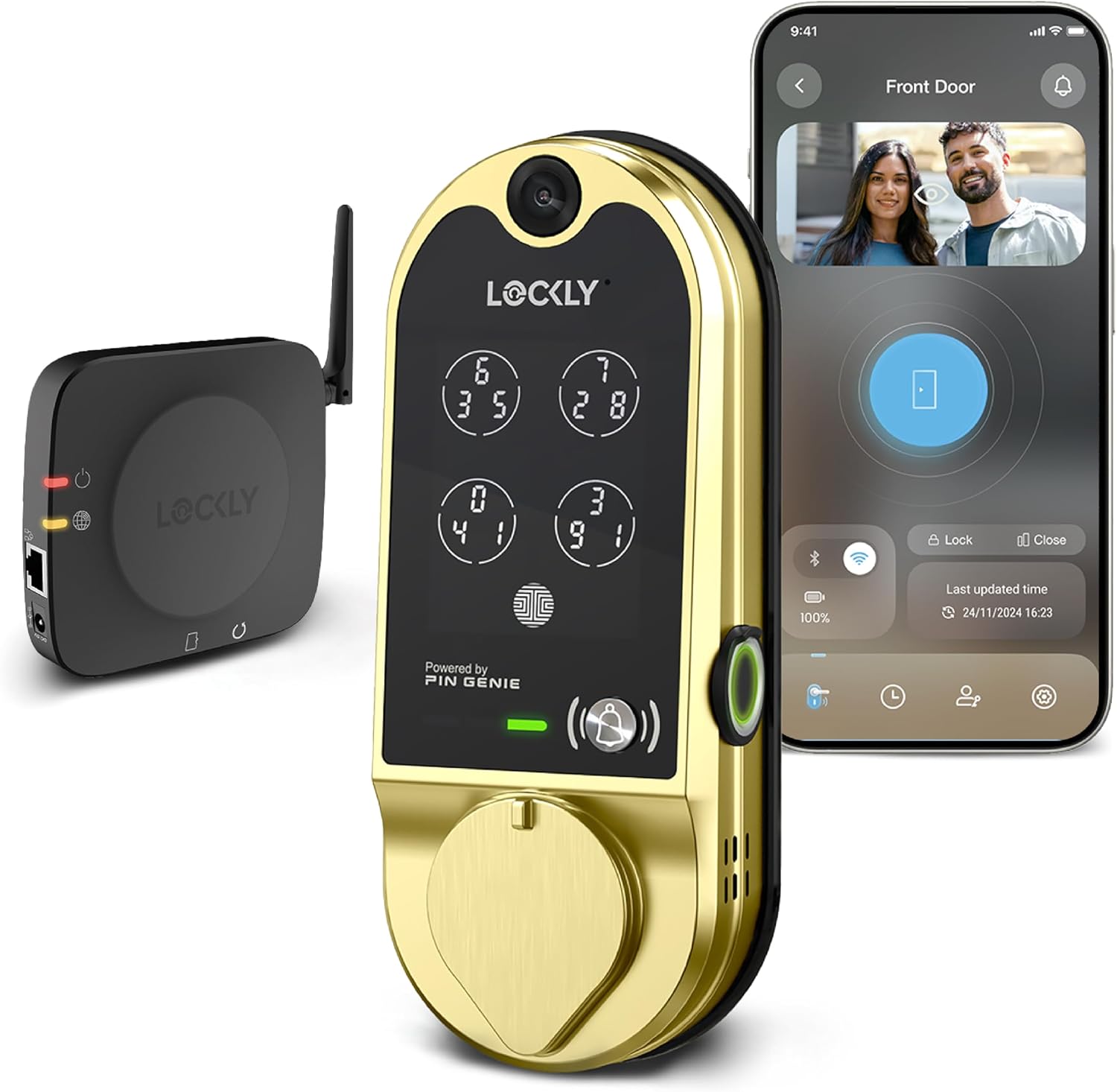
Lockly Vision Smart Lock with HD Video Doorbell
Deadbolt and HD video doorbell in one device, so one install covers both jobs
Highest cost here, and when one half misbehaves you're replacing both
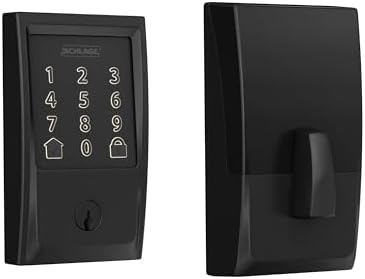
Schlage Encode Smart WiFi Deadbolt Lock with Century Trim, Matte Black
WiFi built into the lock, no gateway, codes you can hand to a tenant
No camera, no fingerprint, and the app is functional rather than pretty
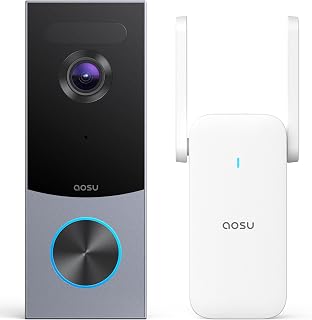
aosu 5MP Ultra HD Wireless & Wired Video Doorbell Camera
5MP sensor and a choice of wired or battery install, so renters can use it too
It locks nothing. You still need a deadbolt, and you still need a plan for storage
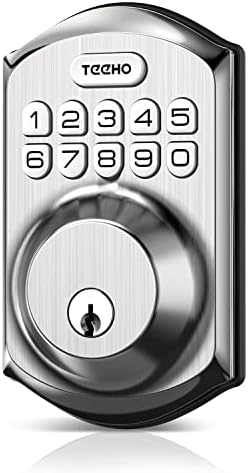
TEEHO TE001 Keyless Entry Deadbolt with Keypad for Front Door, Satin Nickel
Keypad codes with no app, no hub, no subscription, nothing to pair
No remote access and no notifications, so you can't check the door from the road
Prices and availability were captured from Amazon Creators API and may change.
How I judge these four
I don't score locks on feature lists. A lock's job is to let the right people in and keep everyone else out, and every smart feature on top of that is decoration until the deadbolt actually throws. So I judge four things.
First, does the bolt fully extend into the strike plate on a real door, not a showroom jig? A door that looks locked and opens with a credit card is the worst outcome in this whole category, and it happens on cheap installs with a misaligned frame. Check the throw after every install, no exceptions.
Second, can I get the thing online in the right order? Pairing is where cheap hardware dies. Almost every support call I've taken came down to setup order, and the manual buried the answer on page 14 of a foldout nobody reads.
Third, what does it cost per door when a landlord buys six? That means hardware plus any subscription, because paying monthly to open a door you already own is the worst deal in smart home.
Fourth, who can get in without me driving over? That's the entire reason a landlord calls me in the first place.
The Schlage Encode: WiFi with no hub in the middle
Schlage is one of the two brands every landlord asks me about by name, and the Encode is the reason. It speaks WiFi on its own, which means no gateway sitting on a shelf, no bridge to power-cycle, and no pairing order to get backwards. That deletes the single most common failure point I get called about, the person who added the hub before the lock and spent their evening on a factory reset instead of on dinner.
The Century trim in matte black is the version that looks like it came with the house rather than got bolted on after, which matters more than people admit on a front door that faces the street. For a rental, the real selling point is the code management. You create a code, you hand it to a tenant, you delete it when they move out. That's the whole workflow, and it's the workflow property managers have been asking me for since before smart locks were good.
Where it loses: there's no camera, there's no fingerprint reader, and you're relying on a keypad and your phone. If a tenant has wet or gloved hands, they're typing a code, not touching a sensor. And the app is a utility, not a showpiece. It does the job and it doesn't make you smile.
The TEEHO TE001: the lock that never needs rebooting
I run a keypad-only lock on my own front door, and it's the one thing in my house that has never needed a reboot. The TEEHO TE001 is that category: a keypad deadbolt in satin nickel with codes, no app, no gateway, no account, no monthly anything.
That sounds like a limitation until you've spent an hour on support chat with a gateway that won't join a 2.4GHz network. There is no pairing mode to hunt for here, because there's nothing to pair. You install it, you set codes at the door, and it works in a snowstorm with no WiFi and no phone nearby. For a long-term tenant who doesn't want an app, or for a side door nobody thinks about, that simplicity is the feature.
The trade-offs are real. You can't check the door from the road, you get no notification when someone comes in, and you can't hand a guest a temporary code from your phone at 11 p.m. because you're already in bed. You change codes standing at the door. And on any keypad-only lock, pay attention to the details the spec sheet does cover, because this is the price band where small omissions show up. If entering a code in front of a delivery driver bothers you, confirm what privacy features the listing actually promises before you buy.
The aosu doorbell: fix the porch, not the deadbolt
Here's the thing people get wrong: a video doorbell is not a lock. The aosu 5MP Ultra HD camera does not throw a bolt, does not know your codes, and does not care whether your door is locked. What it does is answer the question the lock can't, which is what happened on the porch while you were at work.
Two things I care about in this category. Field of view beats resolution, because a 1080p doorbell that sees the whole porch beats a 2K doorbell that only sees the top of a package thief's hat. And night vision is the test that matters, since nobody gets robbed at noon. The aosu is a 5MP sensor, and the wireless and wired option is the part that matters for renters, because a battery install means you can put this on an apartment door without touching the lease's wiring rules.
Where it loses: you're still buying a lock separately, and you have a storage decision to make. Cloud plans quietly cost more than the doorbell itself after two years, which is why I push people toward the subscription-free setups whenever the hardware allows it. Do the two-year math before you decide, not after.
The Lockly Vision: two devices in one hole in the door
The Lockly Vision is the interesting one, because it collapses two purchases into one. You get a smart deadbolt and an HD video doorbell camera in the same unit, which means one install, one set of holes, one app, and one thing to explain to a tenant.
For an Airbnb front door, that consolidation is genuinely attractive. The guest walks up, the camera sees them, the keypad lets them in, and you didn't have to run a second device and a second power decision. It's also the most expensive option in this comparison, and that's the honest trade: you're paying for integration, not just hardware.
Where it loses: when one half misbehaves, you're not replacing a doorbell, you're replacing the whole lock, and that means rekeying and reissuing codes. A camera inside a lock also means your WiFi has to be strong exactly where the door is, which is often the worst corner of the house for signal. And this is the device in the group most likely to send you hunting for pairing mode, so read the setup order twice before you start.
Pairing order, the part nobody writes down
If you take one thing from this comparison, take this. Pair the lock to the app first. Then add the gateway or the bridge. If you did it backwards, factory reset and start over, because you will not talk it into working. I've done that reset twice in a single month on other people's doors.
Second: most of these devices only speak the 2.4GHz band. If your router broadcasts 5GHz only, or splits the bands into two names and your phone keeps hopping to the wrong one, the lock will never connect and the manual will not tell you why. That's not a hardware defect. It's a network that was set up by someone who never thought about a door.
Notice which products in this comparison dodge that entire problem. The Schlage Encode has no gateway to sequence. The TEEHO has no app at all. The two camera-forward options are the ones where setup order and band choice will actually decide your evening.
Subscriptions and the two-year math
Here's my rule: beware anything that charges you monthly for basic remote access to a door you already paid for. That's not a feature, that's rent on your own front door.
Doorbell cameras are the gray area. Cloud storage is a real service and it costs real money to run, so a plan isn't automatically a scam. But run the numbers. A doorbell plus two years of cloud can quietly pass the price of the lock. If the hardware lets you keep clips locally, that changes the math in your favor, and it's worth checking before you commit.
For locks, the answer is simpler. Codes should be free, forever. If a deadbolt wants a subscription for you to unlock it from your phone, keep looking.
Which one goes on which door
For an Airbnb front door where you want codes plus eyes on the porch: the Lockly Vision, if you're willing to pay for one device instead of two, or the Schlage Encode paired with the aosu doorbell if you'd rather split the jobs so a failure costs you half as much.
For a long-term rental where the tenant just needs to get in and you need to stop driving across town: the Schlage Encode. WiFi built in, codes you can revoke, no hub to explain over the phone.
For a side door, a garage entry, or a tenant who doesn't want an app: the TEEHO TE001. Nothing to pair, nothing to reboot, nothing to subscribe to.
For an apartment renter who can't touch the deadbolt: the aosu doorbell, battery side, and leave the lock alone until you own the door.
What I'm still testing
I'm running a 90-day turnover test across three Airbnbs and two long-term rentals, logging every pairing failure, every fingerprint miss, and every battery drop through a Columbus winter. The things I still won't recommend without more data are the same things nobody else tests: how a reader behaves at month seven with wet hands, and what a battery actually does on a door that gets used forty times a day instead of sitting on a bench.
The pattern I already trust is the one that shows up in every install: the simplest device on the door is usually the one still working when the fancy one needs a factory reset. Buy the lock that throws its bolt and lets the right people in. Everything else is decoration.