I spent five years rekeying deadbolts for landlords around Columbus, drilling out seized cylinders at 7 a.m. and cutting keys for tenants who lost theirs for the third time. Then the calls changed. Landlords stopped asking me to rekey 40 units and started asking whether the door could just open with a code. That is how I ended up installing smart locks instead of servicing them, and it is why I have opinions about keyless entry smart locks that have nothing to do with how shiny the app looks.
Related: Smart Lock Installation Mistakes That Cost You a Factory Reset
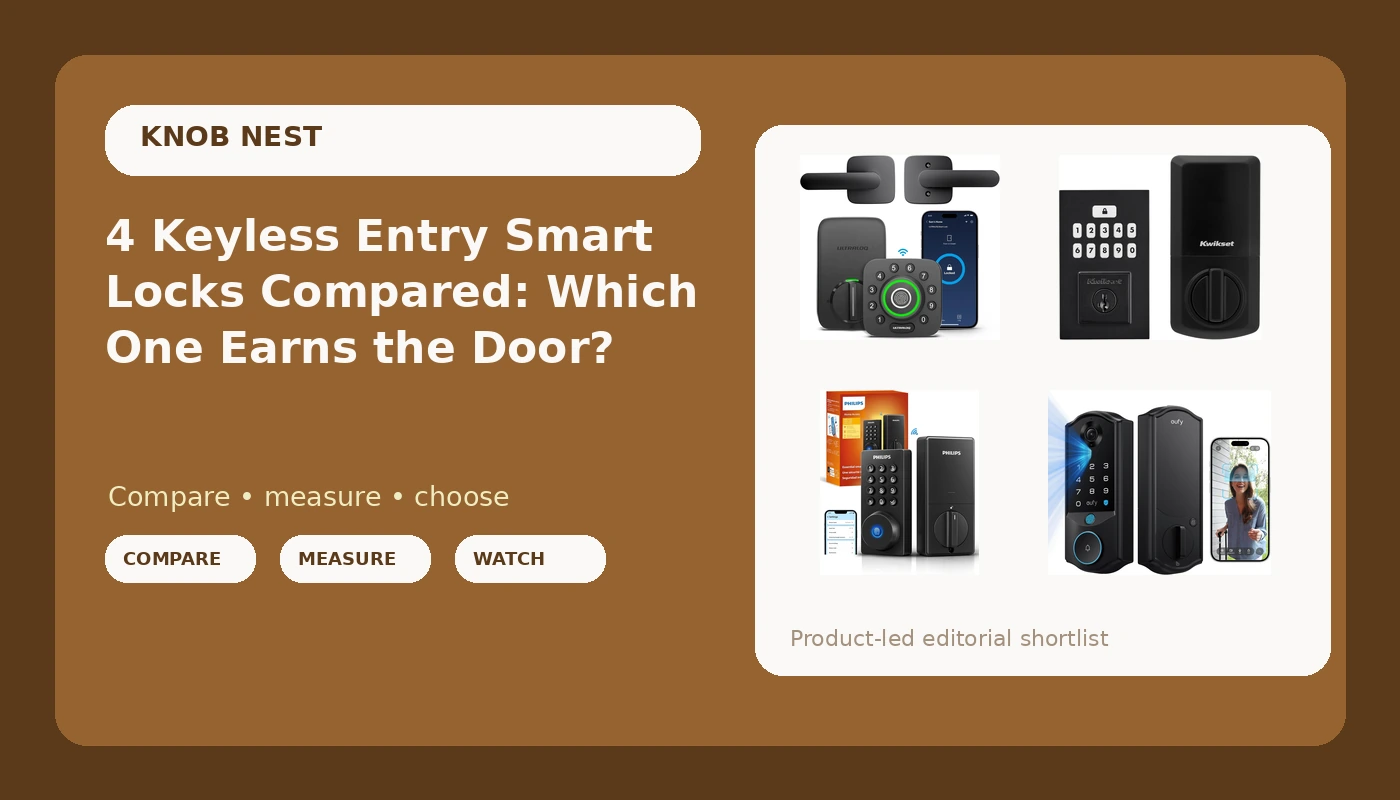
The best keyless entry smart lock for most doors is the one you can install in 20 minutes and pair on the first try, and that is usually a fingerprint or keypad lock with a key backup, not the most feature-stuffed box on the shelf. Everything else, the camera, the facial recognition, the remote unlock from a hotel lobby, is decoration until the deadbolt actually throws. So let me walk through four locks that show up in the same search results and explain who each one is actually for.
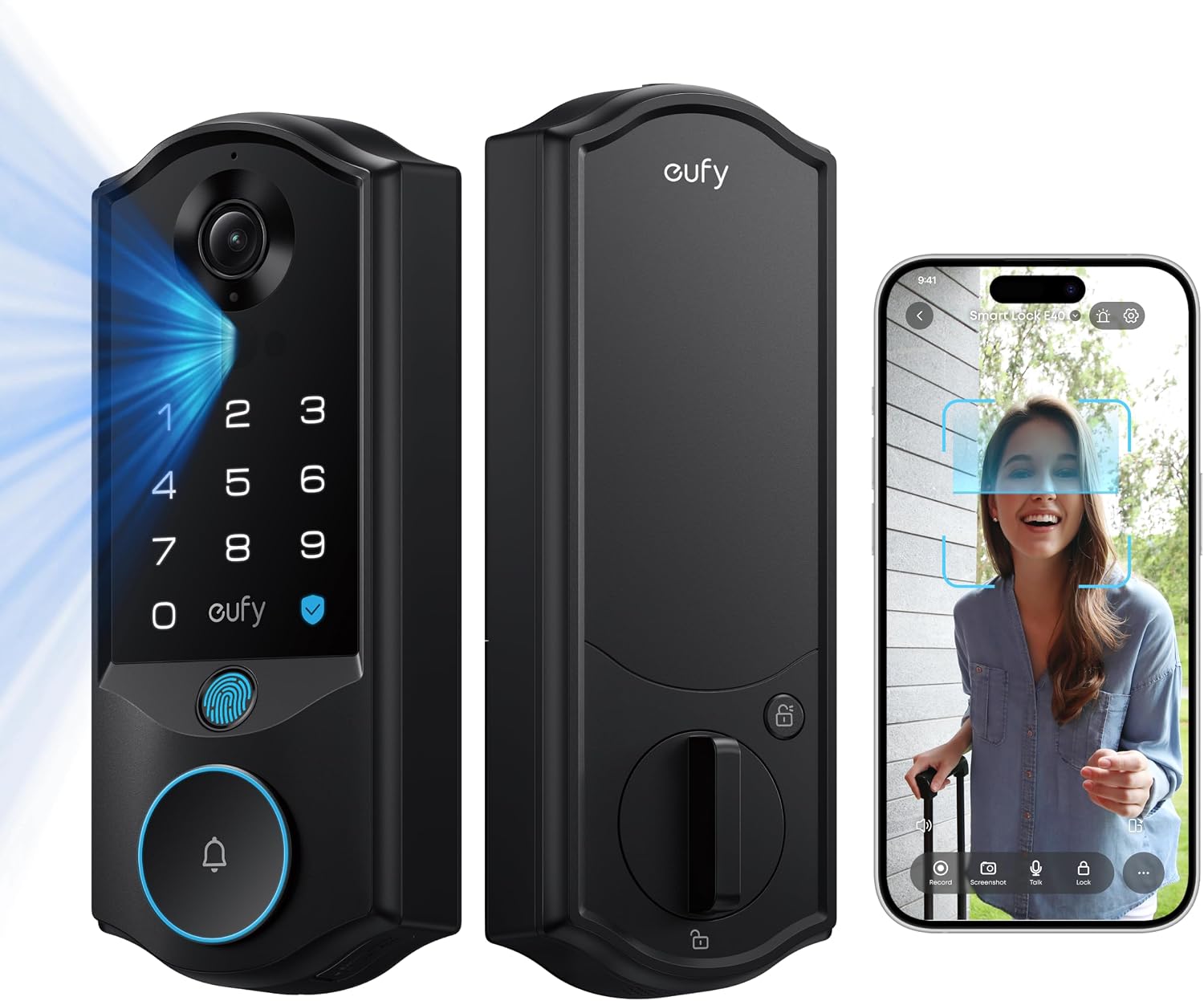
eufy Security Video Smart Lock E40
Replaces a doorbell and a deadbolt with one unit, and facial recognition means guests never touch anything
Most complexity per door, so more that can need a reset or a battery swap
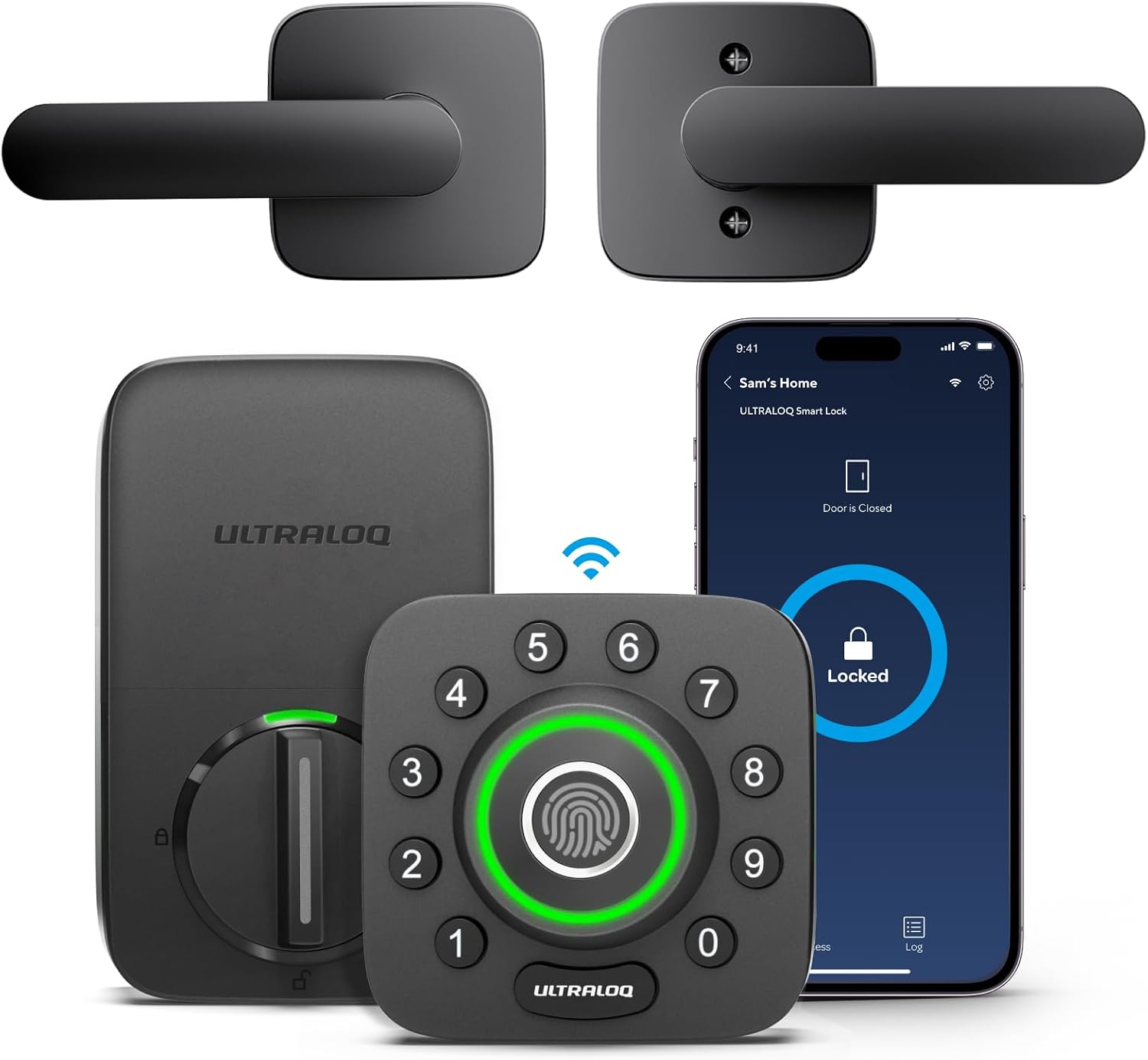
ULTRALOQ U-Bolt Pro WiFi Fingerprint Smart Lock with Handle
WiFi is built in, so there is no gateway to pair and no setup order to get wrong
It replaces the whole handle set, which means matching your door's existing holes
Kwikset SmartCode 260 Keyless Entry Electronic Keypad Deadbolt
Auto-lock and custom user codes with a brand landlords already recognize
Nothing in the name promises remote access, so assume it is a code-only lock until you check
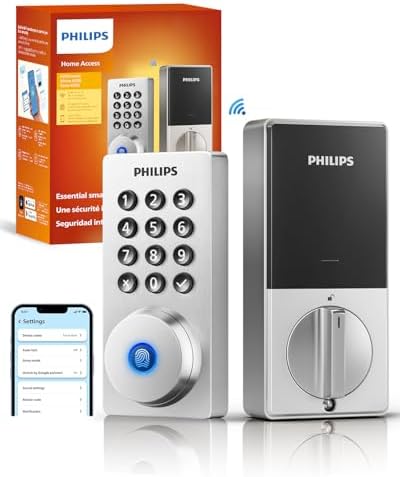
Philips Wi-Fi Smart Deadbolt Lock
The cheapest way into a WiFi deadbolt from a brand you have heard of
At this price, expect the app to be the entire interface, with no handle and no camera
Prices and availability were captured from Amazon Creators API and may change.
What I am comparing, and what I am not
I am not comparing spec sheets, because spec sheets do not install locks. What matters on a real door is whether the bolt throws fully into the strike plate, whether the app finds the lock on a normal 2.4GHz network, whether a guest can be handed a code without a phone call, and whether the thing still works in month seven. I have watched a fingerprint reader that felt great in month one turn into a coin flip in month seven, so I treat longevity as a spec even when the manufacturer does not list it.
The four locks here sit in three different categories: a video lock with facial recognition, a WiFi fingerprint lock with a handle, a keypad deadbolt with auto-lock, and a budget WiFi deadbolt. Pick the category first. The brand argument comes second.
The video lock: eufy Security Video Smart Lock E40
This one is doing two jobs. It is a front door lock and a camera in the same housing, and the facial recognition means a person with full hands can walk up and be let in without touching a keypad. If you run an Airbnb and you are tired of guests standing on the porch texting you because they cannot find the code, that is a real quality of life improvement. It is also the closest thing in this group to a doorbell replacement, which matters if your porch has never had a good view of the steps.
The trade-off is complexity per door. A lock with a camera needs more power, more firmware, and more things that can go wrong at 11 p.m. Facial recognition also has conditions: hats, masks, and bad porch lighting are where these systems get wobbly, and any lock that depends on a camera needs you to think about light where a keypad lock does not. Buy this one because you want the camera and the recognition, not because it is the cheapest way to stop hiding a key under a rock.
The WiFi fingerprint lock: ULTRALOQ U-Bolt Pro
The thing I like about this design is that the WiFi radio lives in the lock. There is no gateway to add, which means there is no setup order to get backwards, which means there is no factory reset at 11 p.m. on a Sunday. If you have ever paired a lock to an app and then tried to add the hub afterward, you know exactly what I am describing. Remote access without a bridge is worth real money to a landlord who checks the app from a job site.
The fingerprint reader is the other draw, and it is the part I would test hardest. Fingerprint locks are fantastic for six months and then start missing on wet or worn fingers, so I would want a keypad as the backup, and this one gives you that. The catch is the handle. This replaces the handle set, not just the deadbolt, so before you buy, measure your door and check the existing bore holes. A handle swap on a door that was drilled for something else is the kind of afternoon nobody plans for.
The keypad deadbolt: Kwikset SmartCode 260
This is the lock I would put on a long-term rental where nobody wants an app. Keypad entry, auto-lock, custom user codes, and a matte black finish that looks like hardware instead of a gadget. Auto-lock is the most underrated feature in this entire category. The most common phone call in property management is the tenant who forgot to lock up, and auto-lock ends that call permanently. If you take one thing from this comparison, take that.
What you give up is the remote layer. Nothing in the name promises WiFi or app control, so treat this as a code-only lock and verify the connectivity details in the listing before you assume you can unlock it from your office. For a lot of doors that is not a compromise at all. A lock that never needs a firmware update and never asks for a subscription is a lock that keeps working when your router does not.
The budget WiFi deadbolt: Philips Wi-Fi Smart Deadbolt
This is the entry point. A WiFi deadbolt from a recognizable brand at a price that undercuts the field, with keyless entry for a front door. If you want to check your lock from your phone and you are not ready to spend video-lock money, this is the category to shop in. I would rather see someone buy a competent budget deadbolt than a no-name lock with a camera stapled to it.
At this price, assume the app is the whole interface and plan accordingly. There is no handle here and no camera, so this is a straight deadbolt swap, which is usually the fastest install of the four. Before you buy, confirm in the listing whether auto-lock and guest codes are included, because those two features are the difference between a smart lock and a remote-controlled deadbolt.
Installation and pairing order
Installation is 90 percent of the review, and the manual is usually the weak point. Two rules cover most of it.
First, check the deadbolt throw after every install. Close the door, lock it, and look at the bolt. If it does not sit fully inside the strike plate, the door looks locked and opens with a credit card. That is not a smart lock problem, that is a door alignment problem, and it is the one thing I check before I hand anyone a code.
Second, pair in the right order. App first, then any gateway or bridge. If you did it backwards, factory reset and start over, because the lock will not find the hub the other way around. And check your network before you start. Most locks and bridges speak only the 2.4GHz band, and if your router broadcasts 5GHz only or splits the two into separate names, the lock will never connect. The manual will not tell you that. It is buried in the fine print while the box shouts WiFi in 40-point type.
Auto-lock, codes, and guest turnover
For rentals, auto-lock and code management are the whole ballgame. A lock that re-locks itself after a delay means you stop driving across town to check a door. Custom user codes mean you can hand a cleaner a code that expires instead of a key that never comes back.
The anti-peeping pin is the feature nobody asks about and everyone should. A privacy code entered before your real code means someone watching over your shoulder sees random digits. Cheap locks rarely have it, and for a front door on a busy street it matters more than the camera.
What the cheap end actually costs
Under $60 is a lottery ticket, and I have seen the losing tickets in person. The pattern is always the same: the hardware is fine, the app is ugly but functional, and the reader or the radio dies somewhere around month seven, right after the return window closes. The $89 to $149 band is the sweet spot, which is where the fingerprint lock and the budget WiFi deadbolt in this comparison sit. That is not a coincidence. It is the price where a manufacturer can afford a decent radio and still ship a lock you can install yourself.
Beware anything that charges a subscription for basic remote access. Paying monthly to open your own front door is the worst deal in smart home, and it turns a one-time purchase into a bill.
The trade-offs nobody puts on the box
A few things that do not make the marketing copy. WiFi radios drain batteries faster than Bluetooth designs, so the locks with built-in WiFi will ask for batteries more often than the keypad-only lock. A handle-set lock is a bigger install than a deadbolt-only lock. A camera lock needs a good view and decent light to earn its keep. And every lock with an app has a firmware update waiting that you should actually run, because the update is usually the fix for the pairing bug you just hit.
Also check the box for a deadbolt cover plate before you start drilling. Missing parts that should be in the box have sent me to Home Depot more than once.
What I would put on my own doors
For a long-term rental, the keypad deadbolt with auto-lock. It installs fast, it never needs the internet, and it ends the forgot-to-lock call.
For an Airbnb with turnover and guests who arrive at night, the video lock with facial recognition, because a guest who never touches anything is a guest who never texts you for help.
For a house where I want to check the door from work without paying for a camera, the WiFi fingerprint lock, because no gateway means no pairing order to get wrong.
For a first smart lock on a budget, the WiFi deadbolt, with the understanding that you are buying the category's entry ticket and not its ceiling.
Whichever you pick, install it, throw the bolt, and watch it land in the strike plate. A lock's job is to let the right people in and keep everyone else out. Every other feature is decoration until that bolt seats.