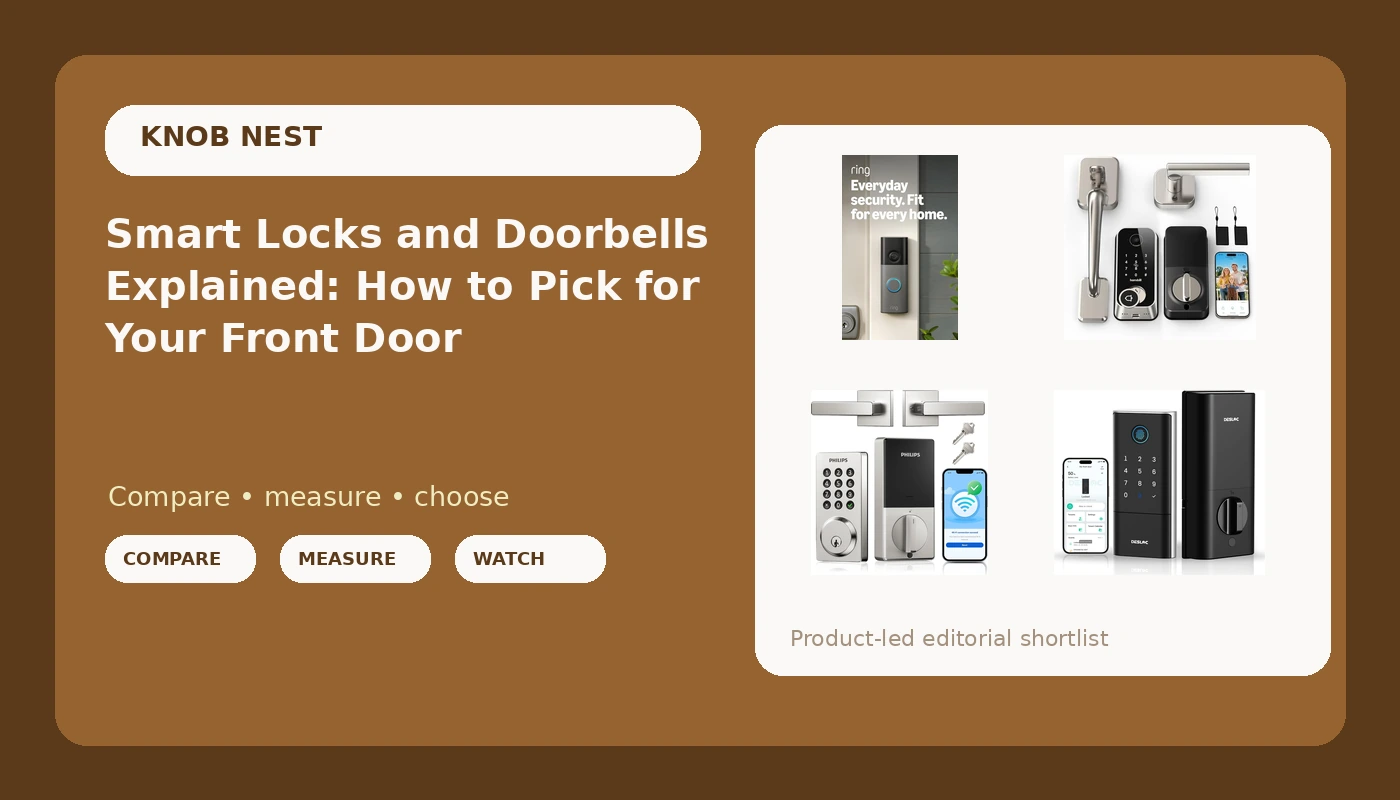
Most people start shopping for smart locks and video doorbells after one specific bad afternoon: a tenant who lost the key again, a package that disappeared off the porch, or a guest standing outside while you are twenty minutes away on the freeway. Both products solve the same underlying problem, which is letting the right people in and seeing who came by, and that is why they get bought together so often. The catch is that this category hides its real requirements. Most locks and hubs speak only the 2.4GHz WiFi band, most apps want the lock paired before the hub, and most manuals bury both facts on a foldout page nobody reads. What follows is a plain explanation of the entry methods, the setup order, and four current options that cover different versions of the same job.
Related: How to Pair a Smart Lock Gateway in the Right Order →
Quick answer
There is no single device that wins for every door, because the right answer depends on whether you need a camera at the door, a keypad for guests, or a fingerprint reader that still works after a year of real hands. If you want one product that covers the lock and the camera in a single footprint, the Hornbill camera lock set is built for that. If you already have a deadbolt you like and only want the porch view, add the Ring Battery Doorbell 2K. If you want simple code entry with app control and no camera, the Philips WiFi keypad lock is the straightforward choice, and the DESLOC K120 is aimed at people who care most about fingerprint entry and battery life.
Four useful options
| Model | Best fit | What stands out |
|---|---|---|
| Hornbill 2K Camera Lock Set | A front door that needs a lock and a camera in one unit | 2K HD camera built into the lock, fingerprint and keypad entry, PIR motion detection, 2.4GHz WiFi, free app and Alexa support, handles included |
| Ring Battery Doorbell 2K | Adding a porch camera without touching the deadbolt | Battery powered, wide-angle 2K video with up to 6x enhanced zoom, two-way talk |
| Philips WiFi Keypad Door Lock | Code entry and app control for a rental or family door | WiFi keypad plus handle in one kit, app control, smart deadbolt |
| DESLOC Fingerprint Smart Lock K120 | Fingerprint-first entry with long battery intervals | Fingerprint reader, rechargeable Li-ion battery, listing states up to 16 months of use per charge |
The all-in-one pick: Hornbill 2K Camera Lock Set
The appeal here is consolidation. A separate lock and doorbell means two batteries to watch, two apps to open, and a camera mounted wherever the old doorbell wiring happened to be, which is often nowhere near the deadbolt. Putting the camera in the lock body means the view is framed from the lock's height and position, and it also means one thing to charge or replace. The trade-off is that everything lives or dies together. If you decide later that you want a different camera angle, you are replacing the whole lock, not adding a second device. The listing also states clearly that this lock speaks 2.4GHz WiFi only, which is normal for the category but worth knowing before you start, since a router broadcasting only on 5GHz will never see it.
The porch camera: Ring Battery Doorbell 2K
This is the answer when the lock itself is fine and the problem is purely visibility. Renters especially should check the lease and the existing wiring before buying anything, and a battery doorbell sidesteps both issues because it mounts without a transformer. The wide-angle lens matters more than the resolution number in practice, because a narrow view of a porch mostly captures the hat of whoever is taking the package. Zoom is a useful second layer once you have the wide shot. Two-way talk is the feature people assume they will use constantly and mostly stop using after the first month, so treat it as a bonus rather than the reason to buy. Note that some doorbell features, particularly recorded video history, may depend on the plan you choose in the app, so read the listing details rather than assuming every feature is included out of the box.
The keypad-first pick: Philips WiFi Keypad Door Lock
Keypad entry is the most underrated of the entry methods, and the one that ages best. A code does not care whether your finger is wet, cold, or covered in grocery bags, and you can hand a temporary code to a cleaner, a dog walker, or a guest and then delete it. That is why so many landlords and hosts end up here. The included handle matters too, because replacing a lever and a deadbolt together means the finishes match and you are not drilling around an existing handle that was never designed to sit next to a smart keypad. The obvious trade-off is that you get no camera and no fingerprint reader, so you are trading convenience features for a simpler device with fewer things to fail.
The fingerprint battery play: DESLOC K120
A rechargeable battery changes the maintenance math, because you stop buying and swapping disposable cells every few months and start plugging the pack in instead. The stated 16 months is a manufacturer figure and it will depend on how often the door is used, so treat it as an upper bound rather than a schedule. The bigger question with any fingerprint lock is the reader itself. Fingerprint readers work beautifully when new and tend to get fussier with wet or worn fingers over time, which is exactly why a keypad or key backup matters even on a fingerprint-first lock. If the K120 is your primary entry method for a household with kids, gloves, and rain, plan on the backup method getting real use.
Prices and availability may change. Product images, names, and retailer links are matched to verified listings. No current price, rating, stock status, or measured result is stated here without current evidence.
Why the 2.4GHz band and pairing order decide your install
Almost every frustrating smart lock story traces back to one of two things, and neither is a hardware defect. The first is the WiFi band. Smart locks, gateways, and most doorbell hardware communicate on the 2.4GHz band, which travels further and penetrates walls better than 5GHz. If your router broadcasts only 5GHz, or broadcasts a single merged network name that the lock cannot sort out, the device will fail to connect and the app will give you a generic error that suggests the lock is broken. It is not. Splitting your bands or temporarily disabling 5GHz during setup fixes most of these cases. The second issue is setup order. Pair the lock to the app first, then add the gateway or hub. Doing it backwards leaves the hub looking for a lock that is not listening yet, and the usual cure is a factory reset that wipes every code you have already programmed. Follow the order and you skip the punishment.
Fingerprint readers, batteries, and the month-seven question
Two specs get advertised heavily and tested almost never. The first is the fingerprint reader. A demo finger on a clean sensor is not a real test. What matters is whether the reader still recognizes a slightly damp thumb in February, or a finger with a small cut on it, six months after installation. Buyers cannot test this in advance, so the practical hedge is to choose a lock that also offers a keypad or a physical key, so a degrading reader is an inconvenience rather than a lockout. The second is battery life. Published figures assume a certain number of cycles per day, and a rental door with four tenants, a cleaner, and a dog walker will blow past that estimate. Real drain shows up in cold weather, when battery chemistry slows down and a lock that reported plenty of charge starts complaining. Whatever the listing states, plan to check the battery indicator monthly once temperatures drop.
- Measure the door edge and confirm the backset and cross bore match the lock's requirements before ordering.
- Confirm your router broadcasts a 2.4GHz network and that you know the password, because this is the single most common install blocker.
- Decide which entry methods you actually need, whether that is code, fingerprint, app, key, or all four.
- Pair the lock to the app first, then add any gateway or hub, in that order, and never the reverse.
- Test the deadbolt throw and the auto-lock delay on day one, with the door both open and closed.
What to check before you buy
- Confirm the deadbolt fully extends into the strike plate after install. A bolt that only half throws can be slipped open even though the door looks locked.
- Keep a backup entry method enabled at all times, whether that is a keypad code, a physical key, or both.
- Set an auto-lock delay if anyone besides you uses the door, since it removes the "did I lock up" question entirely.
- Use temporary or scheduled codes for guests and service providers instead of sharing your main code, and delete them when the visit ends.
- Check the battery level monthly through the app once cold weather arrives, and keep spare cells or a charged pack on hand.
- If you rent, read the lease and check the existing wiring before buying a doorbell that needs a transformer.
Which option should you choose?
Choose the Hornbill 2K Camera Lock Set when you want one device at the door that handles both entry and the porch view, and you are ready to run it on a 2.4GHz network. Choose the Ring Battery Doorbell 2K when your deadbolt is fine as it is and you only need to see and speak to whoever is at the door, especially if you rent or have no doorbell wiring. Choose the Philips WiFi Keypad Door Lock when codes and app control are the priority and you would rather not manage a camera feed at all. Choose the DESLOC K120 when fingerprint entry is the main way you want to get in and you prefer recharging a battery pack over buying disposables.
The honest caveat is that none of these claims can substitute for your own door. Backset depth, door thickness, frame alignment, and WiFi signal at the door vary from house to house, and a lock that installs cleanly on one door may need a different strike plate or a small chisel adjustment on the next. Check the listing's compatibility details against your actual door before ordering, and confirm the return window before you start drilling.
The bottom line
Smart locks and video doorbells are not complicated products, but they are unforgiving about the details nobody puts on the box: the WiFi band, the pairing order, the backup entry method, and the deadbolt throw. Get those four things right and the rest is preference. Decide whether you need a camera at the door, a code for guests, or a fingerprint for yourself, then match the device to that answer instead of to a feature list. A lock that installs in twenty minutes and keeps working at month seven is worth more than any spec sheet, and that is the standard these four options should be judged against.