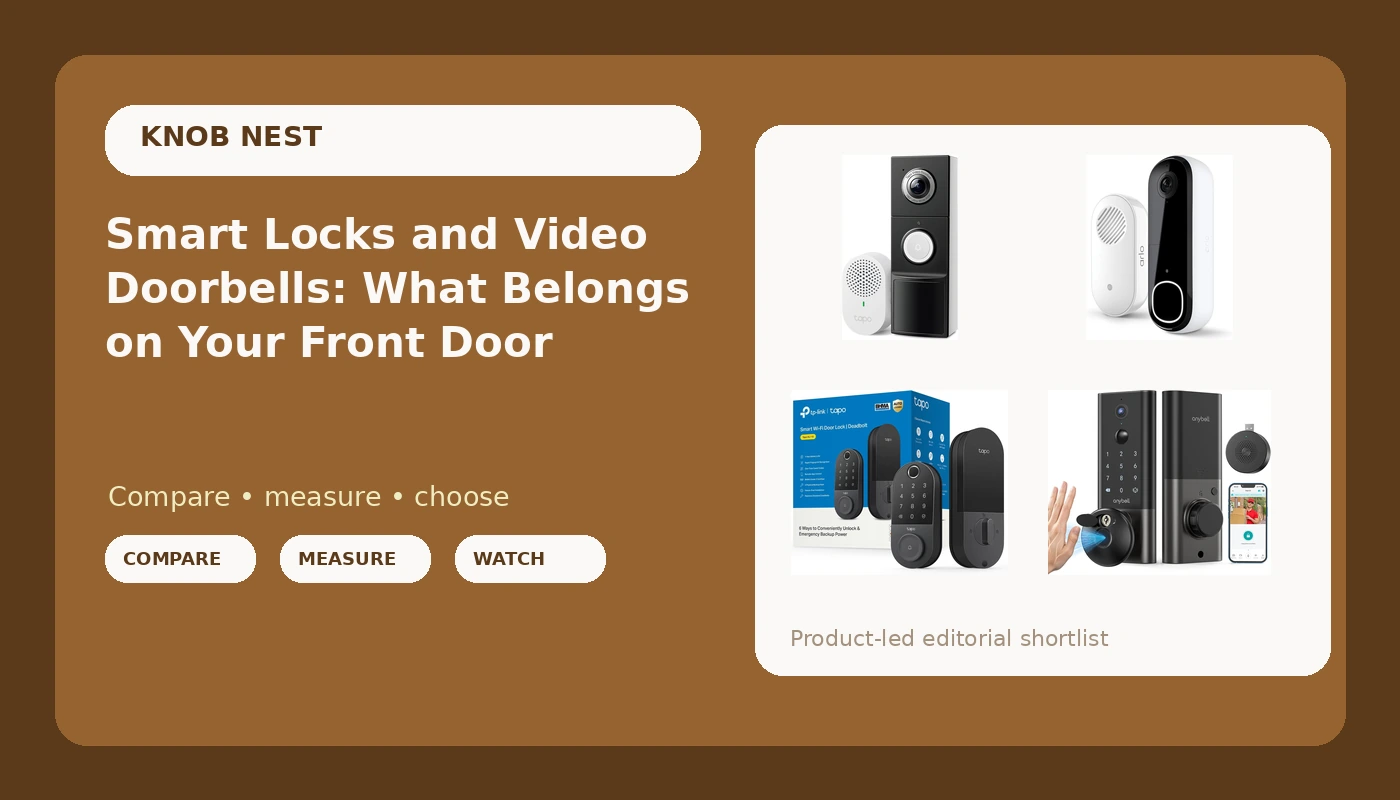
Most people shopping for a smart lock and video doorbell start in the same place. They are tired of hiding a key under a rock, and they want to know who was on the porch at 11pm. Those are two different jobs, and the hardware that solves one does not automatically solve the other. A deadbolt controls who gets in. A doorbell tells you who is standing there. Buy the wrong one first and you end up with a camera on a door you still have to unlock with a key, or a keypad that never shows you the delivery driver who left a box in the rain.
This explainer covers four options that split across both jobs, including one device that does both at once. It also covers the details that decide whether the install takes twenty minutes or an afternoon: power source, Wi-Fi band, pairing order, and what happens when the reader or the camera has a bad night.
Related: Smart Lock Pairing Order: Why the App Comes Before the Gateway →
Quick answer
If your front door needs better access control, buy a smart deadbolt. If it needs better awareness, buy a video doorbell. If you want both in one device and you have a standard deadbolt cutout, a video door lock with palm vein recognition covers both jobs at once. None of the four options below is universally better than the others. The right pick depends on whether you have doorbell wiring, whether you rent, and whether you want biometric entry at the door or a code you can hand to a guest.
Four useful options
| Model | Best fit | What stands out |
|---|---|---|
| Palm Vein Smart Video Door Lock Wi-Fi Deadbolt for Front Door | One device that handles entry and porch video | A deadbolt with palm vein recognition and a camera built into the same housing |
| Tapo Smart Wi-Fi Door Lock, Deadbolt, Fingerprint Recognition, DL110 | A deadbolt upgrade with biometric entry | Fingerprint recognition and Wi-Fi in a deadbolt body |
| Tapo 2K+ Wired or Battery Powered Smart Video Doorbell with Chime, D225 | Renters and doors without existing doorbell wiring | Wired or battery power, with a chime included |
| Arlo Video Doorbell 2K (2nd Gen) Wireless or Wired - 1-Cam + Chime | A straightforward porch camera kit | 2K video with wireless or wired installation and a chime in the box |
The all-in-one: Palm Vein Smart Video Door Lock Wi-Fi Deadbolt for Front Door
A video door lock is the cleanest answer when you only want to cut one hole in one door. There is no separate doorbell to wire, no second app to keep updated, and no second battery to remember. The trade-off is placement. A doorbell normally sits at chest height, where it can see a face, a package, and the bottom of the porch. A camera built into a deadbolt sits at lock height, so the view starts lower and is more likely to catch a hat, a hood, or the top of a box than a full face. Palm vein recognition is also a different kind of biometric than a fingerprint reader. It reads the vein pattern under the skin rather than the surface ridges of a finger, which is generally less affected by a wet or worn fingertip, though it does require you to present your palm in roughly the right position. Check that the lock still gives you a code or key backup before you commit, because no biometric is a good idea as the only way in.
The dedicated deadbolt: Tapo Smart Wi-Fi Door Lock, Deadbolt, Fingerprint Recognition, DL110
This is the option for someone whose real problem is keys, not porch visibility. Fingerprint entry is genuinely convenient for a household with a few regular users, and it solves the lost-key call faster than anything else in this category. The honest caveat about fingerprint readers is longevity. A reader that works perfectly in month one can start missing on wet hands, cold hands, or a worn thumb by month seven, and that is exactly when people stop trusting it. Two habits protect you here. First, confirm the lock offers a keypad code or a physical key as a fallback, so a missed read is an inconvenience instead of a lockout. Second, enroll the same finger twice and add a second finger from each hand, which costs nothing and buys real slack. If you already have a doorbell and only want to retire the key, this is the narrower, more focused purchase.
The flexible power doorbell: Tapo 2K+ Wired or Battery Powered Smart Video Doorbell with Chime, D225
The wired-or-battery choice is the most underrated feature in the doorbell category, and it is the reason this one fits renters. If your building already has doorbell wiring and a working transformer, you can use it and stop thinking about charging. If it does not, or if your lease makes you nervous about touching the wiring, you run it on battery and mount it with the included hardware. The bundled chime matters more than people expect. A doorbell that only notifies your phone is silent to everyone else in the house, and it is silent to you when your phone is face down in another room. Field of view still beats resolution at the end of the day: a camera that sees the whole porch is more useful than a sharper image of one corner of it. Confirm the field of view and the night vision performance in the listing before ordering, and check whether the video you want to keep requires a cloud plan.
The straightforward porch camera: Arlo Video Doorbell 2K (2nd Gen) Wireless or Wired - 1-Cam + Chime
This is the pick for someone who wants porch video and a door that rings, without adding a lock to the project. It is a one-camera kit, so it covers the front door and nothing else, and it installs either way depending on what your entry already has. The thing to research carefully with any cloud-connected doorbell is what the recording plan does and does not include. Cloud storage terms, clip history, and whether features sit behind a subscription vary by brand and change over time, so read the current listing and the current plan details rather than relying on what a review said two years ago. If local storage or subscription-free recording is a hard requirement for you, confirm that before you buy, because it is not a feature you can add later.
Prices and availability may change. Product images, names, and retailer links are matched to verified listings. No current price, rating, stock status, or measured result is stated here without current evidence.
How Wi-Fi locks and doorbells actually connect
Almost every problem in this category happens before the hardware ever does its job, and most of it traces back to the network and the setup order.
The first wall is the Wi-Fi band. Most smart locks, gateways, and doorbells speak only to the 2.4GHz band. A router that broadcasts a single combined network usually works fine, but a router with separate 5GHz and 2.4GHz names, or one that is set to 5GHz only, is where installs stall. If the app cannot find the device, put your phone on the 2.4GHz network before you start, not after you have already failed twice.
The second wall is pairing order. A gateway is a small hub that bridges a lock's short-range radio to your Wi-Fi so you can check the door from anywhere. The order that works is the lock first, paired to the app on its own, and the gateway added afterward. Do it backwards and the app often cannot see both devices at once, which leads to the fix nobody wants: a factory reset that wipes every code you have already programmed. Read that section of the manual before you start rather than during the third attempt.
The third wall is power and wiring. Battery doorbells exist because plenty of doors have no working doorbell transformer, and plenty of renters should not be touching the wiring anyway. Check what your entry actually has before you choose a model, because a wired-only doorbell on a door with dead wiring is a return waiting to happen.
What to check before you buy
- Field of view before resolution. A wider view that catches the whole porch beats a sharper image of a narrow slice of it.
- Night vision. Porch activity does not happen only at noon. A camera that cannot identify a face after dark is doing half its job.
- Deadbolt throw. After any install, confirm the bolt extends fully into the strike plate. A bolt that stops short can look locked and still be defeated.
- Auto-lock. A lock that re-locks itself after a set delay ends the "did I lock it" question, and it is the single most useful feature on a rental door.
- A non-biometric backup. Fingerprints and palm prints are convenience, not a guarantee. Make sure a code or a key still gets you in.
- Subscription terms. Cloud recording and remote access plans change what a device costs over years, not weeks. Read the current terms.
A sensible order to work through:
- Decide the job: access control, porch awareness, or both on one door.
- Measure the door: backset, thickness, deadbolt cutout, and whether doorbell wiring and a transformer already exist.
- Check the network: confirm a 2.4GHz band your phone can join, and check signal strength at the door itself.
- Plan the backup entry method before you install anything, whether that is a keypad code or a physical key.
- Set the behavior after install: auto-lock delay, notification preferences, chime placement, and who gets a code.
Install day: what to have ready
- A Phillips screwdriver, a tape measure, and the existing deadbolt removed before you start the app.
- The manual open to the pairing section, not the quick start card, because the order is usually buried further in.
- Your phone already connected to the 2.4GHz network, with the lock's app installed and an account created.
- A charged battery or a confirmed transformer if the device needs one, so you are not troubleshooting two problems at once.
- A physical key or code tested and stored somewhere outside the house before you close the door behind you.
Which option should you choose?
Choose the Palm Vein Smart Video Door Lock Wi-Fi Deadbolt for Front Door when you want one device on one door handling both entry and porch video, and you have a standard deadbolt cutout. Choose the Tapo Smart Wi-Fi Door Lock, Deadbolt, Fingerprint Recognition, DL110 when the real problem is keys and you already have doorbell coverage. Choose the Tapo 2K+ Wired or Battery Powered Smart Video Doorbell with Chime, D225 when you need power flexibility and an indoor chime, especially on a rental. Choose the Arlo Video Doorbell 2K (2nd Gen) Wireless or Wired - 1-Cam + Chime when you want a single-camera porch setup that installs either way and you are comfortable researching the recording plan first.
The caveat worth repeating: specifications, app behavior, firmware, and subscription terms in this category change more often than the hardware does. The distinctions above come from the current product listings, so verify the field of view, power requirements, and recording plan on the listing page before you order. Biometric readers in particular deserve a fallback plan, because the version of you that buys the lock is not the version of you standing outside in the cold at month seven.
The bottom line
A smart deadbolt answers who gets in. A video doorbell answers who is there. If you need both and want to install once, a video door lock covers both jobs on a single door, at the cost of a lower camera angle. If you need only one of those jobs, buy only that one, because a device that solves a problem you do not have is just another battery to remember. Whichever way you go, the install order and the network band will decide whether the project takes twenty minutes or an afternoon, so sort those out before the box arrives.