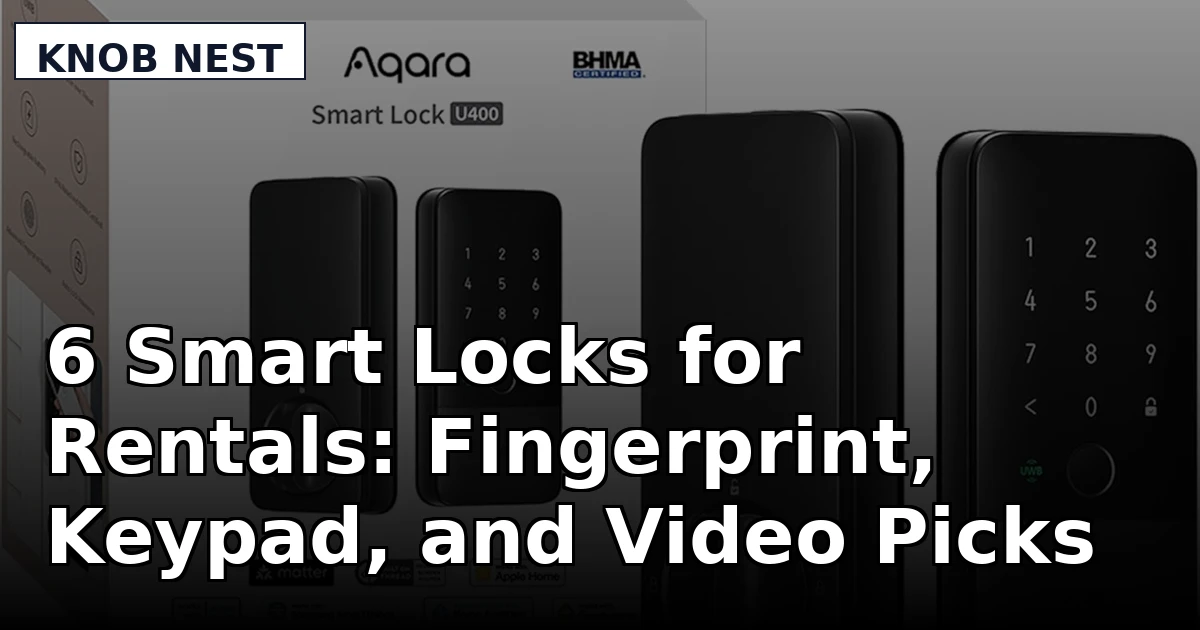
If you own a rental, a duplex, or an Airbnb, you already know where the real work lives, and it is not in the lock itself. It is in the key handoff. A tenant loses a key at 11 p.m. and you drive across town to hand over a spare. A guest checks in while you are still at work. A cleaner needs access on Tuesday and nobody wants to be the person who left the door unlocked. That is the problem smart locks for rentals are meant to solve, and the models that actually solve it are the ones that install in one afternoon, pair without a fight, and re-lock themselves when everybody forgets.
This guide covers six products that land on the same shopping list: a video deadbolt that doubles as a doorbell, an Apple Home Key deadbolt, a long-life fingerprint lock, a handle-style fingerprint lock, a Wi-Fi keypad deadbolt, and the spare battery that keeps one family of locks running. They are different tools for different doors. The differences that decide the purchase are form factor, power source, connectivity, and how the door gets opened at 6 a.m. with cold hands.
Related: Smart Lock Setup Order: Pair the App Before the Gateway
Quick answer
The eufy Security Video Smart Lock E330 is the strongest fit for a front door on a rental or an Airbnb because it combines a camera, a doorbell, a fingerprint reader, and a deadbolt in one fixture, connects over built-in Wi-Fi, and keeps 8 GB of storage on board for clips. Choose the Aqara UWB Smart Lock U400 instead when you want Apple Home Key and ultra-wideband unlocking on a deadbolt-only door and have no need for a camera above the handle.
Smart locks worth comparing
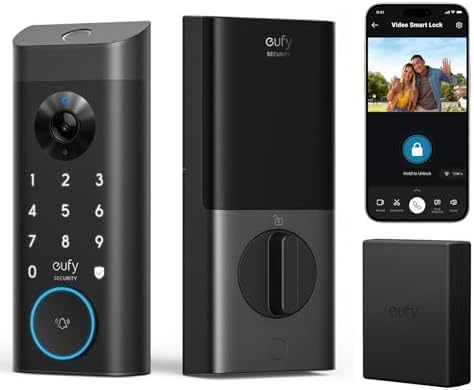
eufy Security Video Smart Lock E330 with Rechargeable Battery, 3-in-1 Camera+Doorbell+Fingerprint Keyless Entry Door Lock, Smart Built-in Wi-Fi Deadbolt for Front Door, Auto Lock, 8 GB Storage
One fixture does three jobs: camera, doorbell, and fingerprint keyless deadbolt. Built-in Wi-Fi means no separate hub to pair, auto lock closes the door behind you, and 8 GB of storage sits on the device for clips. It runs on a rechargeable battery.
Visit on Amazon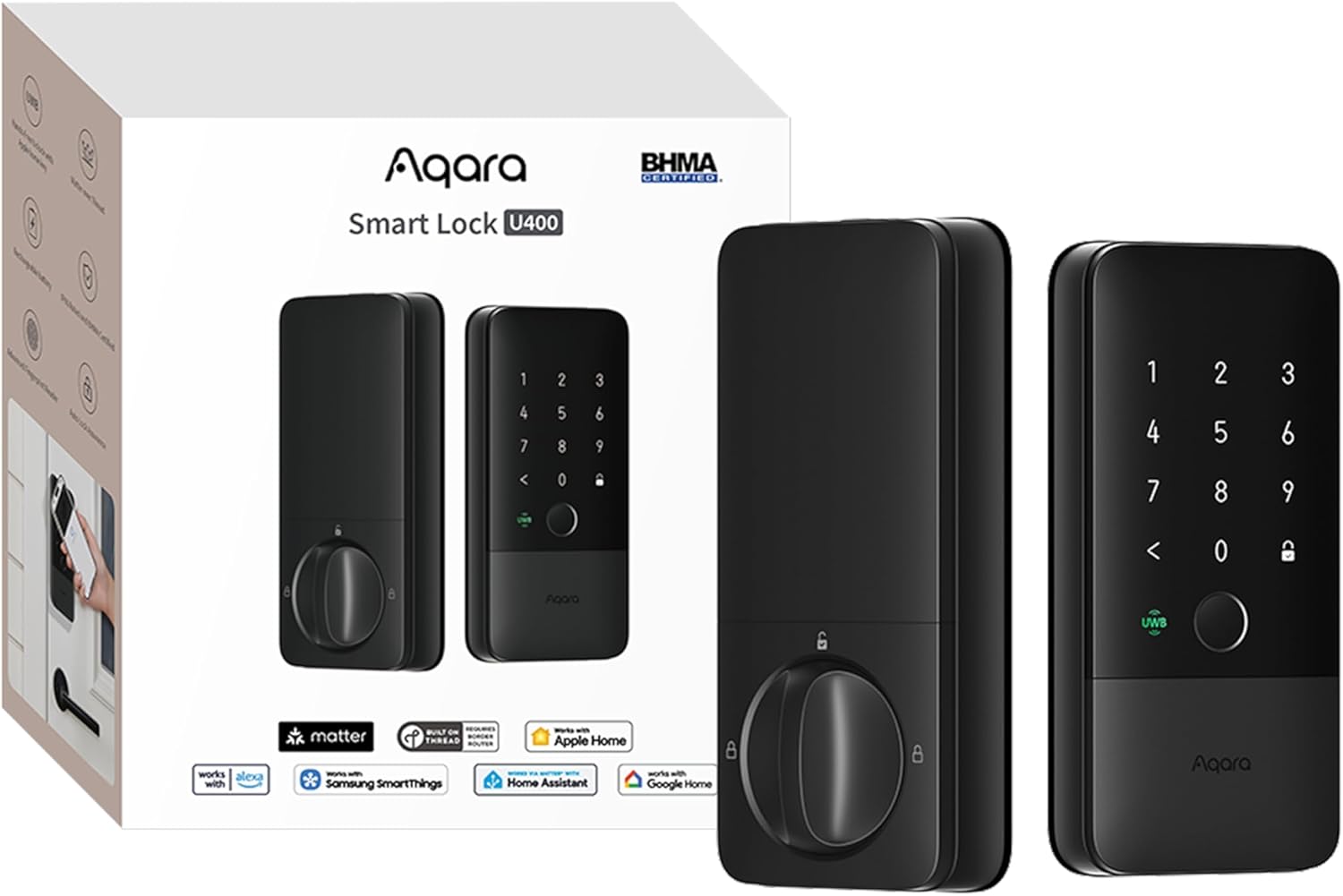
Aqara UWB Smart Lock U400, Apple Home Key, Fingerprint Deadbolt, Black
A fingerprint deadbolt that supports Apple Home Key and ultra-wideband unlocking, finished in black. It is the pick for an Apple household that wants hands-free entry without adding a camera to the door.
Visit on Amazon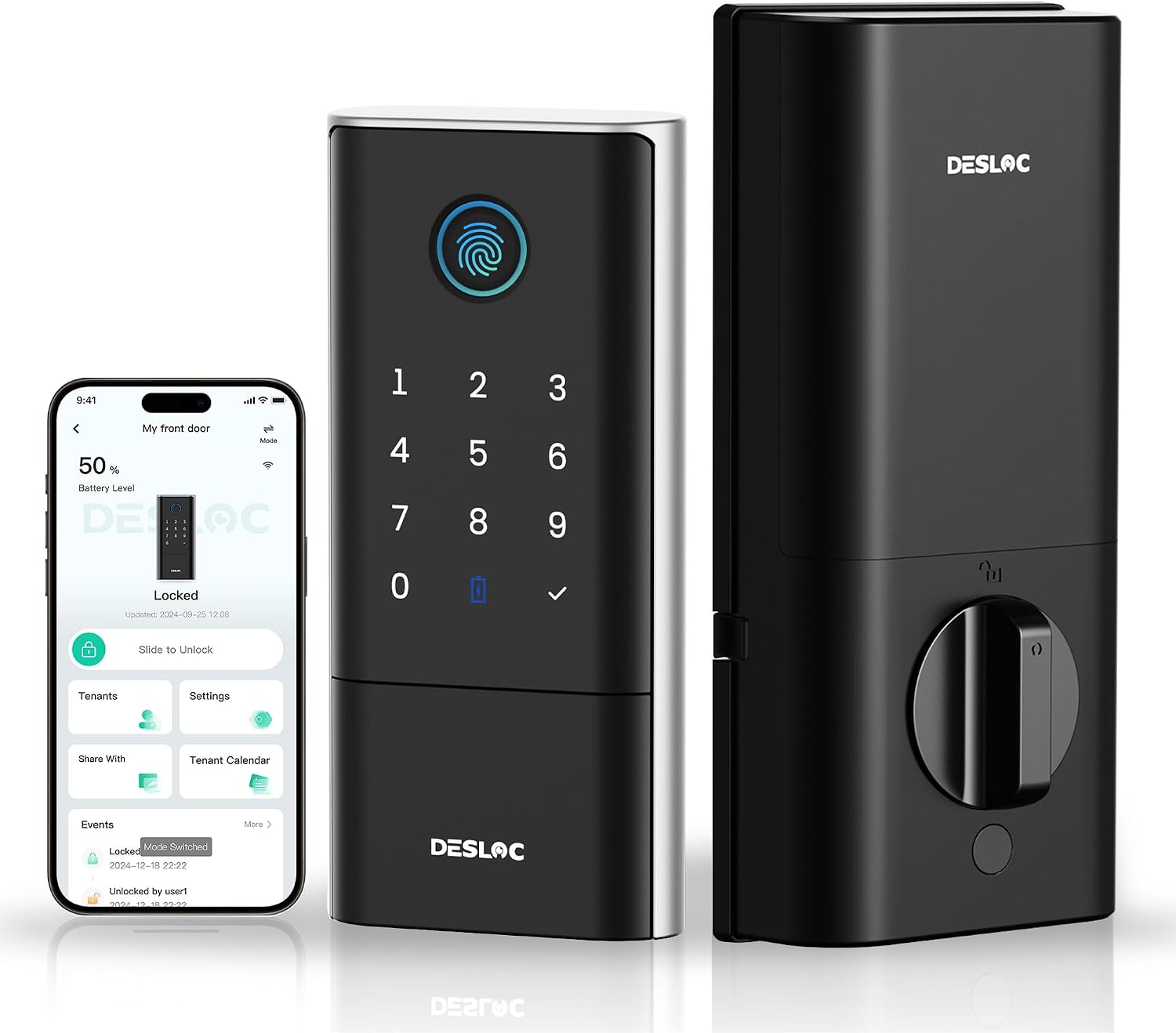
DESLOC Fingerprint Smart Lock K120, 16 Months Last with Li-ion Battery
A fingerprint lock built around a Li-ion battery that the maker rates at up to 16 months per charge, which suits a door that is used less often and a landlord who would rather not think about charging.
Visit on Amazon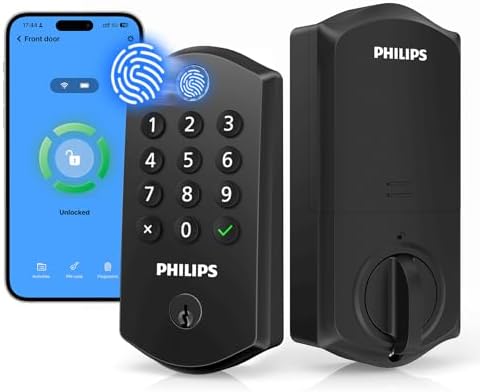
Philips Wi-Fi Smart Lock for Front Door, Fingerprint Keyless Entry Door Lock, Electronic Keypad Deadbolt, App Remote Control, Auto Lock, Compatible with Alexa and Google, Easy Installation
A Wi-Fi keypad deadbolt with a fingerprint reader, app remote control, and auto lock. The listing states compatibility with Alexa and Google and describes the installation as easy, which makes it the straightforward option for a plain front door.
Visit on Amazon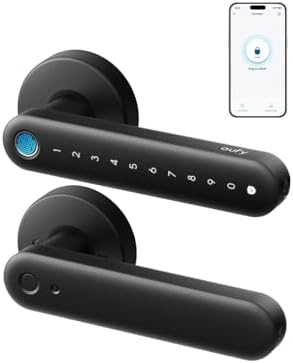
eufy Security Smart Lock FamiLock C32, Fingerprint Keyless Lock with Handle
A fingerprint lock that ships with the handle attached, so the reader and the lever are one piece of hardware. That makes it the fit for a door where the existing handle set is worn or mismatched.
Visit on Amazon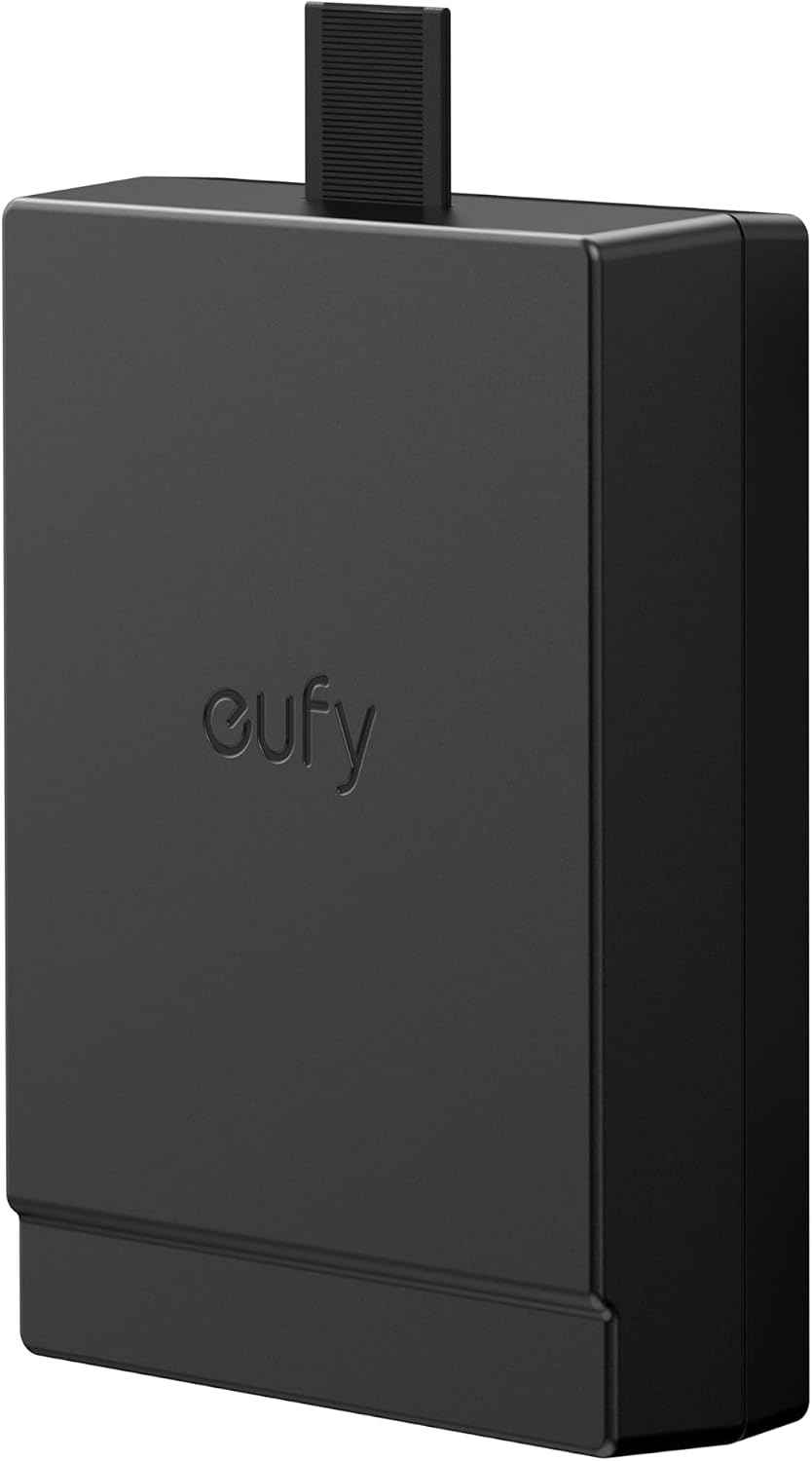
eufy Security Rechargeable Battery for FamiLock S3, FamiLock S3 MAX, E40
Not a lock, and it does not pretend to be one. This is the spare rechargeable pack for the FamiLock S3, FamiLock S3 MAX, and E40, which is the difference between a unit that stays online and a unit that sits dead while a battery charges.
Visit on AmazonPrices and availability may change. Check the retailer for current details.
How these products were compared
This guide compares form factor and door fit, the ways each lock lets a person in, the power and battery approach, connectivity, and what happens when hardware or accessories need replacing. Product names, images, and retailer links are matched by ASIN so that every card points to the product shown, and the summaries stay with what the product listings state rather than with a bench test nobody ran.
How to choose the right smart lock
Start with the door, not the feature list. A deadbolt-only lock replaces the cylinder assembly you already have and leaves the handle alone, which is the cleanest path on a door whose hardware is in good shape. A handle-style lock such as the eufy Security Smart Lock FamiLock C32 replaces the lever set as well, which is worth doing when the existing handle is loose, mismatched, or the reason the door sticks. An all-in-one like the eufy Security Video Smart Lock E330 replaces the deadbolt and puts a camera and doorbell above it, which is convenient on a front door with no existing doorbell wiring and less useful on a back door that nobody wants filmed. Decide which of those three jobs you are actually hiring the lock to do, and the shortlist gets short fast.
Power is the next fork, and it is where rental owners get surprised. The DESLOC Fingerprint Smart Lock K120 uses a Li-ion battery the maker rates at up to 16 months per charge, which is the right shape of product for a door that sees a few entries a day. The Aqara UWB Smart Lock U400 and the Philips Wi-Fi Smart Lock are fingerprint deadbolts without a maker-rated multi-month claim attached to the listing, so plan on a battery routine. The eufy Security Video Smart Lock E330 runs on a rechargeable battery and does more work, since a camera and a fingerprint reader draw power that a keypad alone does not. If you manage more than one unit, the eufy Security Rechargeable Battery is the least glamorous card in this grid and the one that prevents a Saturday afternoon drive.
Connectivity decides how much of your evening the install eats. Built-in Wi-Fi on the E330 and the Philips model means the lock talks to your network directly, with no separate hub to buy and no gateway pairing order to get wrong. Locks that lean on a hub or bridge are fine hardware, but the setup order matters, and doing it backwards usually ends in a factory reset. If your router splits its bands or broadcasts 5GHz only, sort that out before the lock arrives, because most of these devices want the 2.4GHz band and the box will not tell you. Our setup order walkthrough covers that sequence step by step.
eufy Security Video Smart Lock E330
The E330 is the pick because it collapses two purchases into one fixture. On a front door, you normally buy a deadbolt and then a doorbell, mount them a few inches apart, and hope the camera sees the porch rather than the top of a visitor's head. This lock puts the camera, the doorbell, and the fingerprint reader in the same housing as the deadbolt, runs on built-in Wi-Fi, and stores 8 GB of clips on board. Auto lock is part of the package, which is the feature that ends the most common phone call in property management: the tenant who forgot to lock up. For an Airbnb, that combination covers guest entry, package watching, and the nightly re-lock without adding a second device to charge.
The trade-off is complexity and commitment. This is the most involved fixture in the group: it replaces the deadbolt and occupies the space above it, so it does not suit a door where you want to keep the existing hardware, and it is the wrong choice on an entryway where filming the approach is not appropriate, such as a door that faces a neighbor's window. It also does more than a keypad deadbolt needs to do, and a camera plus a fingerprint reader means more to power and more to maintain than the DESLOC or the Philips. If your front door only needs codes and a keypad, the simpler locks below will cost you less to own and less to think about.
Alternatives to consider
The Aqara UWB Smart Lock U400 is better suited to an Apple household that wants Apple Home Key and ultra-wideband unlocking at the door without a camera mounted above the handle, while the DESLOC Fingerprint Smart Lock K120 is a stronger fit when the lock sits on a door that is used less often and you would rather not build a charging routine around it.
The Philips Wi-Fi Smart Lock, the eufy Security Smart Lock FamiLock C32, and the eufy Security Rechargeable Battery cover the rest of the list. The Philips model is the plain, Wi-Fi connected keypad deadbolt with a fingerprint reader, app remote control, auto lock, and stated Alexa and Google compatibility, which makes it the safe pick for a standard front door. The FamiLock C32 bundles the reader with the handle for doors that need both replaced. The battery is the accessory pick: it fits the FamiLock S3, FamiLock S3 MAX, and E40, and it is worth owning before you need it, not after.
Day-to-day use and maintenance
Fingerprint readers are the part that quietly decides whether you like the lock six months in. Keep the sensor clean with a dry, soft cloth, and expect wet or worn fingers to read worse than the clean, dry finger that set the print. Register more than one finger per person, and register the same finger twice if the reader is fussy, so a single bad angle does not strand somebody on the porch. Any fingerprint lock is better with a keypad or app backup, which is why the keypad models in this group earn their place even when the reader is the headline feature.
Battery logging is the habit that separates a calm rental owner from a reactive one. Note the date you charge or replace a pack, and check the level in the app on the same day each month, because a lock that dies while a tenant is at work is a locksmith call. On any rechargeable family, keeping a spare pack charged turns that call into a two-minute swap. Firmware and app updates are worth installing when you have a quiet afternoon, not while a guest is standing outside, since updates can drop the connection and require a re-pair. And remember that a factory reset wipes every code you have set, so it is the last step, never the first.
Finally, check the deadbolt throw after every install and after every battery change. Push the door closed, engage the lock, and make sure the bolt fully extends into the strike plate. A bolt that only half throws looks locked and opens with a credit card. Also keep a mechanical key or a second entry method available for the day the electronics do not cooperate, and rotate guest codes between stays rather than reusing last month's number.
Buying checklist
- Measure the door thickness and backset, and check the existing cutout against the model you are considering before you order.
- Choose a deadbolt-only, handle-style, or all-in-one design based on the door, not on the feature that looked best in a video.
- Confirm the exact model includes the feature you care about, since brands reuse family names across versions.
- Decide how you will handle power: built-in rechargeable, maker-rated long-life battery, or a spare pack on the shelf.
- Read the cleaning and maintenance instructions for the reader and the finish.
- Verify the current retailer price, availability, and return terms before you commit.
Final recommendation
Choose the eufy Security Video Smart Lock E330 when your front door needs keyless entry, a camera, and a doorbell, and you want all three in one fixture on built-in Wi-Fi with auto lock doing the remembering. Choose the Aqara UWB Smart Lock U400 when you want Apple Home Key and ultra-wideband entry on a deadbolt-only door, or step down to the DESLOC Fingerprint Smart Lock K120 when the door is lightly used and a maker-rated 16 months between charges is the feature that matters most. If you run eufy FamiLock hardware across several units, add the spare rechargeable battery to the order the same day. Whichever you pick, confirm the current Amazon price and the fit on your door before the box arrives, because a lock that will not throw its bolt is just a keypad on a door.