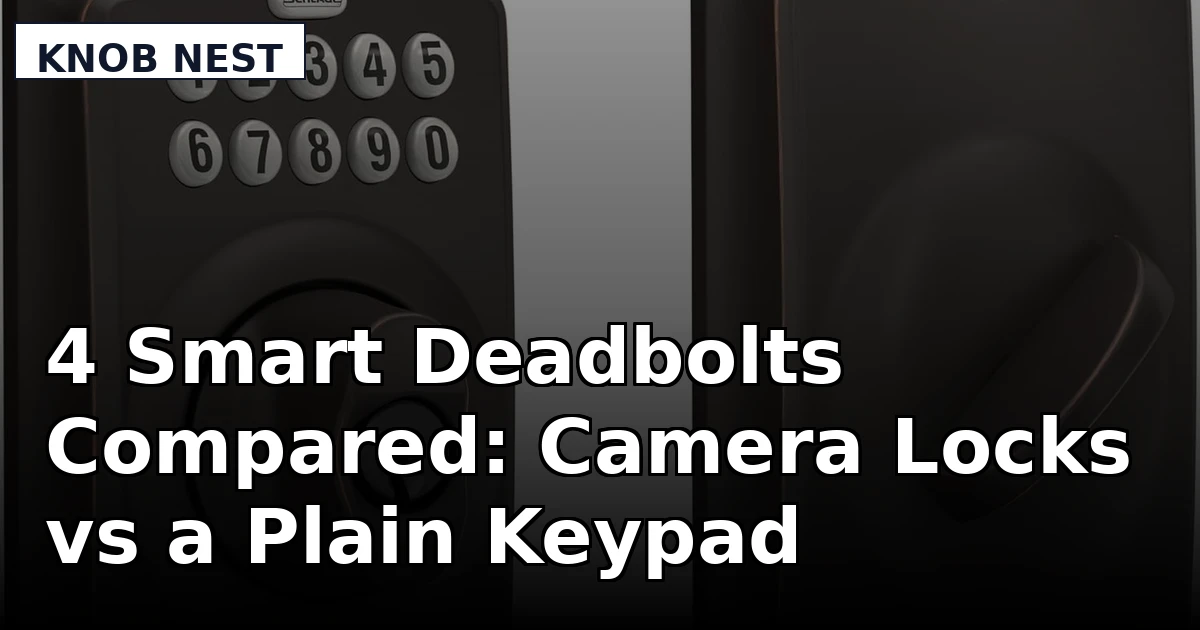
I spent five years as a working locksmith in Columbus, rekeying deadbolts for landlords and drilling out seized cylinders at 7 a.m. for people who had already missed their shift. The calls started changing around 2021, when landlords began asking whether I could just make the door open with a code so they could stop driving across town to hand over keys. I bought my first smart lock two years ago for $89 because I was tired of hiding a key under a rock for Airbnb guests, and since then I have installed more than 300 locks and doorbells, two of them on my own doors and the rest on rentals and short-term properties around central Ohio. This smart deadbolt with camera comparison covers the four locks I get asked about most in the under-$320 range, and it covers them the way I actually judge them: install time, pairing order, deadbolt throw, and what the hardware does after six months of real hands on it.
Related: Smart Lock Pairing Order: App First, Then Gateway
The short answer: the Schlage Camelot keypad deadbolt is the lock I would put on a long-term rental, and the syndesmos camera lock is the one I would put on my own front door if I wanted porch video without paying EIYSIE money for it. The HIFAM is the pick only if face unlock is the feature you are actually chasing.
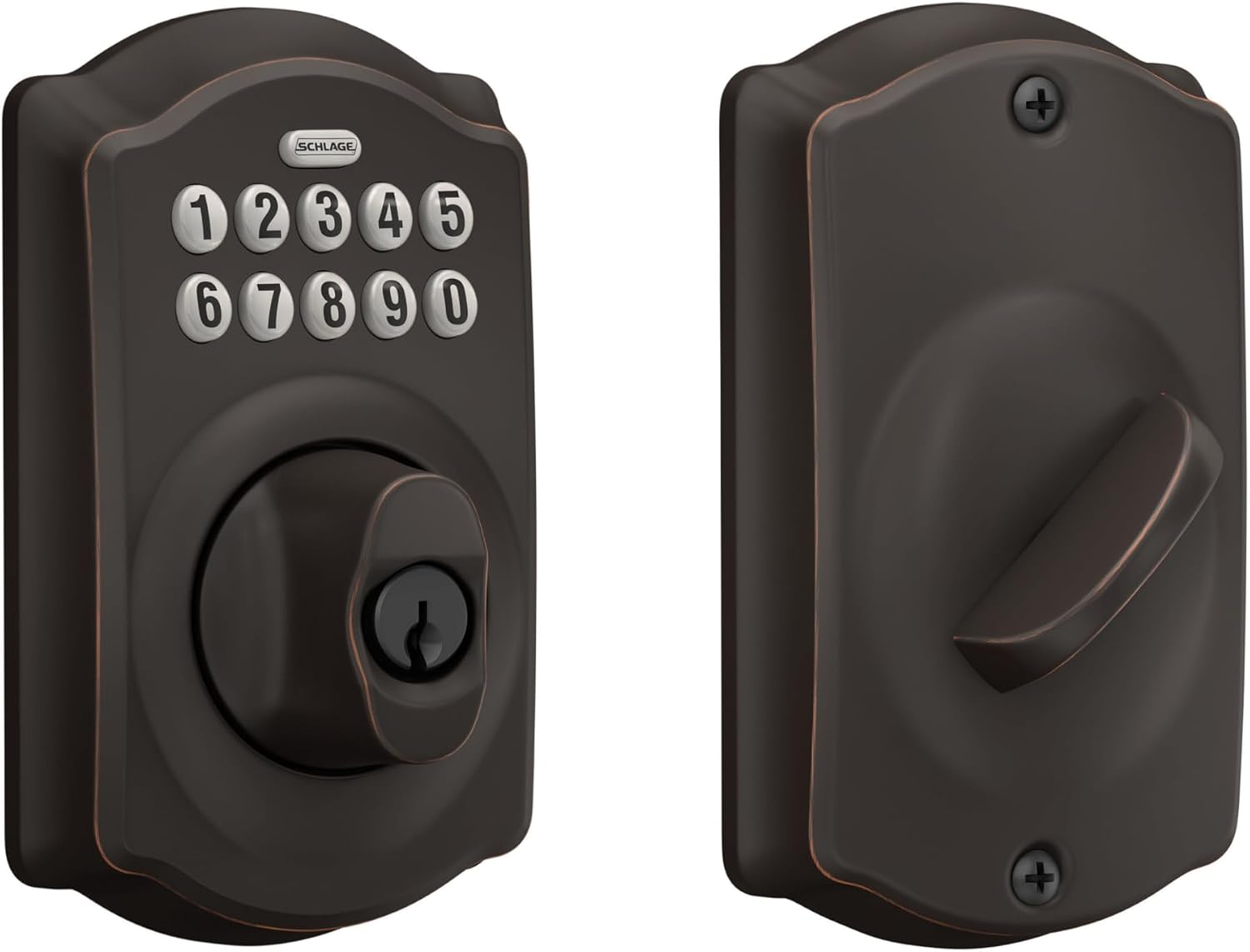
Schlage Electronic Keypad Deadbolt Lock, Camelot Trim, Aged Bronze
Nothing to pair, nothing to reboot, nothing to subscribe to. Real codes you can hand a tenant, a cleaner, or a contractor, plus the best build quality in this group.
No app, no camera, no fingerprint, no remote status. You will not know from work whether the door is locked.
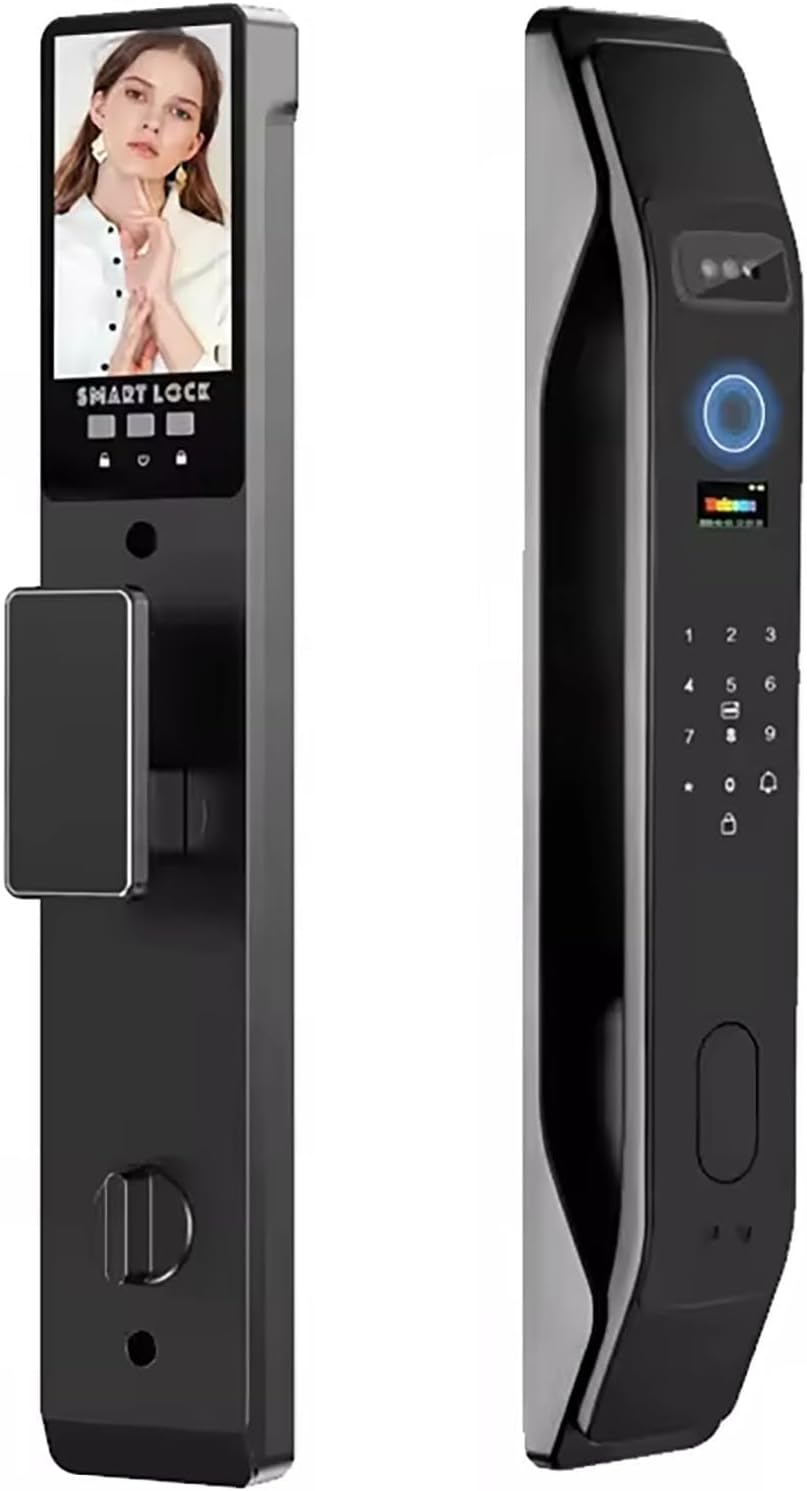
HIFAM Face Recognition Smart Door Lock Fingerprint Key IC Card APP Unlock
The most ways in of anything here: face, fingerprint, keypad, IC card, and app, so a guest with a dead phone still gets inside.
Face recognition is the unlock method I trust least on a porch at night, and every added method is one more thing that can degrade. No camera, no doorbell.
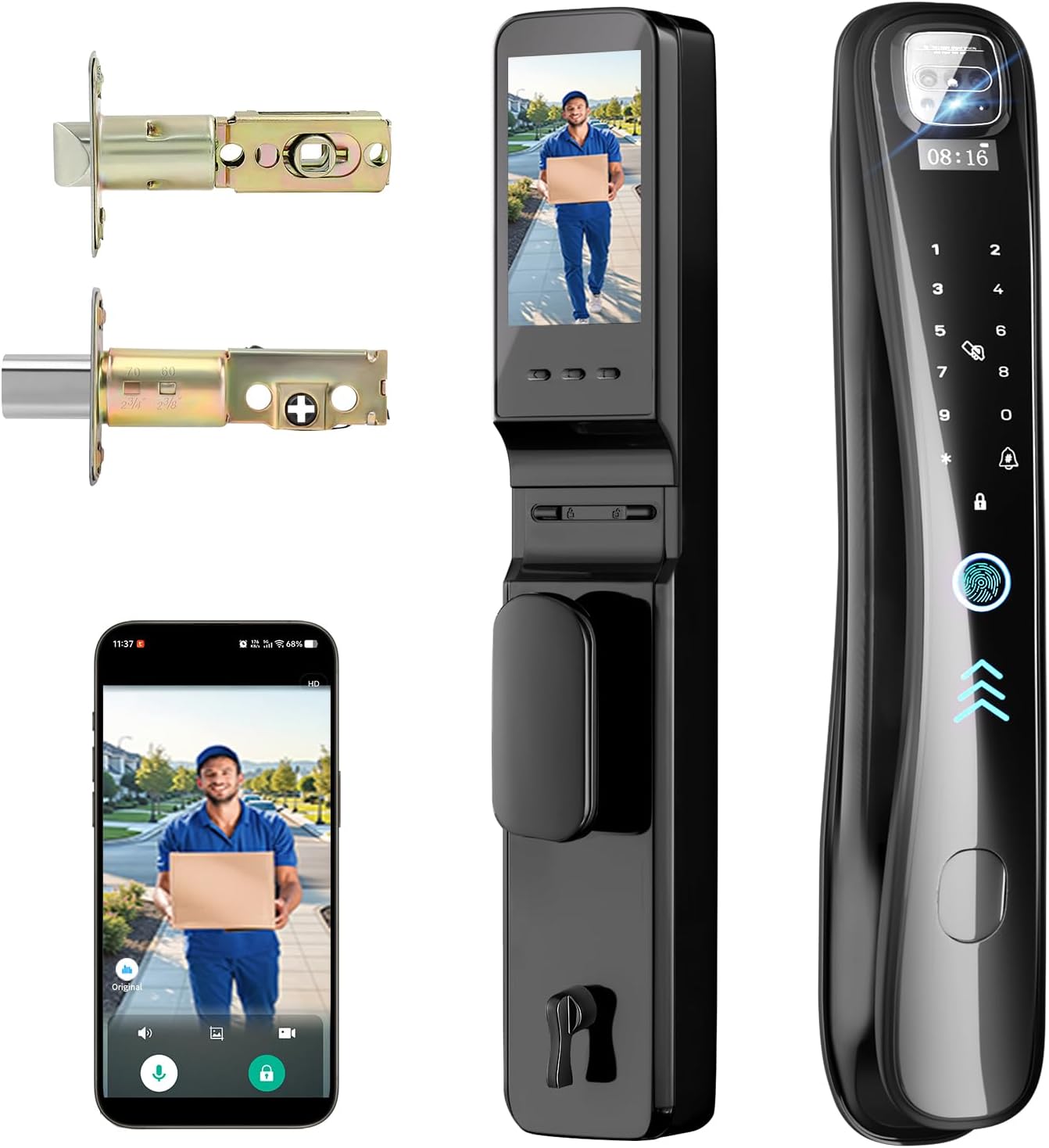
EIYSIE WiFi Smart Lock with Camera Video Doorbell, 8-in-1 Keyless Deadbolt
WiFi is built in, so there is no separate hub and no bridge to lose. Camera, doorbell, and deadbolt live in one housing with 8-in-1 access.
The most expensive lock in this comparison by a wide margin, and WiFi radios are the ones that eat batteries and drop off the network.
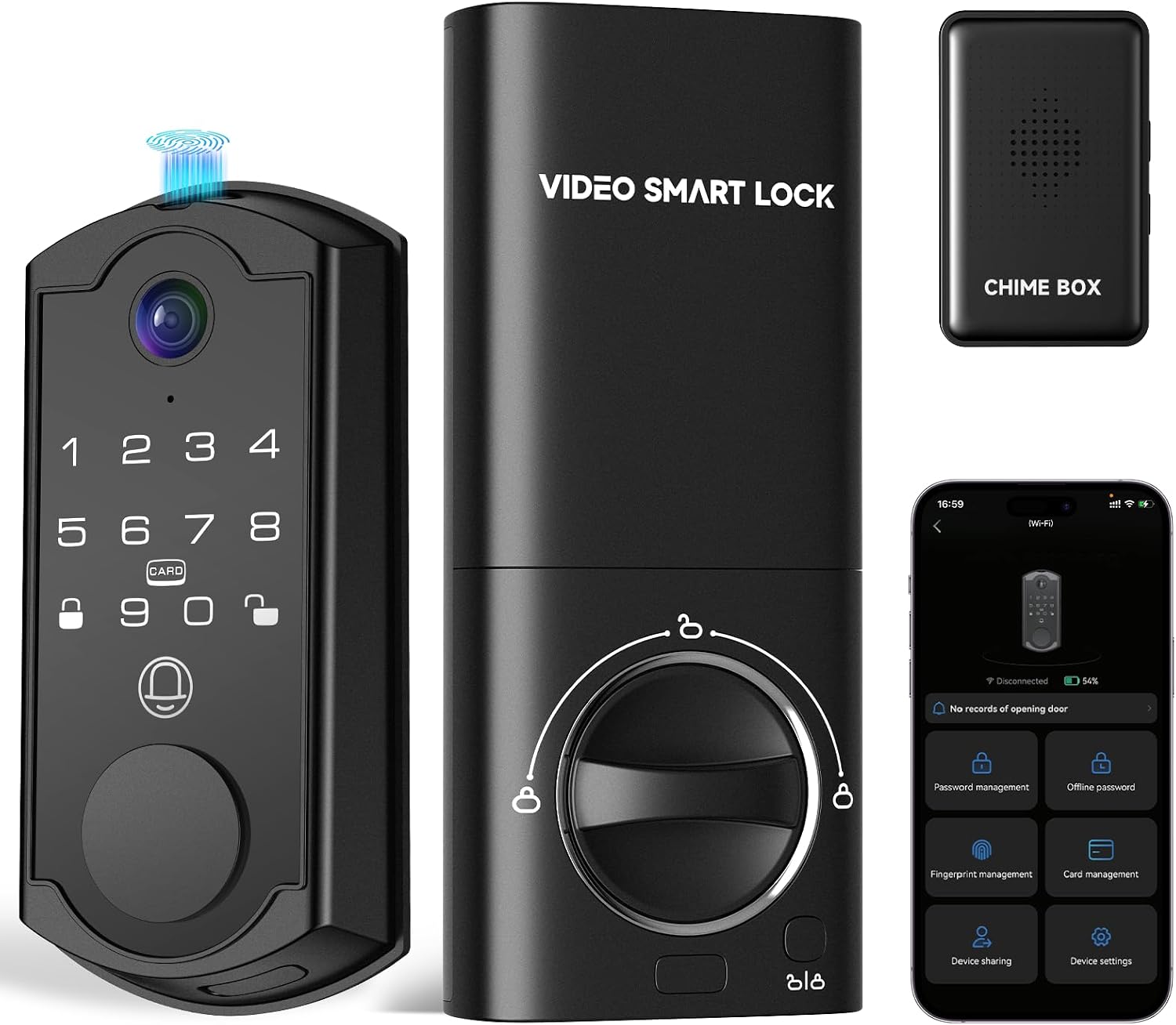
syndesmos Smart Door Lock with Camera, Fingerprint Keypad Deadbolt, APP Remote Control, Video Doorbell with 2-Way Audio, Auto Lock, Keyless Entry Electronic Smairt Lock for Front Door, Black
Camera, doorbell, fingerprint, keypad, app control, and auto lock for the least money in this group. Auto lock alone justifies the price for a host.
At this price the app and the fingerprint reader are the two things that get shaky. Plan on leaning on the keypad more than you expect.
Prices and availability were captured from Amazon Creators API and may change.
How I judge a smart deadbolt
Every lock that gets a recommendation from me has been installed on a real door first, strike plate lined up, deadbolt throw checked with the door closed, and at least one deliberate factory reset so I know I can recover when pairing goes sideways. Four things decide the verdict.
Install time. Installation is 90 percent of the review. A lock that installs in 20 minutes on a standard prep beats a spec sheet every time, because the buyer at 11 p.m. the night before a guest arrives needs a door that closes, not a project. All four of these fit a standard 2-3/8 inch backset without new holes, and all four are a screwdriver job, though the Schlage is the one I can do without reading anything.
Deadbolt throw. How far the bolt extends into the frame is the whole ballgame. If it does not fully throw, the door looks locked and opens with a credit card. I check this after every install, on every lock, and I have fixed more "my smart lock is broken" calls by adjusting a strike plate than by replacing hardware.
Pairing order. Pair the lock to the app first, then add the gateway. Backwards means factory reset, and the manual never warns you. Two of the four locks here skip the gateway entirely, which removes the single most common failure point I see on service calls.
The month seven question. A fingerprint reader that works at month one means nothing. I care about wet hands, cold hands, and worn fingers after six months. This is the spec nobody tests, and it is why I will not recommend a fingerprint lock without a keypad backup.
Auto lock. Non-negotiable for rentals. The tenant who forgot to lock up is the most common phone call in property management, and auto lock ends that call forever.
Schlage Electronic Keypad Deadbolt, Camelot Trim, Aged Bronze
This is the lock I recommend to every landlord who is tired of rekeying between tenants. There is no app, no gateway, no 2.4GHz band to fight, and no subscription. You set codes at the keypad, you hand a code to the tenant, the cleaner, and the contractor, and you delete the code when they leave. That is the entire feature set, and for a long-term rental it is enough.
The Camelot trim in aged bronze is the other reason it wins. It looks like door hardware, not a gadget, which matters on a property you are trying to rent. The build quality is the best in this comparison, and the keypad is the part most likely to still feel the same in three years.
What it does not do is tell you anything. No remote status, no camera, no fingerprint, no app. If you want to check from work whether the door is locked, this is not that lock, and pretending otherwise is how people end up disappointed. For a long-term rental where the tenant carries a key anyway, that is a trade I would make every time.
HIFAM Face Recognition Smart Door Lock Fingerprint Key IC Card APP Unlock
HIFAM throws every unlock method at the wall: face recognition, fingerprint, keypad, IC card, and app. Face unlock is genuinely great when your hands are full of groceries, and the IC card is the sleeper feature here, because it means a guest with a dead phone or no phone at all can still get inside.
My problem is the face reader. It is the unlock method I trust least on a porch at night. Columbus winter means scarves, hats, and low light, and a camera that needs to see your face has to work harder than a fingerprint reader that only needs a finger. The fingerprint reader is the second concern, because on budget locks the reader is the part that works beautifully for six months and then starts missing on wet or worn fingers. If you buy this one, buy it for the keypad and the card, and treat the face reader as a bonus.
There is no camera and no doorbell here, so if you want porch video you are buying a second device and mounting it above the door. That is fine, but budget for it.
EIYSIE WiFi Smart Lock with Camera Video Doorbell, 8-in-1 Keyless Deadbolt
EIYSIE is the one that does everything without a hub. WiFi is built into the lock, so there is no gateway to pair, no bridge to plug into a outlet near the door, and no setup order to get wrong. If gateway pairing is the thing that has burned you before, this lock removes that entire category of headache, and that is worth real money to some people.
It is also the most expensive lock in this comparison, by a lot. The reason I hesitate is the radio. WiFi in a lock draws more power than Bluetooth low energy, and WiFi locks are the ones I get called about when they drop off the network or start eating batteries. Your router has to be broadcasting a 2.4GHz band, and if it is set to 5GHz only or the bands are split, this lock will never connect and the manual will not tell you why.
The upside is real: camera, doorbell, and deadbolt in one housing means one device to install, one battery to watch, and one app to open. Before you buy, check whether the camera features need a subscription for cloud clips. Paying monthly to open your own door is the worst deal in smart home, and paying monthly for video storage is a close second unless you have decided the footage is worth it.
syndesmos Smart Door Lock with Camera, Fingerprint Keypad Deadbolt, APP Remote Control, Video Doorbell with 2-Way Audio, Auto Lock, Keyless Entry Electronic Smairt Lock for Front Door, Black
On paper the syndesmos lock has the best feature list per dollar in this comparison. Camera, doorbell, fingerprint keypad deadbolt, app remote control, two-way audio, and auto lock, all in one black housing on the front door. Auto lock is the feature I care about most for guest turnover, and having a camera in the same device as the deadbolt means a host gets porch video without a second install.
The honest caveat is the price tier. Under $100 is where the app gets ugly and the fingerprint reader gets temperamental, and this lock is at the bottom of this group. The app is the part I would expect to be clunky, and the fingerprint reader is the part I would expect to lean on less over time. Buy it for the keypad, the auto lock, and the camera, and treat the fingerprint as a convenience that may not hold up.
Two-way audio is the feature everyone thinks they need and almost nobody uses past week two, so do not pay a premium for it here. What you are actually paying for is auto lock and a camera on a door that guests use. At this price, that is a fair trade.
Camera lock versus keypad lock
The real trade-off in this comparison is not brand, it is whether you want video on the door.
A camera lock gives you porch awareness, package alerts, and a record of who came up the steps. It also adds a power-hungry radio, an app that needs updates, and firmware that can misbehave. A keypad deadbolt gives you none of that and keeps working when the WiFi is down, which is exactly when you want your door to work.
If you are a landlord with long-term tenants, the Schlage keypad is the answer. Fewer moving parts, codes you can hand over, and nothing to explain to a tenant who does not want an app on their phone. If you are an Airbnb host with turnover every few days, a camera lock with auto lock earns its keep, and the syndesmos is the value play while the EIYSIE is the one for people who do not want a gateway in the picture at all. If you rent an apartment, check the lease and the wiring before you buy anything.
What I'm watching
I am running ten locks and four doorbells through a 90-day rental turnover test right now: three Airbnbs and two long-term rentals, each with real guests, real tenant forgetfulness, and a Columbus winter. I am logging every pairing failure, every fingerprint miss, and every battery drop in a spreadsheet that decides this year's picks.
The two questions I still want answered are the ones this category never answers honestly. Does the syndesmos fingerprint reader still work when the temperature drops and the fingers are dry? And does the EIYSIE hold its WiFi connection through a cold snap, or does it start dropping off the network the way most WiFi locks eventually do? When I have those answers, this comparison gets updated, and the loser gets pulled off the door.