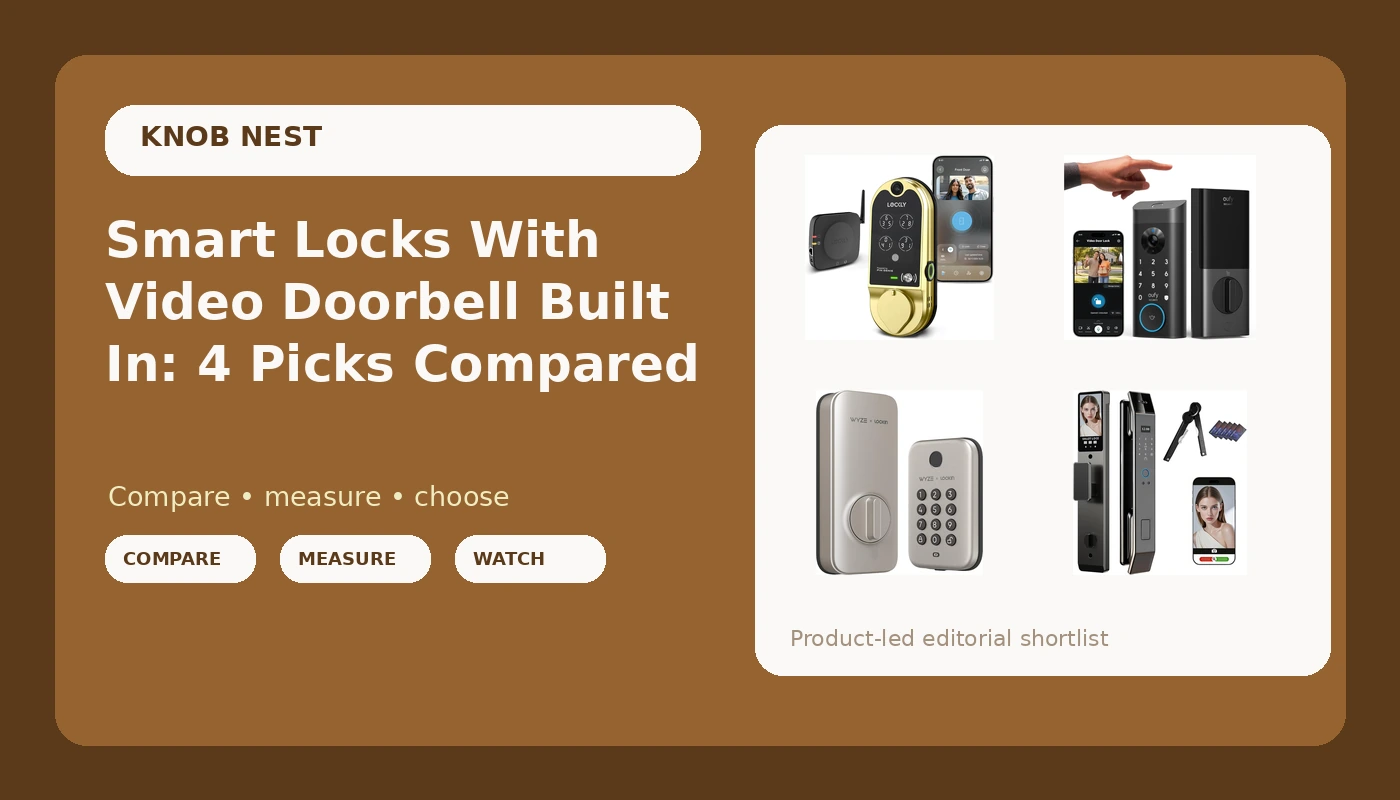
I have installed more than 300 smart locks and doorbells around Columbus, Ohio, and the question I get most often is not "which brand is best." It is "can I get a smart lock with video doorbell in one box, and which one will not fight me on install day." That is a fair question, because the four locks in this comparison all try to answer it, and they answer it four different ways. One hides a camera and a doorbell inside the deadbolt itself. One is a Tuya app lock with 3D face recognition, an intercom, and more entry methods than most people will ever use. One is the eufy fingerprint model landlords keep asking me about. And one is the budget keypad bolt that a lot of buyers should honestly pick instead of the expensive ones.
The short answer: if you want one device covering both the door and the porch, the Lockly Vision is the pick I would hand most homeowners, and the Wyze Auto-Lock Bolt is the pick I would hand most renters and landlords. Everything else is a trade between credentials, camera coverage, and how much setup pain you are willing to absorb.
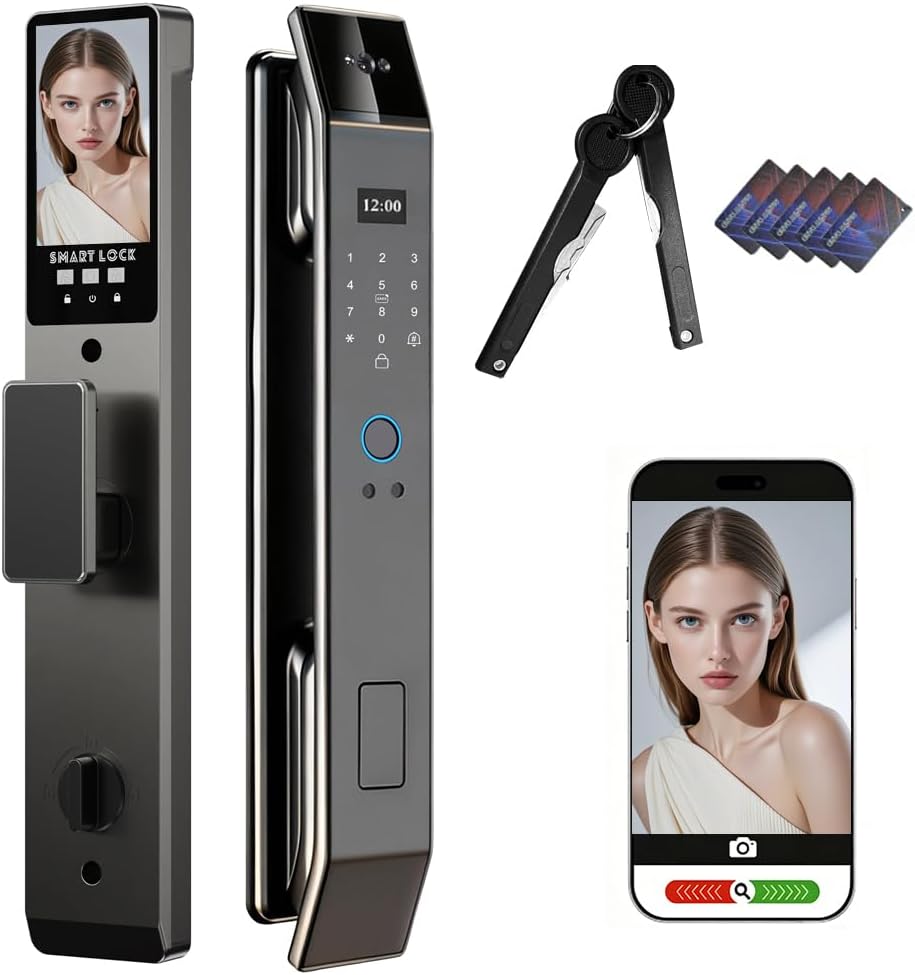
Smart Door Lock with 3D Face Recognition & Camera, Intercome, Doorbell, Fingerprint Keyless Entry
The most ways in of anything here: face, fingerprint, code, IC card, and key
No brand behind the listing, so support and the manual are a gamble
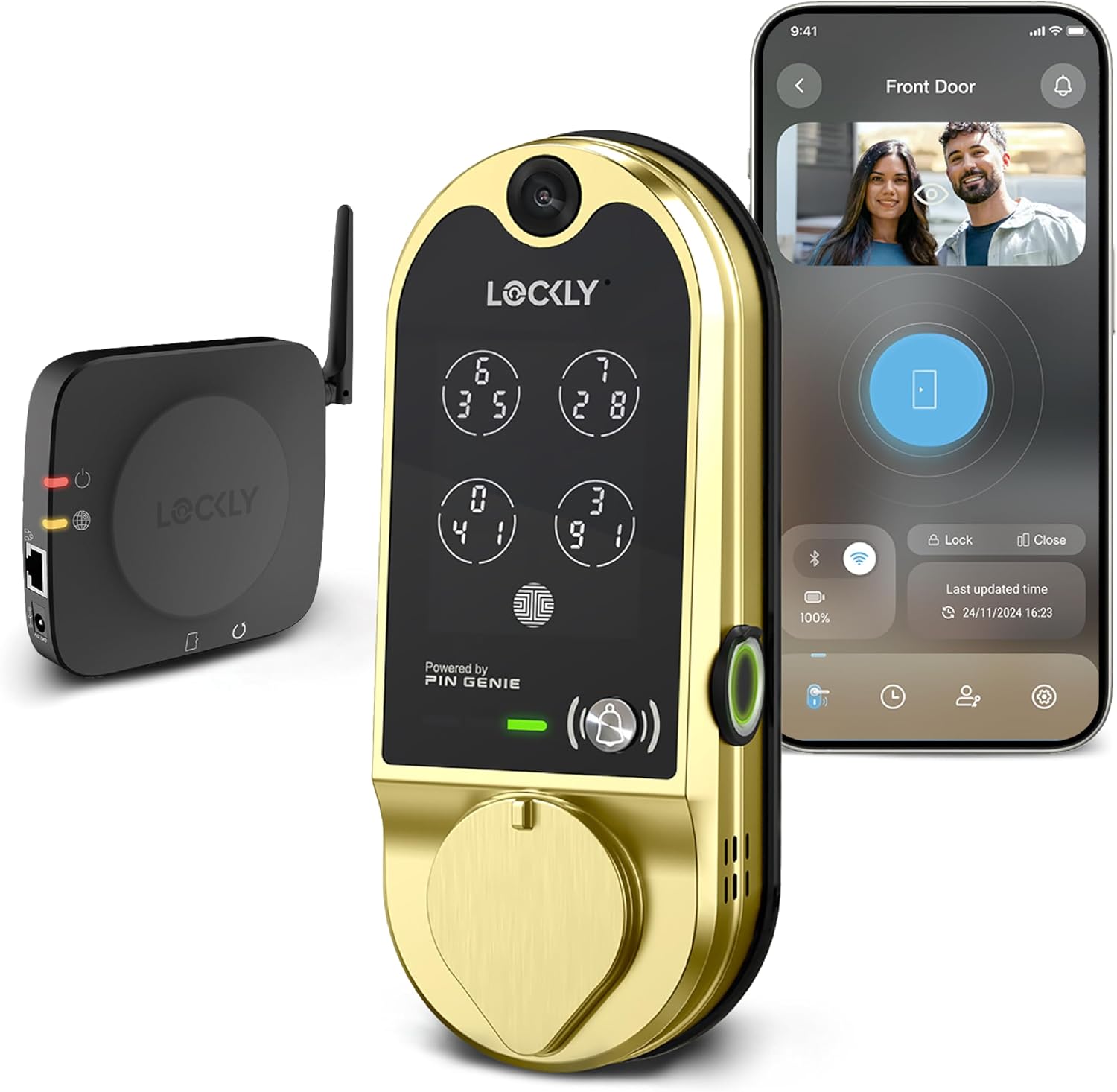
Lockly Vision Smart Lock with HD Video Doorbell
Real brand support, camera and doorbell in the deadbolt, one install
The most expensive way to solve this, and the camera sees what the door sees
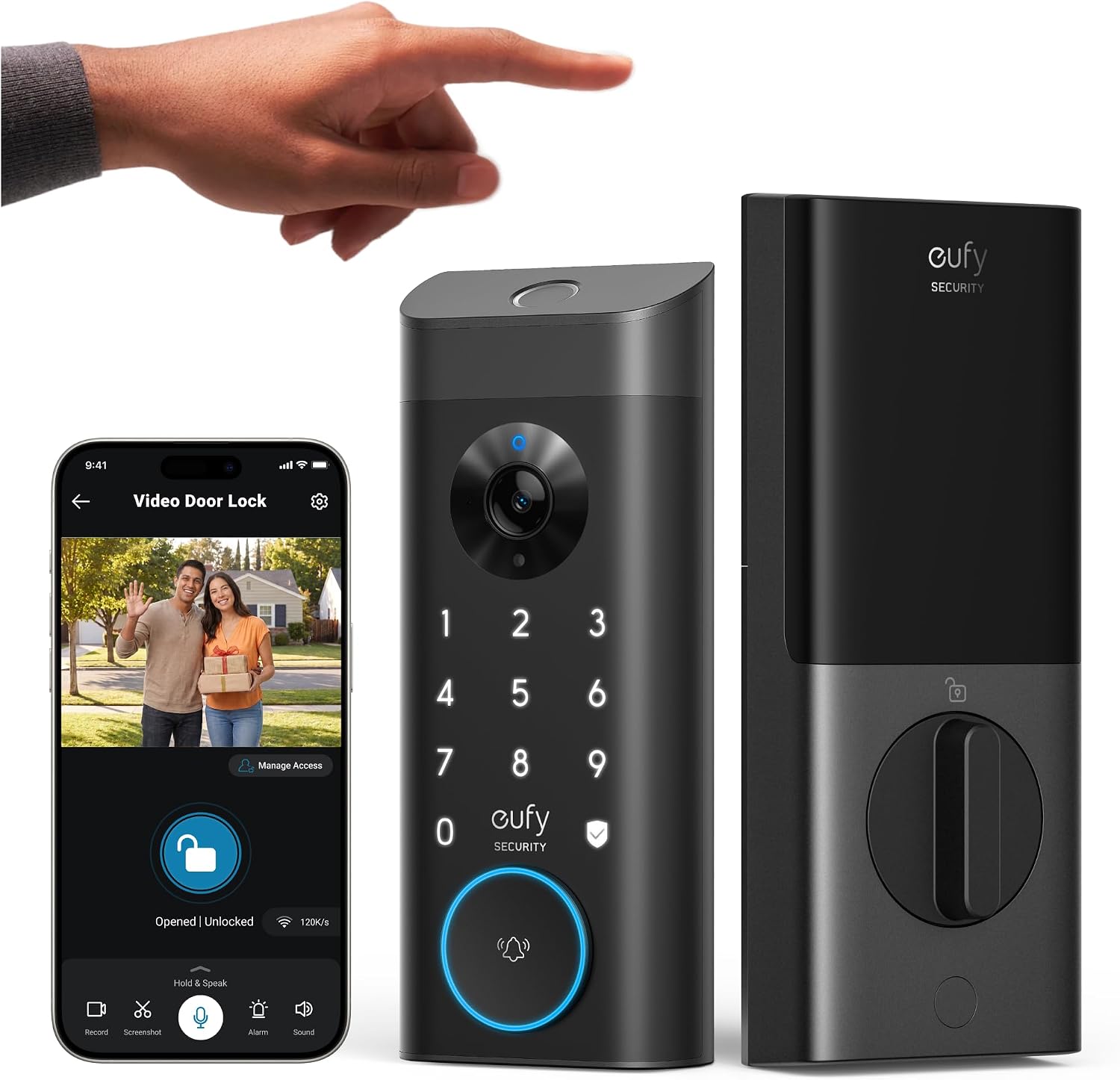
eufy Security Video Smart Lock E330, Fingerprint Keyless Entry Door Lock
Fingerprint entry plus video, from a brand that does not lean hard on subscriptions
Video in a lock draws more battery than a bolt alone, so watch the first month
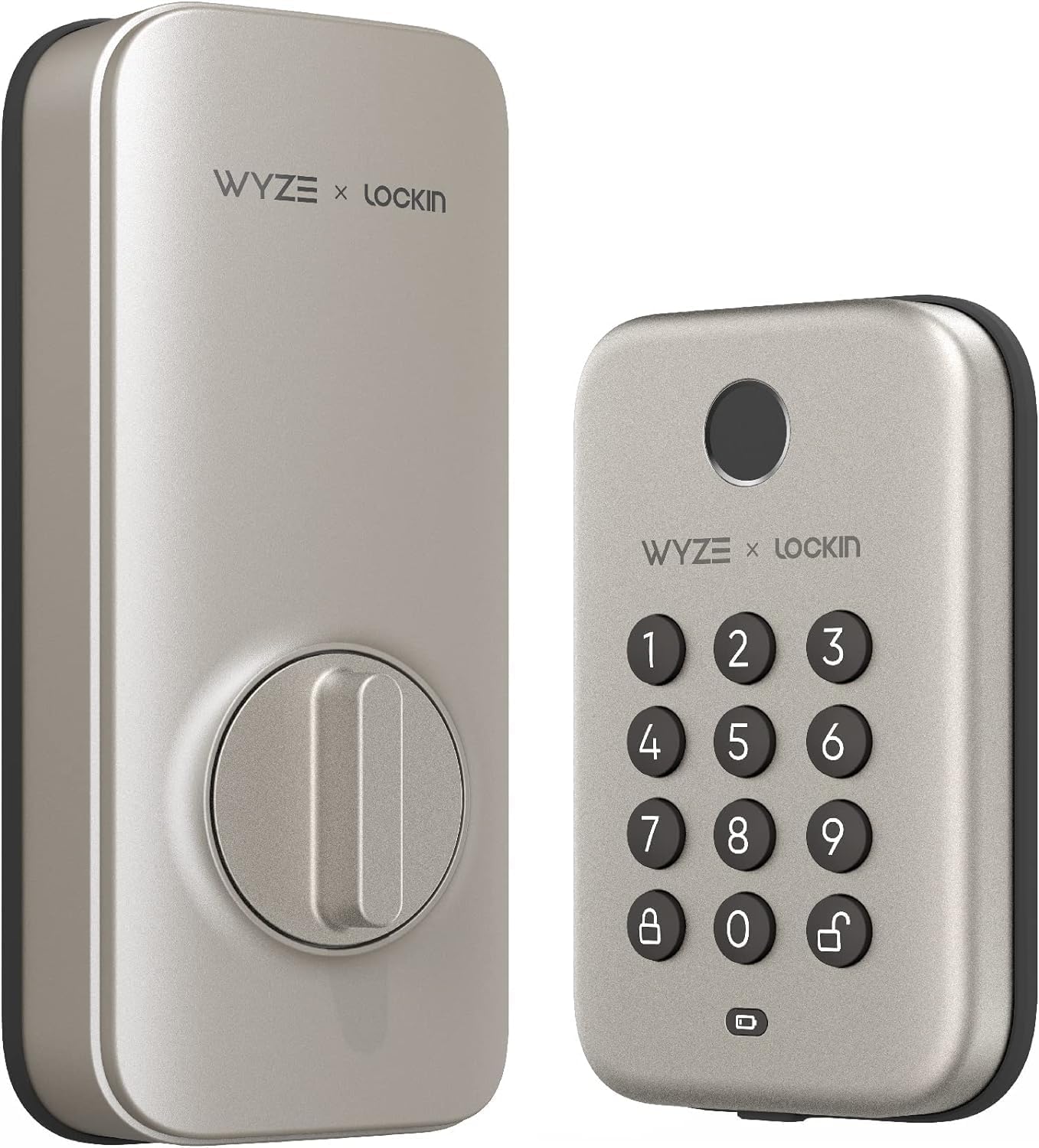
Wyze Auto-Lock Bolt, Fingerprint Unlock with Keypad, Electronic Entry Door Smart Deadbolt Lock
Auto-lock, fingerprint, keypad, IPX5 weatherproof, easy install, least money
No camera and no doorbell, so it does not answer the porch question at all
Prices and availability were captured from Amazon Creators API and may change.
What actually separates these four
Four things decide whether you still like one of these in month six.
First, the deadbolt. A smart lock that does not fully throw its bolt is a keypad on a door. I check the throw after every install, on every door, because a bolt that stops short looks locked and opens with a credit card. All four of these are deadbolt replacements, so the door prep matters more than the feature list.
Second, install time. A lock that goes in during a lunch break beats a spec sheet, because the person buying this at 11pm is buying it to be done, not to learn a trade.
Third, pairing order and app setup. This is where cheap locks die. On Tuya-based hardware especially, the order is app first, then gateway. Do it backwards and you are doing a factory reset, which wipes every code you set. Half of the support calls I have taken are setup-order problems, not defects.
Fourth, what you are actually buying. Two of these are locks with cameras, one is a lock with a camera and a doorbell, and one is just a very good deadbolt with no video at all.
The four locks, one at a time
Smart Door Lock with 3D Face Recognition & Camera
This is the credential collector of the group. Face recognition, a camera, an intercom, a doorbell, a fingerprint reader, a keypad, an IC card, and a physical key, all controlled through the Tuya app. If your goal is "nobody in this house ever gets locked out," this is the one with the most ways back in.
The face unlock is the feature that sells it, and it is also the one I would be skeptical about. It is genuinely useful with your hands full of groceries. It is less reliable in the dark, in bad weather, or with a hood up. Because there is a keypad and a key as backup, that is acceptable, and it is exactly why I would not buy a face-only lock.
My real concern is the listing. There is no brand name behind it, which means the manual is probably thin and support is a lottery. That does not make it a bad lock. It means you should expect to solve your own setup problems. Visit on Amazon →.
Lockly Vision Smart Lock with HD Video Doorbell
This is the one in the group with an actual company standing behind it, and you pay for that. The camera and doorbell live in the deadbolt assembly, so you install one device instead of two, and you do not drill a second hole in the doorframe.
For a homeowner who wants the porch covered without adding a separate doorbell, that is a real advantage, and it is the reason this is my default recommendation for the "one device" crowd. Lockly also tends to hold up on the app side, which matters more than people think after the third time you re-add a lock to your phone.
What you give up is money and camera placement. A camera inside a lock sees whatever the door faces, and the door usually faces the hallway or the wall, not the porch. Field of view beats resolution every time, so check what the camera can actually see before you commit. A 1080p camera that watches the whole porch beats a sharper one that only catches the top of a delivery driver's hat. Visit on Amazon →.
eufy Security Video Smart Lock E330
Fingerprint entry plus video, from the brand I point people at when they tell me they are done paying monthly fees for hardware they already own. If subscription-free is a priority for you, this is the one to read the fine print on first, because eufy's model is generally friendlier about local storage than the cloud-first alternatives.
The fingerprint reader is the reason to buy it, and a keypad plus a key is the reason to trust it. Fingerprint locks are wonderful for about six months, and then the reader starts missing on wet fingers, cold fingers, and worn fingertips. That is not a eufy problem, it is a category problem, and it is why I tell everyone to buy a fingerprint lock with a keypad backup or not at all.
One honest warning: video in a lock draws more power than a camera-free bolt. Plan on charging or swapping batteries more often than you would with a plain smart deadbolt, and log the first month so you know your real interval instead of the box's estimate. Visit on Amazon →.
Wyze Auto-Lock Bolt
This is the budget pick, and for a lot of people it is simply the correct pick. Fingerprint unlock, a keypad, an IPX5 weatherproof rating, satin nickel finish, and easy installation. No camera, no doorbell, no intercom.
Auto-lock is the feature I would pay for before any camera. It re-locks the door after a set delay, which ends the single most common phone call in property management: the tenant who forgot to lock up. If you own a rental or host guests, that feature alone justifies the purchase.
The trade is obvious. There is no video here, so no package-thief footage, and no porch coverage. If you need eyes on the front step, this is not the product. Also confirm the physical key situation before you buy, because the listing leans on fingerprint and keypad, and I want a mechanical backup on every exterior door I touch. Visit on Amazon →.
Install day: what 20 minutes actually looks like
All four of these replace an existing deadbolt, so the work is mostly the same: pull the old cylinder, check the bore and the backset, mount the new exterior half, connect the cable, screw the interior plate down, and test the throw with the door open and then closed.
The doors that go badly are the ones nobody warns you about. A door that has been painted six times will fight the latch plate. A door that has swollen in a Columbus summer will need the strike adjusted before the bolt will throw. A door with a non-standard backset needs a different kit. None of that is the lock's fault, and all of it is the reason I tell people to budget an afternoon for the first one and 20 minutes for the second.
Fingerprint readers and the month-seven problem
A fingerprint reader that works on day one means nothing. I have watched readers that were flawless in month one start refusing a thumb in month seven, and the pattern is consistent: wet hands, cold hands, and worn ridges are where they fail.
The practical rule is simple. Buy a fingerprint lock only if it also has a keypad, and ideally a key. Every lock in this comparison gives you a keypad, which is the reason I am comfortable recommending any of them. If you have a lock with a fingerprint reader and no code backup, you have a lock that will strand a guest eventually.
Batteries, weather, and a Columbus winter
Cold is the quiet killer of smart lock batteries. Voltage sags in January, the app starts reporting a low battery that is not really low, and then one morning the bolt will not retract. I check batteries the way I check tire pressure, on a schedule, not when something breaks.
The camera locks will drain faster, because a camera is always awake in a way a fingerprint reader is not. Log your first month honestly: note the date you install, the date the app first complains, and the date you actually swap. That interval is your real number, not the box's.
IPX5 on the Wyze matters more than people realize. An exterior lock gets rained on, and a lock that is not rated for weather is a lock that is going to have a bad spring.
Auto-lock, guests, and why rentals are different
If you own a rental, auto-lock is not a feature, it is the whole reason to buy. Guests forget. Tenants forget. The person who "just ran out to the car" forgets. Auto-lock ends that.
The second rental feature is temporary codes. Any of the app-connected locks here can hand a guest a code that expires, which is the closest thing to a superpower a host can have, and it beats hiding a key under a rock every single time. Just remember that remote access generally needs the lock paired correctly, and that pairing order is app first, then the hub. Backwards means a factory reset.
Subscriptions and the fine print
I will say this plainly: paying a monthly fee to open a door you already bought is the worst deal in smart home. None of these locks should require a subscription just to unlock. Where subscriptions show up is video storage, and that is optional on all four.
Before you buy, decide what you actually need from the video. If you only want a live look at the porch and a notification when someone rings, you may not need a plan at all. If you want clips saved for a week, price that in before you decide, because a cloud plan can quietly cost more than the doorbell over a couple of years.
Which one goes on which door
- Front door of a house you own, and you want the porch covered: Lockly Vision. One install, one app, real support.
- Front door where people keep getting locked out, and you want every entry method: the Smart Door Lock with 3D Face Recognition. Face, print, code, card, key.
- Rental or Airbnb where you want video and no monthly fee: eufy E330.
- Rental, garage entry, or back door where you just want it locked: Wyze Auto-Lock Bolt. Auto-lock does the work.
What I would skip
Skip any lock that has a fingerprint reader and no keypad. Skip any lock that charges a monthly fee for basic remote access. Skip paying extra for two-way audio if you already know you will use it twice and forget it. And skip buying a camera lock for a door that already has a doorbell, unless you specifically want two angles on the porch.
Bottom line
Two of these are cameras that happen to be locks, one is a face-recognition Swiss Army knife with a thin manual, and one is a very good deadbolt that locks itself. Decide which of those three sentences describes your door, and the choice gets easy. Install it properly, test the throw, set auto-lock, and log your first battery cycle. That is the whole job.