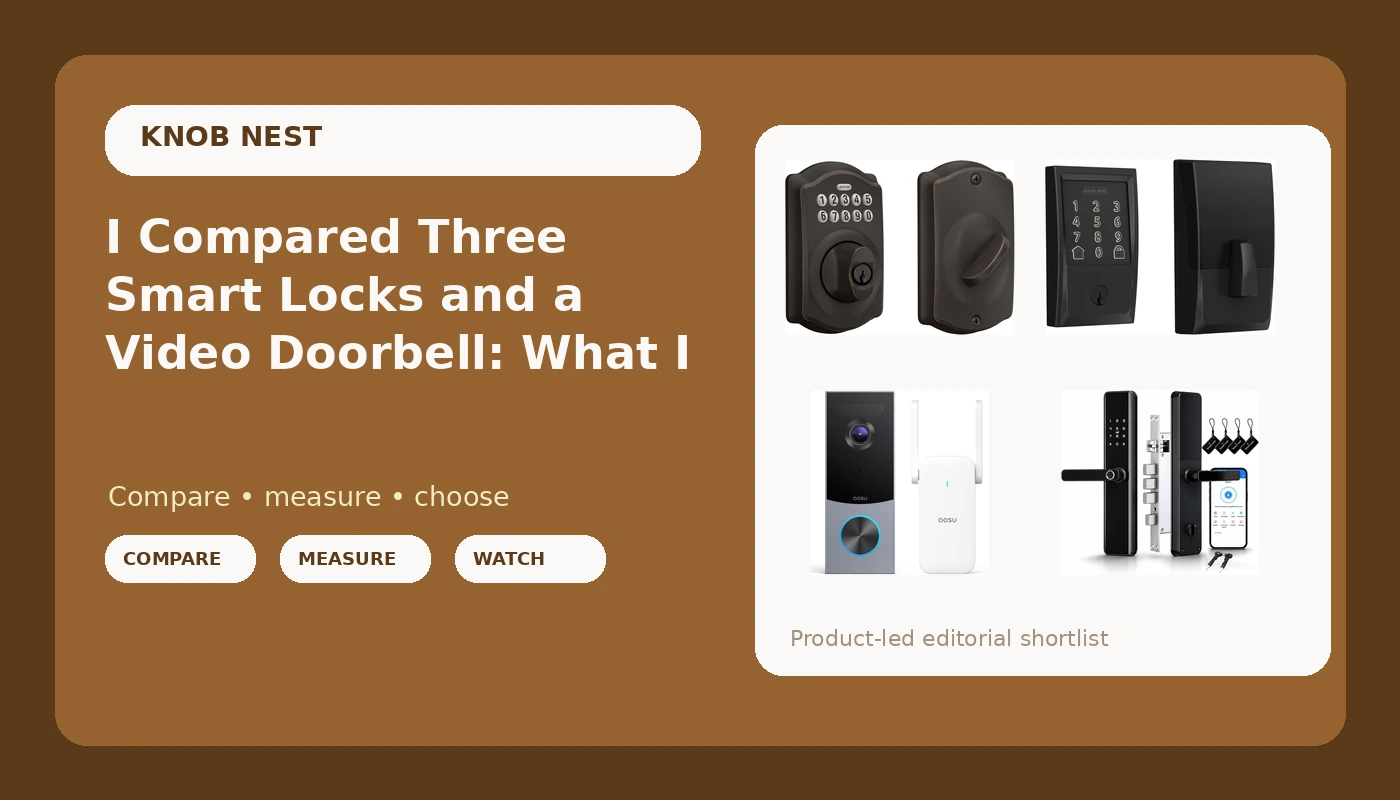
I spent five years as a working locksmith in Columbus, rekeying deadbolts for landlords and drilling out seized cylinders at 7 a.m. before most people had their first coffee. The calls started changing around 2021. Landlords stopped asking me to cut keys and started asking whether the door could just open with a code. I installed my first smart lock two years ago, mostly so I could stop hiding a key under a rock for Airbnb guests, and it broke something loose in me. Since then I have installed more than 300 smart locks and doorbells, the majority of them for landlords, hosts, and rental property owners around central Ohio.
This smart locks and video doorbells comparison is the short version of what I tell those people when they text me a photo of their door at 11 p.m. and ask what to buy. Four pieces of hardware, three locks and one doorbell, and an honest account of where each one wins and where each one makes you work for it.
For most front doors in 2026, the Schlage Encode Smart WiFi Deadbolt with Century Trim is the lock I would buy first, because the WiFi lives inside the deadbolt and there is no gateway pairing order to get wrong. The Schlage Electronic Keypad Deadbolt in Camelot trim is the pick for anyone who wants a code and absolutely no app. The fingerprint and keypad lock with the Tuya app is the value play, with a setup caveat. And the aosu 5MP Video Doorbell is the camera I would put on the porch.
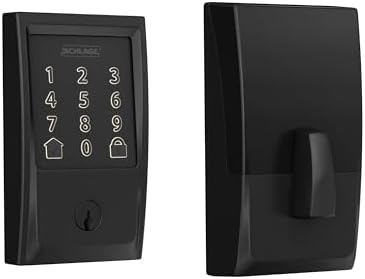
Schlage Encode Smart WiFi Deadbolt Lock with Century Trim, Matte Black
WiFi built into the deadbolt, no gateway, no pairing order to break, and codes you can hand to a tenant from your phone
Highest cost of the three locks, and the matte black finish shows every fingerprint on the keypad
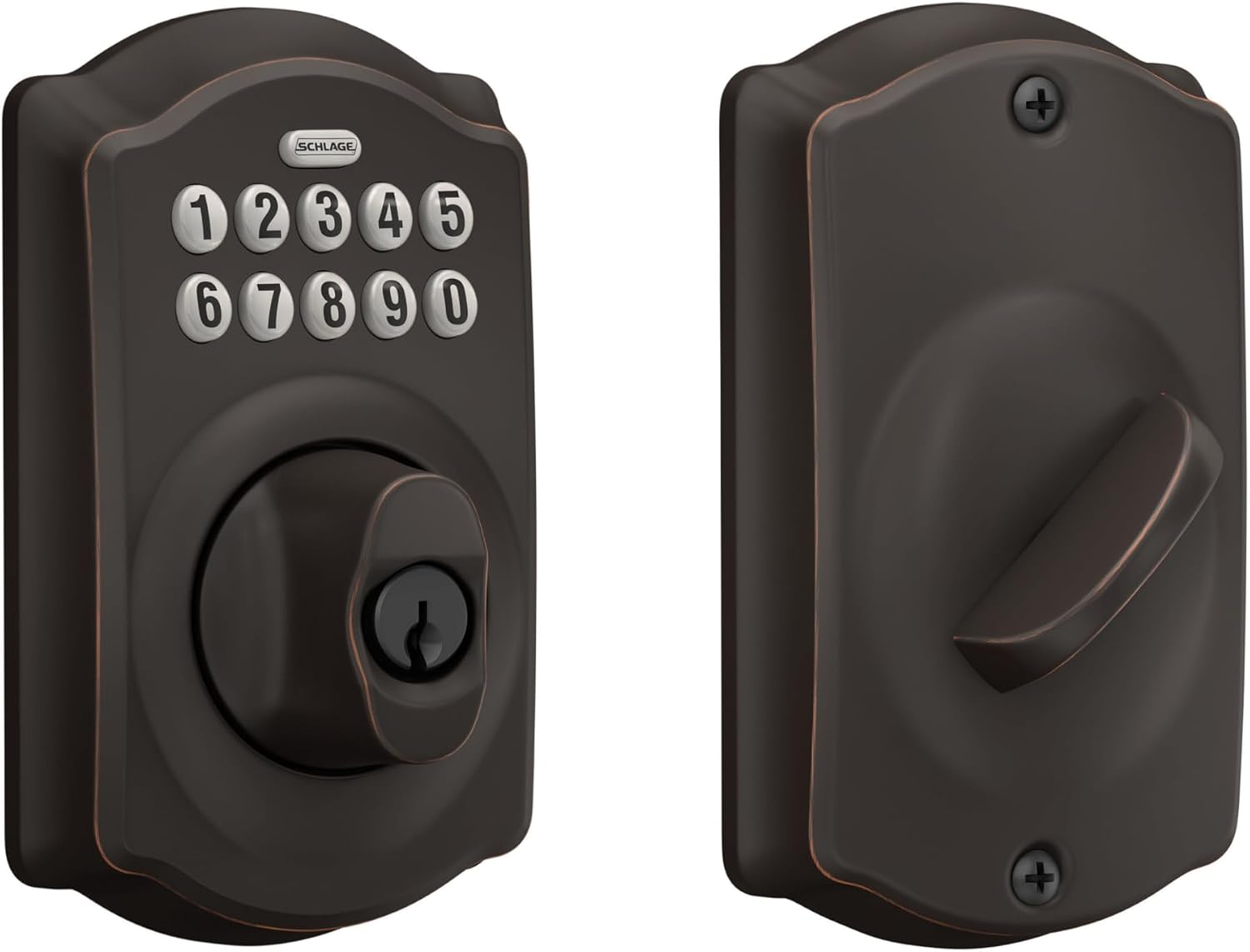
Schlage Electronic Keypad Deadbolt Lock, Camelot Trim, Aged Bronze
Battery keypad lock with no app, no WiFi, and nothing to reboot, the most reliable thing in this comparison
No remote access, no guest codes from your phone, you have to be standing at the door to add or delete a code
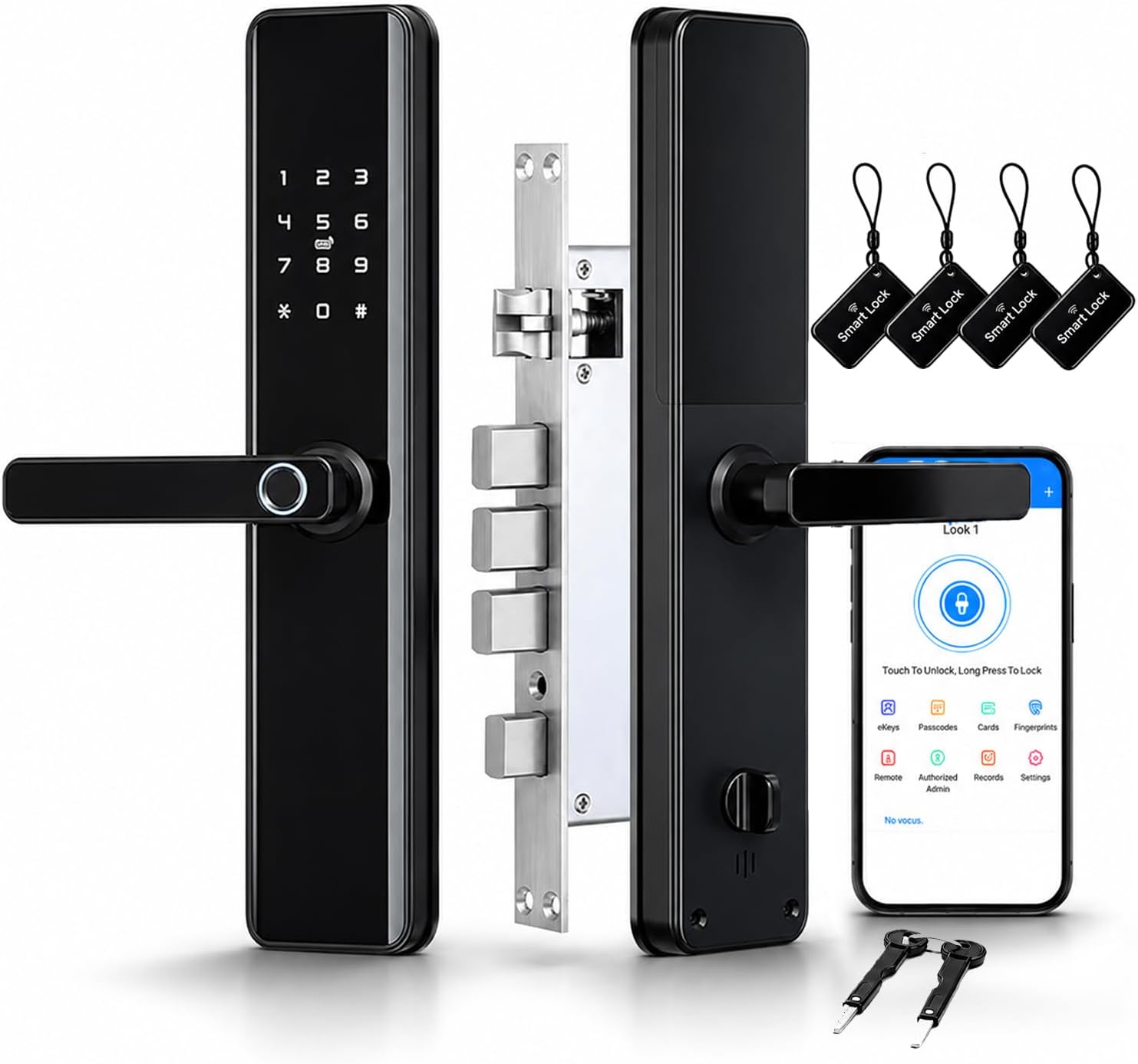
Smart Door Lock with Handle, Keyless Entry Deadbolt with Fingerprint, Touchscreen Keypad, Tuya App Control
Fingerprint, keypad, passcode, key, and auto lock in one box, plus a lever handle that replaces your old knob
Remote access depends on a gateway and the setup order is unforgiving, and the fingerprint reader is the part most likely to age badly
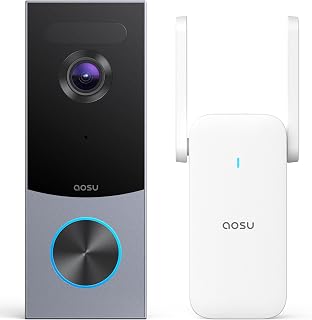
aosu 5MP Ultra HD Wireless & Wired Video Doorbell Camera
5MP sensor and a wireless or wired install, so renters are not automatically locked out of owning one
Read the plan details before you buy, because doorbell features are where subscriptions quietly live
Prices and availability were captured from Amazon Creators API and may change.
How I judge a lock before it goes on a door
A lock's job is to let the right people in and keep everyone else out. Every smart feature on top of that is decoration until the deadbolt actually throws. So the first thing I check on any install is deadbolt throw: how far the bolt extends into the door frame. If it does not fully throw, the door looks locked and opens with a credit card. I check it after every install, and I have found more problems there than in any app.
The second thing is setup order. This is where cheap locks die, and it is almost never the hardware's fault. Pair the lock to the app first. Then add the gateway. If you did it backwards, factory reset and start over, and the factory reset wipes every code you have set. I have done it twice in one month for other people.
The third thing is the 2.4GHz band. Most smart locks and gateways speak only 2.4GHz. If your router broadcasts 5GHz only, or splits the two bands under names that confuse the pairing screen, the lock will never connect, and the manual will not tell you why. That requirement is buried in the fine print while the box screams WiFi.
Fourth, fingerprint longevity. A reader that works at month one means nothing if it degrades by month seven on wet or worn fingers. I do not recommend a fingerprint lock without a keypad or key backup, because the backup is what keeps you out of a locksmith call.
Schlage Encode Smart WiFi Deadbolt with Century Trim
This is the lock I hand to landlords first, and it is the one I would buy for my own front door if I only wanted to think about it once. The reason is boring and that is the point: the WiFi radio is inside the deadbolt. There is no gateway, which means there is no gateway pairing order, which means there is no step for you to get wrong at 11 p.m. on a Sunday.
For a rental, that matters more than any spec sheet. You can sit in your truck in the driveway and add a code for a new tenant, delete the code the departing tenant gave their boyfriend, and check whether the door is locked without driving back across town. The build quality is what I expect from Schlage, and the codes are the kind you can actually hand to a tenant without a twenty minute explanation.
The trade-offs are real. It is the most expensive lock in this comparison, and you are paying for the integrated WiFi. The matte black Century trim looks sharp on the door and shows every fingerprint on the keypad, so if smudges bother you, wipe it down or pick a different finish. And like every connected lock, it needs that 2.4GHz network to behave.
Schlage Electronic Keypad Deadbolt, Camelot Trim, Aged Bronze
If you want a code on your door and you do not want an app, this is the one. No WiFi, no gateway, no cloud account, no pairing mode, no factory reset. You program codes at the keypad, the battery does the work, and the thing never needs rebooting. It is the most reliable product in this entire comparison precisely because it does the least.
I keep a keypad-only lock on my own front door for exactly that reason. When a tenant or a guest calls me about a lock that will not respond, it is almost never this style. The Camelot trim in aged bronze also looks like a normal deadbolt from ten feet away, which some landlords prefer to a glossy black rectangle.
What you give up is everything remote. You cannot add a code from your phone. You cannot see whether the door is locked from work. You have to be standing at the door to add or delete a code, which means every tenant turnover is a trip. For one rental with long term tenants, that is a fine trade. For three Airbnbs with same day turnovers, it is a part time job.
Smart Door Lock with Handle: the fingerprint and keypad value pick
This one packs the most hardware into a single box: fingerprint reader, touchscreen keypad, passcode, a physical key, auto lock, a doorbell function, and a lever handle that replaces the knob on your door. It is the lock I recommend to the friend who wants the futuristic thing without paying the futuristic price.
The fingerprint reader is genuinely convenient, and I will not pretend otherwise. Walking up with groceries and touching a finger to the door beats juggling a phone, a code, and a bag of dog food. The handle is a bigger deal than people expect, because it means you are replacing the whole entry set, not just the deadbolt.
The caveats are the reason this is not my top pick. Remote access depends on a gateway, and the Tuya app is not pretty. It works, the hardware is usually solid, and the app is the weak link. Setup order is unforgiving: lock to app first, gateway second. Do it backwards and you are doing a factory reset before dinner.
Then there is the fingerprint reader itself. I have watched readers that were flawless in month one start missing on wet or cold fingers by month seven. That is not a knock on this specific lock so much as a fact about the category, and it is why the keypad and the physical key matter here. Buy it with a keypad backup and you will be fine. Buy it expecting the fingerprint to carry the whole load forever and you will eventually be locked out of your own house.
Auto lock is the feature I would pay for on its own. It ends the tenant forgot to lock up phone call forever, and for a rental that is worth more than any app feature.
aosu 5MP Video Doorbell Camera
The locks decide who gets in. The doorbell decides who you can see before you decide. This one is a 5MP ultra HD camera that installs either wireless or wired, which matters more than the resolution spec. If you rent an apartment, check your lease and check whether there is existing doorbell wiring before you buy anything, and if there is not, the wireless path is the whole reason this model belongs on your list.
My rule on doorbells is that field of view beats resolution. A 1080p doorbell that sees the whole porch beats a 2K doorbell that only sees the top of a package thief's hat. When you mount it, walk to the sidewalk, walk to the steps, and stand where a delivery driver stands. If the camera clips the edge of the porch or the bottom of the frame, move it before you commit to the screw holes.
Night vision is the test that actually matters. Porch pirates do not rob you at noon, and a doorbell that cannot identify a face at night is just a doorbell. Stand on your porch at 11 p.m. with the light off and see what the image looks like. Two way audio is the feature everyone thinks they need and almost nobody uses past week two, so do not let it drive your decision.
The one thing I would do before buying any doorbell: read the plan details, because doorbell features are where subscriptions quietly live. Paying monthly to open your own door is the worst deal in smart home, and it is worth knowing what you get locally versus what sits behind a plan.
The setup order that saves you a factory reset
Write this on the box before you climb the ladder. Charge the lock, install it, confirm the deadbolt throws fully, then pair the lock to the app, then add the gateway. Confirm your phone is on the 2.4GHz band before you start, not after the pairing screen times out for the fourth time. If a lock refuses to be found, factory reset it and start over rather than fighting it, because the reset takes two minutes and the fight takes an hour on support chat.
Do the deadbolt throw check last, with the door closed. Open the door, throw the bolt by hand, and look at how far it enters the frame. Then close the door and do it again with the motor. If it rubs or stops short, adjust the strike plate now, while you still have daylight and patience.
Which door gets which lock
For a long term rental where the tenant stays for years, the keypad-only Schlage is the least trouble you can buy, because there is nothing to reboot and nothing to explain.
For Airbnb and short term rentals, the Schlage Encode pays for itself in skipped trips. Codes you can issue from your phone, auto lock, and no gateway to fail while you are out of state.
For your own front door, the fingerprint and keypad lock with the handle is the most fun to live with, as long as you accept that the fingerprint is a convenience and the keypad is the actual security.
For the porch, the aosu doorbell is the camera I would mount first, mounted for field of view and tested at night before you trust it.
What I am testing next
I am running ten locks and four doorbells through a 90 day rental turnover test right now, three Airbnbs and two long term rentals, with real guests, real tenant forgetfulness, and a Columbus winter on the way. I log every pairing failure, every fingerprint miss, and every battery drop on a door that actually gets used, not a lock sitting on a bench. The spreadsheet decides this year's picks, and I will update this comparison when the numbers are in.