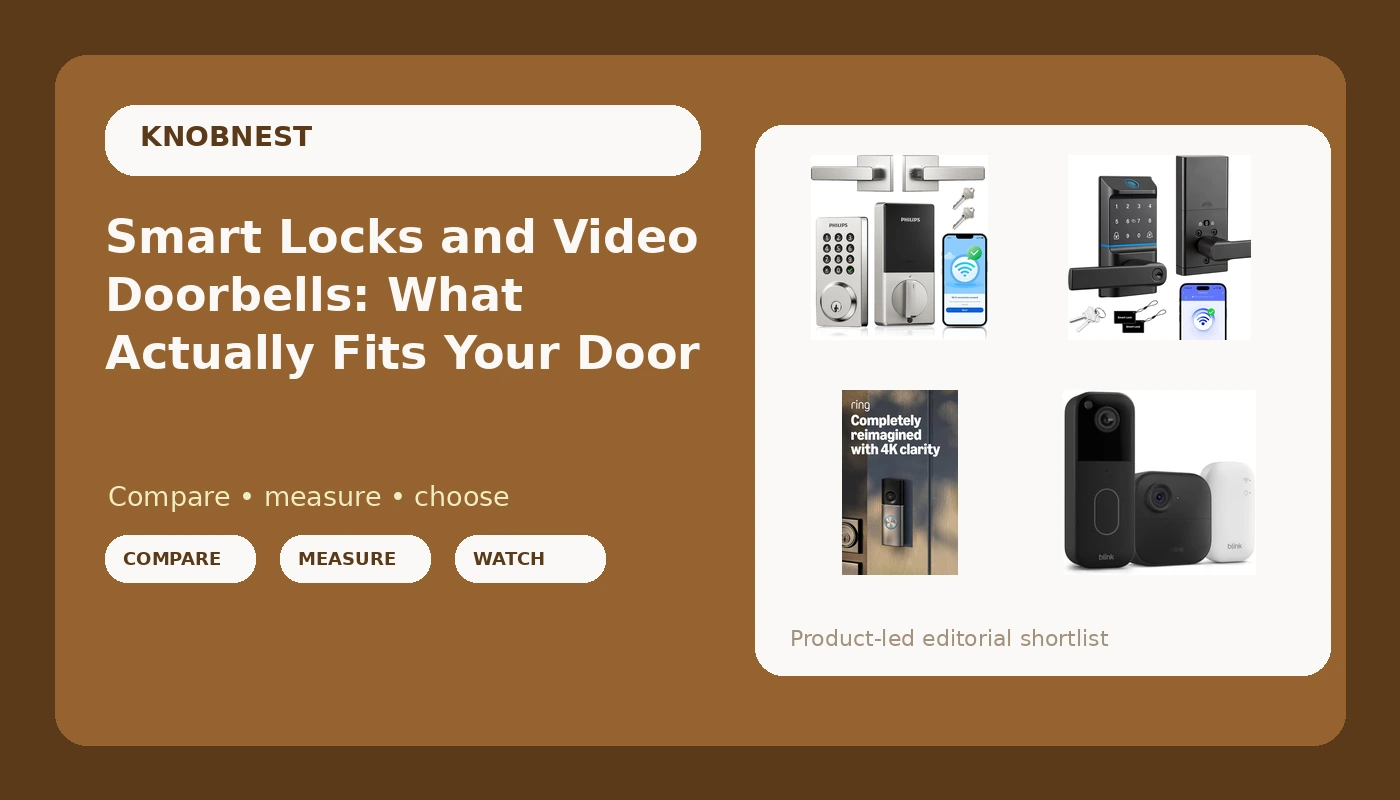
Most people end up shopping for smart locks and video doorbells for one of two reasons. Either they are tired of handing out physical keys to guests, tenants, or cleaners, or they want to know who is standing on the porch before they open the door. Both are reasonable goals, and both are harder to buy for than they should be, because the shelf mixes two different jobs together. A doorbell watches. A lock controls access. Buying one well does not automatically get you the other, and a lot of returns happen because someone bought a camera when what they actually needed was a code.
The first fork in the road is power. Some doorbells are wired and expect an existing doorbell circuit and transformer. Others run on batteries and exist specifically for doors where running a wire is not an option, whether that is a rental, an old house with no low-voltage wiring, or a metal frame that nobody wants to drill. The second fork is where your video and your codes live. Some systems record locally and skip a monthly plan entirely, while others lean on cloud storage that quietly costs more over two years than the hardware did. The third fork is installation, which is the part the spec sheet never scores. A lock that installs in twenty minutes on a standard door beats a fancier one that turns into an hour of support chat.
This guide covers two keypad locks and four doorbell or camera options, with one pick at the top for the most common setup and clear alternatives for the setups that pick does not fit. No prices are listed here on purpose, because they move. Use the links to confirm what a model costs today.
Related: How to Pair a Smart Lock to Its Gateway Without a Factory Reset
Quick answer
The Philips WiFi Keypad Door Lock with Handle is the strongest fit for a front door that needs codes and app control in one piece of hardware because it combines a keypad deadbolt and a lever handle in a single WiFi-connected unit. Choose the Ring Battery Doorbell 2K instead when the door has no wiring and you need a camera more than a lock.
Smart locks and video doorbells worth comparing
The six products below split into two groups. On the lock side, both models are keypad handles with app control, which means they replace the whole lockset rather than retrofitting the inside of an existing deadbolt. On the doorbell side, the differences are power source, resolution as listed by the manufacturer, and whether recordings go to local storage or to a cloud plan. What matters is what each one does for your specific door: how it gets power, how people get in, and where the video goes.
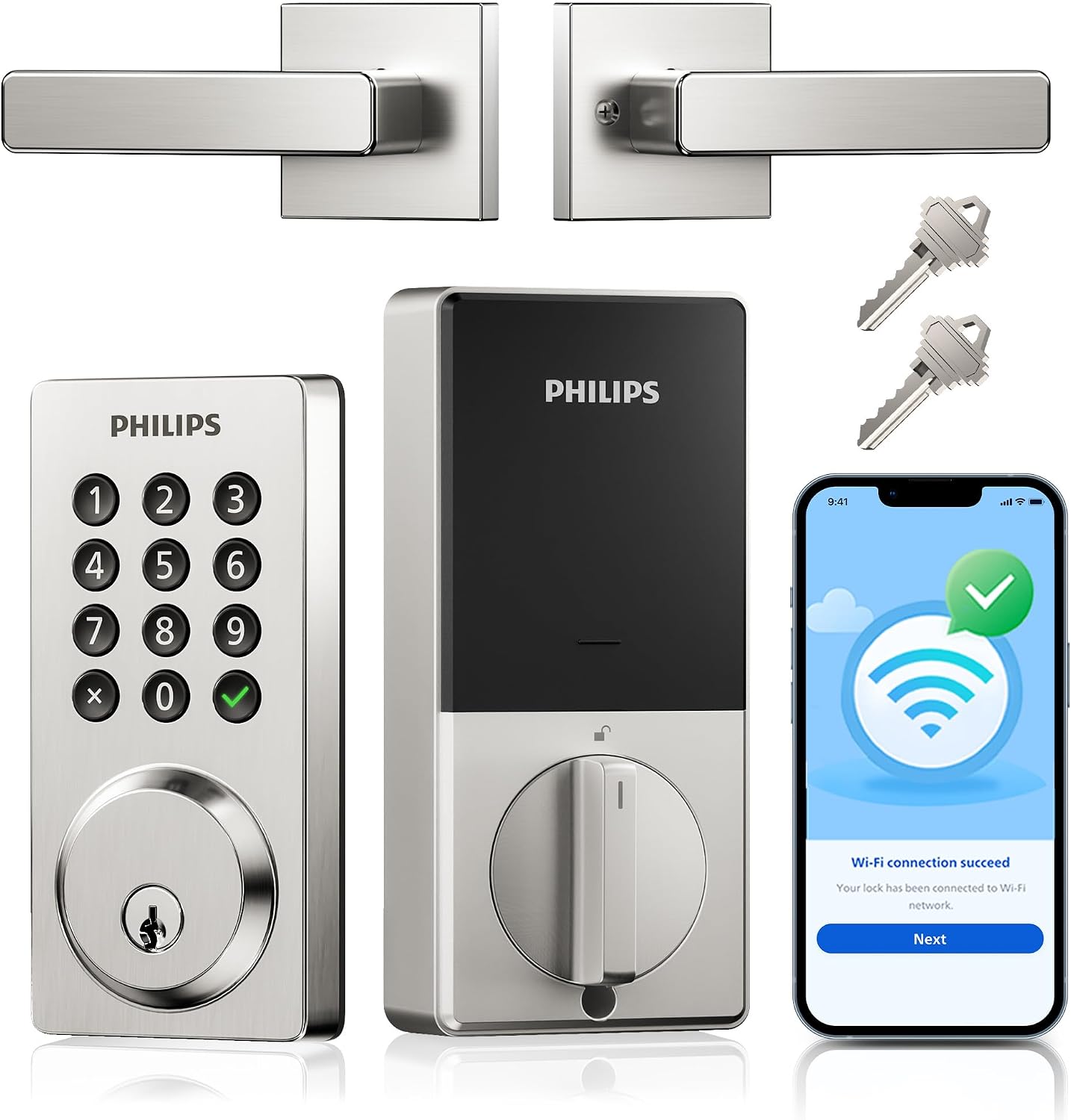
Philips WiFi Keypad Door Lock with Handle, App Control Smart Deadbolt Lock
A WiFi keypad deadbolt with an integrated lever handle and app control, so the code pad, the lock, and the handle are one unit instead of three pieces of hardware on the same door.
Visit on Amazon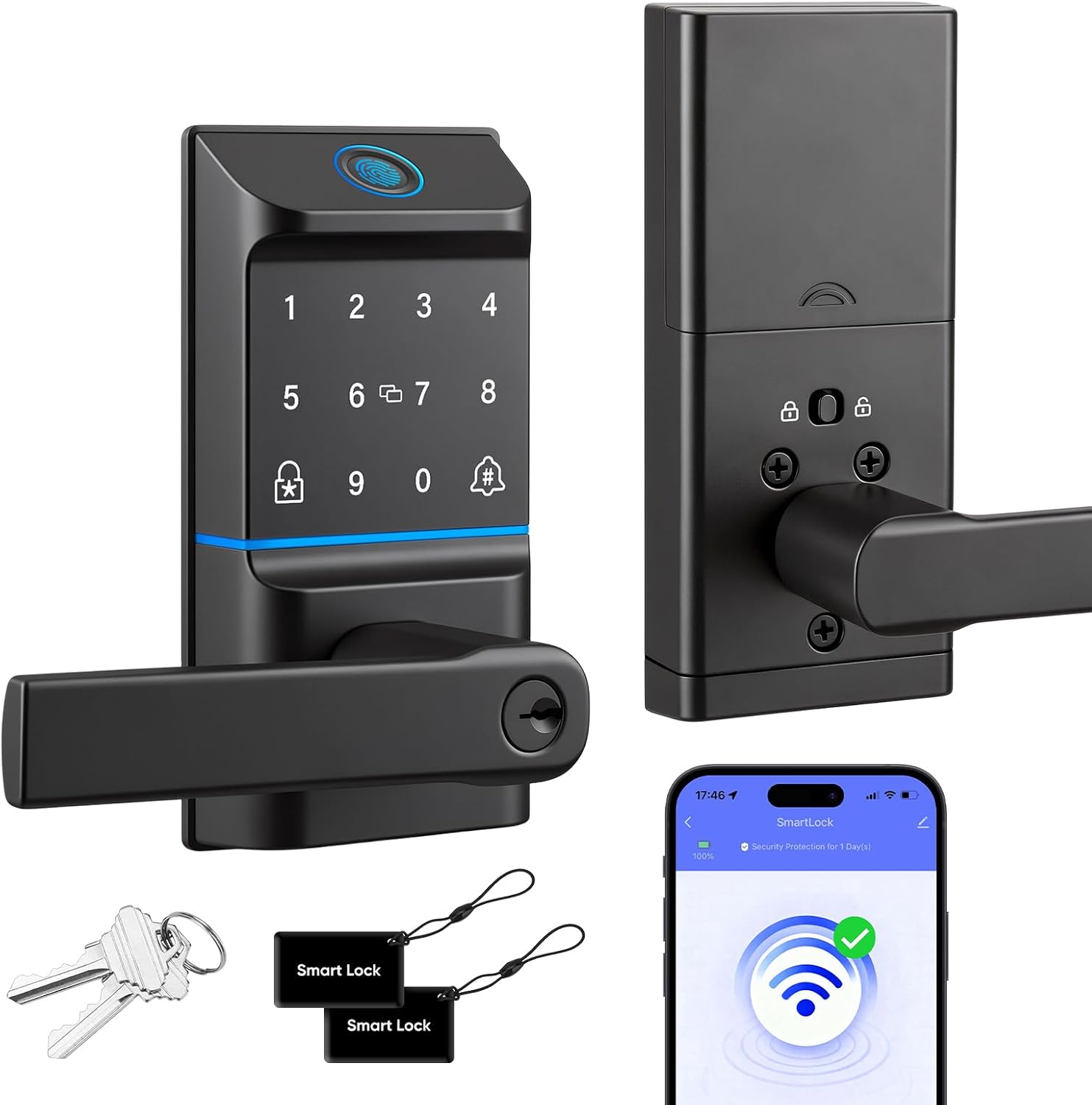
WiFi Smart Keypad Door Lock with Handle, 6 Ways Unlock with Doorbell Knob
A WiFi keypad handle lock listing six unlock methods, with a doorbell knob built into the trim, aimed at a one-piece front door setup where the lock and the bell share a plate.
Visit on Amazon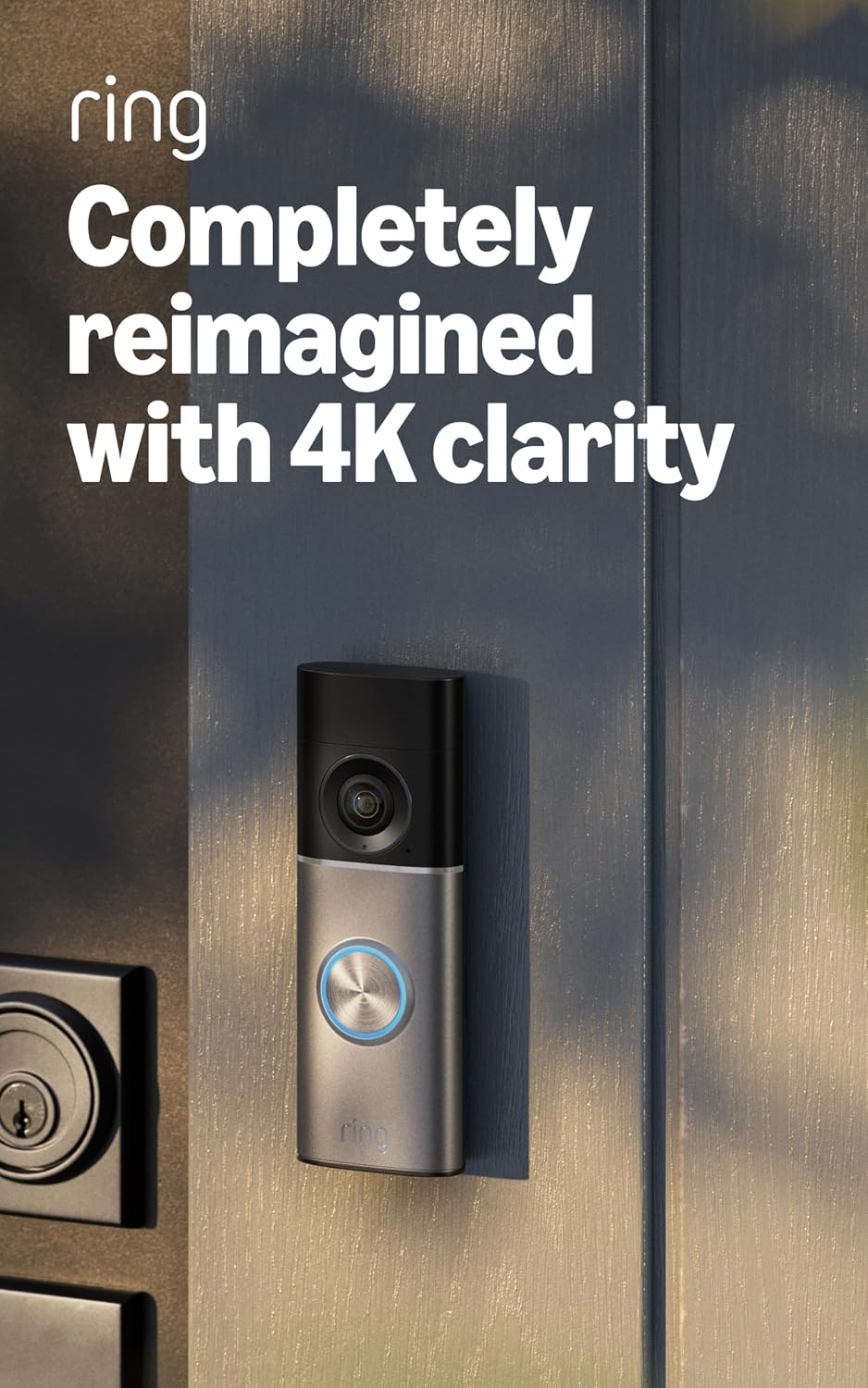
Ring Wired Doorbell 4K Pro (Newest Model), Retinal 4K with wide-angle video, 10x Enhanced Zoom, and Night Vision, Deep Silver
Ring's wired flagship doorbell, listed with 4K wide-angle video, 10x enhanced zoom, and night vision. Wired installation, so it needs an existing doorbell circuit and transformer.
Visit on Amazon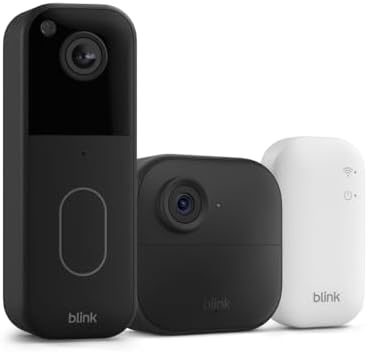
Blink Video Doorbell + Outdoor 4, Wireless smart security cameras, head-to-toe HD view, two-year battery life. Sync Module Core included, 1 camera system + Video Doorbell
A wireless bundle pairing a Blink video doorbell with an Outdoor 4 camera, listed with a head-to-toe HD view and two-year battery life. The Sync Module Core is included, so the hub ships in the box.
Visit on Amazon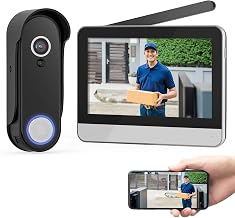
Wireless Smart Video Doorbell System,7" Touchscreen Display,1080P Video Doorbell Camera with Motion Detection,2-Way Audio,Local Storage No Subscription, Easy Install Without Wiring
A wireless doorbell kit built around a 7-inch touchscreen display, with a 1080p camera, motion detection, two-way audio, and local storage that the listing describes as subscription-free. Install requires no wiring.
Visit on Amazon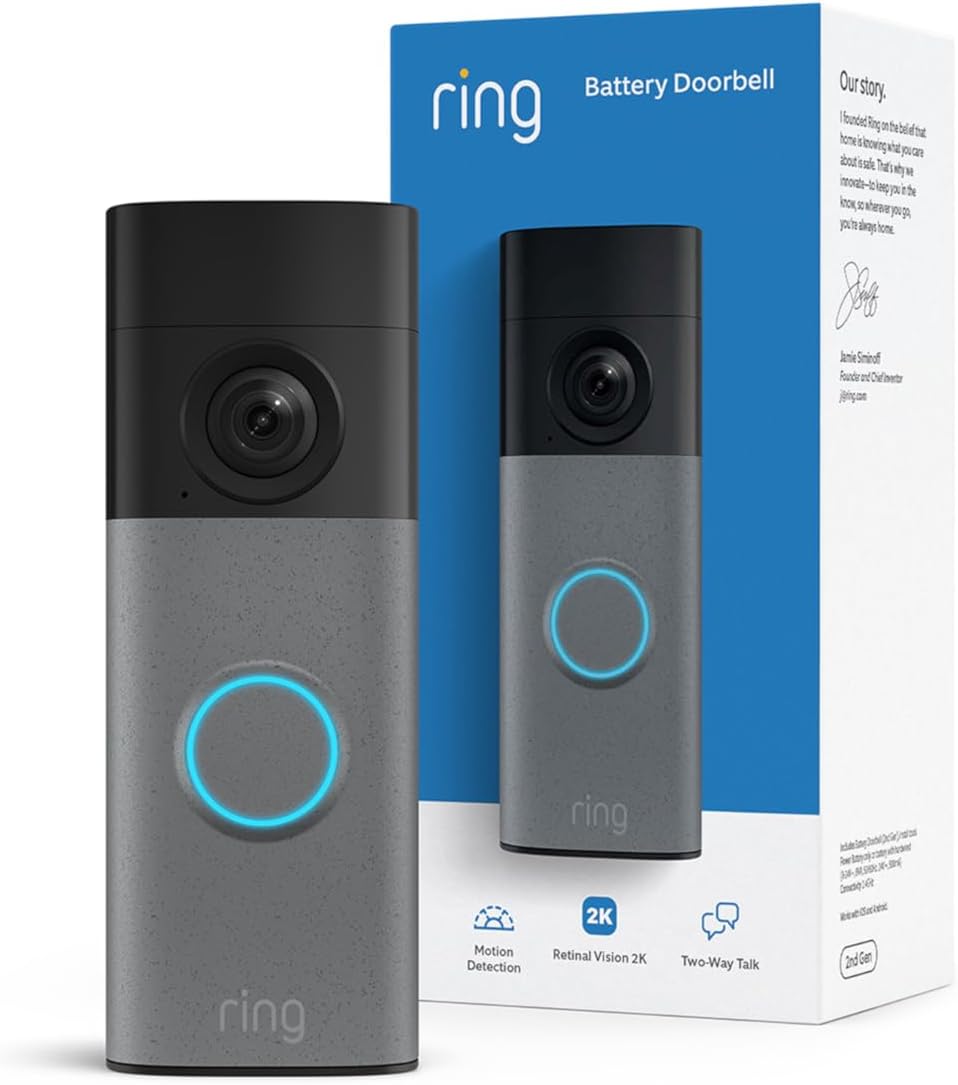
Ring Battery Doorbell 2K (newest model) Retinal 2K with wide-angle video, up to 6x Enhanced Zoom, Two-Way Talk, and Built-In Battery, Speckled Gray
Ring's battery-powered 2K doorbell, listed with wide-angle video, up to 6x enhanced zoom, two-way talk, and a built-in battery. No doorbell wiring required, which is the point of this model.
Visit on AmazonPrices and availability may change. Check the retailer for current details.
How these products were compared
This guide compares the six models on five things: how each one is powered, meaning wired, replaceable battery, or built-in battery; what the manufacturer lists for video resolution and field of view; how access works on the lock side, including keypad, code, and app control; where codes and recordings live, including local storage versus a cloud plan; and what the install actually demands, whether that is an existing doorbell circuit, a 2.4GHz WiFi network, or neither.
The distinctions below come from the published feature sets for each model and from what each listing states about installation, storage, and power. Nothing here is a lab measurement or a long-term durability result, and no claim about how a specific reader's door, frame, or router will behave is made on the assumption that it will behave like a standard one. Where an outcome depends on your door or your network, the guide says so rather than guessing.
Names, images, and retailer links are matched by product identifier, so each card points to the exact model shown above it.
How to choose the right smart lock or doorbell
Start with power, because it eliminates half the list immediately. If your door already has a working doorbell circuit and transformer, a wired doorbell like the Ring Wired Doorbell 4K Pro is the cleaner install, since there is no battery to swap and the camera runs continuously. If there is no wiring, or you rent and cannot modify the exterior, a battery model like the Ring Battery Doorbell 2K or the wireless touchscreen kit is the realistic choice, and the trade-off is charging or replacing batteries on a schedule. A wireless bundle such as the Blink doorbell and camera combo also ships with the Sync Module Core in the box, which matters because that hub is the piece people forget to buy separately.
On the lock side, decide whether you are replacing the whole lockset or retrofitting. Both locks here are keypad handles with app control, so they replace the handle and the deadbolt together and give you a code pad at the door plus a phone app for management. That is the right call for a rental or an Airbnb, where the goal is handing a guest a code instead of a key. It is the wrong call if you want to keep your existing handle and hardware. Before you buy any WiFi lock, confirm your router broadcasts on the 2.4GHz band, because that is the band these devices speak, and a 5GHz-only or split-band network is the most common reason a lock never connects. If you are setting up a lock for the first time, the setup order matters more than the brand on the box; see How to Pair a Smart Lock to Its Gateway Without a Factory Reset for the sequence that avoids a wipe.
Subscription structure is the third decision and the one people regret. A doorbell with local storage and no required plan keeps its cost fixed after purchase. A doorbell that depends on cloud recording for anything beyond live view will keep billing you, and after two years that plan can cost more than the doorbell did. Decide which model you are comfortable with before you compare resolution numbers.
Philips WiFi Keypad Door Lock with Handle
The top pick is the lock that covers the most common job with the fewest moving parts. The Philips WiFi Keypad Door Lock with Handle is a WiFi keypad deadbolt with an integrated lever handle and app control, which means one unit replaces the handle and the deadbolt instead of adding a keypad above hardware you already own. For a rental, that single-unit approach is easier to explain to a tenant and easier to re-key with codes between guests. App control means you can manage access without standing at the door, which is the whole reason people move off physical keys in the first place.
The trade-off is honest and worth stating. This is a lock, not a camera, so it does nothing about seeing who is on the porch. It depends on a 2.4GHz WiFi network and a phone app, so a router that will not cooperate or a household that refuses to install an app makes it a worse fit than a plain keypad. And because it replaces the full lockset, it assumes a standard door preparation and a door that is not already drilled for something unusual. If your door is non-standard, measure before you order.
Alternatives to consider
The Ring Battery Doorbell 2K is better suited to a door with no wiring where the priority is a camera and a doorbell rather than a lock, since the built-in battery removes the electrician from the project entirely. The Ring Wired Doorbell 4K Pro is a stronger fit when wiring already exists and you want the highest resolution and zoom the lineup lists, with night vision for the hours that actually matter on a porch.
The Blink Video Doorbell + Outdoor 4 bundle covers the household that wants a doorbell and a second camera in one purchase, with the Sync Module Core included and a two-year battery life listed for the wireless hardware. The Wireless Smart Video Doorbell System with 7-inch touchscreen covers the buyer who wants local storage without a subscription and prefers a dedicated display inside the house instead of checking a phone. The WiFi Smart Keypad Door Lock with Handle with doorbell knob covers the door where someone wants the lock and the bell sharing the same trim, with six unlock methods listed for flexibility.
Day-to-day use and maintenance
The maintenance that matters is boring and it is the reason most of these devices fail in the field. Batteries are the first item. Any battery-powered doorbell or lock will eventually report low power, and the failure mode is usually a device that quietly stops responding rather than one that announces itself, so check the app's battery status on a schedule instead of waiting for a notification. Wired doorbells avoid that entirely but depend on a transformer that is still working, which is worth confirming before you assume a unit is defective.
For locks, test the deadbolt throw after installation and again after the seasons change. A bolt that does not fully extend into the frame leaves a door that looks locked and is not, and humidity or a settling frame can turn a good install into a bad one months later. Keep the keypad and the fingerprint or touch surface clean and dry, since buildup and wet hands are what degrade entry over time. Reassign or delete codes whenever a guest, tenant, or cleaner leaves, and keep one physical key somewhere secure as a backup path that does not depend on WiFi, a battery, or an app.
For cameras, clean the lens and the housing on the same schedule you check batteries. A doorbell lens with a season of pollen and road spray on it will underperform a lower-resolution model that is clean. Confirm your recording setup does what you think it does, especially if you are relying on local storage, and verify that the storage medium is actually present and formatted rather than assumed.
Buying checklist
- Measure the door thickness, the backset, and the existing bore holes before ordering a full lockset replacement.
- Confirm whether your door has working doorbell wiring and a compatible transformer, or plan for a battery model instead.
- Check that your WiFi router broadcasts on 2.4GHz, since that is the band most locks and doorbell hubs use.
- Decide whether you need local storage or accept a cloud plan, and read what each tier actually includes.
- Confirm that the exact model includes the hub, module, or chime you are counting on rather than assuming it is in the box.
- Verify the current retailer price, availability, and return terms before you commit.
Final recommendation
Choose the Philips WiFi Keypad Door Lock with Handle when the job is access: you want a code pad and app control on a standard front door, and you want the handle and the deadbolt replaced in one unit rather than pieced together. It is the pick for rentals, guest stays, and anyone who is done handing out keys.
Choose the Ring Battery Doorbell 2K when the job is visibility on a door with no wiring, where a battery-powered camera solves a problem that a wired model cannot. If wiring exists and resolution is the priority, the wired Ring model is the better match; if you want a doorbell and a second camera together with the hub included, the Blink bundle covers that; and if subscription-free local storage with an indoor screen is the requirement, the touchscreen kit is the one to look at first.