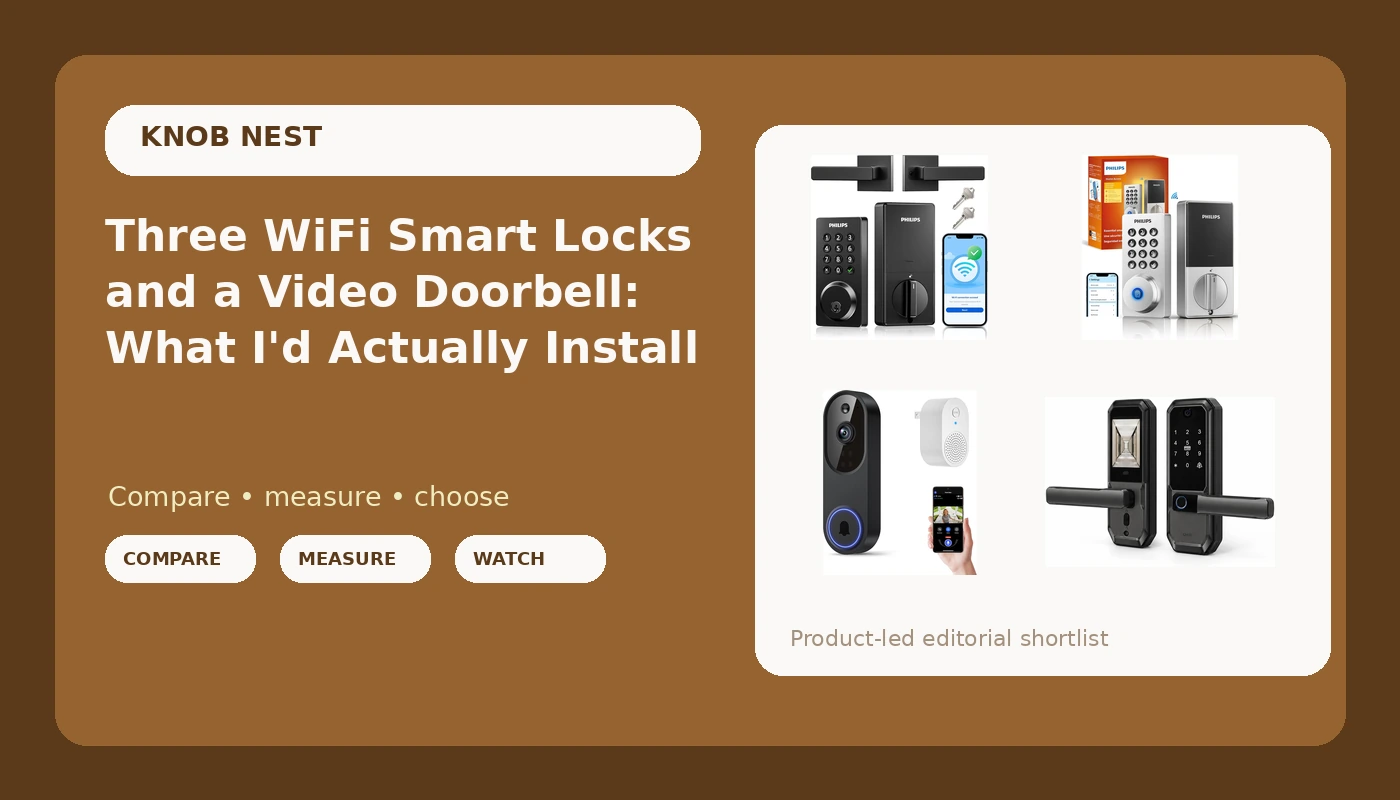
I spent five years as a working locksmith in Columbus, rekeying deadbolts for landlords, drilling out seized cylinders at seven in the morning, and cutting keys for tenants who had lost theirs again. Then the calls changed. Landlords started asking whether I could just make the door open with a code, so they could stop driving across town to hand over a key. This smart locks and video doorbells comparison comes out of that shift, and out of the four devices I get asked about most by the same crowd: small landlords, Airbnb hosts, and homeowners who just want the front door to stop being a daily chore.
Here is the short answer. The Philips Wi-Fi Smart Deadbolt Lock is the one I would put on most front doors, because it replaces the hardware that is already there and adds the fewest new ways for a door to fail. The UMIKSMART is the pick if you want a camera and a fingerprint reader at the door itself. The Philips keypad lock with the handle is for the door that needs a lever as well as a lock. The Orbitell doorbell is a set of eyes you add on top of whichever lock you choose, not a replacement for one.
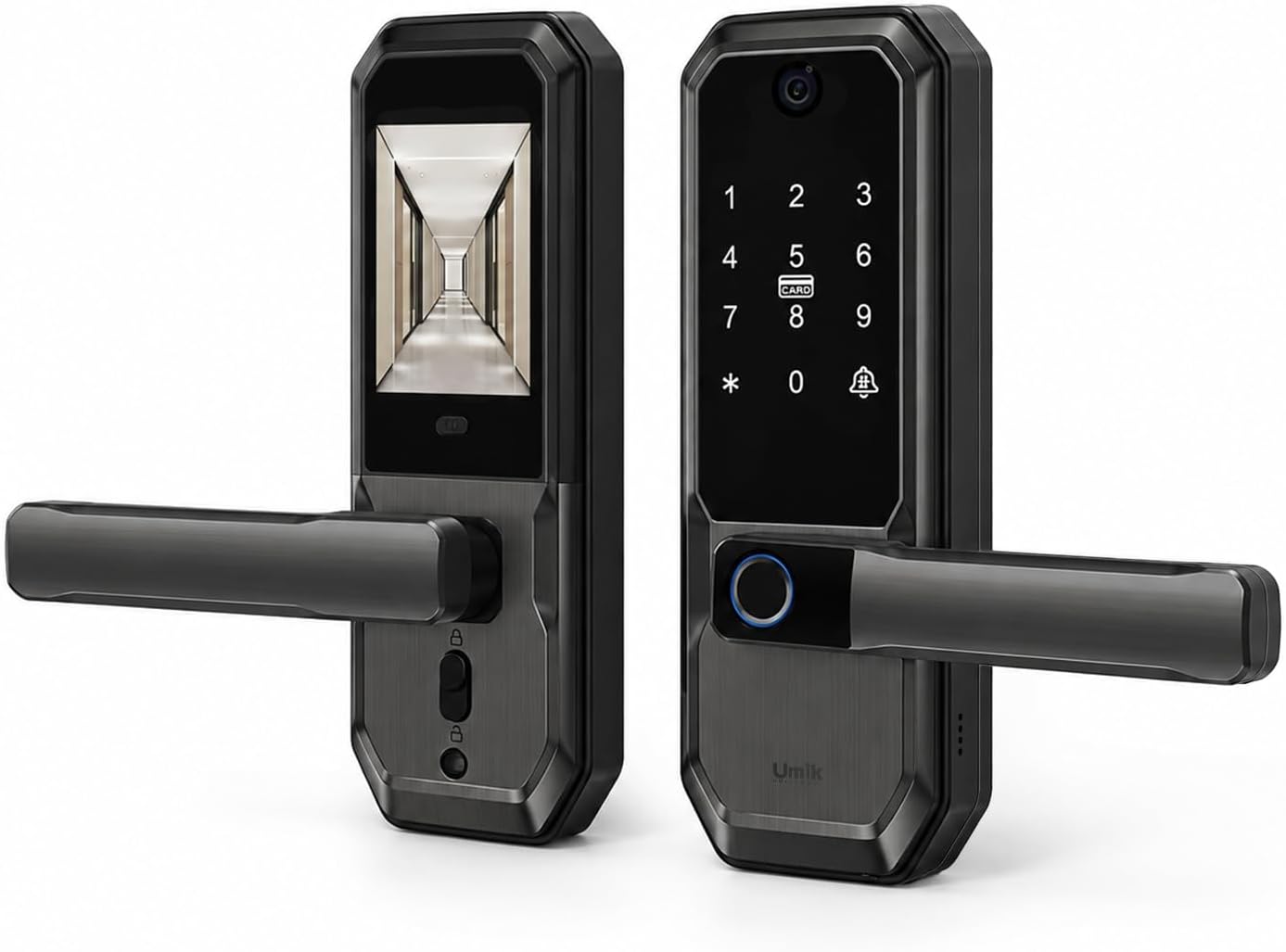
UMIKSMART WiFi Smart Door Lock with Camera
Camera, fingerprint reader, and keypad in one unit, so a single hole in the door covers both entry and eyes on the porch
More moving parts than anything else in this group, and each one is a separate system to troubleshoot
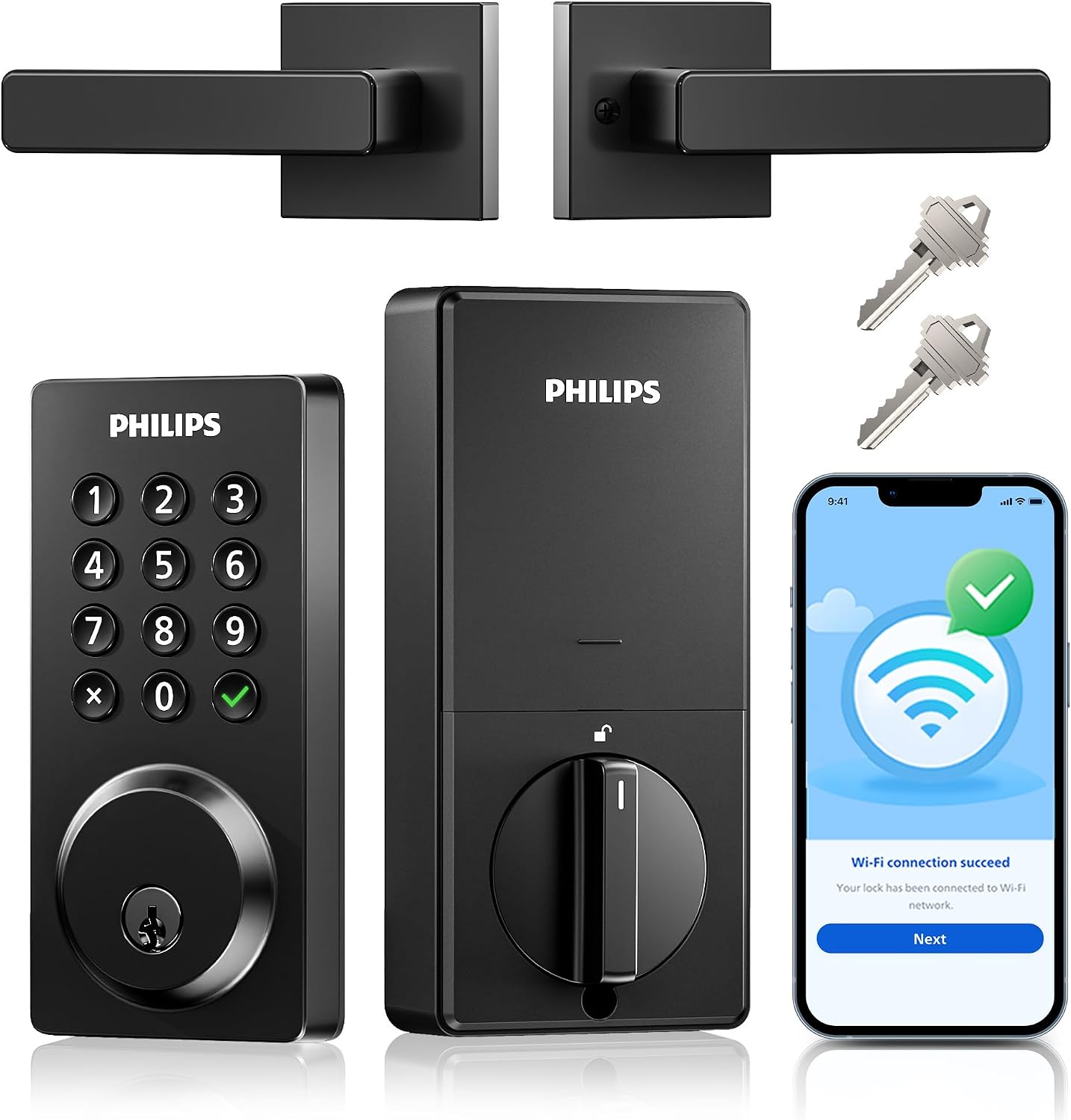
Philips WiFi Keypad Door Lock with Handle
Handle and keypad in a single assembly, which is what a one-hole door actually needs
If the electronics go, you lose the latch and the lock at the same time
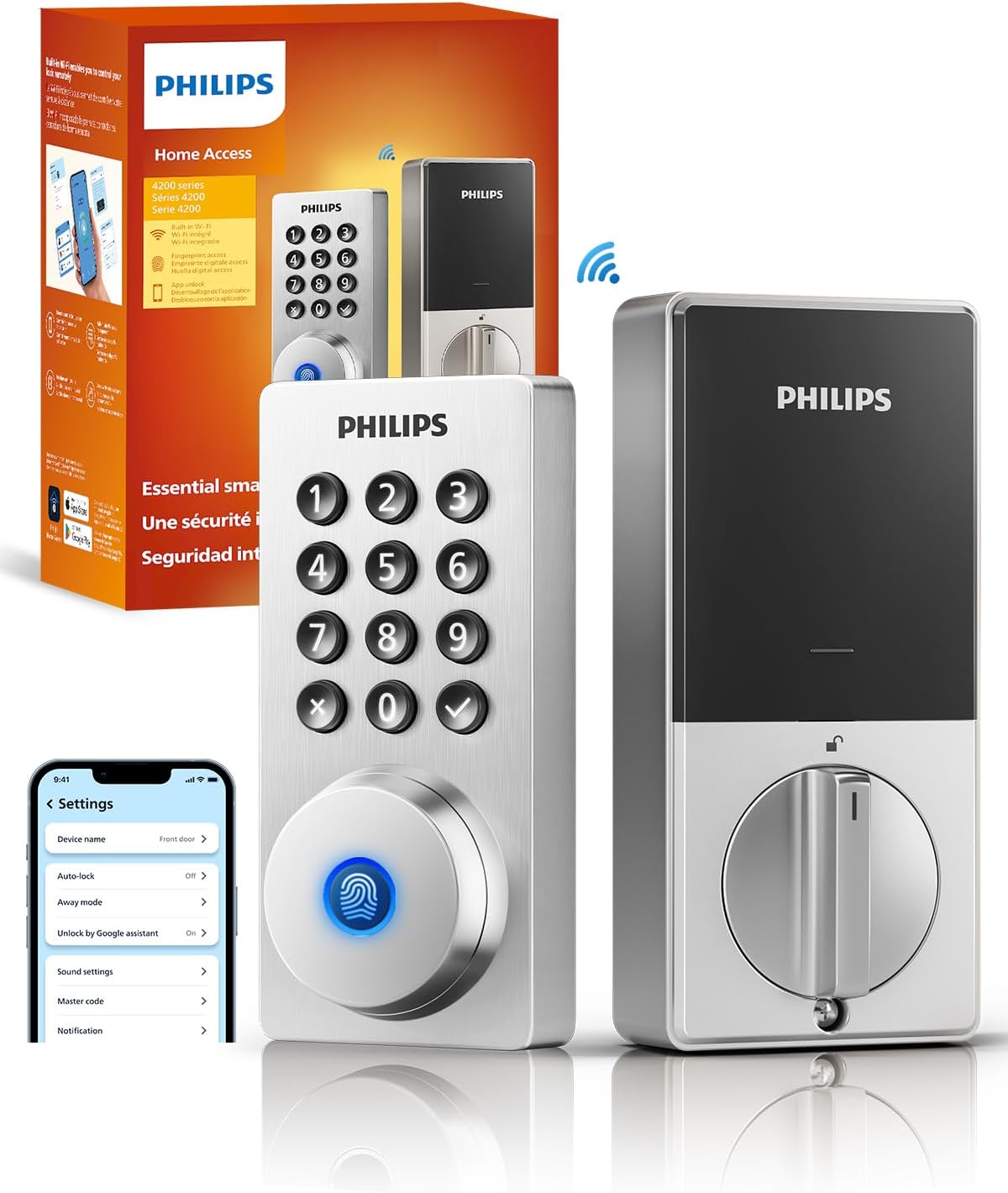
Philips Wi-Fi Smart Deadbolt Lock
Replaces the deadbolt you already have, adds keypad and app control, nothing extra to fail
No handle, no camera, no fingerprint reader, so it will not impress anyone at a party
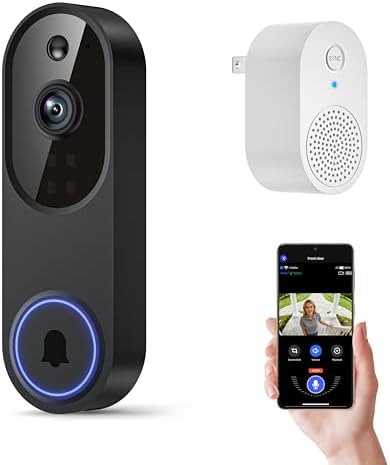
Orbitell 1080p Wireless Wi-Fi Video Doorbell Camera
1080p video, night vision, two way audio, and AI motion detection at an accessory-level buy-in
2.4GHz only, cloud storage usually turns into a plan, and it is not a lock
Prices and availability were captured from Amazon Creators API and may change.
The checklist that decides these picks
A lock's job is to let the right people in and keep everyone else out. Every smart feature on top of that is decoration until the deadbolt actually throws. So before any of these earns a spot on a door I care about, here is what I check.
Install time on a real door. Twenty minutes with a screwdriver, no support call. That means the existing bore holes line up, the backset matches, and the bolt extends fully into the strike plate. If a lock needs new holes drilled in a metal door, most people are not finishing that job on a Saturday.
The deadbolt throw. This is the part nobody checks. A bolt that does not fully seat means the door looks locked and opens with a credit card. I check it after every install, and I have found doors where the frame itself was the problem, not the lock.
Pairing order. Most of these locks speak 2.4GHz WiFi and nothing else. If your router broadcasts 5GHz only, or splits the bands into two names, the lock will never connect and the manual will not tell you why. And if a lock pairs through a hub or gateway, the order is app first, then gateway. Backwards means a factory reset, which wipes every code you have set. I have done that twice in one month.
Auto-lock. The single most underrated feature for rentals and Airbnb. A tenant who forgets to lock up is the most common phone call in property management, and auto-lock ends that call permanently.
Subscription cost. Paying monthly to open your own door is the worst deal in smart home. Any lock that hides basic remote access behind a plan is a lock I will not hand to a landlord.
UMIKSMART WiFi Smart Door Lock with Camera: the one that does everything
The UMIKSMART is the only device here that puts a camera inside the lock body itself. That is a genuinely useful idea for a rental with one entry door. A camera at chest height catches a face at the moment someone is standing at the door, which is a different angle than a doorbell looking down from the frame. You also get a fingerprint reader, a keypad, and app control in the same housing, so one hole in the door handles entry and eyes on the porch.
The trade-off is the same one that shows up in every all-in-one device. Each feature is another part that can fail, and a fingerprint reader is a wear item. Readers work beautifully at month one and start missing on wet or worn fingers later, which is why a keypad backup is not optional on a fingerprint lock. If the keypad's batteries die, you want a physical key in the cylinder, so check that yours has one before you hand codes to guests. When something does go wrong on a combined unit, you are troubleshooting the whole lock instead of one component.
This is the pick for the Airbnb host who wants a camera at the door and does not want to run power to a separate doorbell.
Philips WiFi Keypad Door Lock with Handle: for the door that needs a lever
Plenty of doors do not have separate hardware. They have one assembly with a lever and a lock together, and the whole thing comes off when you swap it. The Philips keypad lock with the handle is built for exactly that door: handle, keypad, WiFi, app control, and a deadbolt in one unit.
The convenience is obvious, and so is the risk. A combined assembly means a single failure takes out both the latch and the lock. On a door with separate hardware, you can keep using the knob while you sort out the smart half.
There is one quirk worth knowing before you decide the lock is defective. On lever hardware, the handle can turn while the latch does not fully retract if the strike plate is misaligned or the door has swelled with the seasons. Half the calls I used to get like that were not electronics at all. They were a strike plate that needed to move an eighth of an inch. Adjust that first, and if the handle still feels loose, then you look at the lock.
Philips Wi-Fi Smart Deadbolt Lock: the plain one, and that is the point
The Philips Wi-Fi Smart Deadbolt Lock is keyless entry with app control. No handle, no camera, no fingerprint reader. It replaces the deadbolt already on your door, reuses the same hole and the same strike, and gives you a keypad plus a phone app. That is the entire feature list, and for most front doors it is enough.
Fewer features means fewer failure points, and that matters more than people expect. A deadbolt that only has to throw a bolt and read a code is a deadbolt that keeps working when the WiFi hiccups, when the app updates, and when the guest who booked your place cannot figure out an app. The keypad is the interface. Codes can be handed out and revoked without rekeying anything, which is the entire reason landlords started calling me about this category in the first place.
Check whether the cylinder still accepts a physical key. Keyless does not always mean key-free, and a dead battery with no key in the cylinder is a locksmith call. I have made that call, and it is not a cheap one.
Orbitell 1080p Wireless Wi-Fi Video Doorbell Camera: the cheap set of eyes
The Orbitell is the outlier. It is a doorbell, not a lock, and it is priced like an accessory rather than a security product. For that you get 1080p video, two way audio, night vision, cloud storage, and AI motion detection, with one hard requirement spelled out in the listing: 2.4GHz WiFi only.
Two things decide whether this is worth adding. The first is the 2.4GHz requirement. That is normal for this category and it is not a defect, but if your router broadcasts 5GHz only, or your mesh system hides the 2.4GHz band behind one combined name, you will fight this thing for an hour and blame the doorbell. Sort the network first.
The second is storage. Cloud storage is listed as a feature, and cloud storage usually becomes a plan at some point. Check the current terms before you buy, because a doorbell that stops recording without a monthly fee stops being useful the moment you actually need the clip. If you want to skip that math entirely, this is the part of the category where you look at local storage instead.
On picture quality, remember that field of view beats resolution. A 1080p doorbell that sees the whole porch is worth more than a sharper camera that only sees the top of a hat. And night vision is the test that matters, because nobody steals a package at noon. Before you commit, watch a night clip of a real porch at eleven at night, not the demo footage on the product page.
The four things that break these installs
Almost every problem I have seen in this category comes down to one of four things, and none of them are the lock's fault.
The 2.4GHz band. Most smart locks and hubs only speak 2.4GHz. The box says WiFi in huge letters and the band requirement sits in the fine print. If your phone is on 5GHz while you set the lock up, some apps will simply never find the device.
Setup order. App first, then the hub or gateway. Reverse it and you are doing a factory reset, which wipes every code you have set and every guest you have invited.
The door itself. A lock is only as good as the door it is mounted on. Warped frames, misaligned strike plates, and a door that needs a shoulder to close will make a good lock feel broken.
Power and battery. Auto-lock is a battery cost. If you set a thirty-second auto-lock on a heavily used door, expect to change batteries more often than the box suggests. Log the first replacement date and you will learn your door's real rhythm instead of guessing.
Which device for which door
For a single front door on a house you live in, the Philips Wi-Fi Smart Deadbolt Lock is the safe pick. It does the job, it reuses your existing hardware, and it has the least to go wrong.
For an Airbnb or a rental where guests arrive at odd hours, the UMIKSMART makes sense if you want the camera and the fingerprint reader at the door. Just confirm there is a physical key backup before you rely on it.
For a door with a combined lever and lock, the Philips keypad lock with the handle is the one that fits without new holes.
And add the Orbitell doorbell on top of any of them if the porch is the part you cannot see. It is not a lock, it will not keep anyone out, and it will not tell you whether the deadbolt is thrown. It tells you who is standing there, which is a different job.
One last note for landlords: if you manage more than one unit, buy identical locks for every door. Codes, habits, and troubleshooting carry over between properties, and you stop relearning a new app every time you turn a unit.
What I'm still watching
Fingerprint longevity is the spec nobody tests properly, and it is the one I care about most going into winter. Cold hands, wet hands, and worn readers are where these locks separate. I am also watching how the app-first, hub-second setup order holds up across firmware updates, because that is where cheap locks quietly break a working install. When a lock needs a subscription for basic remote access, that stays a hard no.