I spent five years as a working locksmith before smart locks were anything but a novelty. I rekeyed deadbolts for landlords, drilled out seized cylinders at 7 a.m., and cut keys for tenants who had lost theirs again. Then around 2021 the calls changed. Landlords stopped asking me to rekey forty units and started asking whether I could "just make the door open with a code" so they could stop driving across town to hand over keys. That question is the reason I have installed somewhere north of 300 smart locks and doorbells since, and the reason I have opinions about smart locks and doorbells that no spec sheet is going to change.
This comparison is the version of that conversation I wish I could hand to every landlord, Airbnb host, and homeowner who emails me at midnight. Four products, four different jobs, and the setup details that decide whether you are happy in month seven or standing in your driveway at 11 p.m. with a factory reset ahead of you.
The short answer: buy a keypad lock with a deadbolt that actually throws, add a doorbell that can see your whole porch after dark, and be suspicious of anything that charges a monthly fee to open a door you already own. Everything below is the long answer.
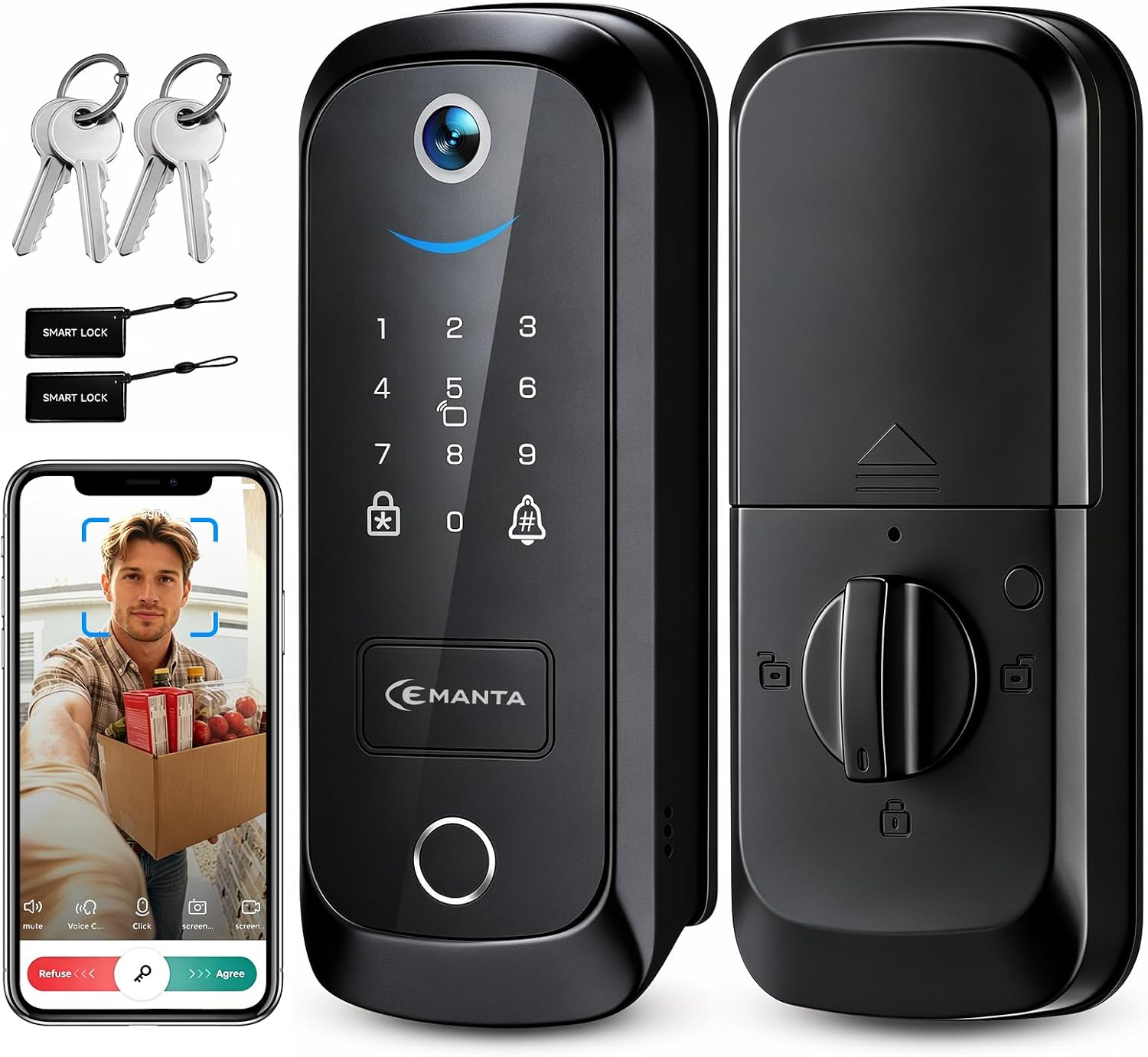
5 in 1 Smart Lock with Camera & Doorbell
One device covers the deadbolt, the camera, and the doorbell, so there is one app, one install, and one thing to explain to a guest
Three jobs in one housing means three failure points, and the camera sits at lock height instead of porch height
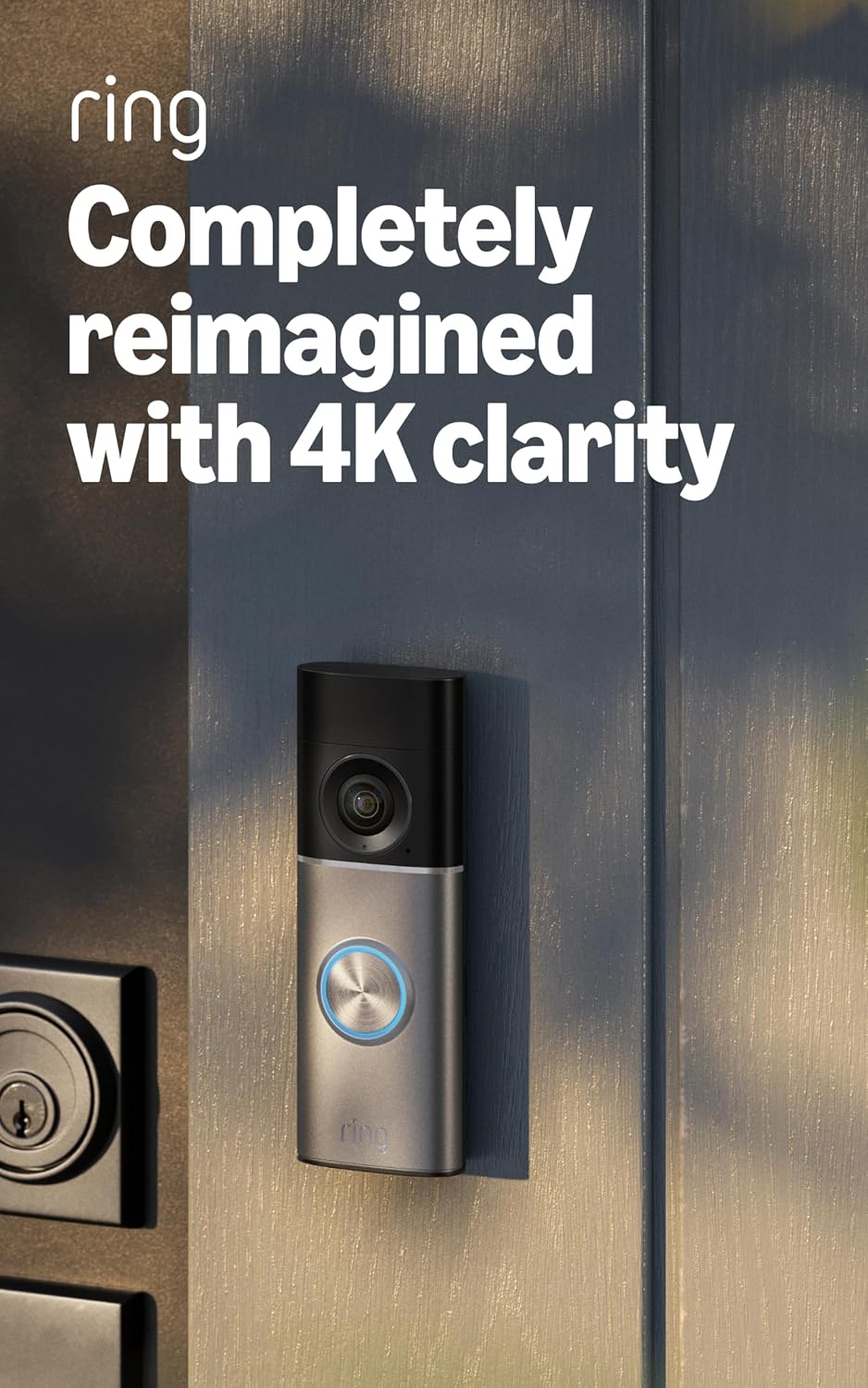
Ring Wired Doorbell 4K Pro
Wide-angle 4K video with enhanced zoom and night vision, so a face stays identifiable across the whole porch instead of just at the mat
It is wired, so you need existing doorbell wiring and a transformer that can carry it
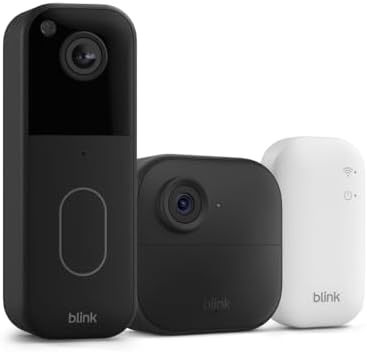
Blink Video Doorbell + Outdoor 4
Head-to-toe HD view, two-year battery life, and a Sync Module Core in the box, which means no wiring and no electrician
Battery cameras are a chore you sign up for, and a bundle is a system to manage rather than one device to forget about
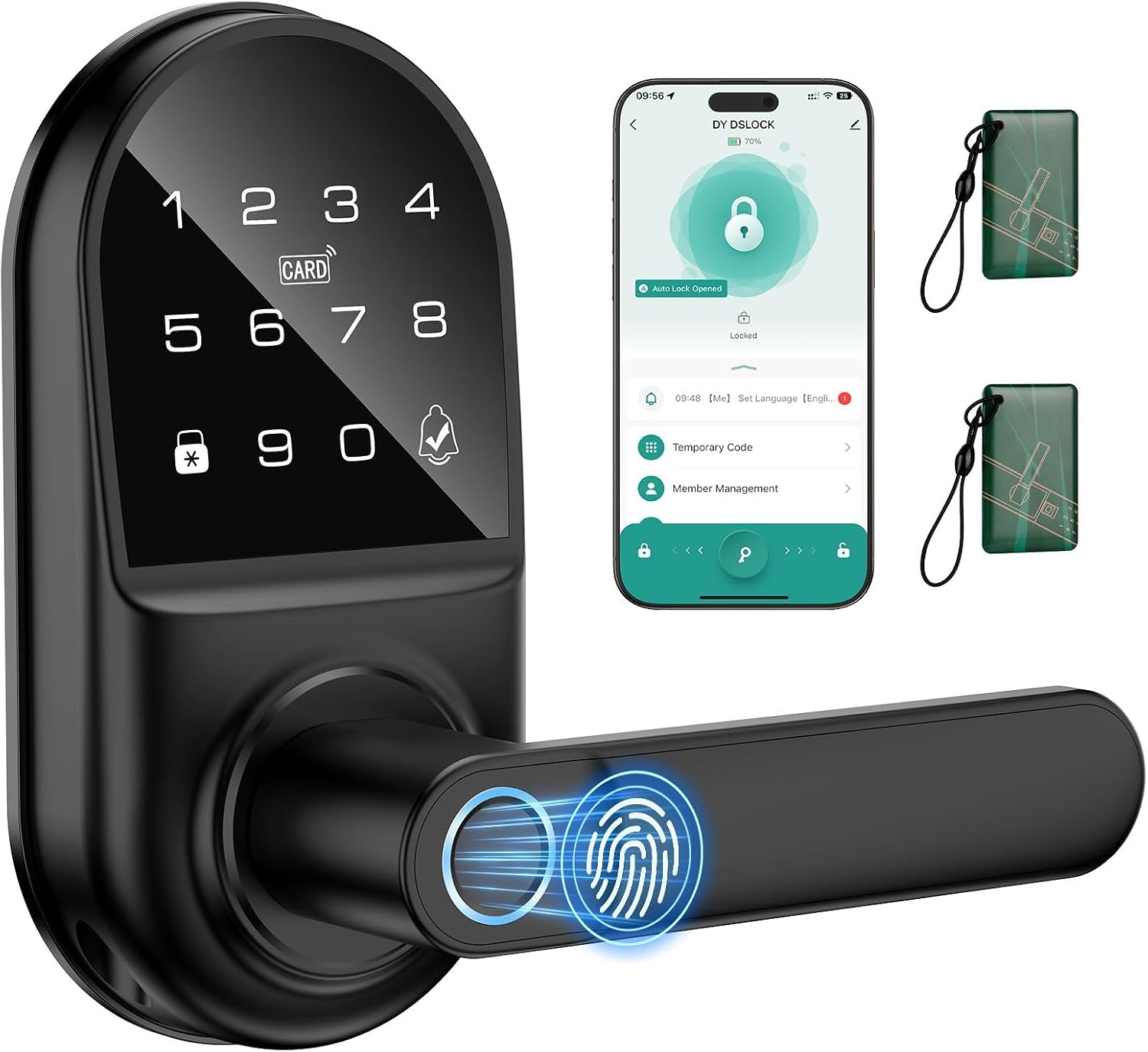
Smart Keypad Door Lock with Handle
Fingerprint, keypad, and app control on a lever handle with a built-in doorbell, and the friendliest install of the four
A lever handle lock is not a deadbolt, so it belongs on a bedroom or interior door before it belongs on a front door
Prices and availability were captured from Amazon Creators API and may change.
How I test locks and doorbells
Every lock and doorbell that earns a recommendation from me gets installed on a real door first. Right now that means ten locks and four doorbells spread across three Airbnbs and two long-term rentals around Columbus, all of it running through a 90-day turnover test with real guests, real tenant forgetfulness, and a real Ohio winter coming. I log every pairing failure, every fingerprint miss, and every battery drop in a spreadsheet that decides my picks for the year.
That is a higher bar than it sounds, because most of what fails in this category is not the hardware. It is the setup. A lock that pairs on the first try on a normal 2.4GHz network is worth more to me than a lock with a longer feature list, because the buyer at 11 p.m. does not care about the feature list. They care about whether the door opens.
The all-in-one option: 5 in 1 Smart Lock with Camera & Doorbell
If you are renting out a unit and you want to hand a guest one thing to deal with, this is the pitch. It is a keyless entry deadbolt, a camera, and a doorbell in a single WiFi housing, so you are not managing three apps or three sets of instructions. For a small Airbnb where the front door is the only entrance, that consolidation is genuinely useful, and it is the kind of install that makes a guest say the place feels futuristic.
Here is my honest reservation. Every function you stack into one device is another thing that can fail, and when the camera dies you are not replacing a camera, you are replacing the lock that your tenant depends on. The camera also sits at deadbolt height, which means it looks at the chest of whoever is standing there, not at the porch. If a package disappears, a lock-height camera is not the witness you wanted. My advice: buy it for the convenience, keep the physical key somewhere your guest can reach, and treat the camera as a bonus rather than your security plan.
The doorbell that sees the whole porch: Ring Wired Doorbell 4K Pro
Field of view beats resolution, and this is the rare case where you get both. The wide-angle 4K sensor with enhanced zoom and night vision is the combination that actually matters, because porch pirates do not rob you at noon. A doorbell that can identify a face at 11 p.m. is doing its job. A doorbell that shows you a blurry hoodie is a decoration.
The catch is in the name. Wired means wired, so you need existing doorbell wiring and a transformer that can feed it. If you rent an apartment, check your lease and your wiring before you order anything. If your doorbell chime was added by a previous owner with lamp cord and hope, this is not a plug-and-play upgrade, and that is a conversation to have with an electrician before you buy, not after.
The no-wiring bundle: Blink Video Doorbell + Outdoor 4
This is the one I recommend to renters and to anyone whose door never had a doorbell wire in the first place. You get the doorbell, an outdoor camera, and the Sync Module Core in one box, with head-to-toe HD view and a claimed two-year battery life. No transformer, no drilling through a door frame, no landlord permission slip for electrical work.
The trade-off is maintenance. Battery cameras are wonderful until you are the person standing on a step stool in February swapping cells, and two devices means two batteries to track. I keep a note on my phone for battery dates on every battery device I own, and I suggest you do the same from day one. The bundle also gives you a second camera angle, which is the underrated part. One camera sees the porch. Two cameras see the porch and the driveway.
The fingerprint keypad lock: Smart Keypad Door Lock with Handle
For a bedroom, an office, or an interior door you want to control without carrying a key, this is the easiest install of the four. Fingerprint, keypad, and app control on a lever handle, plus a built-in doorbell. It is the kind of lock you can hand to a housekeeper, a dog walker, or a teenager and be done with the conversation.
Two things to know before you buy. First, this is a handle lock, not a deadbolt. It keeps honest people honest and it is perfect for a bedroom. It is not what I would put on the only exterior door of a house. Second, fingerprint readers are the feature I trust least over time. They are fantastic for six months, and then they start missing on wet or worn fingers. That is not a knock on this specific lock, it is the category, and it is exactly why I want a keypad as a backup on anything with a reader. Always have a second way in.
Install order and the 2.4GHz problem
This is where cheap smart locks die, and the manual almost never warns you. Pair the lock to the app first. Then add the gateway. If you do it backwards, you are looking at a factory reset, which wipes every code you have set. I have done it twice this month on other people's doors.
The second trap is the network. Most of these devices speak 2.4GHz only. If your router broadcasts 5GHz only, or it splits the bands and your phone keeps grabbing the wrong one, the lock will never connect and you will spend an hour on support chat blaming the hardware. Check your router bands before you start, not after. And if a lock needs a hidden pairing mode, usually a two-button hold, find that combination in the manual and write it on the inside of the battery cover with a marker. Future you will be grateful.
Auto-lock is the feature that pays for itself
If you take one thing from this comparison, take this. Auto-lock is the single most underrated feature in the category. The most common call in property management is the tenant who "forgot to lock up," and auto-lock ends that call permanently. Set it to 30 seconds or a minute, verify that the deadbolt actually throws, and check it after every install. A door that looks locked but did not fully throw opens with a credit card.
The subscription question
Read the fine print before you buy anything with a camera. Paying monthly for basic remote access to a lock you already own is the worst deal in smart home, and it is a deal a lot of buyers discover in month two. Local storage and subscription-free live view are what most people actually need. Two-way audio is the feature everyone insists on and almost nobody uses past week two, so do not pay extra for it.
What I'm testing next
The winter is the real test. Cold kills batteries, it stiffens deadbolts, and it exposes every lock that was only ever tested on a bench. I have these four running through a full turnover cycle with guests and tenants, and I will be logging pairing failures, fingerprint misses on cold dry hands, and battery drops until the spreadsheet tells me which ones earned a permanent spot. When that data lands, this comparison gets updated, and I will tell you plainly which ones I would buy again with my own money.