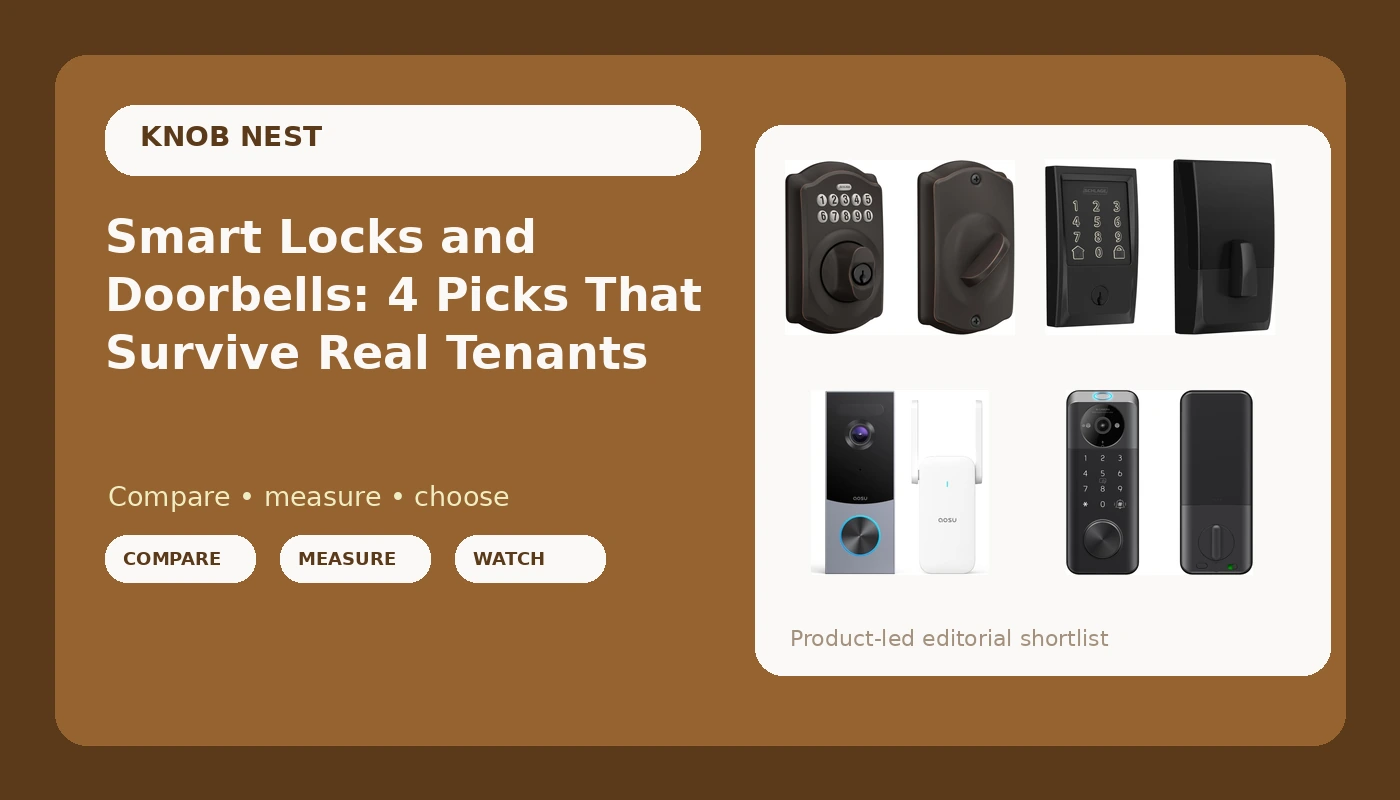
Five years of rekeying deadbolts for Columbus landlords taught me the thing no spec sheet mentions: the lock you can install in 20 minutes and then forget about beats the one with the longest feature list every single time. Since then I've put in more than 300 smart locks and doorbells, most of them for rental properties, Airbnb hosts, and people who just got tired of hiding a key under a rock. This comparison of smart locks and doorbells is the short version of what I tell folks who call me at 11 p.m. because their phone won't find their lock.
The Schlage Encode is the one I'd hand a landlord without hesitating, because the WiFi is built into the deadbolt and there is no gateway to pair in the wrong order. If you want one device doing two jobs, or you're working with a tighter budget, the smart lock with the built-in doorbell is the more interesting pick.
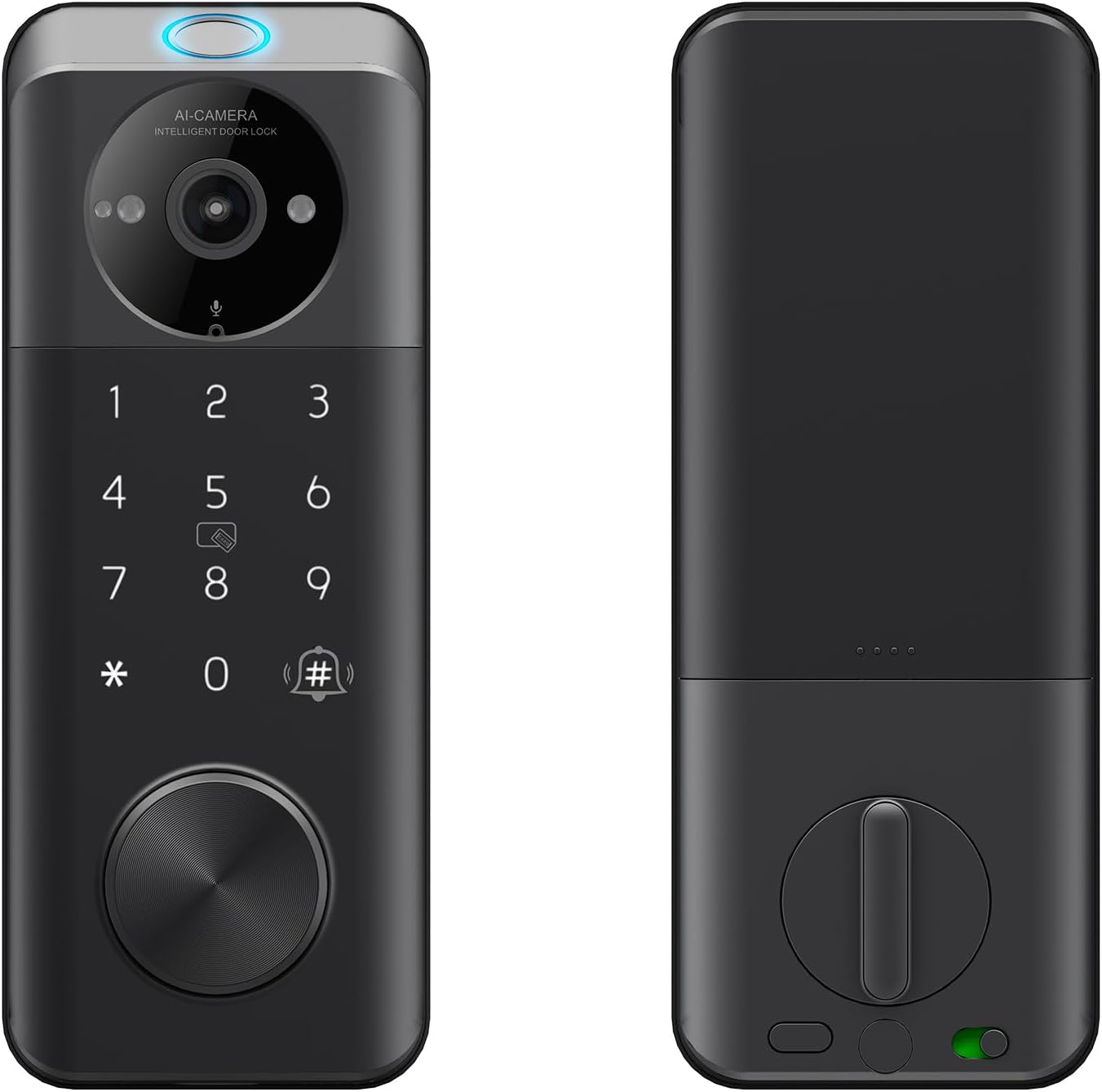
Smart Door Lock Built-in Video Doorbell, WiFi
Two jobs, one install, one app, and no second hole drilled in your door frame
A camera built into a lock is a compromise on both halves
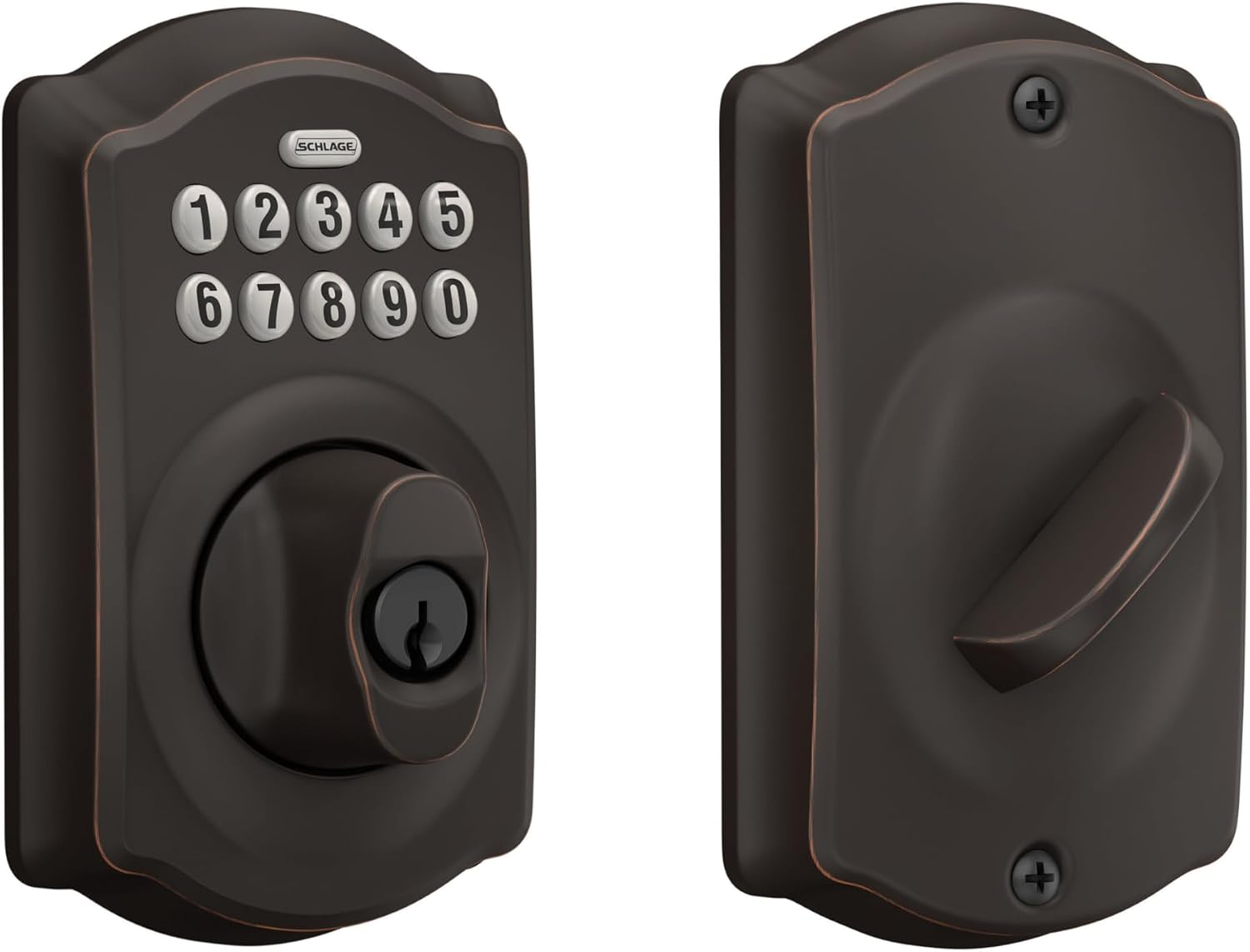
Schlage Electronic Keypad Deadbolt Lock, Camelot Trim, Aged Bronze
Nothing to pair, nothing to reboot, no subscription, real Schlage deadbolt hardware
No app, so no remote access and no code changes from your couch
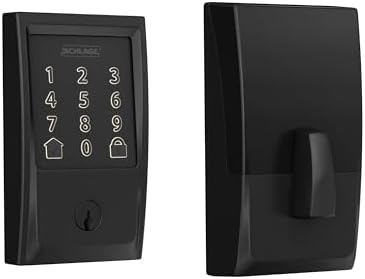
Schlage Encode Smart WiFi Deadbolt Lock with Century Trim, Matte Black
WiFi inside the lock, no gateway, and the build quality landlords keep asking for
The most expensive thing on this list, and it does not see your porch
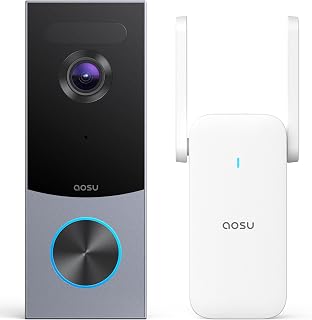
aosu 5MP Ultra HD Wireless & Wired Video Doorbell Camera
High-resolution sensor and it does not force you to own a smart lock to get a camera
You still need a lock, and you still need to think about storage
Prices and availability were captured from Amazon Creators API and may change.
What I check before anything gets recommended
A lock's job is to let the right people in and keep everyone else out. Every smart feature on top of that is decoration until the deadbolt actually throws. So before I recommend anything to a landlord, I want to know four things.
First, can it go on a real door in about 20 minutes without a support call? That is not a spec, that is the actual experience of the buyer standing in a hallway with a screwdriver at 9 p.m. Second, does it pair on the first try on a normal 2.4GHz network, and does the setup order make sense? Third, does anything about it require a monthly fee to do the basic job? And fourth, what does it cost per door when somebody buys six of them for a duplex?
That last question is why this comparison exists. Landlords do not buy one lock. They buy six, then eight, then they call me again. A lock that saves $60 per door and then needs a gateway per door has not saved anybody anything.
The four picks, one at a time
Smart Door Lock Built-in Video Doorbell, WiFi
This is the one that makes people stop and look twice. It is a deadbolt and a doorbell camera in one housing, which means one install, one app, and one hole in your door instead of two devices fighting for the same stretch of frame.
For a small rental or a single front door where you do not want to run a second wire, that combination is genuinely useful. You get a keypad, you get a camera pointed at whoever is standing there, and you get it without paying for two separate boxes. The catch is the same catch that follows every combo device: it is a decent lock and a decent doorbell, not the best of either. If your porch is deep and dark, or if your door frame is old and out of square, a dedicated camera and a dedicated deadbolt will each do their one job better. Buy this when simplicity matters more than peak performance, which for a lot of rentals it does.
Schlage Electronic Keypad Deadbolt Lock, Camelot Trim, Aged Bronze
Here is the one I put on doors where I never want a phone call again. It is a keypad deadbolt with no app, no WiFi, and no gateway. You program codes at the keypad, you hand a code to a tenant or a cleaner, and you change it when they leave.
The Camelot trim in aged bronze is the traditional-looking option, which matters more than people admit. On an older house with a brass knocker, a matte black modern deadbolt looks like a mistake. This one blends in.
What you give up is everything remote. You cannot unlock it from your couch, you cannot see who came in, and you cannot issue a temporary code from a different state. For a long-term rental where the tenant is a known person, that is fine and arguably better, because there is nothing to hack and nothing to reboot. For an Airbnb, it means driving over when a guest locks themselves out. That is the whole trade, and it is worth being honest about it before you buy.
Schlage Encode Smart WiFi Deadbolt Lock with Century Trim, Matte Black
This is the answer to the single most common setup problem I get called about. Cheap smart locks die at the pairing step because they use a separate gateway that has to be added to the app in a specific order, and the manual buries that order on page 14 of a foldout nobody reads. Pair the lock first, then the gateway. Backwards means a factory reset and starting over, and I have done that reset twice in one month for other people.
The Encode skips the gateway entirely. WiFi lives inside the deadbolt. There is no second box, no bridging step, and no "why can't my phone see this thing" phone call. You get app-based codes, you get remote access, and you get the Century trim in matte black, which is the modern look for a modern door.
It is also the most expensive item here by a wide margin, and it is still just a deadbolt. It will not tell you a package arrived. If you want camera coverage too, you are buying something else on top of it. For a landlord with several units who wants codes they can manage from a laptop, though, that convenience is the product.
aosu 5MP Ultra HD Wireless & Wired Video Doorbell Camera
If the door already has a deadbolt you trust, this is where the money should go. It is a video doorbell that can run wired or on battery, and it is built around a 5MP sensor rather than the 1080p that most of the category settled for.
Resolution is not the whole story, and anybody who tells you otherwise has not reviewed footage of a real porch. Field of view beats resolution. A 1080p camera that sees the whole walkway beats a sharper camera that sees the thief's hat and nothing else. But when the field of view is already generous, more pixels means a face you can actually identify instead of a smudge you forward to the police anyway.
Two things to sort out before you buy. Check the wiring at your door and check your lease if you rent, because battery doorbells exist exactly for people who cannot drill and cannot wire. And decide up front how you feel about storage. A doorbell that quietly costs more in cloud plans than the hardware did after two years is the worst deal in this category, and it is the reason I push people toward local storage when the option exists.
Deadbolt first, camera second
If you are building this out in stages, spend the first money on the deadbolt. A camera tells you who took the package. A deadbolt is what keeps them from walking in. I have watched people spend $200 on a doorbell and keep a $12 builder-grade lock on the same door, and that is backwards.
The second thing to know is that these two categories solve different problems, so "which one wins" is the wrong question. The keypad deadbolt wins on reliability and on cost per door. The WiFi deadbolt wins on management from a distance. The standalone doorbell wins on knowing what happens outside. The combo lock wins on install simplicity.
Setup order and the 2.4GHz trap
The single most common failure I see is not a bad lock. It is a setup order mistake. Pair the lock to the app first, then add the gateway if there is one. If you did it backwards, factory reset and start over, and understand that a factory reset wipes every code you have already set.
The second most common failure is the network. Most smart locks and gateways only speak the 2.4GHz band, and the box will not tell you that. If your router is broadcasting 5GHz only, or it splits the two bands into different names and your phone is glued to the 5GHz one, the lock will never connect and you will blame the hardware. Check the band before you unbox anything.
Third, turn on auto-lock if the lock supports it. It is the most underrated feature in the category. The tenant who forgot to lock up is the most common phone call in property management, and auto-lock ends that call forever.
A note on fingerprints and subscriptions
Fingerprint readers are wonderful for about six months. Then the reader starts missing on wet hands, cold hands, and worn fingers, and the person locked out is usually a guest who has no key. If you buy a fingerprint lock, buy one with a keypad backup, and test it on a real hand before you commit to it for a rental.
And be careful with anything that charges a monthly fee for basic remote access. Paying a subscription to open your own door is the worst deal in smart home. If a lock needs a plan to unlock remotely, that is a cost per door per year, and it belongs in your math before checkout, not after.
Bottom line
For a front door you manage from somewhere else, buy the Schlage Encode and skip the gateway headache entirely. For a long-term rental where a known tenant just needs a code, the keypad deadbolt is the most reliable thing on this page. For porch coverage, put the aosu doorbell on the frame. And if you want the whole thing done in one install with one app, the lock with the built-in doorbell is the compromise that makes sense for a lot of small rentals.