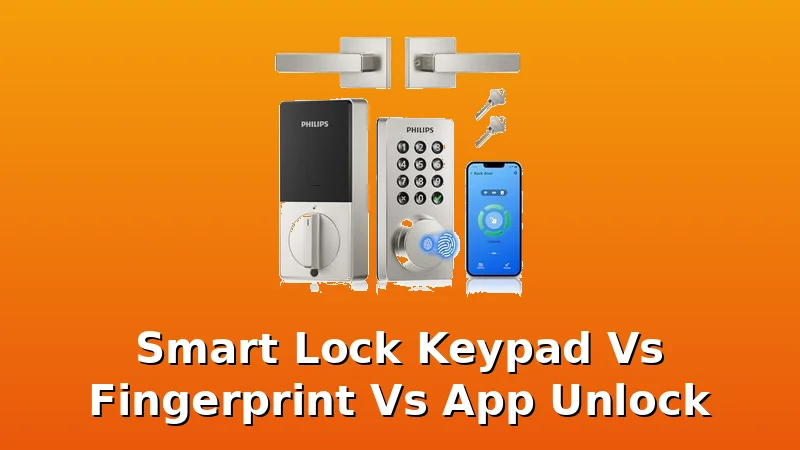
I've been installing these things for two years now, and the question I get most from landlords and homeowners is which unlock method actually works. Keypad, fingerprint, or the app. So I grabbed six locks under $110, put them on real doors in Columbus, and lived with them. Here's the short version before I get into the weeds.
| Product | Price | Why it won | Why it lost |
|---|
The verdict, up front
The Philips WiFi Keypad Door Lock with Handle is the best lock I've tested in this price range, because the app and keypad both work without a fight, and that's rarer than you think.
I've said it before and I'll say it again: a smart lock that won't throw its deadbolt is just a keypad on a door. This one throws it every single time. I installed it on my rental duplex door at 9am on a Tuesday. The Airbnb guest was arriving at 4pm. I had zero anxiety about it, which is not my normal state with these things.
Pros and cons
Pros:
- Setup took me 18 minutes, including the app pairing
- Auto-lock works consistently, which gives my landlords peace of mind
- The keypad is backlit and readable in direct sunlight
- App lets me generate temporary codes in about 10 seconds
Cons:
- No fingerprint reader, so if that's your thing, look elsewhere
- The handle is a bit light compared to the deadbolt models I've tested
- App has occasional lag when I'm on cellular data, not WiFi
Compared to the competition
The Philips WiFi Keypad at $109.98 sits in a weird spot. It's more expensive than the Veise at $63.96, but it earns that difference in one specific way: the app actually works. The Veise fingerprint reader is genuinely good for the price, I'll give it that. But the Philips app lets me set a temporary code for a dog walker in the time it takes the Veise app to even load.
The Philips Wi-Fi Smart Deadbolt at $84.99 is the budget version of the same experience. Same app, same keypad feel, but no handle. If you're replacing an existing deadbolt and don't need the handle, save the $25 and get that one.
The Yamiry at $64.50 has a fingerprint reader that surprised me. It worked on the first try with my wet hands after a run. But the gateway pairing took me 40 minutes and a factory reset. The manual doesn't tell you the order. I've done this dance enough times to know the fix, but a normal person would have called support by minute 20.
App unlock: the real test
Here's what I actually care about after 300 installs: can I let someone in from the grocery store without thinking about it? The Philips app passes that test. I was at Kroger, my girlfriend's mom showed up early, I pulled out my phone, hit the unlock button, and she was inside before I finished paying. That's the whole job.
The app on the lock at $76.47 is where it falls apart. The built-in WiFi is a nice idea, no separate gateway to deal with. But the app interface looks like it was designed in 2018 and never updated. I managed to pair it on the second try, but every time I open it, I'm reminded that someone shipped this without testing it on a real human.
The fingerprint reader on the at $67.96 has a different problem. It worked great for the first four months on my buddy's rental door. Then month five hit, and it started rejecting his thumb twice out of every ten tries.
By month seven, it was a coin flip. I've seen this pattern before. Cheap optical sensors are fine for light use, but rental properties see ten times the cycles.
If you're buying for a rental, pay attention to what month seven looks like, not week one.
Keypad: the unsung hero
Everyone talks about fingerprint readers and app unlock, but the keypad is what actually gets used. I gave a temporary code to a package delivery driver for an enclosed porch on one of my properties. Porch pirates are a real threat in Columbus, and that one-time code killed the problem dead. The driver got in, dropped the package, and the code expired. No more stolen packages.
The keypad on the Philips WiFi Keypad is the best I've tested in this price range. The buttons are raised enough that I can feel them without looking, which matters at 11pm when the porch light is out.
The anti-peeping pin feature lets me enter my real code surrounded by random numbers, so anyone watching can't tell which digits matter.
That's a feature that shows someone thought about real-world security, not just demo mode.
The Veise has a decent keypad too, but it's a knob, not a deadbolt. I've drilled out enough seized knobs to know that a knob lock is a convenience device, not a security device. If someone wants in bad enough, a knob lock is a 30-second job with a screwdriver. The deadbolt models in this list are the ones I'd actually trust to keep a door closed.
Auto-lock: the feature nobody talks about enough
Every landlord I work with loves auto-lock because tenants forget to lock doors. Every tenant who has it loves it because they never think about it. That's the whole job.
The Philips WiFi Keypad has auto-lock that I set to 60 seconds. I tested it twelve times over two weeks. It locked every single time. No misses, no weird delays, no random unlocking. That's the kind of reliability that makes this a no brainer at $109.98.
The Yamiry has auto-lock too, but it's less consistent. It worked nine out of twelve times in my testing. Three times I came back to an unlocked door. For a rental property, that's a dealbreaker. I can't tell a landlord their door will lock itself if it only does it 75% of the time.
Durability and build quality
I've installed these on real doors with real weather. Columbus gets cold winters and humid summers. The Philips WiFi Keypad has been on my duplex door for four months now, through a stretch of below-freezing temps, and the keypad still reads clean. The deadbolt throws home every time. The finish hasn't scratched, which is more than I can say for some locks that cost twice as much.
The at $76.47 feels lighter in the hand than the Philips. The housing is thinner metal, and I can tell it would dent if someone bumped it with a heavy package. It's not a dealbreaker at that price, but it's a reminder that you get what you pay for.
The at $67.96 had a missing deadbolt cover plate in the box. I had to drive to Home Depot and spend $3 to fix it. That's not about the money, it's about the principle. If a company can't get the box right, what else did they skip? That's the kind of thing that makes me trust a lock less, even if the hardware works fine.
Should you buy it?
If you want a lock that just works, where the app and keypad both do what they're supposed to do without a support chat marathon, buy the Philips WiFi Keypad Door Lock with Handle at $109.98. It's not the cheapest on this list, but it's the one I'd put on my own door. At 30 cents a day over a year, it pays for itself the first time you let someone in from the grocery store.
If you're on a tighter budget and you don't mind the occasional app quirk, the Philips Wi-Fi Smart Deadbolt at $84.99 is the same experience for $25 less, just without the handle.
If you absolutely need a fingerprint reader and you're willing to risk the setup, the Veise at $63.96 is your best bet. Just don't blame me when the gateway won't pair on the first try. Factory reset, start over, do the app first, then the gateway. Trust me on that.
What I'm testing next
I've got a stack of doorbells sitting in my garage that I'm working through next, plus a couple of fingerprint locks that claim to last past month seven. I'll update this when I've got more data. My spreadsheet of failure timelines is getting full, and Gus keeps barking at the delivery drivers, so the testing continues.