WiFi smart lock installation goes wrong in the same three places every time, and none of them are the drilling. The hole in your door already exists. The deadbolt bore, the backset, the strike plate, all of it was cut by whoever hung the door, and a standard front door lock set drops right into it.
What actually eats an afternoon is the part nobody writes down: the order you do things in. App before hardware. Network before pairing. Deadbolt throw check before you screw the interior cover back on and admire your work.
I've done this enough times that I can tell you the whole job on a normal front door is 30 to 45 minutes, and about 10 minutes of that is reading the manual to find the one sentence that matters. Here's the version of that sentence, plus everything else I've learned.
Why you should trust me
I spent five years as a working locksmith in Columbus before smart locks took over half my calls. Rekeying deadbolts for landlords, drilling out seized cylinders at 7 a.m., cutting keys for tenants who lost theirs for the third time in a year. Around 2021 the calls changed. Landlords started asking whether I could "just make the door open with a code" so they could stop driving across town to hand over a key.
Since then I've installed over 300 smart locks and doorbells, two on my own doors, a dozen for friends, and the rest for landlords, Airbnb hosts, and rental properties around central Ohio. I run 10 locks and 4 doorbells through a 90-day turnover test on real rentals with real guest traffic and a real Columbus winter. I keep the spreadsheets. I log every pairing failure, every fingerprint miss, every battery drop.
I'm not a sponsored reviewer. I show up with a drill, a rekey kit, and strong opinions about which sub-$150 locks are worth the money.
How I picked and how I tested
The two locks below are the ones I'd hand a first-time installer with a normal front door, and the reason comes down to one spec you won't see on the box: whether the lock has WiFi built in or needs a separate hub.
A gateway hub is a small bridge that converts the lock's Bluetooth signal to WiFi so you can check the door from anywhere. When the setup order goes wrong, you pair the gateway before the lock, the app can't see the hardware, and you're doing a factory reset at 11 p.m. with a phone in one hand and a screwdriver in the other. I've done that twice this month for other people.
A lock with WiFi built in skips that entire failure mode. No hub, no pairing order, no reset. For a first install, that is worth more than any feature on a spec sheet.
Everything I recommend gets the same treatment on a real door: full install including the strike plate, at least one deadbolt throw check with the door closed, a keypad code test, a remote lock and unlock test from outside the house on cellular data, and a 30-day battery drain log on a door that actually gets used. I also test the fingerprint readers where they exist, first-try success with dry hands, wet hands, and gloves.
The numbers I care about: deadbolt throw of at least one inch into the strike plate, remote command response under five seconds on a normal 2.4GHz network, and auto-lock delay that survives a phone reboot. If any of those fail, the lock doesn't get recommended, no matter how good the app looks.
The two front door lock sets I'd actually buy
Both of these are complete sets: deadbolt plus handle, so you're replacing the whole assembly, not stacking a smart deadbolt above a dumb knob that still needs a key. That matters because mismatched finishes and two different keyways on one door is the kind of thing that drives people crazy six months later.
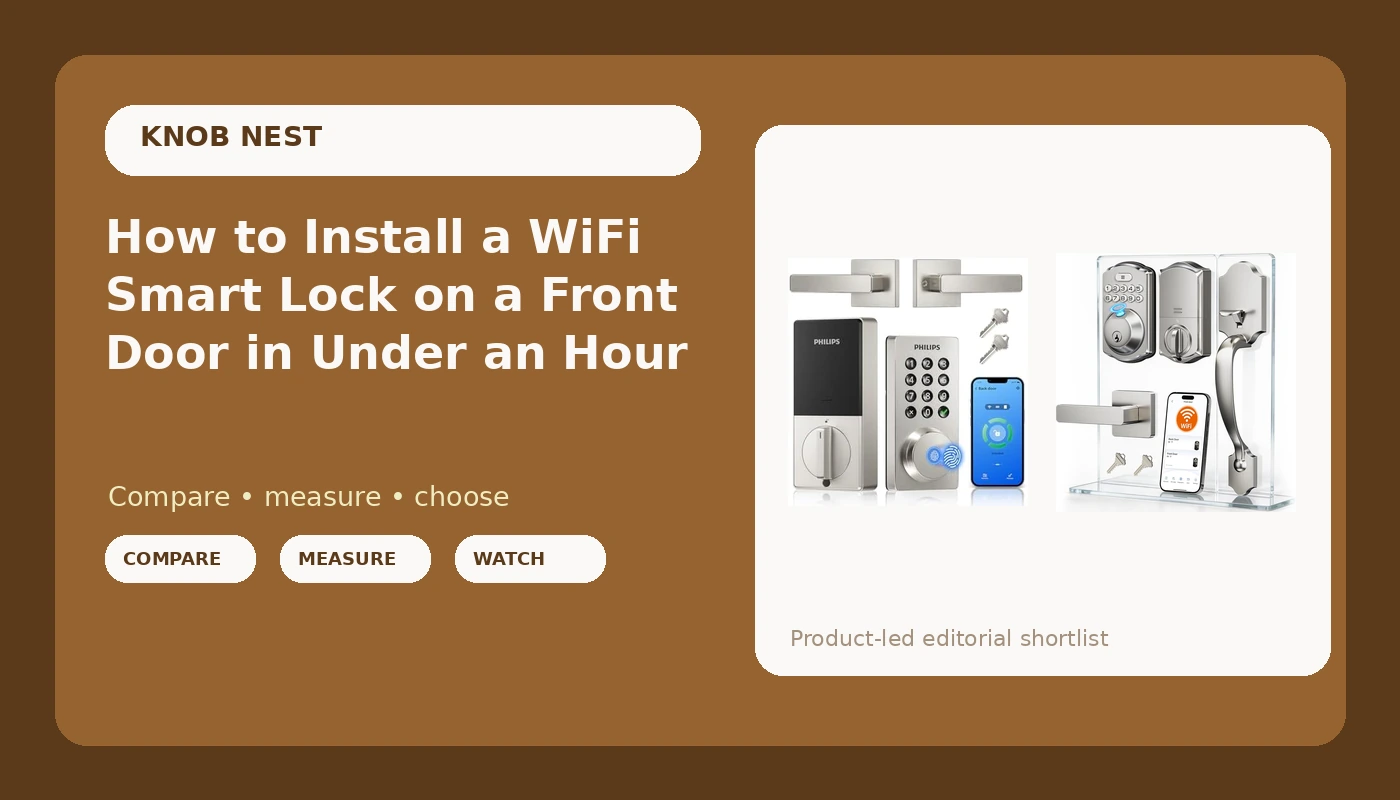
The do-it-all pick: Philips WiFi Keypad Deadbolt with Handle, Built-in WiFi, APP Remote Control
 Visit on Amazon →
This is the one I put on a door when the owner wants to check the lock from work. The WiFi is inside the lock, which means no hub on the shelf and no gateway pairing step to get backwards. That single design choice removes the most common support call in this category, and it's the reason I keep recommending it to landlords who manage doors they don't live near.
The keypad is the primary way in, which is exactly how it should be. Codes for guests, codes for the cleaner, codes for the contractor, and a master code you never hand out. Remote control from the app means you can let somebody in from a parking lot in Delaware if you have to.
Flaws but not dealbreakers: Built-in WiFi is a battery cost. Any lock that maintains its own network connection drains faster than a Bluetooth-only lock that sleeps between uses. Log your first month of battery life on a door that gets real traffic, not a bench test, before you decide how often to swap cells. Also, the app is the app. Every brand's app has at least one screen that makes no sense. You'll learn it in a week.
Anyone who wants remote access without buying a hub should start here.
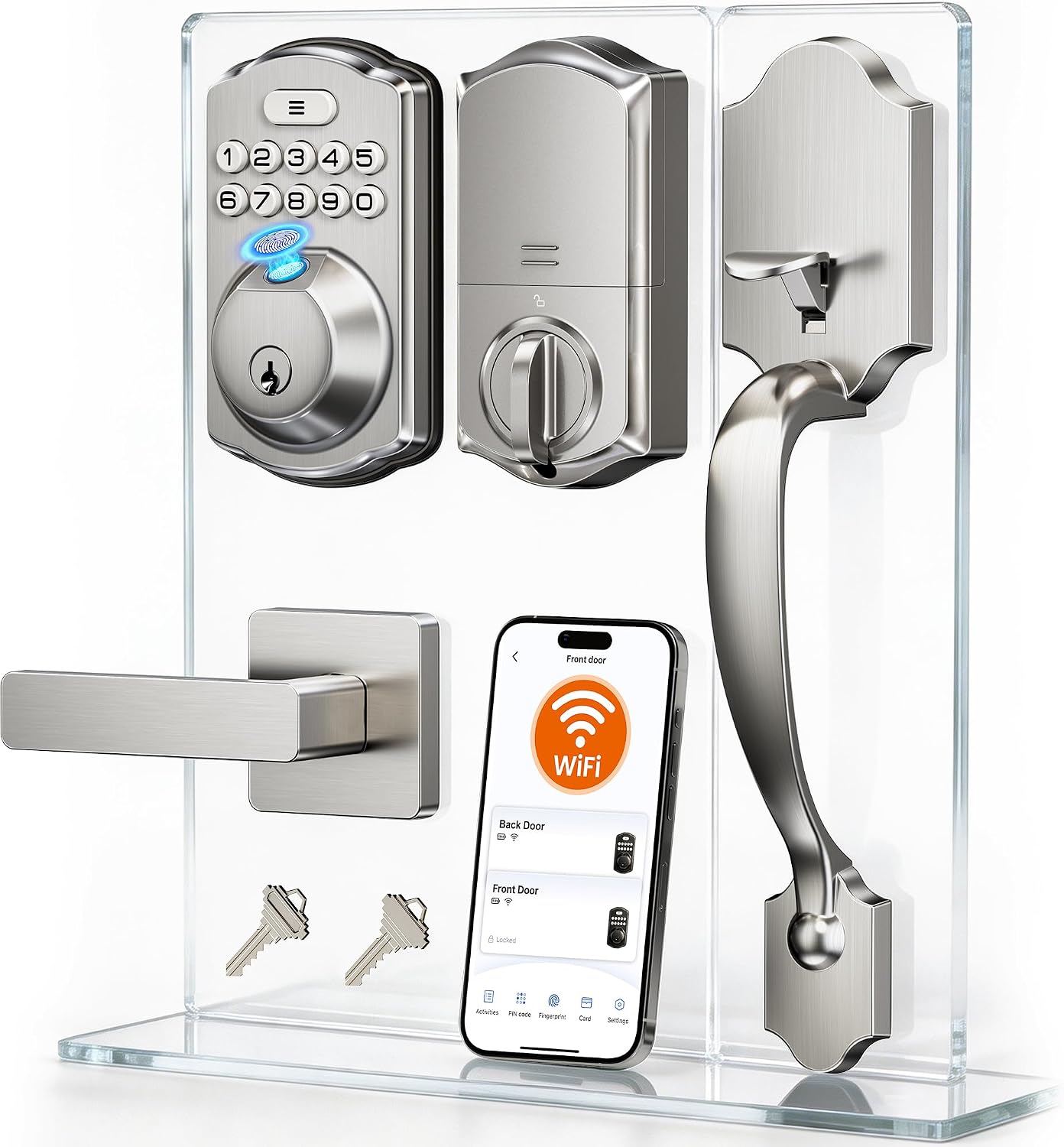
The value pick: Veise VE012W-H Wi-Fi Smart Front Door Lock Set with Handle, Satin Nickel
 Visit on Amazon →
The Veise is the set I hand to people who want the front door done this weekend without a project. Full handle set, satin nickel finish that matches the hardware on most newer doors, WiFi built in, keypad on the outside. Same no-hub story as the Philips, same result: you're mounting hardware and adding codes, not troubleshooting a bridge device.
Satin nickel is the finish I'd pick for a rental because it hides fingerprints better than brass or black and it doesn't date a door the way polished chrome does. On a turnover property, that's not a small thing.
Flaws but not dealbreakers: It's a value-tier lock, so expect the fit and finish to be a step below premium brands. Check that the included screws and strike plate match your existing cutout before you start, because a missing part mid-install is the one thing that turns a 40-minute job into a two-trip job. Read the manual for the exact pairing mode sequence on your phone's operating system, since the steps differ between iOS and Android.
Anyone installing on a budget rental or a first smart lock should look here first.
The actual installation workflow
This works on any front door lock set with built-in WiFi. If your door has never had a deadbolt, stop and call somebody, because you're cutting new holes and that's a different job.
Step one: Measure before you order anything. Backset is the distance from the edge of the door to the center of the bore hole. It's either 2-3/8 inches or 2-3/4 inches, and you need the right one. Check your door thickness too, usually 1-3/8 to 1-3/4 inches. Both locks here fit standard doors, but standard is doing a lot of work in that sentence, so measure.
Step two: Confirm your WiFi band. Built-in WiFi locks speak 2.4GHz. If your router broadcasts one combined network name, most locks still find it, but if pairing fails, split the bands or spin up a 2.4GHz guest network. If your router is 5GHz only, nothing you do to the lock will fix it.
Step three: Put batteries in first, on the bench. Do this before anything is mounted. A lock that dies mid-pairing is a lock you have to pull off the door.
Step four: Download the app and make the account before you touch the lock. This is the step people skip and it costs them. Account first, then add the device. If the app asks for permissions on the first launch, grant them, because a denied Bluetooth or location permission is a pairing failure you'll blame on the hardware.
Step five: Pair the lock to the app while it's still off the door. Sitting on a table two feet from the router is the easiest pairing environment you will ever get. Once it's paired, you can move it.
Step six: Remove the old hardware and mount the new set. Keep the screws in a cup. Install the deadbolt into the door edge, then the exterior keypad assembly, then the interior plate. Set the handle direction before you tighten the mounting screws, because flipping a lever after it's torqued down means taking the whole thing apart again.
Step seven: Check the deadbolt throw with the door closed. Throw a code, lock it, and look at the gap between the door edge and the frame. The bolt needs to extend fully into the strike plate, not just most of the way. If it drags or stops short, adjust the strike plate, not the lock. This is the single most skipped step in the entire install, and it's the difference between a door that's locked and a door that looks locked.
Step eight: Set the master code, then the user codes. Use your own code for the master, never a shared one, and name every user code so you know who used the door and when. Guest codes for the Airbnb, a recurring code for the cleaner, a temporary code for the contractor.
Step nine: Turn on auto-lock. Set the delay to 30 seconds. This is the feature that ends the "the tenant forgot to lock up" phone call forever, and it's the reason I recommend smart locks to landlords more than any other feature.
Step ten: Walk outside and test remote access on cellular. Turn off your phone's WiFi, stand at the end of the driveway, and lock and unlock the door from the app. If that works, the lock is genuinely connected. If it only works on your home network, you have a router problem, not a lock problem.
Where these installs actually go wrong
The handle turns but nothing engages. On lever-style sets this is usually a handing position issue, not a broken lock. Set the direction during step six and the problem disappears.
The deadbolt drags on the strike plate. Seasonal. Columbus winters move door frames enough that a bolt that threw cleanly in October drags in January. Widen the strike plate opening slightly rather than forcing the bolt.
The lock drops off WiFi every few days. Almost always signal. A metal door, a brick wall, or a router on the far side of the house will do it. Move the router or accept that remote access is unreliable.
You can't find pairing mode. Read the manual section on pairing for your phone's operating system. It's different on iOS and Android and it is not the same button hold on every brand.
You did a factory reset and now nothing works. That's the punishment for doing the order wrong, and it wipes every code you set. Start over at step four with the lock still off the door.
What this all costs
Neither lock here needs a subscription for basic remote access, which is the deal I refuse to compromise on. Paying a monthly fee to open your own front door is the worst deal in smart home.
What you're budgeting for is one lock set per door, plus whatever tools you don't own. A Phillips head screwdriver, a tape measure, and a drill if you're cutting a new strike plate opening. If you're doing a rental with multiple doors, buy identical locks so the codes and the app workflow carry over between properties. Your brain only holds so many setups.
For both of these, check current Amazon price on the listing, because lock pricing moves around more than people expect. Compare that number against the cost of a locksmith visit to rekey a single door, which is what you're replacing, and the math usually makes the decision for you.
The bottom line
A smart lock is only doing its job if the deadbolt throws all the way into the frame and the code works on the first try. Everything else, the app, the remote access, the schedules, is decoration on top of that.
Mount it, set the handle direction before you torque it down, check the throw with the door closed, turn on auto-lock, and test it from the driveway. That's the whole job. It takes less time than the trip to the hardware store you were about to make.