Most people shopping for smart front door locks are not trying to build an elaborate smart home. They are trying to stop hiding a key under a rock, stop driving across town to let a tenant in, and stop wondering whether the door actually got locked after they left. That is a smaller and far more practical problem, and it changes which features actually matter at the moment of purchase.
The category has split into two clear paths. One path is a single unit that packs a camera, a doorbell, and a keyless deadbolt into one piece of hardware. The other path is a keypad or fingerprint lock paired with a separate doorbell, which is usually cheaper per door and easier to replace piece by piece. Both work. They just fail in different ways, and the failure usually happens during setup rather than during use.
This guide compares six products that cover both paths, from a sub-$100 fingerprint handle lock to an all-in-one video deadbolt with local storage, plus the rechargeable battery pack that keeps one family of locks running. Every claim below comes from what each product is documented to include. Nothing here is a lab measurement, and no price is printed, because pricing moves and a stale number helps nobody.
Related: Video Doorbells for Rentals: What Actually Works
Quick answer
The eufy Security Video Smart Lock E330 with Rechargeable Battery is the strongest fit for a single front door that needs video, doorbell, and fingerprint entry in one device because it combines a camera, a doorbell, and a fingerprint keyless deadbolt in one unit with built-in Wi-Fi, auto lock, and 8 GB of storage. Choose the eufy Security Smart Lock FamiLock C32 instead when you want fingerprint keyless entry with an integrated handle and do not need a camera at the door.
Smart front door locks worth comparing
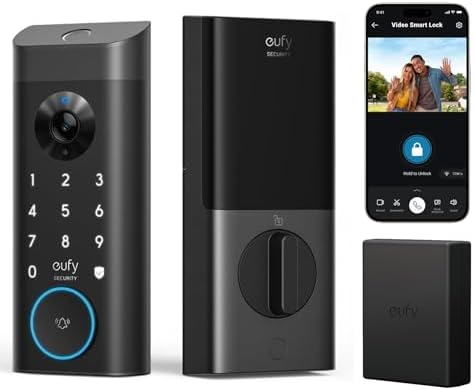
eufy Security Video Smart Lock E330 with Rechargeable Battery, 3-in-1 Camera+Doorbell+Fingerprint Keyless Entry Door Lock, Smart Built-in Wi-Fi Deadbolt for Front Door, Auto Lock, 8 GB Storage
A 3-in-1 front door unit that combines a camera, a doorbell, and a fingerprint keyless deadbolt in one piece of hardware. Built-in Wi-Fi means there is no separate gateway to pair, auto lock re-locks the door on its own, and 8 GB of onboard storage keeps clips on the device instead of behind a monthly plan.
Visit on Amazon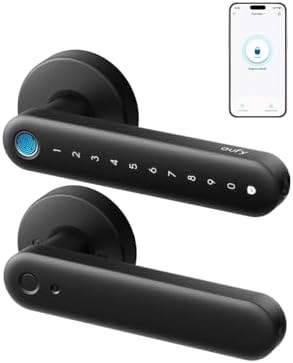
eufy Security Smart Lock FamiLock C32, Fingerprint Keyless Lock with Handle
A fingerprint keyless lock with an integrated handle, built as a simpler single-piece entry lock rather than a camera unit. It is the value end of this list: no video hardware, no doorbell, just fingerprint entry and a handle in one assembly.
Visit on Amazon
Smart Front Door Lock Sets: 2K HD Camera Lock with Doorbell Kits, Hornbill Fingerprint Keyless Entry Door Lock with Handles, WiFi Deadbolt(only 2.4G) for Remote Control, Free APP/Alexa/PIR, Black
A full set that ships with handles: a 2K HD camera, doorbell kit, fingerprint keyless entry, and a Wi-Fi deadbolt for remote control. The 2.4GHz-only Wi-Fi radio is the detail to confirm before you buy, and the listing also covers a free app, Alexa support, and PIR motion sensing.
Visit on Amazon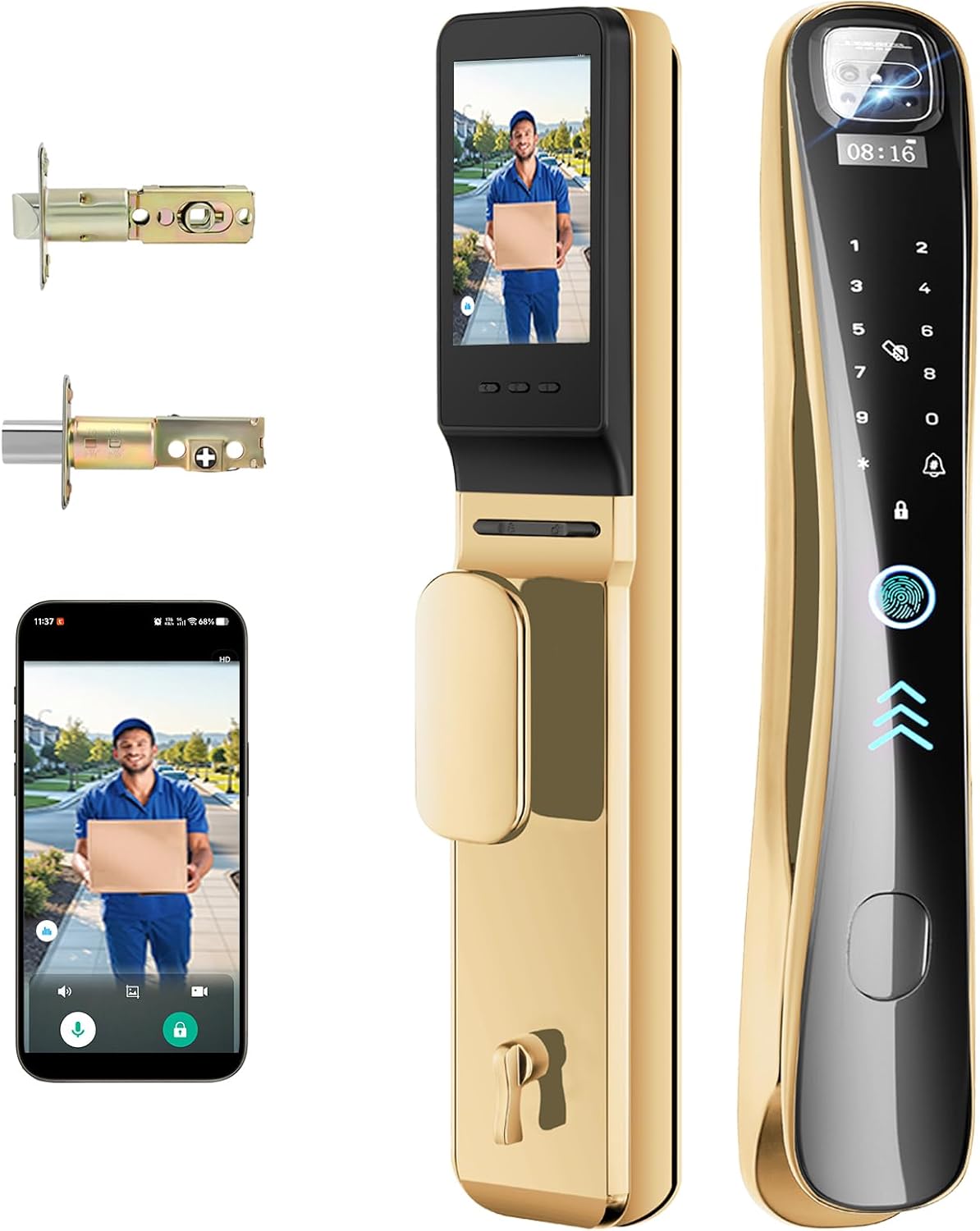
EIYSIE Video Smart Lock with Camera & Doorbell, 8-in-1 WiFi Keypad Deadbolt
An 8-in-1 Wi-Fi keypad deadbolt with a built-in camera and doorbell, aimed at buyers who want video plus keypad entry inside a single deadbolt rather than a separate doorbell on the trim.
Visit on Amazon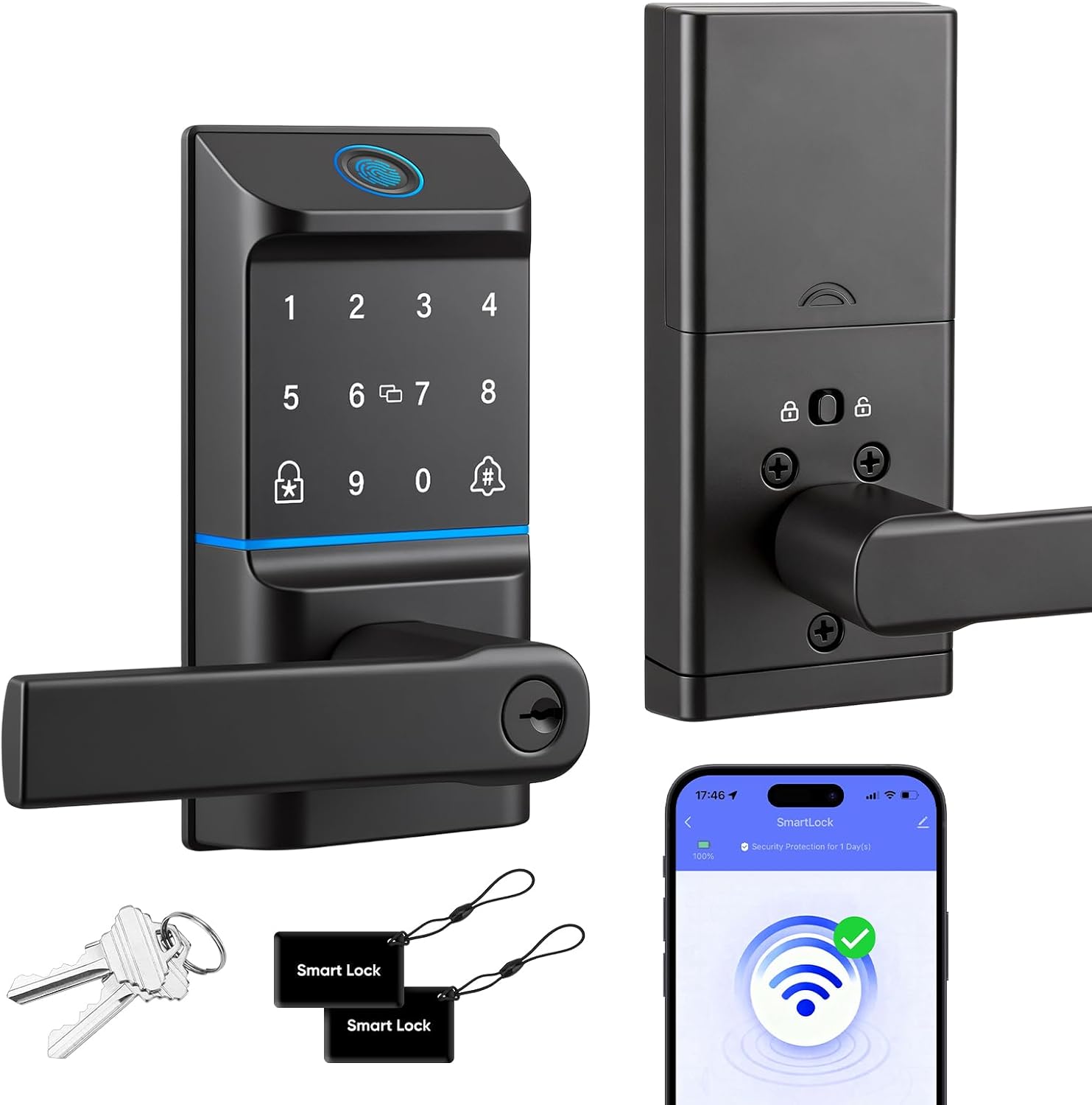
WiFi Smart Keypad Door Lock with Handle, 6 Ways Unlock with Doorbell Knob
A Wi-Fi keypad lock with a handle and a doorbell knob, listing six unlock methods. It is the straightforward code-and-keypad option for a door that needs reliable entry more than it needs a camera.
Visit on Amazon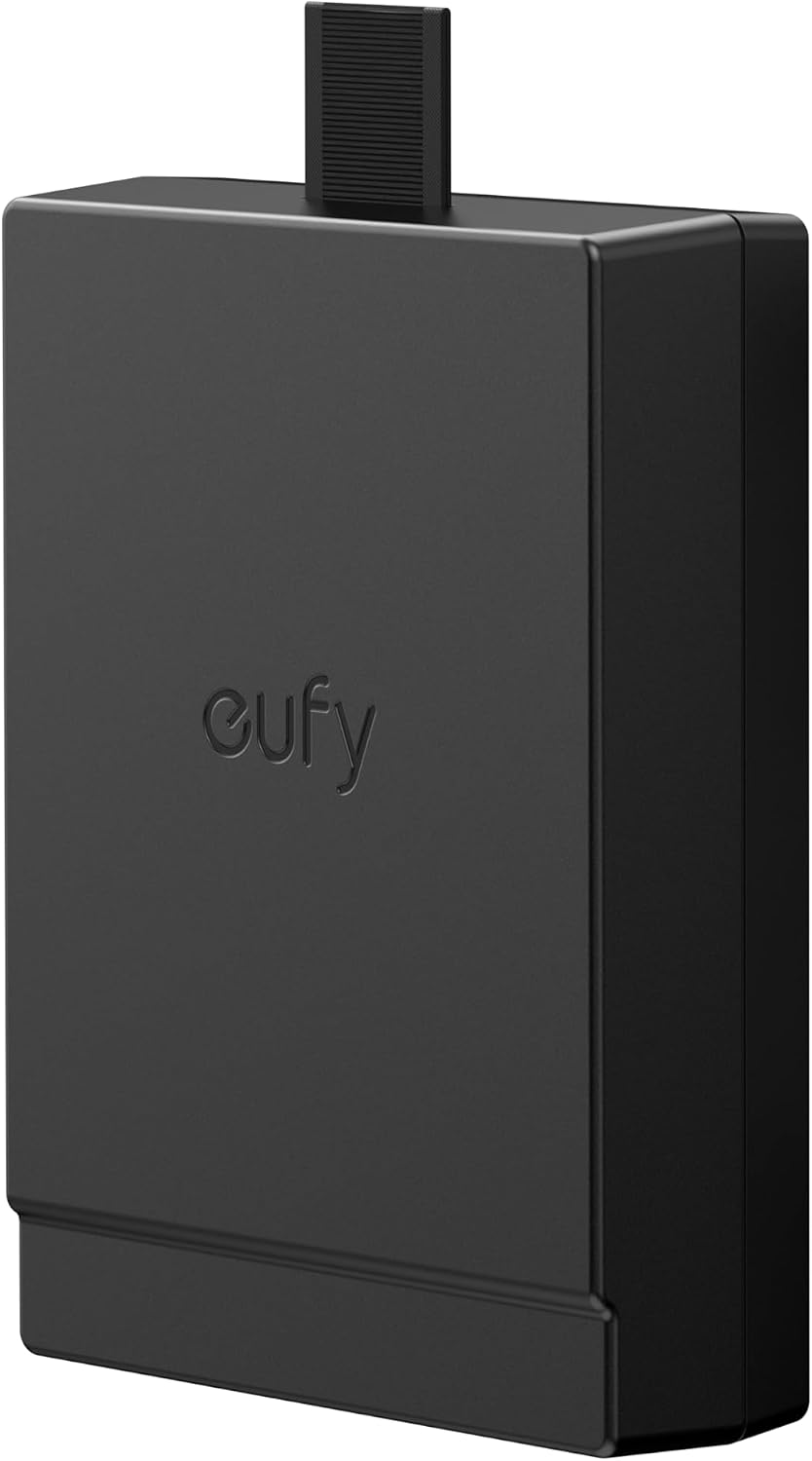
eufy Security Rechargeable Battery for FamiLock S3, FamiLock S3 MAX, E40
A rechargeable battery pack made for the eufy FamiLock S3, FamiLock S3 MAX, and E40 locks. It is not a lock, but it is the accessory that matters most in year two: a spare pack means a dead lock is a swap, not a deadbolt you have to leave unlocked while you wait.
Visit on AmazonPrices and availability may change. Check the retailer for current details.
How these products were compared
This guide compares camera and video hardware, listed unlock methods, wireless and gateway requirements, power source and recharging, and how much of the useful function depends on a subscription versus onboard storage. Product names, images, and retailer links are matched to the same verified product so that every card points to the product shown.
Nothing here is a hands-on test or a bench measurement. The distinctions below come from what each product is documented to include: its listed unlock methods, its camera or doorbell hardware, its stated wireless requirements, and its power source. Where a detail is not documented, this guide does not invent one. Pricing and availability change constantly, so confirm both through the retailer link instead of trusting a number you saw somewhere last month.
How to choose the right smart front door lock
Start with the door and the people who use it, not the feature list. If the door is your own front door and you want to see who is standing on the porch, an all-in-one video deadbolt solves three problems with one install: camera, doorbell, and keyless entry. If the door is a side entrance, a back door, or a rental unit where nobody cares about video, a fingerprint or keypad lock with a handle costs far less and does the one job that matters, which is letting the right person in.
The next decision is wireless. Some locks talk to Wi-Fi directly, which is why the E330 lists built-in Wi-Fi and why the Hornbill set lists a Wi-Fi deadbolt. Others rely on a 2.4GHz-only radio, and that band requirement is buried in the spec sheet more often than it is printed on the box. Before you buy anything, log into your router and confirm that a 2.4GHz network is actually broadcasting. A router running 5GHz only, or one that splits bands into separate names, is the single most common reason a new lock never finishes setup. If you are adding a lock that uses a separate gateway, pair the lock to the app first and add the gateway second. Doing it in the other order is what turns a twenty minute install into a factory reset.
Power is the third fork in the road. The E330 ships with a rechargeable battery, and the FamiLock S3, FamiLock S3 MAX, and E40 family has a rechargeable pack sold separately. Rechargeable is the right call for a door that gets used all day, because you are not buying disposables every few months. Whatever you choose, read how the lock behaves when the battery gets low. A lock that warns you early is a convenience. A lock that dies quietly is a lockout.
Finally, decide whether handles are included. The Hornbill set and the keypad lock both ship with handles, which matters if you are replacing a whole entry set and the existing handle does not match the new finish. The E330 is a deadbolt replacement, so your existing handle and knob stay where they are. Neither approach is better, but only one of them has you measuring your current backset and door thickness before you order. If guest access and temporary codes are part of your plan, our rental doorbell guide covers how that workflow fits together with video at the door.
eufy Security Video Smart Lock E330 with Rechargeable Battery
This is the pick that covers the most ground in one box. The E330 is documented as a 3-in-1 device: camera, doorbell, and fingerprint keyless entry, built as a Wi-Fi deadbolt for a front door. It lists auto lock, which means the bolt re-locks itself after a set delay, and it lists 8 GB of storage, which keeps recorded clips on the device rather than routing everything to a paid plan. Built-in Wi-Fi also means there is no separate hub to buy, power, and pair.
The trade-off is concentration. When the camera, the doorbell, the fingerprint reader, and the deadbolt all live in one housing, you have one device to install, one device to charge, and one device to troubleshoot. If a cheaper keypad lock fails, you replace a keypad lock. If a combo unit fails, you replace the whole entry point. That is the honest cost of the all-in-one approach, and it is the reason the simpler locks on this list still earn their place on a second door. If you want video at the front door and you want it in one install, this is the one to look at first.
Alternatives to consider
The eufy Security Smart Lock FamiLock C32 is better suited to a door that needs fingerprint entry and a handle without any camera hardware, which keeps the cost and the install simple. The WiFi Smart Keypad Door Lock with Handle is a stronger fit when you want six listed unlock methods and a doorbell knob on the same plate, with no video to manage.
The Smart Front Door Lock Sets model, the EIYSIE Video Smart Lock, and the eufy Rechargeable Battery cover the rest of the field. The Hornbill set is the bundle option: camera, doorbell kit, fingerprint entry, and handles in one purchase, with a 2.4GHz-only Wi-Fi radio to plan around. The EIYSIE is the other all-in-one video path, an 8-in-1 Wi-Fi keypad deadbolt with camera and doorbell built in. The rechargeable battery is the maintenance purchase: it fits the eufy FamiLock S3, FamiLock S3 MAX, and E40, and it is the difference between a five minute battery swap and an afternoon of waiting on a charge.
Day-to-day use and maintenance
Most of the maintenance on a smart lock is battery management and app hygiene. On a rechargeable lock, keep a second pack charged and swap it before the lock starts complaining. On a lock that uses a separate pack, order the spare at the same time you order the lock, because the day you need it is the day you cannot wait for shipping. If your lock uses disposable batteries, note the install date on the inside of the battery cover so you are not guessing nine months later.
The mechanical side matters just as much. After any install, close the door and watch the bolt travel. It should extend fully into the strike plate without dragging. A bolt that only half throws looks locked and is not, and that is a door problem, not a lock problem, so fix the strike plate alignment before you blame the hardware. Check the strike plate screws while you are there and confirm they reach into the framing stud, not just the trim.
Keep the fingerprint reader clean and dry. Worn, wet, or gloved fingers are the usual reason a reader stops recognizing people, and a keypad code or a physical key is the backup that keeps that from becoming a lockout. On any lock with a free app, open the app every few months, confirm the firmware is current, and delete guest codes you no longer need. Old codes are the quiet security leak in a rental, because nobody remembers who still has them.
Buying checklist
- Measure your door thickness and backset before ordering a replacement deadbolt or handle set.
- Confirm your router broadcasts a 2.4GHz network, since that is the band most of these locks require.
- Choose fingerprint, keypad, or camera entry based on how the door is actually used, not on the longest feature list.
- Confirm the exact model includes the handle, the doorbell hardware, or the battery you are expecting.
- Read the install and maintenance instructions, especially the setup order for any lock that uses a separate gateway.
- Verify current price, availability, and return terms at the retailer before you commit.
Final recommendation
Choose the eufy Security Video Smart Lock E330 with Rechargeable Battery when your front door needs camera, doorbell, and fingerprint entry in one install, and when built-in Wi-Fi and 8 GB of local storage matter more than a lower price. Choose the eufy Security Smart Lock FamiLock C32 when you want fingerprint keyless entry with a handle and no camera, or the WiFi Smart Keypad Door Lock with Handle when a code-based keypad is the whole job. Add the eufy Rechargeable Battery if you own a compatible FamiLock and want a spare on the shelf. For a bundled camera setup with handles included, the Smart Front Door Lock Sets model covers it, as long as your network has a 2.4GHz band for it to join.