Every rental door I get called to has the same three problems: a tenant who lost the key, a landlord who is tired of driving across town to hand over a spare, and a deadbolt that stopped throwing all the way because somebody slammed the door one time too many. Smart locks for rentals solve the first two problems permanently. The third one still needs a screwdriver and ten minutes of your afternoon.
I spent five years as a working locksmith before I started installing smart locks full time, and I have put more than 300 of them on doors around Columbus, most of them for landlords, Airbnb hosts, and property managers. Here is what that taught me: the lock that wins on a spec sheet is rarely the lock that wins on a Tuesday night when a guest cannot get in. The best smart lock for most rental doors in 2026 is the Kwikset SmartCode 260, because it is a keypad deadbolt with auto-lock and custom user codes that keeps working when the WiFi does not. That is the short answer. The long answer depends on whether your door needs a camera, whether your router plays nice with a 2.4GHz band, and whether you are willing to trade a brand name for a fingerprint reader and a handle.
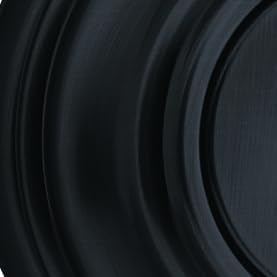
Kwikset SmartCode 260 Keyless Entry Electronic Keypad Deadbolt Door Lock with Auto-Lock, Custom User Codes, Advanced Security in Matte Black Contemporary
A keypad deadbolt that does not need an app, a gateway, or your WiFi to let somebody in, plus auto-lock and custom user codes
Nothing in the name mentions WiFi or remote access, so checking the door from your phone is not part of the deal
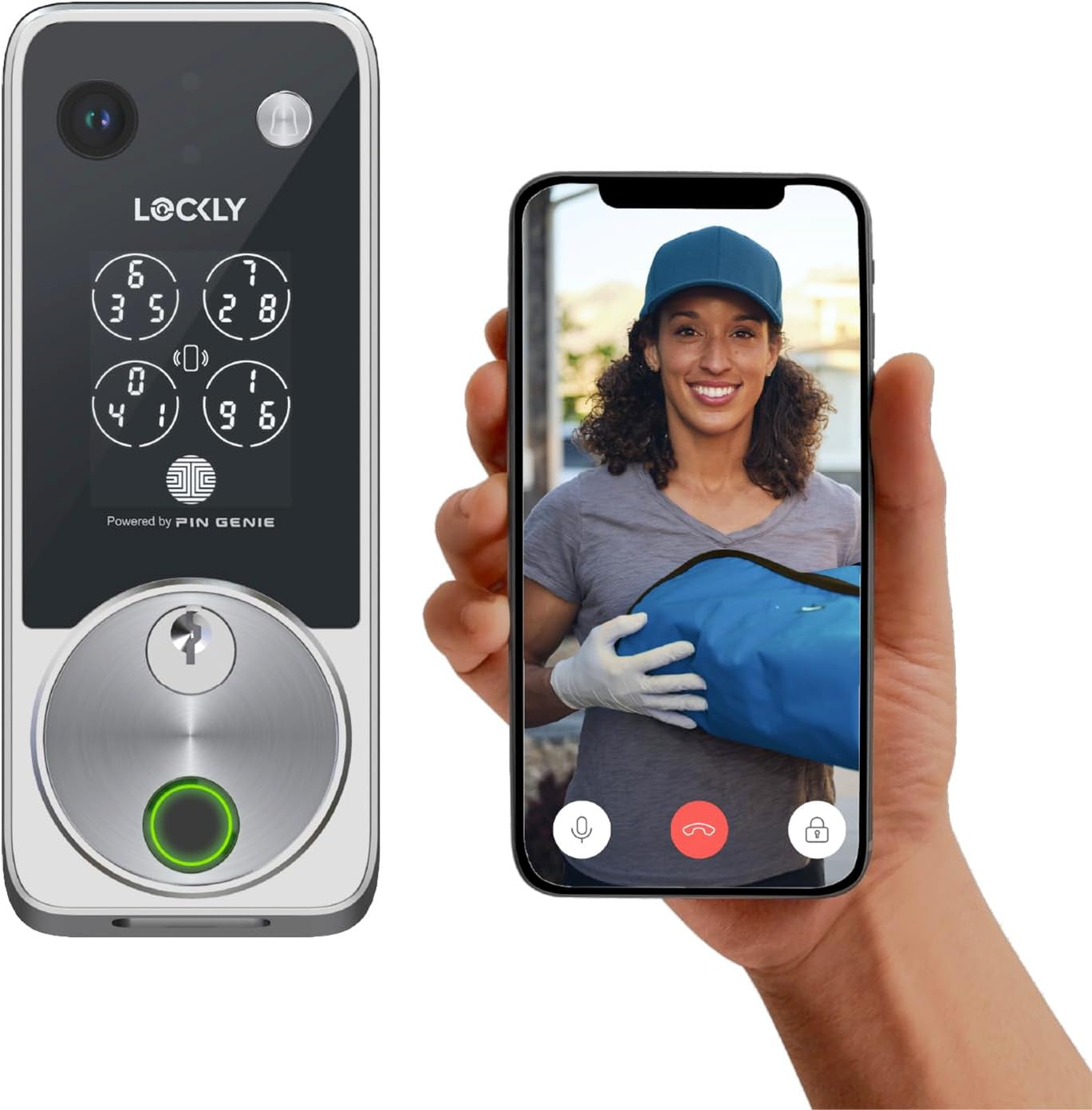
Lockly Vision Zeno Smart Lock with Video Doorbell Camera/Apple Home Key
A lock and a video doorbell in one piece of hardware, with Apple Home Key support for the people who live there
The most expensive lock on this list by a wide margin, and a camera in the deadbolt means one more thing to pair and troubleshoot
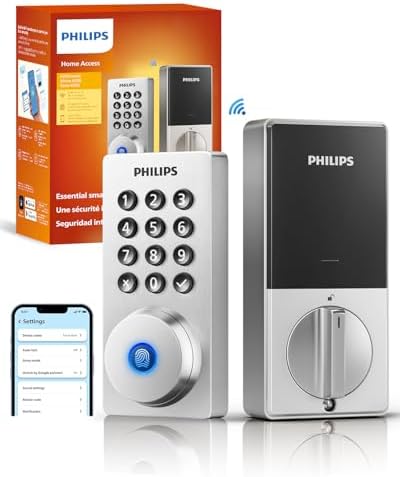
Philips Wi-Fi Smart Deadbolt Lock, Keyless Entry Door Locks for Front Door
WiFi built into the lock, so there is no separate gateway to buy, power, or lose in a move
WiFi-only locks live and die on your router settings, and there is no fingerprint reader or camera here
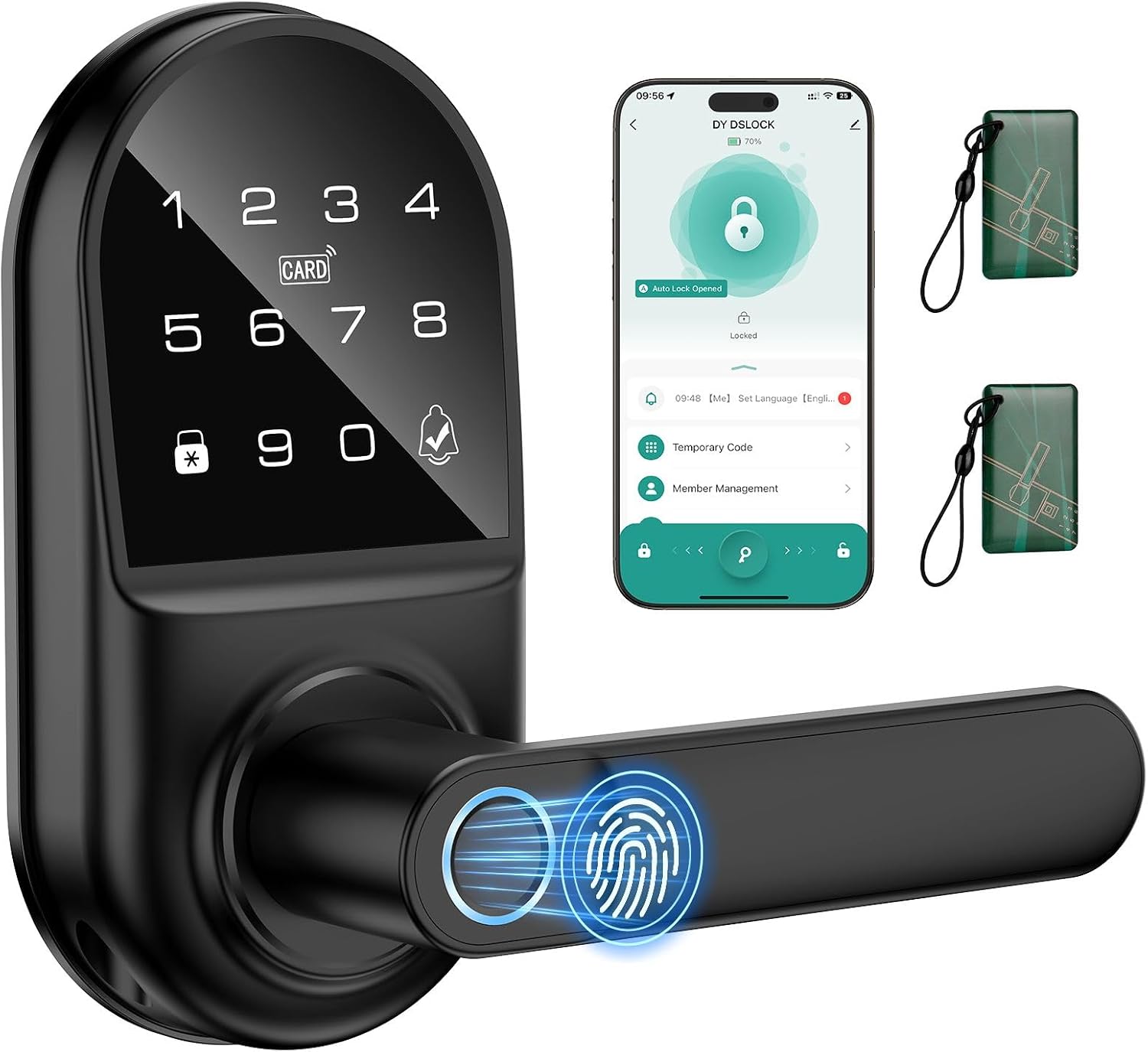
Smart keypad Door Lock with Handle,Fingerprint Keyless Entry Digital Lock with Built-in doorbell for Front Door,Bedroom,biometric Door knob, APP Control
The cheapest way to get a fingerprint reader, a keypad, a handle, and a doorbell on one door
No brand pedigree behind it, and a fingerprint reader plus an app is exactly where cheap locks tend to age badly
Prices and availability were captured from Amazon Creators API and may change.
What you are actually comparing here
These four are not four versions of the same product. They are four different answers to the same question, and picking the wrong answer is how people end up returning a lock they already drilled holes for.
- A keypad deadbolt that does not touch your network at all
- A WiFi deadbolt that skips the gateway box entirely
- A camera lock that replaces your lock and your doorbell in one unit
- A budget handle lock with a fingerprint reader, a keypad, and a doorbell built in
The lock on your front door and the lock on your rental door have different jobs. A front door lock is about convenience and curb appeal. A rental lock is about access, turnover, and whether you can hand somebody a code at 11 p.m. without leaving your couch. Keep that split in your head while you read the rest of this.
The keypad deadbolt: Kwikset SmartCode 260
This is the lock I recommend to landlords first, and it is not because of the feature list. It is because a keypad deadbolt with auto-lock and custom user codes does the one thing that matters most on a rental door: it lets the right person in without a key, and it relocks itself afterward. Auto-lock is the single most underrated feature in this entire category. The tenant who "forgot to lock up" is the most common phone call in property management, and auto-lock ends that call forever.
The trade-off is honest and simple. Nothing in this product name mentions WiFi or an app, so plan on treating it as a keypad-first lock that you manage at the door. If you want to check from your phone whether the front door is locked, this is not the tool for that job. If you want a deadbolt that works during an internet outage, a router swap, or a power flicker, this is exactly the tool for that job.
The matte black contemporary finish is worth mentioning because it is the finish most landlords end up wanting anyway. It hides fingerprints better than brass or satin nickel, and it does not look like a piece of plastic screwed to a door.
The WiFi deadbolt: Philips Wi-Fi Smart Deadbolt
The appeal here is the missing box. A lot of smart locks are Bluetooth-only, which means you need a gateway to bridge the lock to your WiFi so you can check it from anywhere. Setup order matters on those, and getting it backwards means a factory reset and starting over. A WiFi deadbolt skips that entire chapter.
Philips is a name most people already trust, and for a front door on a house you actually live in, that matters. The catch is the one the box rarely shouts about: almost every smart lock and gateway speaks the 2.4GHz band only. If your router broadcasts 5GHz only, or it splits the two bands into separate networks with different names, the lock will never connect and the manual will not explain why. This is the number one reason I get called to a house where "the lock just will not pair."
There is no fingerprint reader here and no camera. That is a feature, not a flaw, if your goal is a clean keyless deadbolt for a front door that looks and behaves like a normal lock.
The camera lock: Lockly Vision Zeno
This is the lock for the person who was already shopping for a video doorbell and realized they could buy one device instead of two. A video doorbell camera built into the deadbolt means one install, one app, one battery to think about, and no separate camera screwed to the trim beside the door.
Apple Home Key support is the other reason people buy it. If everyone in the house carries an iPhone or an Apple Watch, tapping the door open is genuinely nice, and it beats digging for a code with an arm full of groceries.
Two things to weigh. First, this is the most expensive lock in this comparison, and the gap is not small. Second, a camera lock has more to go wrong than a keypad deadbolt. When something on it misbehaves, you are troubleshooting a lock, a camera, a WiFi connection, and an app at the same time. That is fine if you enjoy that. It is less fine if you are a landlord who wants a five-minute fix.
If you are weighing the camera side of this separately from the lock side, the field of view matters more than the resolution. A 1080p doorbell that sees the whole porch beats a sharper one that only sees the top of a delivery driver's hat. And night vision is the test that actually matters, because nobody steals a package at noon.
The budget all-in-one: fingerprint keypad handle lock
This one is doing the most for the least. A fingerprint reader, a keypad, a doorbell, app control, and a full handle set, all in one box. For a bedroom door, a back door, or an interior office door where you want keyless entry without rewiring your thinking about locks, that combination is hard to argue with.
Here is where I slow down, and it comes from a bad experience rather than a spec sheet. I once bought a cheap fingerprint lock that worked beautifully for six months and then started failing on the seventh. The reader did not break all at once. It just started missing on wet hands, then on cold hands, then on everyone. Longevity is the spec nobody tests, and a fingerprint reader is the single most likely part of a lock to degrade.
So the rule I give people: if you buy a fingerprint lock, make sure it also has a keypad and, ideally, a key. A keypad backup is what keeps you from locking out your own guests when the reader starts getting picky. This lock has the keypad, which is the important part. Just do not make the fingerprint reader your only way in.
The handle design is also worth a look before you buy. On lever-style locks, the handle can turn without engaging the latch when the door is already unlocked, which reads as "broken" to about half the people who touch it. It is a design quirk, not a defect, and the manual almost never explains it.
Setup order, because it is where cheap locks die
Every lock in this comparison has a setup order, and getting it wrong is the most common reason people return a perfectly good lock. If you take one thing from this article, take this: pair the lock to the app first. Then add the gateway, if there is one. Backwards means a factory reset, and a factory reset wipes every code you have already set.
Two more things I check before I ever mount a lock:
- Test the deadbolt throw with the door closed. If the bolt does not fully extend into the strike plate, the door looks locked and opens with a credit card. Every install, every time.
- Confirm your WiFi band. If your router is 5GHz-only, fix that before you unbox anything.
Auto-lock, codes, and the guest turnover problem
For rentals, the value of these locks is not the gadget factor. It is that you can hand a cleaner a code that expires Sunday, and hand the next guest a different code that starts Sunday afternoon, without driving anywhere or cutting a key.
Auto-lock is what makes that system safe rather than just convenient. Set the delay to something reasonable, 30 seconds to a minute, and the door locks itself whether or not anyone remembers. If a lock in this comparison does not have auto-lock, that is a real strike against it for rental use.
The trade-offs I would not ignore
- Price versus brand. The budget handle lock wins on features per dollar. The Kwikset and Philips win on the odds that the thing still works in three years and that you can find a replacement part.
- One device versus two. The Lockly replaces a lock and a doorbell. That is a real saving in install time and a real increase in troubleshooting surface.
- App dependence. A lock that needs an app to manage codes is fine until the app has a bad week. A lock that manages codes at the keypad keeps working.
- Subscriptions. Paying monthly to open your own door is the worst deal in smart home. Check before you buy, not after.
Which one goes on which door
For a rental front door where reliability beats novelty, the Kwikset SmartCode 260 is the pick. Keypad, auto-lock, custom codes, no network required.
For your own front door where you want remote access without a gateway box, the Philips Wi-Fi Smart Deadbolt is the cleaner install.
For a house where you were going to buy a video doorbell anyway and you carry an iPhone, the Lockly Vision Zeno consolidates two purchases into one.
For a bedroom, back door, or interior door where you want keyless entry on a budget, the fingerprint keypad handle lock gets you there for the least money, as long as you treat the keypad, not the fingerprint reader, as your primary way in.
None of these are the right answer for every door, and that is the point. Match the lock to the door and the person using it, install it properly, and check that deadbolt throw before you walk away.