If you rent out a door, the lock is the piece of the property you think about most and want to think about least. Smart locks for rentals are supposed to end the 9 p.m. call about a lost key, the drive across town to let a cleaner in, and the tenant who swears they locked up on the way out. The category is crowded, though, and the box copy rarely tells you which lock will pair on the first try, which fingerprint reader will still read a worn thumb in February, and which one quietly expects a hub, a bridge, or a monthly plan you never budgeted for.
This guide covers six currently listed smart locks and lock plus doorbell units and sorts them by what a rental actually demands: a deadbolt that throws, an entry method that works with wet or gloved hands, a code you can hand to a guest and delete the next morning, and a fallback that does not depend on your phone having battery.
Related: How to Pair a Smart Lock Gateway in the Right Order
Quick answer
The Wyze Auto-Lock Bolt v2, Fingerprint Keyless Entry Smart Lock is the strongest fit for rental doors and short-term turnovers because its listing covers the features that matter most in that setting, including auto-lock, fingerprint entry, an anti-peep keypad, backup keys, Wi-Fi, and an 8 month battery rating. Choose Lockly Vision Smart Lock with HD Video Doorbell instead when the same door also needs a camera at the porch and you would rather install one product than two.
Smart locks and doorbells worth comparing
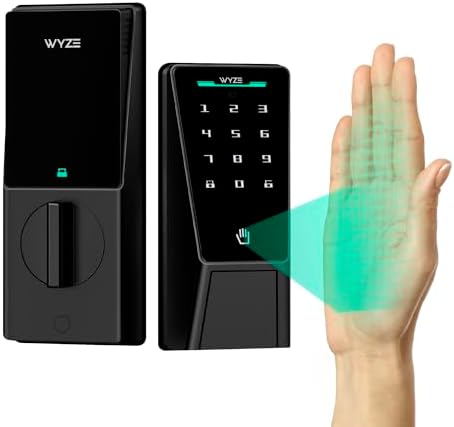
Wyze Auto-Lock Bolt v2, Fingerprint Keyless Entry Smart Lock, AI Learning Scanner with Wi-Fi Front Door Lock Deadbolt, Auto-Lock, 8 Months Battery, BHMA2, IP53, Anti-Peep Keypad, Backup Keys
The listing describes a fingerprint keyless entry deadbolt with Wi-Fi, auto-lock, an AI learning scanner, an anti-peep keypad, and backup keys, rated at 8 months of battery life with BHMA2 and IP53 ratings. Auto-lock is built in rather than added through an app routine, and the fingerprint reader is one of several ways in instead of the only way.
Visit on Amazon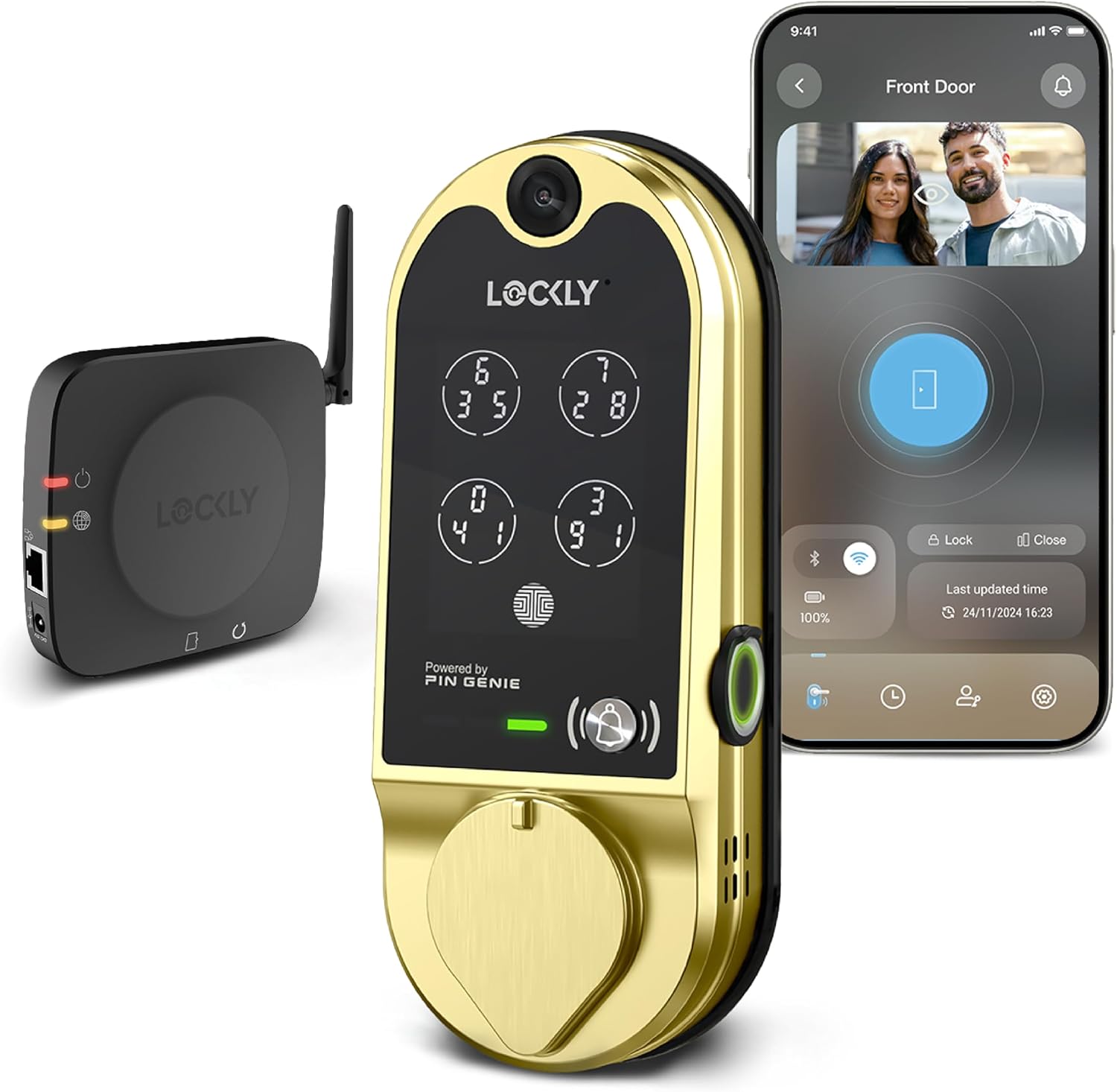
Lockly Vision Smart Lock with HD Video Doorbell
A deadbolt and an HD video doorbell combined in one unit, so the door guests use also shows who is standing on the porch. The combined approach saves a separate doorbell installation and keeps the front entry in one product, at the cost of a larger footprint on the door and one more camera to keep powered.
Visit on Amazon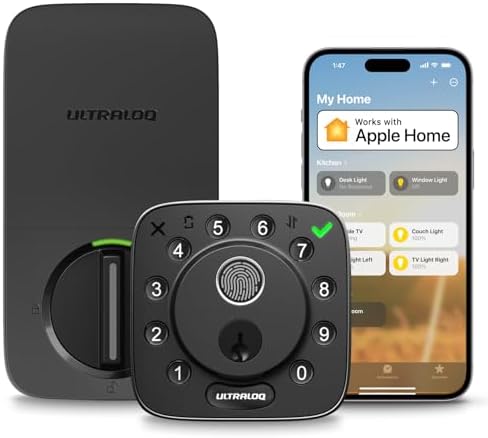
ULTRALOQ Bolt Fingerprint WiFi Smart Lock with Door Sensor, Remote Access
Fingerprint entry, Wi-Fi, and app remote access, plus a door sensor that reports door status. The sensor is the unusual part and the useful part for a host who wants to know that a cleaner or a guest actually pulled the door shut before leaving.
Visit on Amazon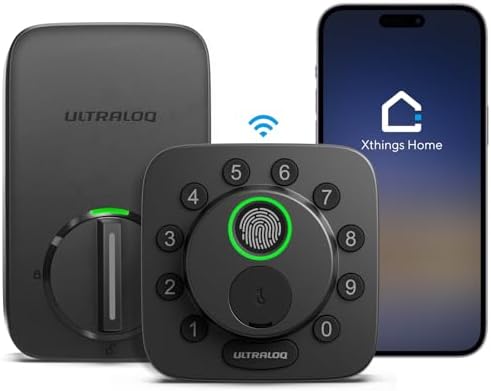
ULTRALOQ Bolt SE Wi-Fi Smart Lock, Matter Over Thread, App Remote Access
The Bolt SE keeps Wi-Fi and app remote access and adds Matter over Thread, which matters most for households that already run a Thread border router and want the lock to sit inside a wider smart home platform instead of living only in its own app.
Visit on Amazon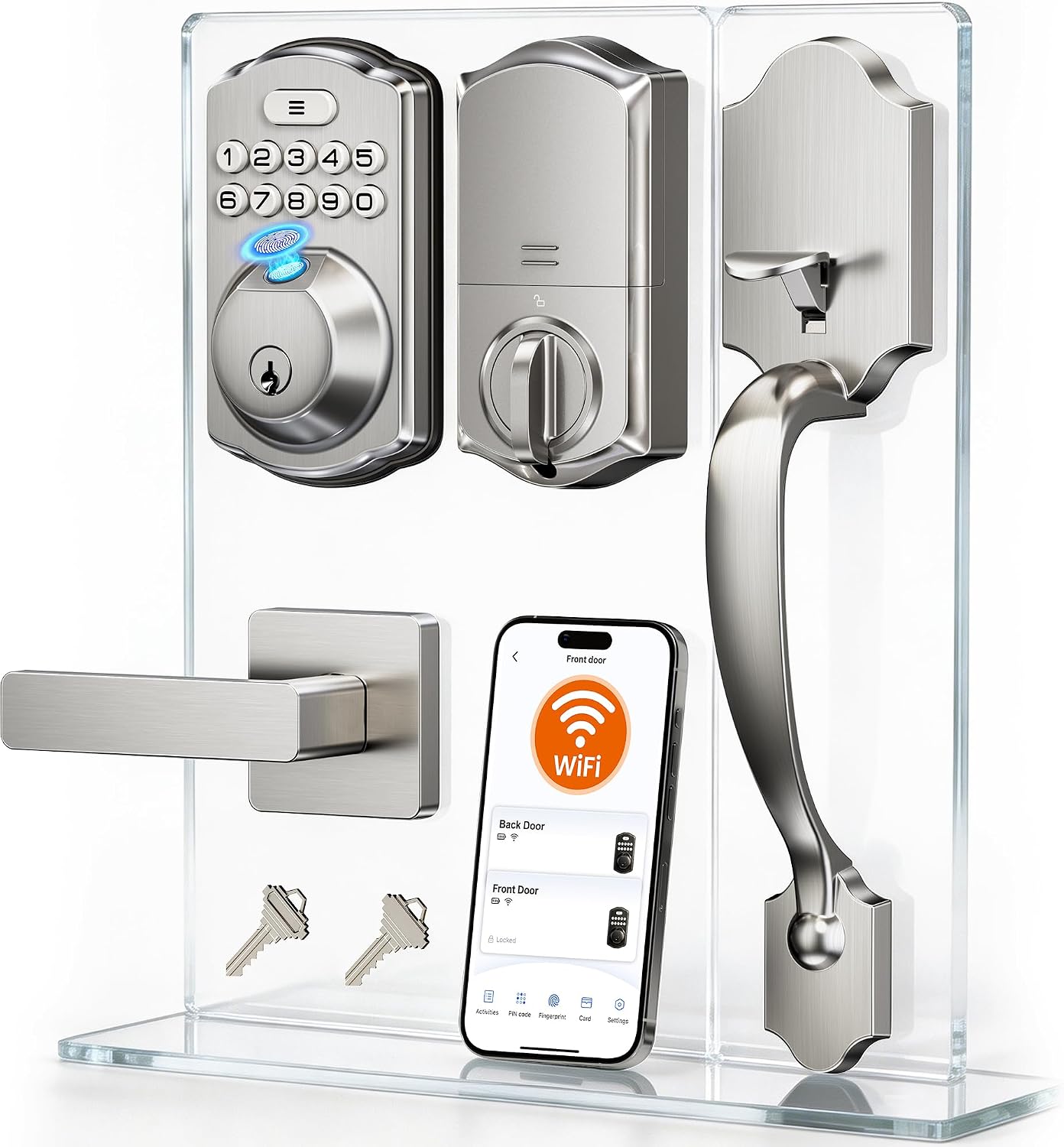
Veise VE012W-H Wi-Fi Smart Front Door Lock Set with Handle, Satin Nickel
A full front door set with a handle rather than a deadbolt-only replacement, finished in satin nickel and listed with Wi-Fi. This is the pick when the existing handle and deadbolt are both worn and you would rather replace the pair in one job than match a new deadbolt to tired hardware.
Visit on Amazon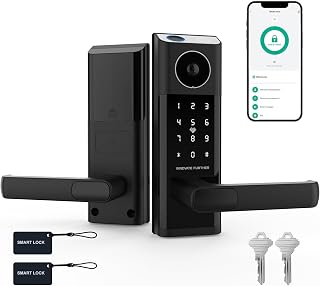
Smart Door Lock with Video Doorbell & Fingerprint,Security Front Door Locks
Check current Amazon price
A listing that combines a fingerprint reader and a video doorbell in a single front door unit, with a long feature list for its tier. The listing carries no brand name, so warranty terms, support channels, and the return window are worth reading closely before ordering.
Visit on AmazonPrices and availability may change. Check the retailer for current details.
How these products were compared
This guide compares entry methods, connectivity approach, auto-lock behavior, power and backup provisions, and how well each unit fits a rental or host workflow. Product names, images, and retailer links are matched by ASIN so that every card points to the product shown.
Nothing here is presented as hands-on testing of a specific unit. The comparison sticks to what each product listing states and to the practical questions a host or landlord faces before buying, and readers should confirm current specifications, price, and availability through the retailer link on the card they are considering.
How to choose the right smart lock
Start with the entry methods you actually need, not the ones that sound impressive. A keypad is the workhorse on a rental, because it gives you a code for the cleaner, a code for the guest, and a code for the contractor, each of which you can delete without rekeying anything. Fingerprint entry is faster for the people who live there and useless for the people who visit, which is why the sensible fingerprint locks in this group pair a reader with a keypad rather than replacing it. Backup keys are not a nostalgia feature either. They are what gets you through a dead battery, a failed reader, or a phone that died on the way home.
Connectivity is where most setup frustration lives. The 2.4GHz Wi-Fi band is what most locks and bridges in this category speak, and if your router only broadcasts 5GHz the lock will never see the network no matter how many times you reopen the app. Matter over Thread, which the ULTRALOQ Bolt SE lists, changes the picture for anyone already running a Thread border router, because the lock joins a platform you own instead of living only in its own app. Whatever the protocol, the order of operations matters: get the lock into the app first, then add hubs or bridges, or you will spend an evening on a factory reset. Our walkthrough on pairing a smart lock gateway covers that sequence in detail.
Auto-lock deserves its own line in the decision. On a rental it is the feature that ends the "the tenant forgot to lock up" call, and it is the reason a lock with auto-lock beats a lock with a nicer spec sheet but no self-locking behavior. Check whether the model you are considering includes it natively, and whether you can set the delay to something a guest will not fight.
Wyze Auto-Lock Bolt v2, Fingerprint Keyless Entry Smart Lock
Wyze lists this lock as a fingerprint keyless entry deadbolt with Wi-Fi, auto-lock, an AI learning scanner, an anti-peep keypad, backup keys, and an 8 month battery rating, along with BHMA2 and IP53 ratings. For a rental door that combination is close to a checklist: the door re-locks itself after a set delay, the fingerprint reader is one of several ways in rather than the only way, the keypad supports a privacy prefix so someone watching over a shoulder sees only random digits, and a physical key still works when the electronics do not.
The trade-off is in the shape of the product. This is a deadbolt replacement, not a full handle set, so it assumes the rest of your door hardware is sound and that the existing bore and backset match. It also leans on the app for scheduling and code management, which is manageable at one door and more tedious at six. If you want a single app to run a small building, read the connectivity notes above and decide whether the platform you already own should drive that choice.
Alternatives to consider
The Lockly Vision Smart Lock with HD Video Doorbell is better suited to a front door where the host wants video of the porch as well as keyless entry, since it combines the deadbolt and an HD doorbell in one unit, while the ULTRALOQ Bolt Fingerprint WiFi Smart Lock with Door Sensor is a stronger fit when you want to know whether the door is actually closed, because it pairs fingerprint and Wi-Fi entry with a door sensor for remote access and status.
The ULTRALOQ Bolt SE Wi-Fi Smart Lock, the Veise VE012W-H Wi-Fi Smart Front Door Lock Set with Handle, and the Smart Door Lock with Video Doorbell & Fingerprint cover the remaining edges of the category. The Bolt SE is the pick for a household already invested in Matter over Thread. The Veise set is the one to look at when the handle and the deadbolt are both being replaced in a single job, since it arrives as a matched set with a satin nickel finish. The generic lock and doorbell unit is the experiment of the group, and the one where reading the listing, the warranty terms, and the return window closely is worth the extra five minutes.
Day-to-day use and maintenance
Most smart lock problems are maintenance problems wearing a technology costume. Batteries are the first one. Any battery rating is measured under some assumption about how often the lock is used, so log your own drain for the first month on a door with real traffic, then keep spares on the shelf. Backup keys should live somewhere other than the house they open, which sounds obvious right up until you need one.
Codes are the second. Delete guest codes when the stay ends rather than leaving them in place for next season, and change the master code after any contractor has had access. If the lock reports a low battery or a jam, deal with it that week instead of the next turnover.
Then there is the door itself, which is the part a smart lock cannot fix. Check the deadbolt throw after every battery change or strike plate adjustment and confirm that the bolt fully seats in the frame. A bolt that does not throw leaves a door that looks locked and is not, and no app notification repairs that after the fact. Keep the keypad and fingerprint reader clear of grit and road salt, and confirm the frame and strike plate are sound before blaming the lock.
Buying checklist
- Measure the door thickness, the backset, and the existing bore before ordering, and decide whether you are replacing a deadbolt only or a deadbolt and handle together.
- Choose the entry method mix based on normal use rather than an occasional edge case: keypad for guests and contractors, fingerprint for the people who live there, physical key for the day the electronics do not cooperate.
- Confirm that the exact model includes the features you are counting on, such as auto-lock, an anti-peep keypad, backup keys, and the connectivity protocol your home already uses.
- Check whether the model needs a hub, a bridge, or a subscription for the remote access you want before you buy it.
- Read the cleaning and maintenance instructions for battery type and reader care.
- Verify the current retailer price, availability, and return terms through the card link before ordering.
Final recommendation
Choose the Wyze Auto-Lock Bolt v2, Fingerprint Keyless Entry Smart Lock when you want one deadbolt that handles auto-lock, code sharing, fingerprint entry, and key backup at a rental door. Choose Lockly Vision Smart Lock with HD Video Doorbell when that same door also needs video of the porch, and choose ULTRALOQ Bolt Fingerprint WiFi Smart Lock with Door Sensor when knowing whether the door is closed is part of the job. Where the listed specifications do not support a real distinction between two models, this guide does not invent one. The card, the CTA, and the retailer listing are the place to settle the last details before you drill.