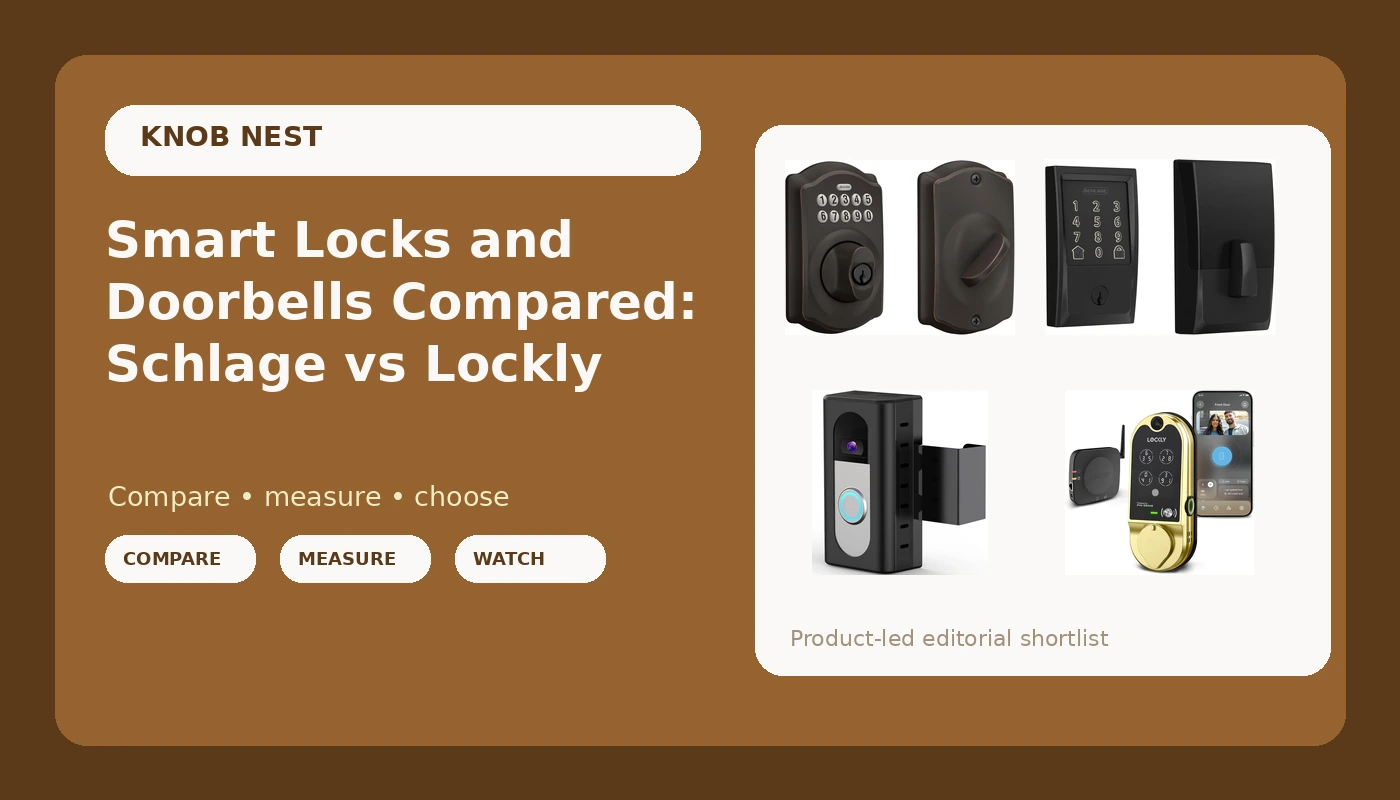
I spent five years as a working locksmith in Columbus, rekeying deadbolts for landlords and drilling out seized cylinders at 7 a.m. The calls changed around 2021, when property managers started asking if I could just make the door open with a code so they could stop driving across town to hand over keys. I have installed over 300 smart locks and doorbells since, most of them on rentals and Airbnb units. This smart locks and doorbells comparison is the version of that experience I wish someone had handed me before I bought my first one and spent an evening on support chat.
Related: Smart Lock Battery Life Explained
For most front doors, the Schlage Encode is the pick that generates the fewest support calls, because the WiFi is built into the lock and there is no separate gateway to pair in the wrong order. The Schlage keypad deadbolt is the pick if you never want an app involved. The Lockly Vision is the pick if you want the camera and the lock to be one device. The KIMILAR mount is not a lock at all, and it only makes sense if you already own a doorbell it fits.
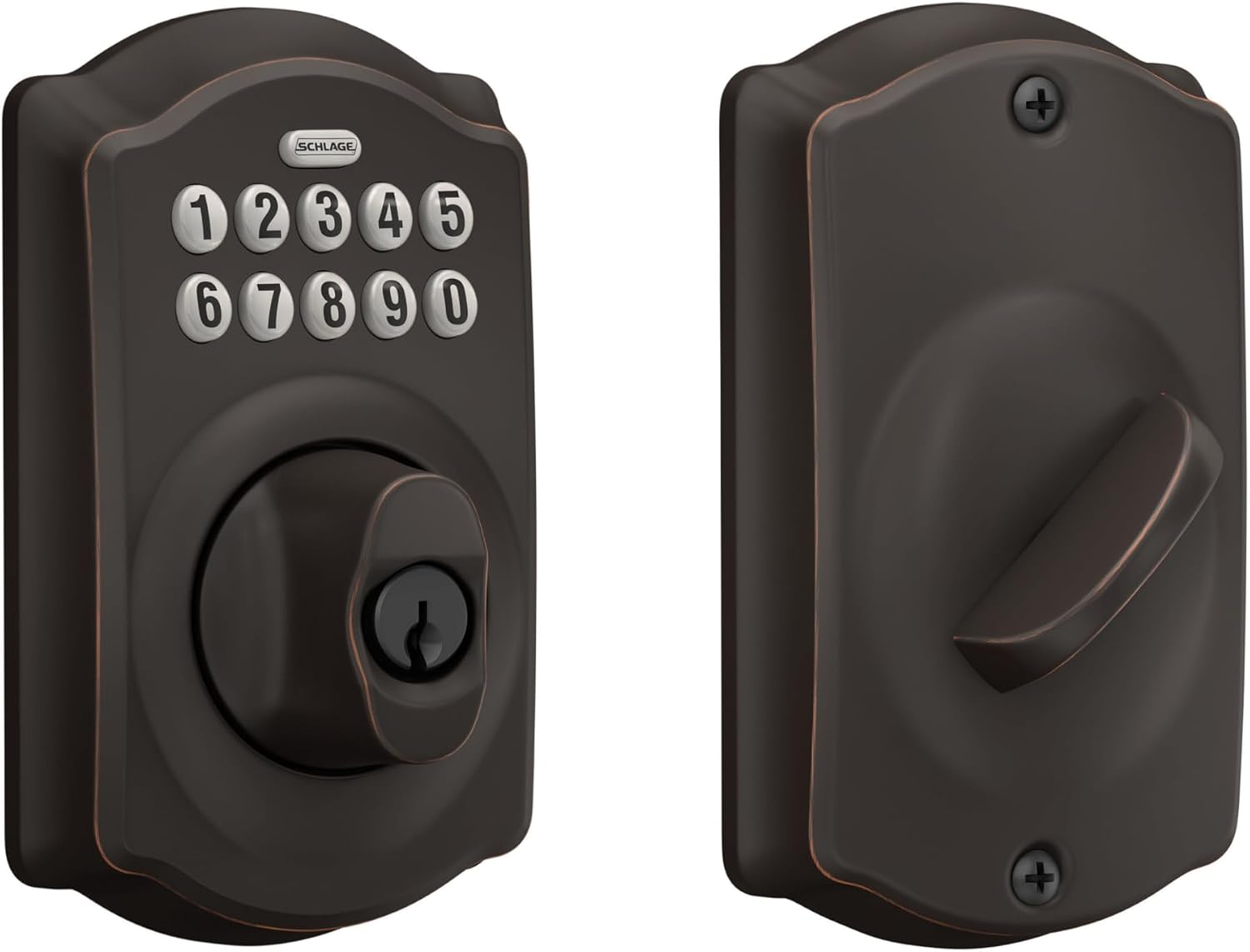
Schlage Electronic Keypad Deadbolt Lock, Camelot Trim, Aged Bronze
No app, no gateway, no account, no rebooting. Codes you set at the keypad and hand over in person.
No remote access at all. You cannot send a guest a code from another state.
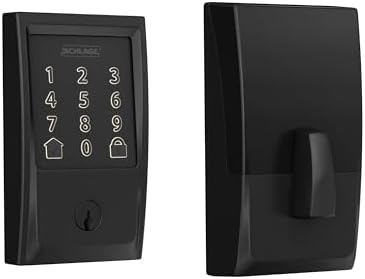
Schlage Encode Smart WiFi Deadbolt Lock with Century Trim, Matte Black
WiFi lives in the lock, so there is no gateway step to get backwards. The cleanest remote access install here.
Costs more than the keypad model and still needs a 2.4GHz network you may have to fix first.
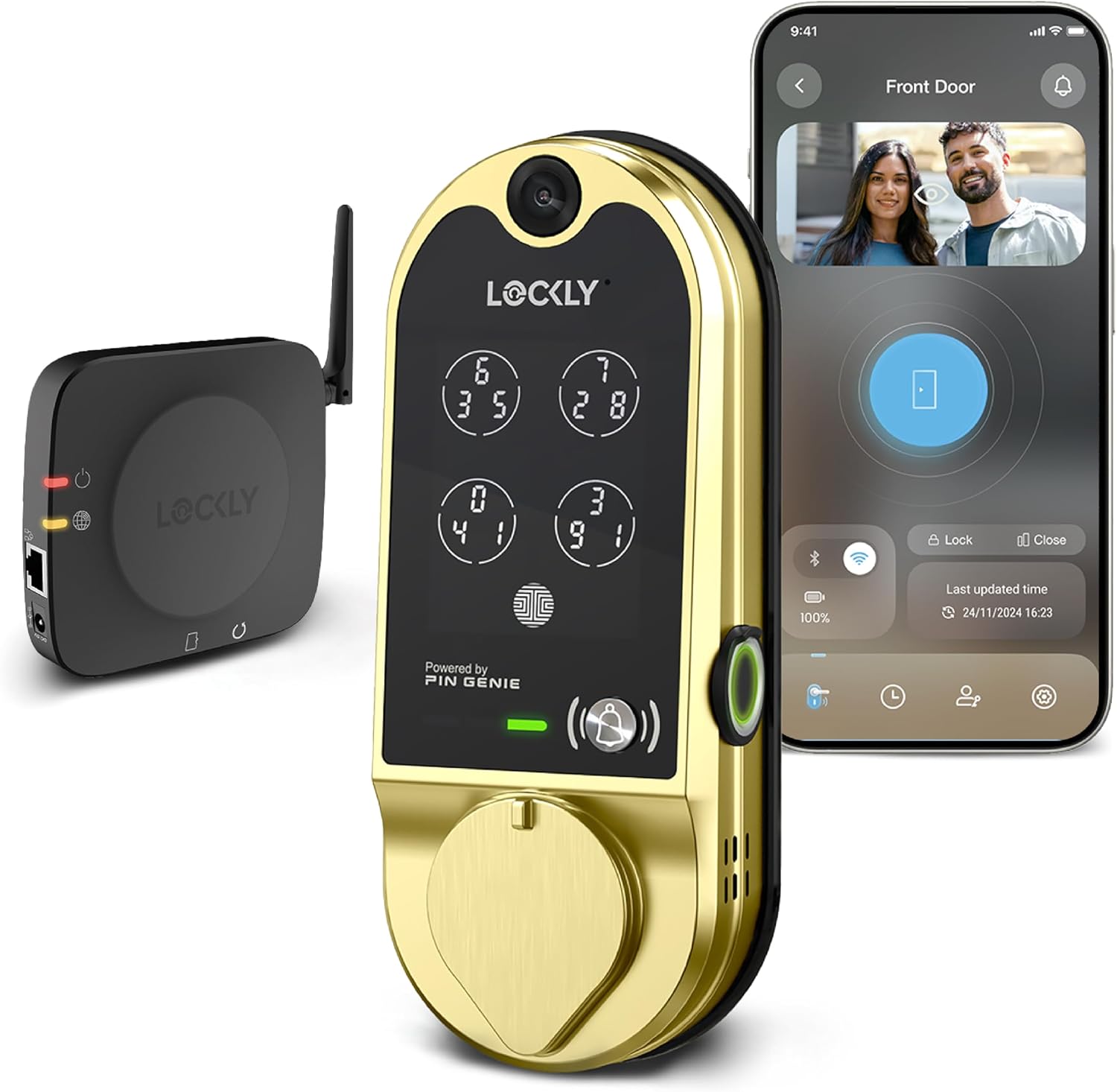
Lockly Vision Smart Lock with HD Video Doorbell
Replaces a lock and a doorbell with one install, which matters when you cannot drill a second hole.
One device doing two jobs is one failure point doing two jobs. Camera features may sit behind a cloud plan.
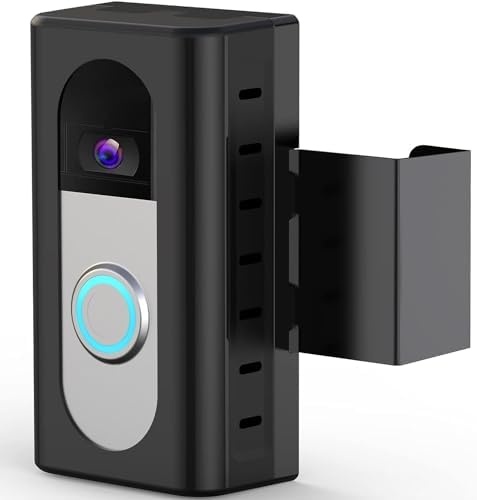
KIMILAR Anti-Theft Ring/Blink Doorbell Mount
A cheap answer to a battery doorbell that keeps getting pried off the wall.
It is a bracket, not a lock. It does not fit the 2026 Ring and Blink releases.
Prices and availability were captured from Amazon Creators API and may change.
How I judge a lock or a doorbell
A lock's job is to let the right people in and keep everyone else out. Every smart feature is decoration until the deadbolt actually throws. So the order I judge these in is boring and it never changes.
First, can I install it on a real door in about 20 minutes without calling support? Second, does it pair on the first try on a normal 2.4GHz network, in the right order? The right order is app first, then the lock, then the gateway if there is one. Backwards means a factory reset, and the manual buries that on page 14 of a foldout nobody reads. Third, what does it cost per door when a landlord buys six for a duplex building, including any subscription? A lock that needs a monthly fee for basic remote access is the worst deal in smart home, because you already paid for the hardware.
Then the things nobody puts on the box: whether the bolt throws fully into the strike plate after the door swells in a Columbus winter, whether the keypad is readable in the dark, and whether the thing still works at month seven. I have watched a fingerprint reader die at month seven on a lock I recommended, and I have watched a cheap keypad lock keep working through three years of tenant turnover. That is why this table has a video lock and a plastic bracket sitting in the same comparison.
Schlage Electronic Keypad Deadbolt, Camelot Trim, Aged Bronze: the no-app pick
This is the lock I would put on my own front door if I wanted to never think about it again. There is no app, no gateway, and no account. You set codes at the keypad, hand a code to a tenant or a cleaner, and delete it when they leave. It does not need your router, it does not need a 2.4GHz band, and it cannot be bricked because you paired something in the wrong order.
The Camelot trim in aged bronze is the part that makes it work on older doors. Plenty of my installs are on 1970s and 1980s Columbus rentals with brass hardware, and a matte black modern lock on those doors reads like a rental conversion. This one looks like it belongs.
What it gives up is everything remote. You cannot send a guest a code from another state at 11 p.m. when their flight lands early, and you cannot check from your phone whether the door is locked. For a landlord with a building full of units, that remote check is worth real money. For a homeowner who leaves every morning and comes back every evening, it is worth almost nothing, and you skip the setup headache entirely.
Installation is the same as a standard deadbolt, which is the highest compliment I can give a smart lock. Bring a drill, check the deadbolt throw before you close the door, and you are done.
Schlage Encode Smart WiFi Deadbolt with Century Trim, Matte Black: the pick for most people
The Encode is the one I recommend most often to landlords and Airbnb hosts, and the reason is in the product name. The WiFi is in the lock. No gateway, no bridge, no second device that has to be added after the lock in the correct order. That single design decision removes the failure point that generates most of my troubleshooting calls.
If you have ever stood in a hallway with a phone in one hand and a manual in the other, hunting for a pairing button that is not labeled, you understand what that is worth. Gateway pairing is where cheap locks die, and this one skips the whole step.
Century trim in matte black is the modern look, and it reads as deliberate rather than builder grade. It is the trim I put on renovated units where the rest of the hardware is brushed nickel or black.
What it costs you is money and a network requirement. This is the pricier of the two Schlage locks here, and it still speaks 2.4GHz, which means if your router broadcasts 5GHz only, or your mesh system splits bands, you will be on the phone with support before you are on your phone with the lock. Fix your network before you buy, not after.
The second thing to accept: a WiFi lock is a device that can go offline. When your internet drops, remote access drops with it, even though the keypad keeps working. If you manage rentals from out of state, keep a backup way for guests to get in.
Lockly Vision Smart Lock with HD Video Doorbell: one device, two jobs
This is the lock for the person who wants the porch camera and the deadbolt to be one thing. On a rental where I am not allowed to drill a second hole for a doorbell, or where the doorbell wiring is dead, a lock with a camera built in solves two problems with one install.
It is also the most complicated product in this comparison. One device means one app, one power question, and one point of failure. If the camera half has a bad week, you are troubleshooting the lock you depend on. That is the honest trade: the convenience of integration against the simplicity of two separate devices that do not share a failure.
Placement matters more than people expect. A camera in the lock body sits at lock height, which is lower than a doorbell mounted at chest height, so you get a different view of the porch. Field of view beats resolution every time. A camera that sees the whole porch is worth more than one that sees the top of a delivery driver's hat in finer detail.
Decide before you buy whether you are willing to pay a subscription. Camera features on video doorbell products often live behind a cloud plan, and a plan quietly costs more than the device after two years. If a monthly fee would annoy you, look at the two Schlage locks and a separate subscription-free doorbell instead.
KIMILAR Anti-Theft Ring/Blink Doorbell Mount: cheap insurance, not a lock
This one is in the table because it shows up in the same searches as the locks, and buyers deserve to know what they are actually getting. It is a mount. It does not open, close, lock, unlock, or connect to anything. Its job is to hold a battery doorbell in a bracket that is harder to pry off the wall than the stock clip.
If you already own a compatible Ring or Blink battery doorbell and you have had one walk away, this is a cheap answer to an expensive problem. That is the whole pitch, and it is a good one.
Read the compatibility line carefully, though. The listing says it is not for the 2026 Ring and Blink releases, so check your model against the listing before you order. A mount that does not fit your doorbell is a return, not a fix.
Do not buy this expecting it to secure a door. It adds no access control, no codes, and no logging. It is the least important item here for security and the easiest one to get wrong.
The trade-offs nobody puts on the box
App or no app. The keypad deadbolt is the only product here that cannot be knocked offline by your router. The Encode and the Lockly both lean on a network for their best features. That is not a knock on either, it is a decision about how much you want to manage.
Gateway or no gateway. The Encode's built-in WiFi is the biggest install advantage in this group, because it deletes the step where most people fail.
Subscription or no subscription. Paying monthly to open your own door is the worst deal in smart home. Check what is free before you buy anything with a camera in it.
One device or two. The Lockly Vision replaces a lock and a doorbell with one install and one failure point. Two separate devices take longer to mount and are easier to troubleshoot.
The door itself. A lock is only as good as the door it is mounted on. A deadbolt that does not fully throw into the strike plate looks locked and opens with a credit card. Check the throw after every install.
Which one should you buy
Buy the Schlage Encode if you manage rentals, host on Airbnb, or want to check your front door from work. It is the best balance of remote access and installation sanity here, and the built-in WiFi is why.
Buy the Schlage keypad deadbolt if you want codes without an app, a router, or an account. It is the lock I trust to still work when everything else in the house needs a reboot.
Buy the Lockly Vision if you need a camera at the door and cannot mount a separate doorbell, and you accept one device doing two jobs.
Buy the KIMILAR mount only if you already own a compatible battery doorbell that keeps getting pried loose, and only after you confirm your model fits.
What I'm watching next
I am running ten locks and four doorbells through a 90 day rental turnover test right now, three Airbnbs and two long term rentals, each with real guests, real forgetfulness, and a Columbus winter on the way. I log every pairing failure, every fingerprint miss, and every battery drop. The thing I care about most is the boring one: which of these still works at month seven. That is the spec nobody tests, and it decides what I install next.
For now the short answer has not changed. A lock that installs in 20 minutes and opens with a code you can hand to a tenant beats a spec sheet every time.