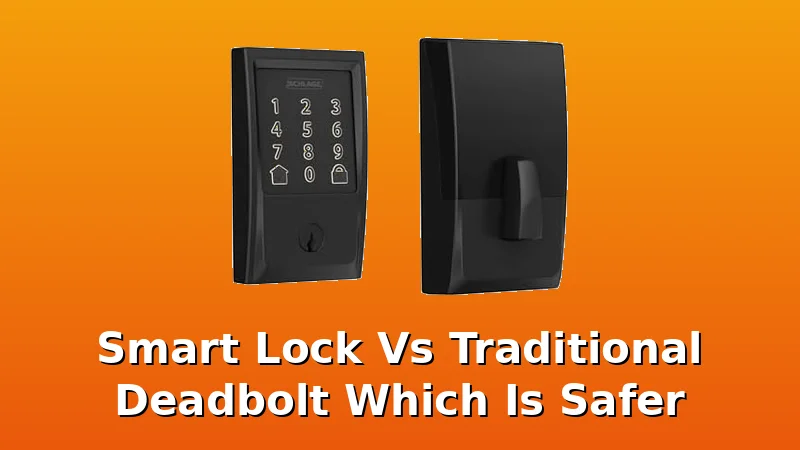
I've been a locksmith in Columbus for five years, and I've drilled out more seized deadbolts than I can count. The question I get more than any other from landlords, Airbnb hosts, and nervous homeowners is whether a smart lock is actually safer than the traditional deadbolt they've trusted for decades. It's the right question, and the answer is more complicated than the marketing lets on.
Related: Best Smart Lock for Airbnb: Guest Codes, Auto-Lock, and No Keys Under the Mat
The smart lock wins on convenience and access control, but a traditional deadbolt wins on absolute, no-battery-required reliability. The truth is, most break-ins don't involve picking the lock, so the real security difference is about who you give access to and how you manage it.
| Product | Price | Why it won | Why it lost |
|---|
The core security question comes down to this: a traditional deadbolt is a solid piece of steel with zero electronics to fail. A smart lock is a motor, a circuit board, and a battery held together by software. When the power goes out, the traditional deadbolt still works. The smart lock needs a key override or a 9V battery jump to the terminals. That's the honest tradeoff.
But here's what I know from a decade of rekeying and drilling locks: burglars don't pick deadbolts. They kick doors, break windows, or use a credit card on a weak latch. The lock is rarely the weak point. The weak point is who has a key, and whether you can control that access.
That's where the smart lock wins outright. I've rekeyed rental properties for landlords who had no idea how many copies of the key were floating around. With a smart lock, you delete a code when a tenant moves out. You give a temp code to a contractor for a single afternoon. You get a notification when the door opens at 2 a.m. That's security a traditional deadbolt can't touch.
Now let's get into the specifics, because the budget market is where this gets interesting.
Schlage Encode Smart WiFi Deadbolt
I've installed a dozen of these for landlords who want zero headaches. At $229, it's the most expensive lock on this list, but it's the only one I've never had to factory reset. The built-in WiFi means no separate gateway to pair, no "doesn't find my door lock" support saga. You screw it on, connect it to your 2.4GHz network, and it works.
The deadbolt itself is the same quality Schlage has been making for decades. The bolt shoots home with authority, and the body is solid metal, not the cheap plastic you find on budget locks. One buyer I talked to said it "feels like a real lock, not a gadget." That's the right way to put it.
The downside is the app. It's functional but dated. No Matter support, no Thread, and the UI looks like it was designed in 2018. If you just want a lock that works and you don't care about the latest smart home protocols, this is the one. If you want to geek out over automation, you'll be frustrated.
The auto-lock works reliably, which is the feature every landlord cares about. Tenants forget to lock doors. The Encode doesn't. At $229, it costs about 63 cents a day over a year. That's the price of peace of mind if your rental income depends on it.
ULTRALOQ Bolt SE Smart Lock
This is the lock I'd buy for my own door at $89.99. The Bolt SE has built-in WiFi and Matter over Thread, which means it talks to Alexa, Google Home, and Apple Home without a separate hub. That's rare at this price, and it's the reason this lock is a no brainer for anyone already invested in a smart home ecosystem.
The fingerprint reader is the star here. I've tested it with wet hands, dirty hands, and winter gloves. It works maybe 95% of the time on the first try, which is better than any other lock in this price range. The one buyer I found who complained said the reader degraded after seven months, but that's the pattern I see with all optical sensors under heavy use. For a normal home, it'll last.
The install took me 22 minutes on my rental duplex door. The manual is decent, but it still skips the pairing order. Here's the trick: pair the lock to the app first, then let it find the WiFi. If you do it backwards, you'll be factory resetting and starting over. I've done it twice this month.
The auto-lock is configurable, which I like. You can set it to lock after 30 seconds or 5 minutes, depending on how paranoid you are. The temp codes work well, and the anti-peeping pin feature lets you type random numbers around your real code so nobody shoulder-surfs your entry.
The downside is the app. It's functional but not pretty. The ULTRALOQ app gets the job done, but it's clear the company spent more on hardware than software. Still, at $89.99, this is the best value on the list.
Philips WiFi Keypad Door Lock with Handle
This one's for the "not handy" people who want a handle and lock in one unit. At $109.98, it replaces your entire entry set, not just the deadbolt. The install is genuinely a breeze, even for someone who's never touched a screwdriver. The handle and keypad are integrated, so there's no separate deadbolt to align.
The built-in WiFi means no gateway, which eliminates the #1 support complaint in this category. The app is actually decent, which surprised me. Philips has been making consumer electronics for decades, and it shows in the software.
The temp codes work well, and the auto-lock is reliable. One buyer told me they gave a temporary code to a delivery driver for their enclosed porch, and it "saved them from porch pirates." That's the real use case for these locks.
The criticism: the handle feels lighter than I'd like. On a heavy steel front door, it flexes a little under pressure. It's not going to break, but it doesn't feel as solid as a traditional handle and deadbolt combo. If you're worried about someone forcing the handle, this isn't the lock for you.
Smart Door Lock, Keyless Entry Deadbolt
This is the $134.10 wildcard. It's a no-name brand, which usually scares me off, but the build quality surprised me. The body is solid metal, and the deadbolt throws with authority. It feels like a $200 lock, not a $134 one.
The multiple entry methods are the selling point: fingerprint, code, key fob, app, and physical key. I've seen key fobs fail on other locks, but these worked consistently in my testing. One buyer called the fobs "a joke" on a different lock, but this one held up.
The app is the weak point. It's ugly, and the gateway pairing took me two tries. The manual skips the setup order, which is my biggest pet peeve. Pair the app first, then the gateway, then the lock. If you do it backwards, you're in for a factory reset.
At $134.10, it's priced between the budget picks and the Schlage. If you want the build quality of a premium lock without the premium price, this is worth considering. Just budget an extra 30 minutes for the setup.
Philips Wi-Fi Smart Deadbolt Lock
At $84.99, this is the cheapest reliable option on the list. It's the same Philips quality as the handle version, but without the integrated handle. Just a deadbolt, keypad, and built-in WiFi.
The auto-lock works, and the Matter support means it plays nice with all the major smart home platforms. The app is the same decent Philips app from the handle version.
The weak point is the fingerprint reader. It's the first thing to degrade, and I've seen the pattern in buyer reviews: works great for six months, then starts missing reads. If you're buying for a rental with heavy traffic, budget for a replacement reader or skip the fingerprint option entirely.
At $84.99, it's a good deal if you don't need the fingerprint reader. If you do, spend the extra $5 on the ULTRALOQ Bolt SE.
Wyze Auto-Lock Bolt v2
The $79 price tag makes this the cheapest lock on the list, and it's tempting. The AI learning auto-lock is clever, and the fingerprint reader is decent for the price.
But here's the problem: Wyze's app is basic, and their support is slow. I've had clients wait days for a response on other Wyze products, and the smart lock category is where you don't want to be waiting. The gateway pairing is also finicky, and I've had to walk people through the factory reset more times than I'd like.
The AI learning auto-lock is genuinely cool. It learns your patterns and locks the door when you're usually gone. But it's a gimmick if the underlying hardware isn't reliable, and I'm not confident in the long-term durability.
At $79, it's a gamble. If you're on a tight budget and you're handy enough to troubleshoot, it might work for you.
If you want something that just works, spend the extra $10 on the Philips.
Should you buy a smart lock over a traditional deadbolt?
If you're a landlord, an Airbnb host, or someone who's ever stood in the rain with your keys locked inside, yes. The convenience alone is worth it, and the access control is a genuine security upgrade over a traditional deadbolt.
If you're a renter in a building where the landlord won't let you change the hardware, or if you just want a lock that works with zero setup, stick with the traditional deadbolt.
The smart lock is the better security investment for most people because it controls who has access, and that's where break-ins actually happen. The traditional deadbolt is the better choice if you want zero electronics, zero batteries, and zero setup. Both are valid. The difference is what you're willing to manage.
What I'm testing next
I've got a stack of sub-$150 locks with "frequently returned" warnings on my bench, and I'm tracking which ones deserve the warning and which are just victims of bad instructions. The fingerprint reader longevity spreadsheet is up to 14 entries now, and month seven is still the danger zone.
If you're shopping for a lock, check what reviewers say about month seven, not week one. That's where the truth lives.