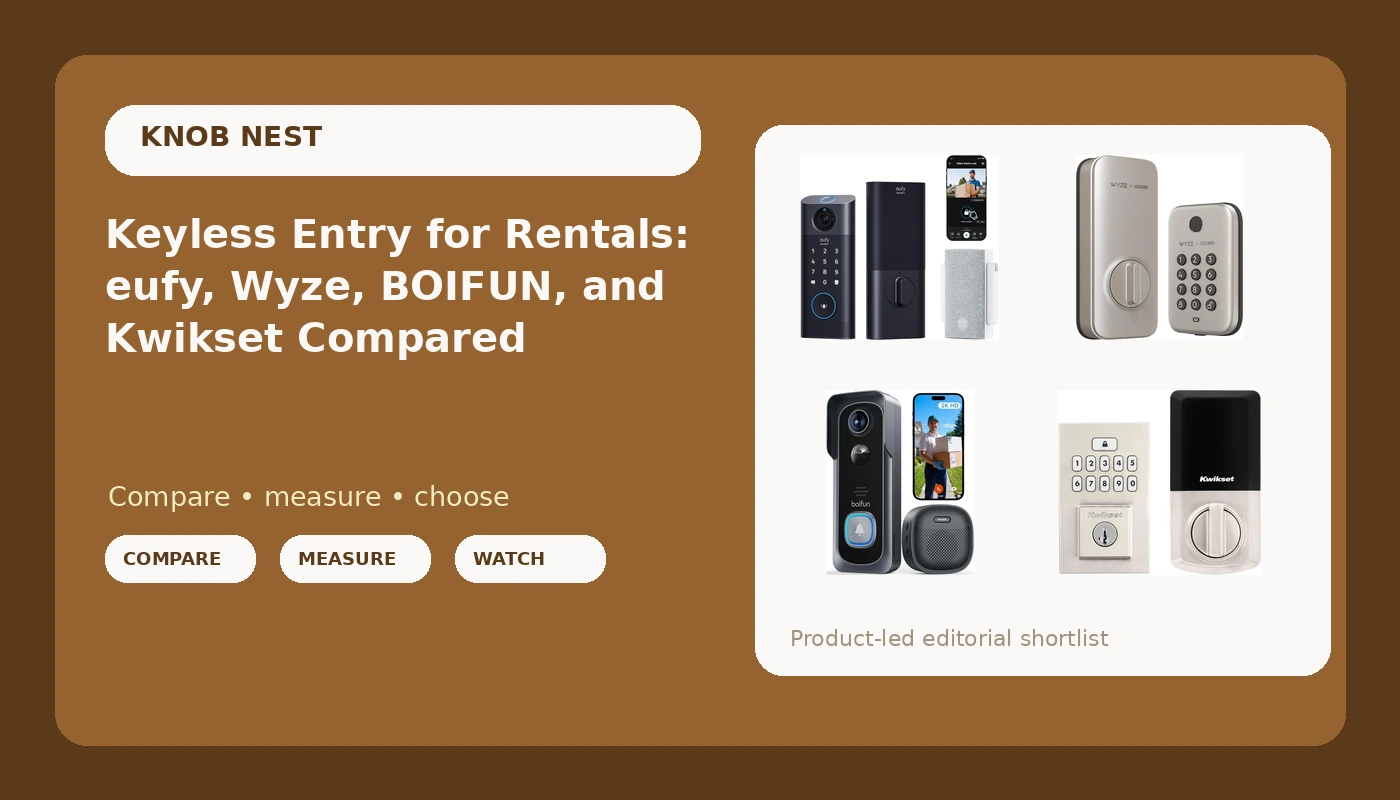
I spent five years rekeying deadbolts for landlords around Columbus, and the calls changed somewhere around 2021. Nobody wanted a new key cut anymore. They wanted a code they could text a tenant at 6 p.m. without driving across town to hand it over. That is how keyless entry smart locks went from a novelty to the thing I install most weeks, and it is why I care more about the twenty minutes on the ladder than anything printed on the box.
This comparison covers four devices I get asked about constantly: two keypad deadbolts, one deadbolt with a video doorbell built into it, and one battery doorbell that does not touch your lock at all. They are not the same kind of product, and the honest answer is that plenty of doors need one deadbolt plus one doorbell rather than a single device pretending to do both jobs.
If you want the short version: the Kwikset SmartCode 260 is the safest pick for a rental door that mainly needs to lock itself, and the Wyze Auto-Lock Bolt is the one to look at if you want a fingerprint reader without paying for a camera you did not ask for. The eufy S330 is for the person who wants video and a lock in a single hole in the door. The BOIFUN doorbell is what you add when the deadbolt is already fine and you just want eyes on the porch.
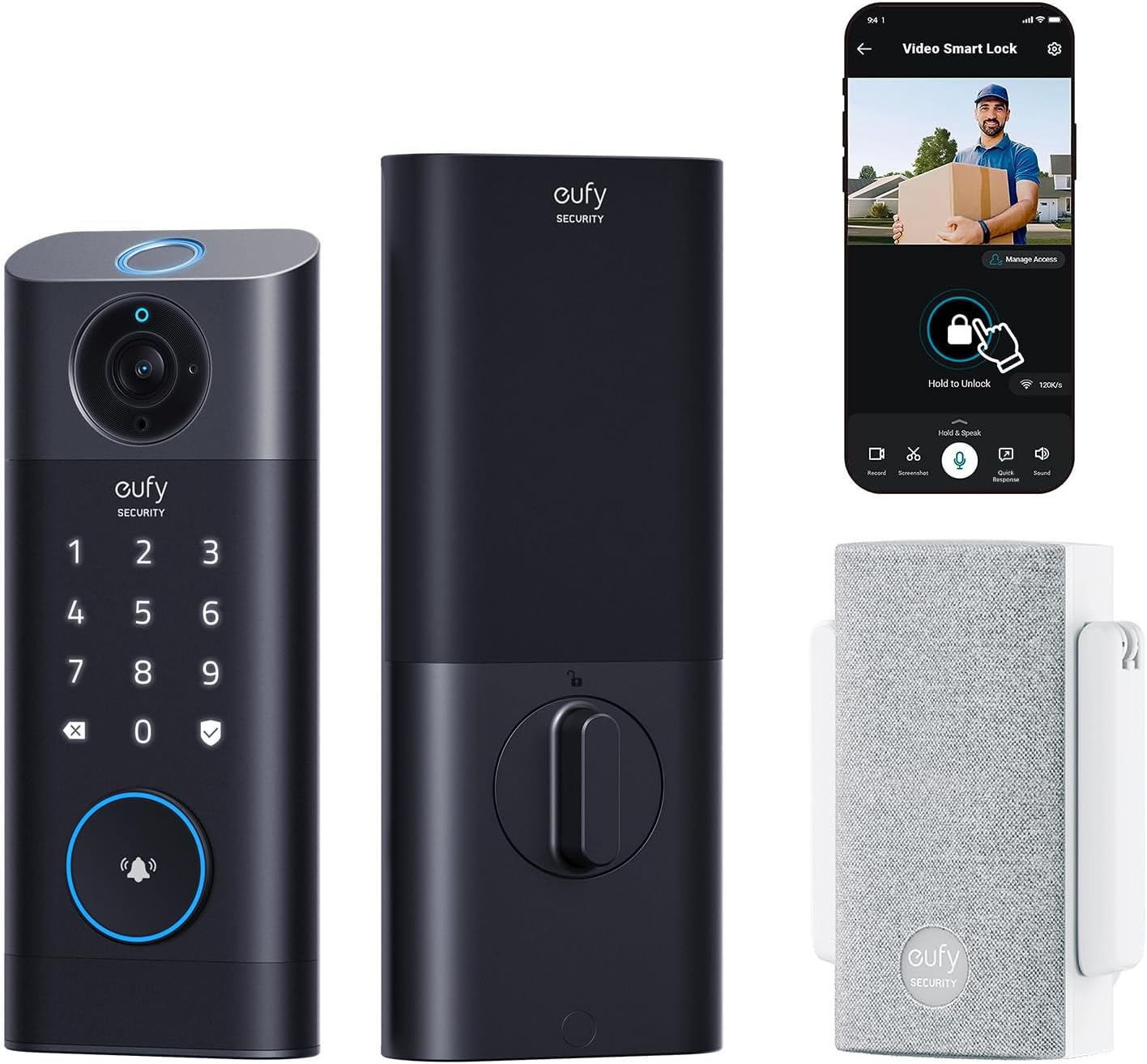
eufy Security Video Smart Lock S330, Keyless Entry Door Lock, Chime Included
Camera, keypad, and deadbolt in one fixture, with the chime in the box
The most involved install of the group and the most dependent on a solid WiFi signal at the door
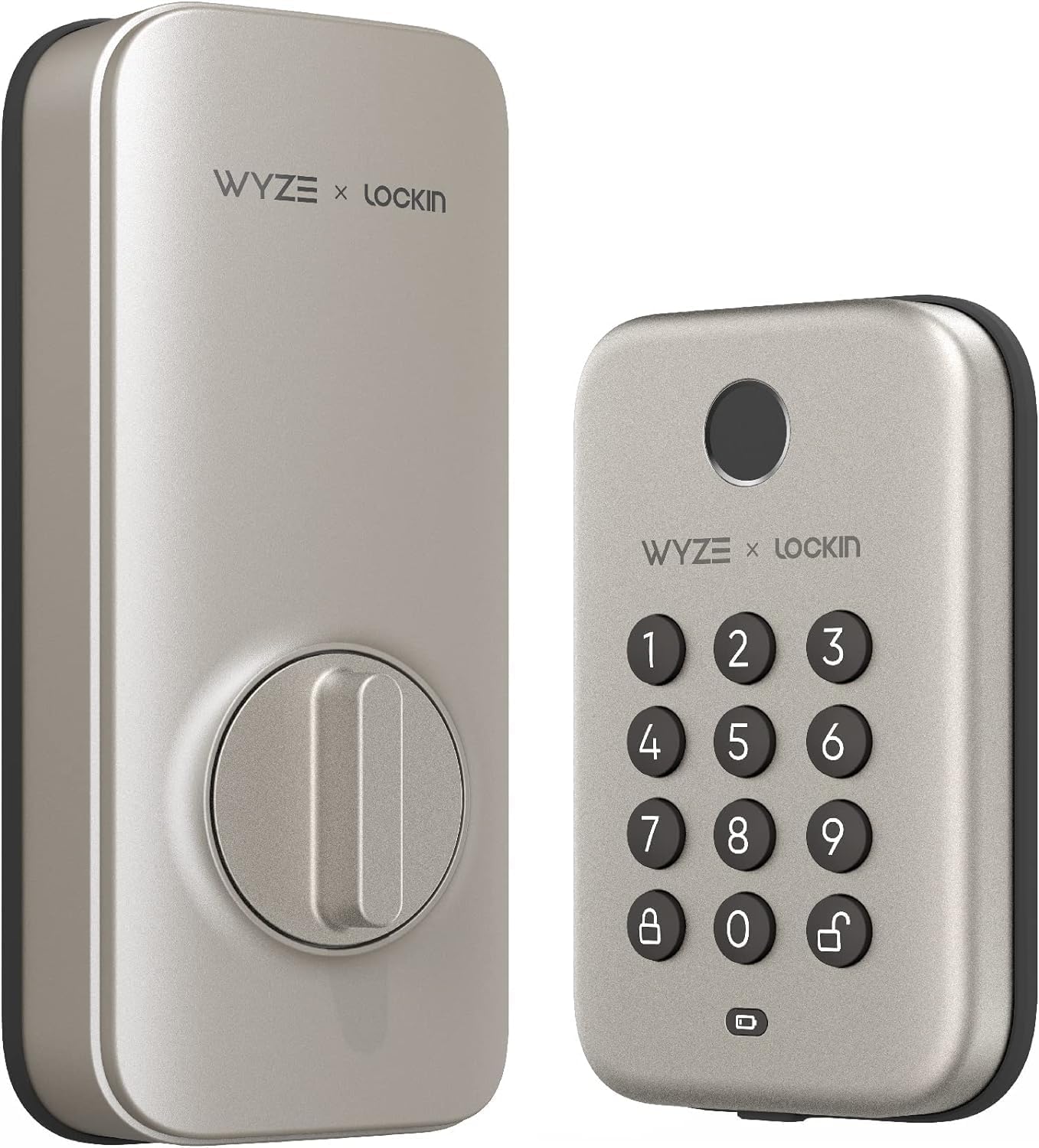
Wyze Auto-Lock Bolt, Fingerprint Unlock with Keypad, Electronic Entry Door Smart Deadbolt Lock, IPX5 Weatherproof, Easy Installation, Satin Nickel
Fingerprint plus keypad plus auto-lock at the low end of the category
Fingerprint readers are the part that ages worst, so buy it expecting the keypad to be your long-term backup
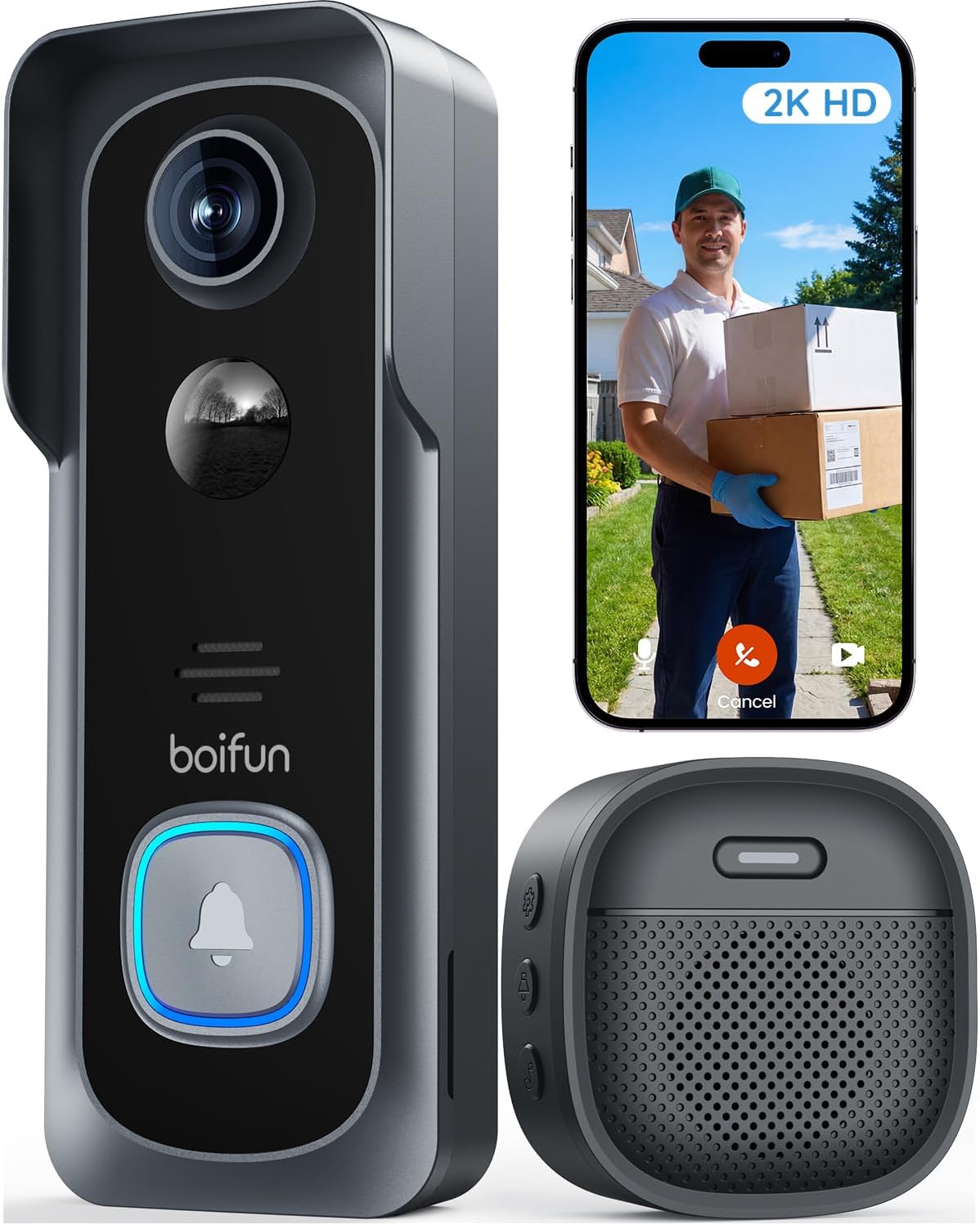
BOIFUN Video Doorbell Camera Wireless, No Subscription Required, 2K HD
No subscription for basic use, wireless mounting, 2K sensor
It is a camera, not a lock, so it secures nothing on its own
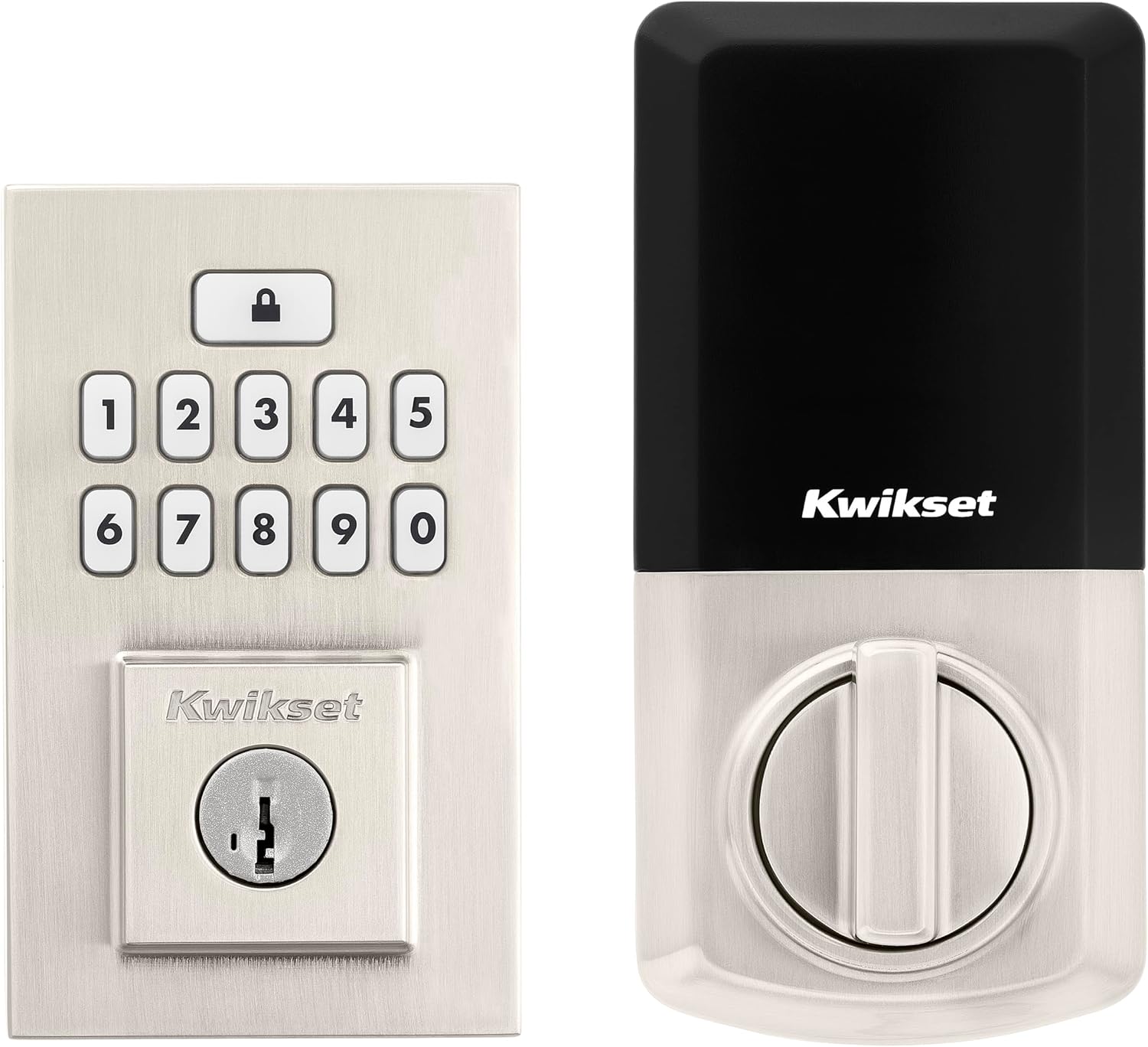
Kwikset SmartCode 260 Keyless Entry Electronic Keypad Deadbolt Door Lock with Auto-Lock, Custom User Codes, Advanced Security in Satin Nickel Contemporary
A deadbolt brand locksmiths already trust, with auto-lock and codes you can hand out
No fingerprint, no camera, and the app story is thinner than the hardware
Prices and availability were captured from Amazon Creators API and may change.
What I check before I put any of these side by side
Four things decide whether a keyless entry lock survives a rental turnover season, and none of them are on the marketing panel.
First, does the deadbolt throw fully into the strike plate? If it does not, the door looks locked and opens with a credit card. That is a fit issue, not a brand issue, but it is the reason I want a lock I can adjust without swearing.
Second, how does it pair? Anything that talks to WiFi through a gateway has a setup order, and doing it backwards means a factory reset that wipes every code you just programmed. I have done that twice in one month on other locks, and it is the single most common way people end up in a support chat at 11 p.m.
Third, what happens at month seven? Fingerprint readers are fantastic for six months, then they start missing on wet or worn fingers. If the only way in is a fingerprint, that is a lockout waiting to happen. A keypad backup is not a luxury.
Fourth, is there a subscription? Paying monthly to unlock remote access on a lock you already own is the worst deal in this category, and it is why a subscription-free doorbell earns a spot in this list.
The two deadbolts: Wyze Auto-Lock Bolt versus Kwikset SmartCode 260
These are the two picks for a door that just needs to let the right people in and keep everyone else out.
Wyze Auto-Lock Bolt
The Wyze Auto-Lock Bolt is the value play: fingerprint, keypad, auto-lock, and an IPX5 weather rating in a satin nickel finish that looks like a normal deadbolt from the street. The install is the part I like most, because it is designed to go onto an existing bored hole without a locksmith and without a pile of adapters.
The trade-off is the fingerprint reader. Every reader in this price bracket is a wear item, and I tell people the same thing every time: the fingerprint is the convenience, the keypad is the lock. If your hands are wet, cold, or covered in drywall dust, you will be typing a code anyway. Buy it for the auto-lock and the keypad, and treat the reader as a bonus that may not be there in a year.
The other thing to know is that Wyze hardware generally lives in the Wyze app, and that app wants a normal 2.4GHz network. If your router broadcasts one merged network name and the lock refuses to connect, that is usually why, not a defective unit.
Kwikset SmartCode 260
The Kwikset SmartCode 260 is the boring answer, and boring is a compliment here. It is a keypad deadbolt with auto-lock and custom user codes from a brand that has been making residential deadbolts for a very long time, in a satin nickel contemporary finish that does not announce itself as smart anything.
For a long-term rental, that matters more than features. You can set a code for a tenant, delete it at move-out, and keep a separate code for the maintenance guy without handing out a single key. Auto-lock closes the loop on the most common phone call in property management, which is the tenant who forgot to lock up.
What you give up is everything modern. No fingerprint, no camera, no video clip of who came to the door. If you want the porch on camera, this lock is half of the answer and the BOIFUN is the other half.
The eufy Security Video Smart Lock S330: two jobs in one hole
The eufy S330 is the only device here that replaces both your deadbolt and your doorbell, and it comes with the chime in the box. For a front door where drilling a second hole for a doorbell is not an option, or for a homeowner who wants one app instead of two, that consolidation is the whole pitch.
It is also the pickiest of the four. Video needs bandwidth, so the WiFi at the door has to be real and it has to be on the 2.4GHz band that most of these devices speak. A door at the end of a long hallway in an old Columbus duplex is exactly where that fails. Before you buy any camera-equipped lock, stand at the door with your phone and check the signal. If your phone struggles, the lock will struggle harder.
The upside is that you get a keypad, a camera, a chime, and a deadbolt in one install, which is genuinely fewer parts to fail than a lock plus a separate doorbell plus a separate chime. The downside is that when one part of it has a bad day, you lose both features at once. That is the honest trade with all-in-one hardware.
The BOIFUN Video Doorbell: the piece that is not a lock
The BOIFUN Video Doorbell Camera Wireless is the outlier in this comparison, and I want to be clear about why it is here. It is not a lock. It does not throw a deadbolt, and it will not let a tenant in. It is a wireless, subscription-free, 2K camera for the porch, and that is a different job.
For renters, that difference is the point. A battery doorbell does not touch the door hardware, does not need existing doorbell wiring, and does not require a landlord's permission to install in most cases. You check the lease, mount it, and take it with you when you move. If your deadbolt is already fine, this is the cheapest way to stop wondering who was on the porch at 11 p.m.
The catch is the same one that applies to every battery camera: somebody has to charge it. A porch that gets a hundred events a day will eat that battery faster than a quiet cul-de-sac, and no spec sheet predicts your street. Plan on pulling it down a few times a year, and check the night vision before you commit, because porch pirates do not work at noon.
Setup order, the 2.4GHz trap, and the factory reset tax
This is the section that saves people a return.
Pair the lock to the app first. Then add the gateway or the WiFi bridge, if the device uses one. Doing it in the other order is the single most common reason a lock never shows up in the app, and the fix is a factory reset that wipes every code you have entered. The manual usually buries that order on a foldout page nobody reads.
Second, confirm your router broadcasts a 2.4GHz network. Most of these devices do not speak 5GHz at all, and a router set to 5GHz-only or to a single merged band is the reason the lock never connects. If you can split the bands in your router settings, give the 2.4GHz network its own name and connect the lock to that one.
Third, test the deadbolt throw after every install, and test the auto-lock delay on a real door with a real door frame. A lock that re-locks in five seconds on a bench can behave differently on a door that does not quite line up in January.
Auto-lock, codes, and the details that actually decide this
If you are buying for a rental, auto-lock is not a feature, it is the feature. It ends the "the tenant forgot to lock up" call permanently, and both deadbolts here have it.
If you are buying for yourself, think about what you will actually use in week three. Two-way audio is the feature everyone insists on and almost nobody uses past the first week. A fingerprint reader is wonderful until it is not. An anti-peeping pin, where you type random digits before your real code so nobody watching over your shoulder learns it, matters more than people give it credit for, and it is one of the first things cheap locks leave out.
Which one should you buy?
For a long-term rental or an Airbnb where the deadbolt is the whole job, buy the Kwikset SmartCode 260. It is a deadbolt from a company that makes deadbolts, the codes are easy to hand out and revoke, and auto-lock does the work your tenant will forget to do.
For a budget front door where you want a fingerprint and a keypad and you accept that the reader is the part most likely to age, the Wyze Auto-Lock Bolt is the pick. Just make sure the keypad is set up and tested before you rely on the fingerprint alone.
For a homeowner who wants the porch on camera and the door locked by the same fixture, with one app and one chime, the eufy Security Video Smart Lock S330 is the one to look at, provided the WiFi at that door is strong enough to carry video.
For a renter, or for anyone whose deadbolt is already fine, the BOIFUN Video Doorbell Camera Wireless is the add-on that gets you a subscription-free look at the porch without touching the lock.
What I am watching next
The thing I want more of in this category is honest battery reporting and honest fingerprint longevity. Both are the specs nobody advertises, and both are what decide whether a lock is still on the door in two years. Until then, my rule stands: buy the lock that installs cleanly, pairs on the first try, and still lets you in with a code when the fancy part quits.