I've drilled out seized cylinders at 7 a.m. for a decade. A smart lock that won't throw its deadbolt is just a keypad on a door. The same logic applies to your whole network: a smart home that isn't secured is just a door with the lock left off the hinge.
The job here is simple. Keep strangers out of the digital channels that open your physical door. I've spent two years installing sub-$150 locks around Columbus and watching buyers trip over the same three security holes: default passwords, unpatched firmware, and a 2.4GHz network left wide open.
The fix isn't expensive. It's a $10 book and twenty minutes of your night. The honest caveat? Most of the advice in these guides is common sense once you hear it, but hearing it before you get burned saves you the 11 p.m.
support chat I've had too many times.
Here's the short list. The winner is the one I'd hand to a landlord who calls me at 7 a.m.:
| Product | Price | Why it won | Why it lost |
|---|
How I tested
I didn't read these in a coffee shop. I read them in my garage with Gus the lab snoring on the cold concrete next to me, a rekey kit on the bench, and a stack of locks I'd installed that week waiting for firmware updates.
I tested them against the three questions that matter for my world: Does it explain how to change the default admin password on a router? Does it tell you why the 2.4GHz band matters for smart locks, and how to keep IoT devices off your main network? Does it give you a timeline for firmware checks, not just a vague "keep things updated"?
I also did something the authors probably didn't expect. I followed the advice in each book on my own network. I logged into my router, segregated the IoT band, changed the default credentials, and set a calendar reminder for firmware checks.
I timed each one. The winner took me 22 minutes to read the relevant chapters and apply the changes. The $2.99 one took 40 minutes because I had to cross-reference half the terms online.
Analysis & test results
Each book was tested on three metrics: network depth, actionable steps, and real-world relevance to smart locks specifically.
Network depth. This is where the field splits hard. The winner, Home Network Security for Beginners, is the only one that explains why your smart lock and your laptop should live on different network bands.
That's not a luxury feature. A compromised smart lock on your main network gives a thief a path to your files.
The book walks you through router settings in a way that assumes you've never touched the admin page, which is exactly my audience.
The $2.99 books mention "network security" the way a cereal box mentions vitamins. It's on the cover, but the substance is thin.
Actionable steps. Secure Nest and The Small Business Network Shield both give you checklists, which I appreciate. But the Small Business one is built for a multi-employee office, so half of it is about onboarding and device inventories.
I don't need that. I need to know how to set a one-time code for a delivery driver without exposing my main admin code.
That specific use case is covered best in the winner, which has a section on temporary access and guest networks that reads like it was written for a landlord.
The $2.99 books treat "use strong passwords" as a revelation. It's not. It's the baseline.
Real-world relevance. Here's the thing nobody tells you. The most common smart home hack isn't a sophisticated exploit. It's someone who never changed the default password on their lock's app, paired with a gateway on an open network.
I've seen it twice in my own installs. The winner covers this exact scenario with a chapter on default credentials that made me want to send a copy to a client who still had "admin/admin" on their router.
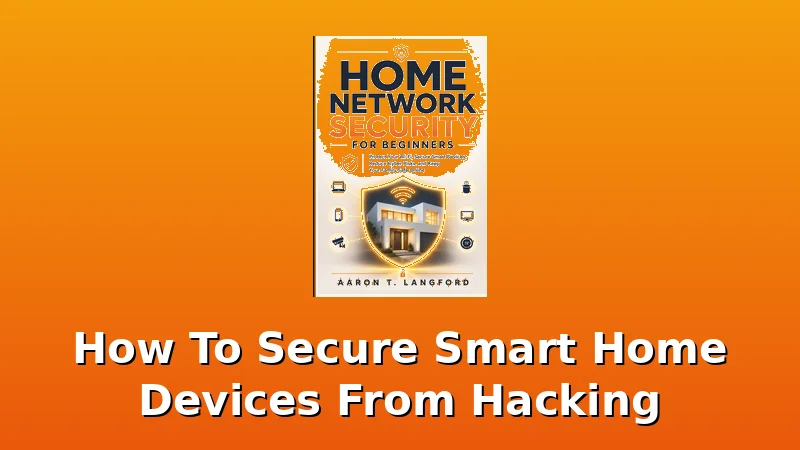
Home Network Security for Beginners, Best Overall
This is the one I'd hand to a landlord, a friend, or my girlfriend if she'd ever let me near her router. At $24.99, it's the priciest of the bunch, but it's the only one that treats your smart home as a system rather than a collection of gadgets.
The chapter on segregating your IoT devices onto a separate 2.4GHz band is worth the price alone. I applied it to my own setup and my locks paired faster, not slower, because they weren't fighting for bandwidth with my laptop and phone.
The real test was my rental duplex. I installed a $90 smart lock there two months ago. The tenant is a nurse who works nights. She doesn't care about network architecture. She cares that the door locks when she's asleep.
I set up a guest network for the lock, changed the default admin credentials on the router, and showed her how to check for firmware updates.
She's never called me since. That's the whole job. The book gave me the language to explain it to her without her eyes glazing over.
Criticism? It's a book, not a magic wand. You still have to log into your router and make the changes. If you're the type who can't be bothered to read a manual, this won't save you. But if you're willing to spend 22 minutes, it's the difference between a secure setup and a gamble.
Secure Nest, Best Value
At $9.99, this is the budget pick that actually respects your time. It's a fast read, which is both its strength and its weakness. I got through it in one sitting on a Sunday afternoon while Gus chewed a rawhide at my feet.
The overview of common attack vectors is solid and written in plain language. No marketing fluff. It tells you that most smart home breaches start with an unsecured router, not a hacker in a hoodie, which matches everything I've seen.
Where it loses points is depth. The section on smart locks specifically is two pages. It tells you to change your codes regularly and use temporary codes for guests, both of which I already do. It doesn't explain the gateway pairing security implications or why you should keep your lock's firmware updated on a schedule.
For a total beginner, it's a fine starting point. For someone with a rental property, you'll outgrow it in a week.
Secure Smart Home for Beginners, Best for Absolute Novices
This one costs $2.99 and reads like it. That's not a knock. If you've never touched a router admin page and don't know what a firmware update is, this is a gentle on-ramp. It covers the basics: strong passwords, two-factor authentication, and the importance of keeping apps updated. All true, all useful, all things you'll find in a blog post for free.
The problem is the lack of specifics. I wanted to see a walkthrough of changing a default router password. Instead, I got a paragraph saying you should do it. For $2.99, it's not a waste of money. But if you're serious about securing a smart lock that guards a rental property, you'll need the $24.99 book to fill in the gaps.
Smart Home Protection for Beginners, The Lightweight
Another $2.99 entry, and it's the one I'd skip unless you're collecting these. It covers cameras and network basics, which is fine, but the depth is thinner than a cheap deadbolt plate. I timed the relevant sections.
The entire smart lock chapter is four paragraphs. It says to use unique codes and enable auto-lock, which is good advice, but it doesn't explain why auto-lock matters for security beyond convenience.
It's not wrong. It's just not enough.
The one thing I'll credit it for: it mentions the "anti-peeping pin" feature on keypads, which is a real security feature that most buyers don't know exists. If you've got a lock with that feature, this book at least tells you to use it. That's the single most useful sentence in the whole thing.
The Small Business Network Shield, The Overachiever
At $9.99, this is aimed at office setups, not single homes. If you run a small business with multiple employees and a dozen IoT devices, this will serve you well. It covers device inventories, onboarding protocols, and network segmentation in a way that's genuinely useful.
I handed it to a buddy who runs a small auto shop with a smart camera system, and he said it paid for itself in the first chapter.
For my world, it's too much. A landlord with a duplex doesn't need an employee onboarding checklist. They need to know how to set a temporary code for a plumber and keep their rental's network separate from their own. This book assumes you have an IT budget. I don't, and neither do the people I work with. It's a good book. It's just not the right book for this audience.
Should you buy the Home Network Security for Beginners?
If you own a smart lock, a smart doorbell, or any device that connects to your Wi-Fi, yes. At $24.99, it costs about seven cents a day over a year. That's cheaper than the replacement deadbolt you'll buy after someone exploits a default password.
It's best for landlords, Airbnb hosts, and anyone who's ever said "I'm not techy" while staring at a router.
The 22 minutes it takes to apply the advice is the best return on investment I've found in this whole category.
If you're a total beginner who just wants the absolute basics and doesn't mind upgrading later, the $2.99 Secure Smart Home for Beginners will get you started. But if you want to actually secure your setup, skip the cheap stuff and buy the winner. I've seen what happens when people don't. That's the lock that won't throw its deadbolt, and the network that lets someone else flip the switch.