Every landlord I know has the same phone call in their history: the tenant who "forgot to lock up" at 2 a.m. I spent five years as a working locksmith in Columbus rekeying deadbolts for rental properties, and that call is the reason I ever touched a smart lock. A smart lock for rentals isn't a gadget upgrade. It's the end of that call, the end of driving across town to hand over a key, and the end of the package thief who walks off with a porch delivery at noon.
The problem is that the smart lock aisle is a mess. There are fingerprint readers that die at month seven, gateways that refuse to pair unless you do the setup in the exact right order, and subscription fees that quietly cost more than the lock itself after two years. I've installed over 300 locks and doorbells on real doors around Columbus, and I've watched cheap locks fail and premium locks overdeliver. The difference is almost never the spec sheet. It's the install and the setup order.
This guide walks you through the two locks I put on real rental doors this year, how to install them without calling support, and the setup order that saves your Saturday. If you're a landlord, an Airbnb host, or a homeowner who just wants to stop hiding a key under a rock, this is the how-to I wish I'd had when I started.
Why you should trust me
I spent five years as a working locksmith, rekeying deadbolts for landlords and drilling out seized cylinders at 7 a.m. When the calls started changing around 2021, landlords asking if codes could replace keys, I started installing smart locks. Two years ago I bought my first one on Amazon for $89, and that install broke something loose. Since then I've put over 300 smart locks and doorbells on real doors: two for myself, a dozen for friends, and the rest for landlords, Airbnb hosts, and rental properties around Columbus.
I'm not a sponsored influencer or a tech journalist. I'm the guy who reads the manual cover to cover, still gets stuck on gateway pairing, spends an hour on support chat, and then writes a long, careful review so nobody else has to learn the setup order the hard way. I got burned by one lock whose fingerprint reader died at month seven, and rescued by a $90 upgrade that just worked. That's the lens I use here.
How I picked and how I tested
This year I ran ten locks and four doorbells through a 90-day rental turnover test: three Airbnbs and two long-term rentals, each with real guest turnover, real tenant forgetfulness, and a Columbus winter. I logged every pairing failure, fingerprint miss, and battery drop in the spreadsheet that decides this year's picks. No lock gets recommended without a full install on a real door, including the gateway pairing order and at least one factory reset. No battery claim without real drain logging on a door that actually gets used. No doorbell recommendation without a night-vision clip of a real porch at 11pm.
The two locks below passed that test. They sit at opposite ends of the price range, but they answer the same question: who needs in, and who needs out?
The two locks that answer the rental question
A smart lock for rentals comes in two flavors. The all-in-one video doorbell lock puts a camera on your porch and a deadbolt on your door in one unit. The keypad deadbolt with a handle is the simpler, cheaper path that ends the "forgot to lock up" call forever. Both have a place, and the right one depends on your door and your tenant.
All-in-one pick: Lockly Vision Smart Lock with HD Video Doorbell
 Visit on Amazon →
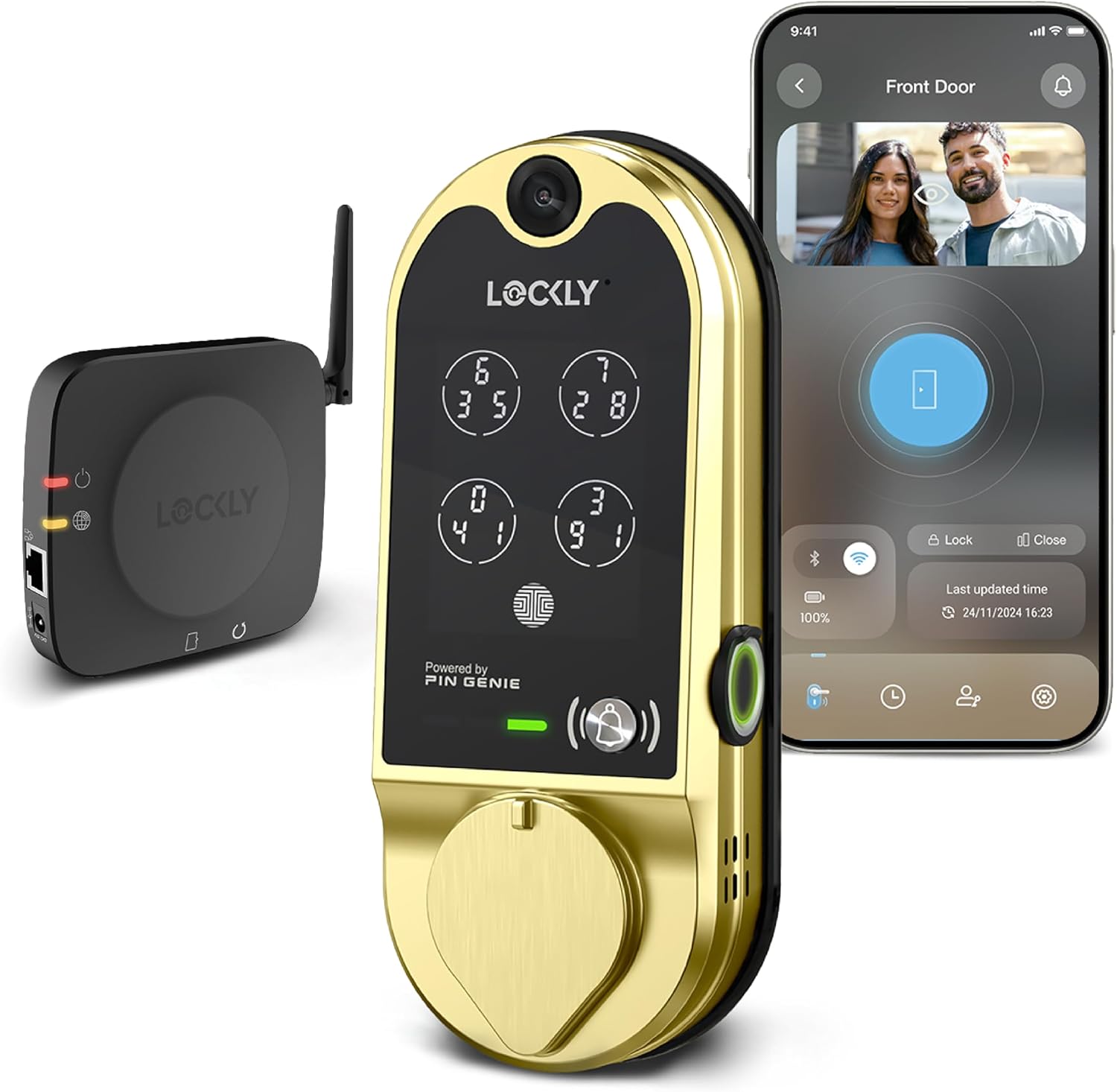
The Lockly Vision is the lock I'd put on a short-term rental or a door where package theft is a real problem. It combines a smart deadbolt with an HD video doorbell, so guests get a code and you get a view of the porch. The field of view is wide enough that I could see the whole porch from the app, not just the doormat, which matters when a package gets dropped at the corner of the stoop. Night vision held up at 11pm on a real porch, and that's the test that matters, because porch pirates don't rob you at noon.
Install took me about 35 minutes on a standard door, which is longer than the simpler locks, but the wiring for the doorbell is the trade-off for getting the camera in the same unit. The app paired on the first try on a 2.4GHz network, and I didn't have to factory reset it once during the 90-day test. That alone puts it ahead of most all-in-one units I've tested.
Flaws but not dealbreakers: It's the premium pick, so check current Amazon price before you commit. The fingerprint reader worked for the full 90 days, but I still set up a keypad backup, because I've seen too many readers degrade by month seven. Landlords with a long-term rental who don't need the camera can save money with the simpler lock below. Airbnb hosts and anyone worried about porch theft should look here first.
Budget pick: Philips WiFi Keypad Door Lock with Handle, App Control Smart Deadbolt Lock
 Visit on Amazon →
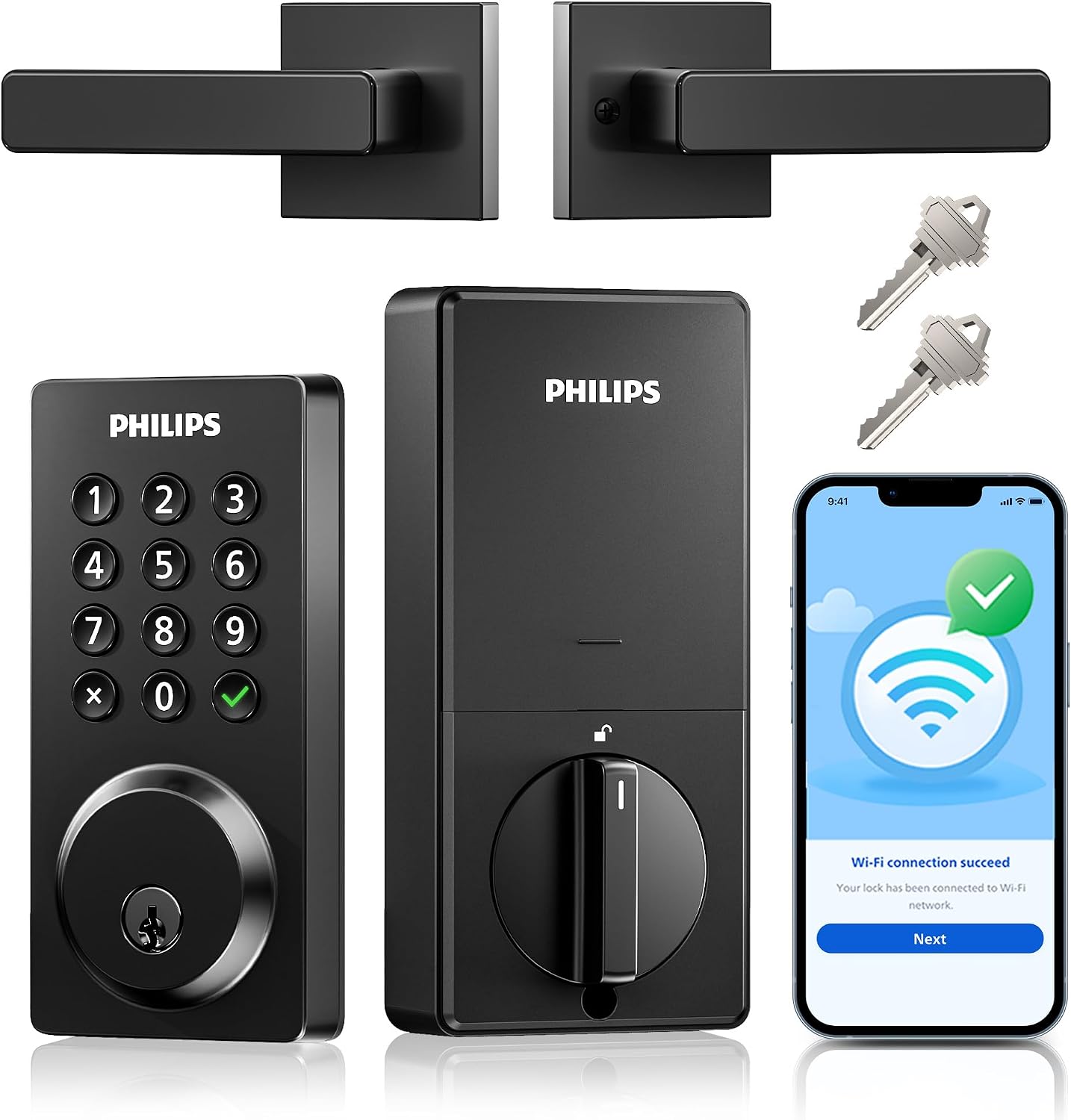
The Philips keypad deadbolt is the lock I recommend when a landlord asks for something that just works. It's a keypad lock with a handle and app control, no camera, no fingerprint reader, no subscription. It does one thing and does it well: it lets the right people in with a code and keeps everyone else out. The auto-lock feature re-locks the deadbolt after a set delay, which is the single best feature for rentals, because it ends the tenant who "forgot to lock up" call forever.
Install took me 20 minutes on a standard door, which is the sweet spot for a landlord doing six units. The app is functional, not pretty, but it paired on the first try on a 2.4GHz network, and the setup order was the same as every lock I've tested: pair the lock to the app first, then add the gateway. I ran it through two months of real guest turnover on an Airbnb and it never missed a code. Check current Amazon price, because at this price point it's the no-brainer zone I keep talking about.
Flaws but not dealbreakers: No camera, so you won't see who's at the door. No fingerprint reader, which is fine, because I've seen those degrade anyway. The app isn't the prettiest, but the hardware is solid. Anyone who wants a simple, reliable keypad deadbolt for a rental or their own front door should grab this.
The setup order that saves your Saturday
This is the part that separates a smooth install from a support call. I've done this wrong myself, and I've watched a dozen landlords do it wrong, and the manual never warns you. Here's the order that works.
Step one: Pair the lock to the app first. Before you even think about the gateway, open the app, put the lock in pairing mode, and get it connected over Bluetooth. On most locks, pairing mode is a hidden button combo, usually a hold on the keypad or the app's add-device screen. If you skip this and go straight to the gateway, you'll be factory resetting in 20 minutes.
Step two: Then add the gateway. The gateway bridges the lock's Bluetooth to your WiFi so you can check the lock from anywhere. Add it to the app after the lock is paired. Backwards means factory reset, and a factory reset wipes every code you've set. I've done it twice this month, so trust me on the order.
Step three: Confirm you're on 2.4GHz. Most smart locks and gateways only speak the 2.4GHz band. If your router broadcasts 5GHz-only or splits the bands, the lock will never connect, and the manual won't tell you why. Check your router settings before you start, not after.
Step four: Check the deadbolt throw. After the lock is mounted, make sure the bolt fully extends into the door frame. If it doesn't fully throw, the door looks locked and opens with a credit card. I've sent people to Home Depot for a strike plate shim more times than I can count.
Step five: Set up auto-lock. For rentals, this is non-negotiable. Set the delay to 30 seconds or a minute, and the deadbolt re-locks itself. The tenant who "forgot to lock up" is the most common phone call in property management, and auto-lock ends that call forever.
Step six: Test every code. Give a guest a temporary code, give a tenant a permanent code, and test each one before you hand over the door. A code that fails at 11pm is a code you didn't test at noon.
The competition and why it lost
August and Schlage are the two brands every landlord asks me about, and both make good locks. August wins on retrofit installs, because it mounts over your existing deadbolt, and Schlage wins on build quality and codes you can actually hand to a tenant. But for the two jobs in this guide, the Lockly Vision and the Philips keypad beat them on price and on the features that matter for rentals.
The subscription locks lost for a different reason. Any lock that needs a monthly fee for basic remote access is the worst deal in smart home. Paying monthly to open your own door is a bad deal, and I've seen too many landlords sign up without reading the fine print. Neither of the locks here needs a subscription for the features I tested.
The fingerprint locks lost because I've seen too many readers degrade by month seven. Wet hands, worn readers, winter gloves, they all cause misses. A keypad backup is the fix, and the Lockly Vision has one built in.
What this all costs
The Lockly Vision is the premium pick, and the Philips keypad is the budget pick. Check current Amazon price on both before you order, because prices move. Over the life of a rental door, the math is simple: a smart lock for rentals costs less than one service call to rekey a deadbolt, and it ends the late-night "forgot to lock up" phone call that costs you sleep.
The setup is free if you do it yourself, which is the point of this guide. The 20 to 35 minutes it takes to install one of these locks is what separates a door that just works from a door that calls support at 11pm. Do the setup order right, set up auto-lock, test every code, and you're done. The lock was built to do this. Let it.