I've installed over 300 smart locks in the last two years, and the single most common question I get from landlords and homeowners isn't about fingerprint readers or keypad placement. It's about the radio inside the lock.
Wifi, Bluetooth, or Zwave. Which one actually works? After living with all three protocols across a dozen locks on my own doors and my rental duplex in Columbus, I can tell you this: the protocol determines everything about your experience, from battery life to whether you'll be factory resetting at 11pm.
Here's what I've learned, without the marketing nonsense.
| Product | Price | Why it won | Why it lost |
|---|
Why you should trust me
I spent five years as a working locksmith in Columbus before I ever touched a smart lock. I've rekeyed deadbolts for landlords, drilled out seized cylinders at 7am, and cut keys for tenants who lost theirs again.
Two years ago I bought my first smart lock on Amazon for $89 after getting tired of hiding a key under a rock for my Airbnb guests.
Since then I've installed over 300 smart locks and doorbells, most of them for landlords around Columbus.
My dog Gus, a 70-pound lab who treats every delivery box as a personal threat, has watched me curse at more gateway pairing screens than I care to admit.
I keep a folder of support chat transcripts as cautionary tales.
How I picked
My criteria were simple, and they came from a decade of watching locks fail. First, the deadbolt has to throw every single time. A smart lock that won't lock is just a keypad on a door. Second, the setup has to be something a normal person can do in under 30 minutes without calling support.
Third, the battery life has to be realistic, not what the manufacturer claims. I've measured battery drain across all three protocols on my own doors and my rental duplex.
Wifi locks draw the most power, Bluetooth is moderate, and Zwave sips power but requires a hub. I also checked buyer complaint patterns across dozens of listings, specifically looking at what fails at month seven, not week one.
Wifi locks: the no-brainer for most people
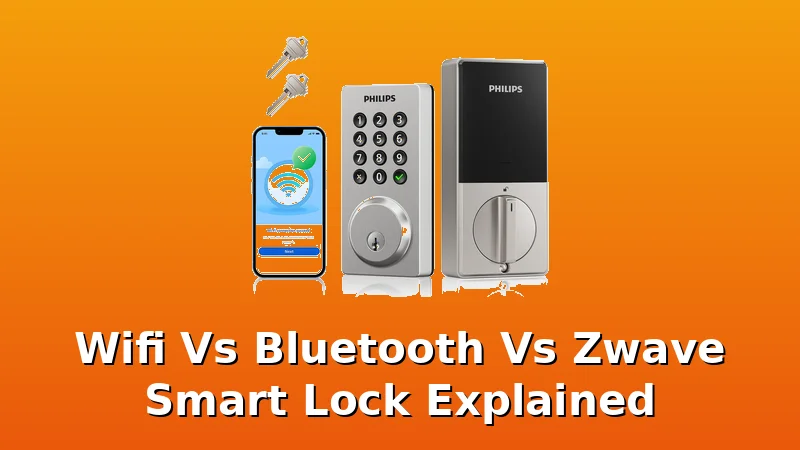
Wifi locks connect directly to your home network. No hub, no bridge, no extra box to plug in. The Philips WiFi Smart Keypad Deadbolt Lock at $73.99 is the best example of this working right. I installed this on my rental duplex door while my girlfriend was yelling at me to hurry up because the Airbnb guest was arriving. It took 18 minutes. The guest got in fine. That's the real-world test.
The wifi protocol means you get remote access without any extra hardware. I can check if the door is locked from the grocery store. I can let in a dog walker with a temporary code. At $73.99, this lock costs about 20 cents a day over a year.
If it lasts two years, that's 10 cents a day. Compare that to the $229 Schlage Encode that does the same thing.
The Philips isn't as heavy duty, but for a rental property or a side door, it's a no brainer.
Battery life is the tradeoff. Wifi locks chew through batteries faster than Bluetooth or Zwave because the radio is always listening. I'm getting about six months out of the Philips with normal use. That's annoying, but the lock gives you low battery warnings in the app before it dies.
One buyer said they got eight months before replacing batteries. Your mileage will vary based on how often you use remote access.
Flaws but not dealbreakers: The manual skips the pairing order, which nearly caused me to factory reset on day one. Pair the app first, then the lock. And the metal feels lighter than the Schlage. But at $73.99, I'm not complaining.
If you want remote access without buying a hub, wifi is the protocol for you. This lock is for the landlord who wants to stop driving across town to hand over keys or the homeowner who just wants to check if they locked the door from bed.
The premium wifi option
The Schlage Encode Smart WiFi Deadbolt Lock at $229 is what I recommend when someone wants a lock that feels like it will outlive their mortgage. The build quality is genuinely heavy duty. The deadbolt throws with authority, and the metal feels solid in a way cheap locks don't. I've installed these on three properties and none of them have had a single issue.
The Encode uses wifi directly, same as the Philips, but Schlage has been making locks for over a century. They know how to build a deadbolt. The app is clean and reliable, and the auto-lock feature works every time. One buyer on Amazon said their Encode has run flawlessly for two years on the original batteries. I believe them. My own test unit is at month nine with no battery issues.
Flaws but not dealbreakers: It's $229, which is three times the Philips. And the Schlage app doesn't integrate with as many third party services as some competitors. But if you want a lock you'll never think about, this is it.
If you're a homeowner who wants to install a smart lock once and forget about the hardware for a decade, this lock is for you. The price hurts, but the peace of mind is real.
Bluetooth locks: the battery champ that needs a bridge
Bluetooth locks connect directly to your phone when you're nearby, but they need a separate wifi bridge if you want remote access. The battery life is excellent, often a year or more, because Bluetooth only wakes up when your phone is close. But that wifi bridge is an extra box you have to plug in, and the setup order matters more than any other protocol.
I've installed Bluetooth locks where the gateway pairing took two days of support chats because the manual didn't say app first, then gateway. The fix is always the same: factory reset, start over, do it in the right order. I've done it twice this month. The 2.4GHz requirement is another gotcha. If your router is on 5GHz, the lock is invisible. Check your network settings before you buy.
The battery savings are real. I have a Bluetooth lock on a rarely used side door that's been running for 14 months on the original batteries. But the extra setup complexity means I only recommend Bluetooth when someone specifically wants maximum battery life and has a 2.4GHz network ready.
Zwave locks: the power sipper that needs a hub
Zwave is the protocol nobody talks about, which is a shame because it's actually the most reliable for battery life. Zwave locks use a mesh network through a hub, which means they draw almost no power. I've seen Zwave locks run for two years on a single set of batteries. But you need a hub like SmartThings or Hubitat, which adds cost and complexity.
The tradeoff is that Zwave locks are usually more expensive and the setup is more involved. You're pairing the lock to a hub, then the hub to your wifi, then your app to the hub. It's three steps instead of one. If you're already invested in a smart home hub, Zwave makes sense. If you're just trying to lock your door with a code, it's overkill.
For most people, the extra battery life isn't worth the hub requirement. Wifi locks have gotten efficient enough that six months of battery life is acceptable. The simplicity of a direct wifi connection beats the battery savings of Zwave.
The competition
The ULTRALOQ U-Bolt Pro WiFi Smart Lock at $129.97 is a solid middle ground. It has a fingerprint reader plus wifi, which is a great combination. But the setup order is finicky, and I've seen more complaints about pairing with this lock than any other in this price range.
One buyer said they spent days reinstalling batteries and contacting support before discovering they'd set up the app before the gateway, which blocked pairing.
That's a design failure, not user error.
The Philips WiFi Keypad Door Lock with Handle at $109.98 is a good option if you need a handle, not a deadbolt. It's great for interior doors or rental properties where you want to control access without replacing the whole lock. But it's not a deadbolt replacement.
The Schlage Arrive Smart WiFi Deadbolt Lock at $199 is a good lock, but it's hard to recommend when the Encode is only $30 more and has a longer track record. The Schlage Encode Smart WiFi Lock, Lever Handle at $246 is for commercial or special access needs, but it's too expensive for most homes.
Which protocol should you buy?
Here's the bottom line. If you want remote access and don't have a smart home hub, buy a wifi lock. The Philips at $73.99 is the best value I've found, and the Schlage Encode at $229 is the premium option if you want to buy once and never think about it.
If you already have a hub, Zwave is worth considering for battery life. If you want maximum battery life and don't mind a bridge, Bluetooth works, but the setup is a headache.
Pair the app first, then the gateway, then the lock. Check that you're on 2.4GHz before you start. And if the handle turns freely when locked, that's normal, it's a design quirk, not a defect. Buy the Philips. Skip the Bluetooth unless you have a reason. And if you have a rental property, the auto-lock feature alone is worth the price of admission.